




 Translate
Download
2026-04-14
Before downloding
- Please make sure that the device is connected to the computer via USB.
- Please make sure that the device is in the download mode.
one: BOOT key without releasing ittwo: Click the RST buttonthree: Finally, release the BOOT key
Webpage download(Recommended)
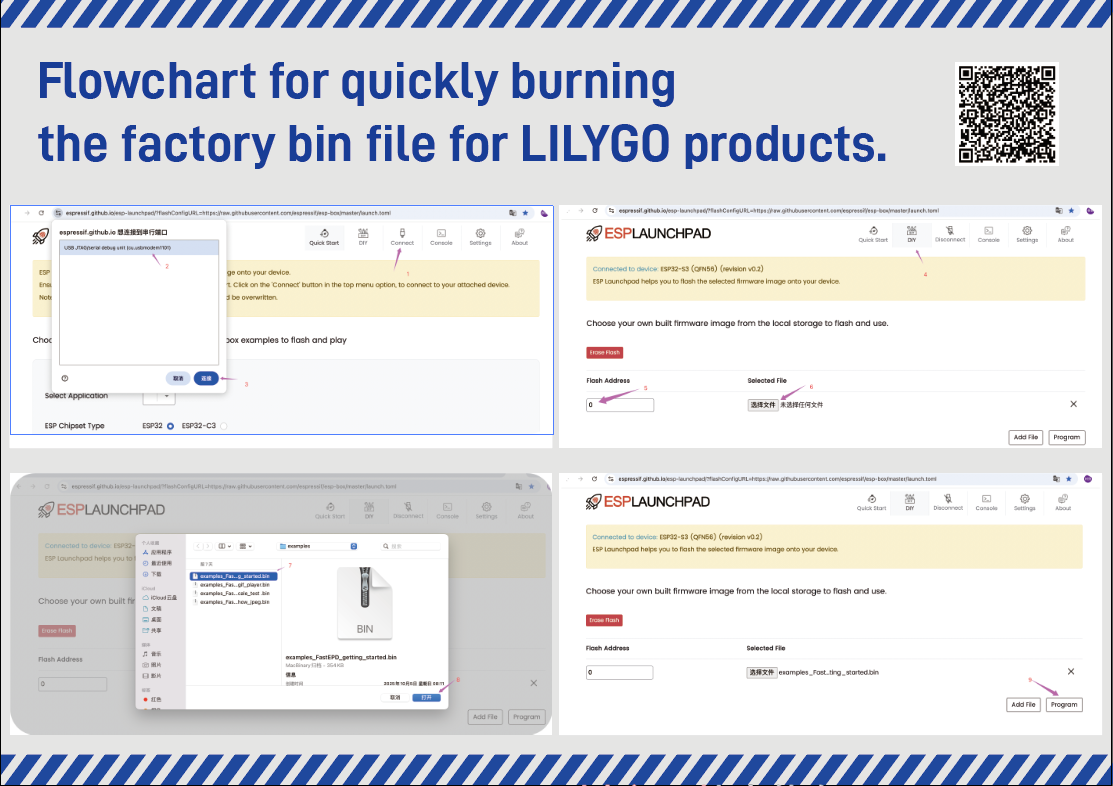
Download the firmware
Locate the firmware used by the device in the firmware file.
Open the download tool web
Open the download tool web: Tool
Download the firmware to the device.
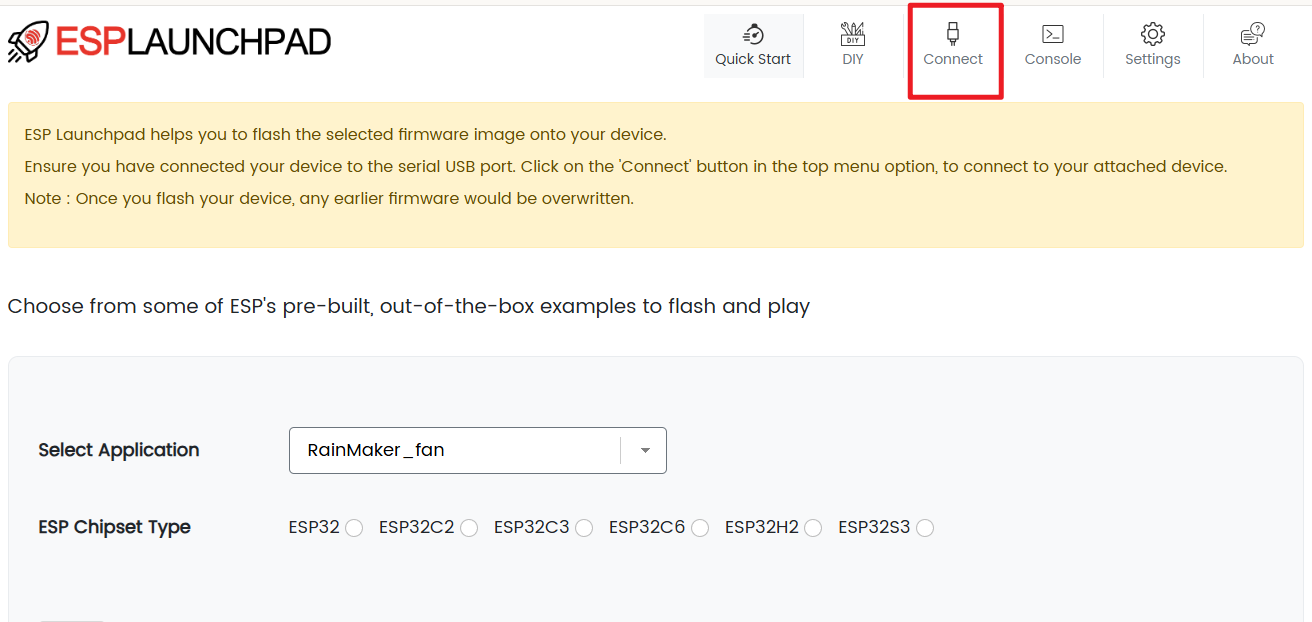
- Click the "Connect" button on the tool to connect to the device.
Select the firmware file to be downloaded.
- Flash Address set to 0x0
- Click the
Choose filebutton to select the firmware file to be downloaded.
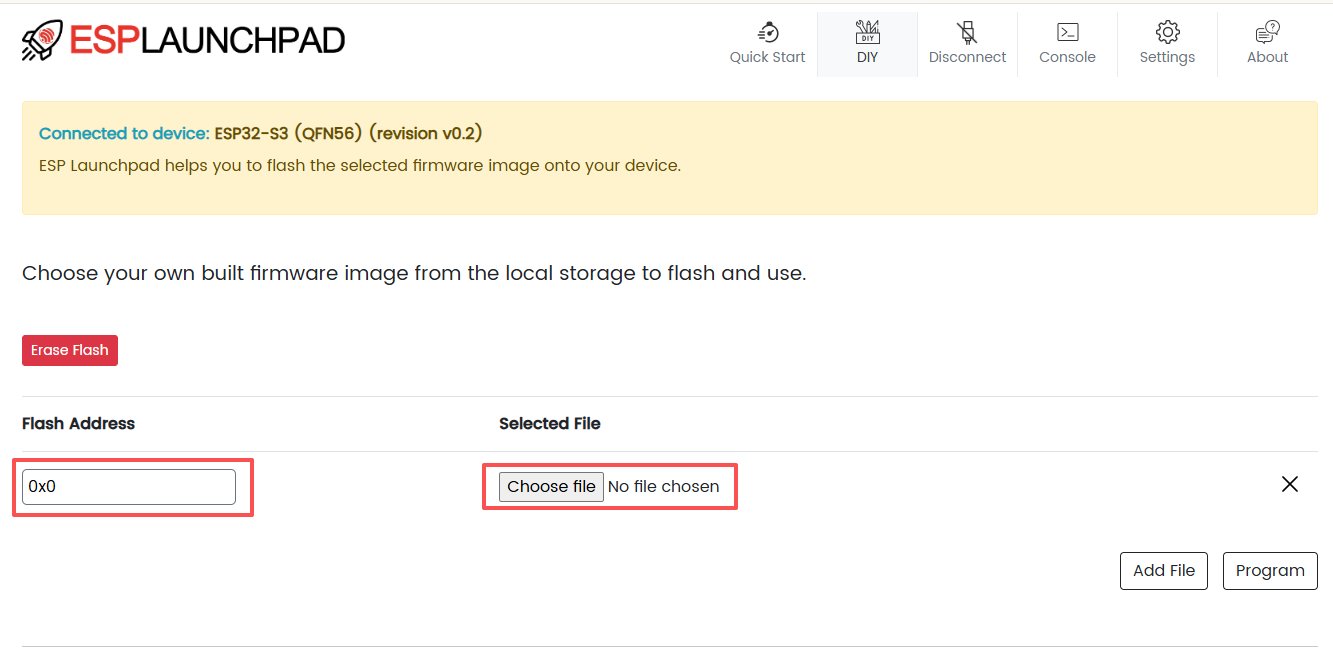
- Click the
Programbutton to start the download.
Flash download tool
Video Guide
Download the firmware
Download the
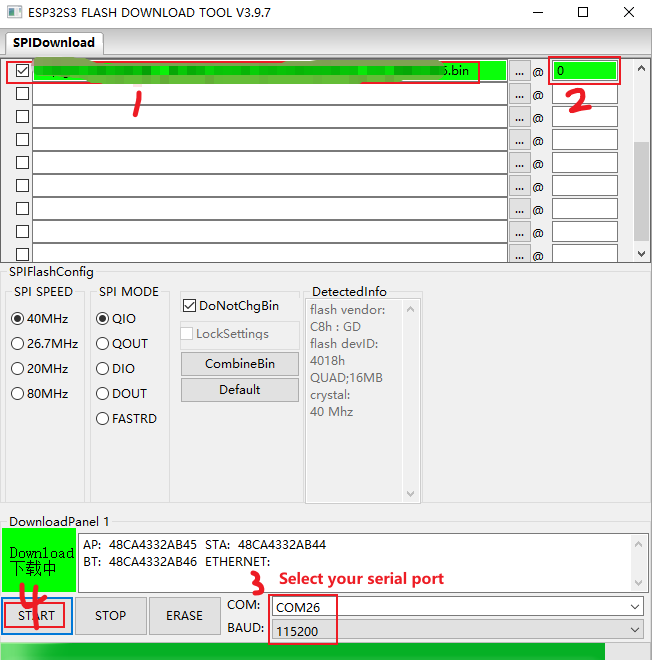
Flash Download Tools, Flash Download Tools;Open the Flash Download Tools tool and select from the following figure
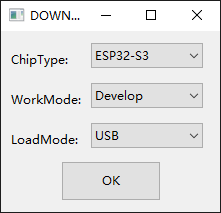
- Select the program you want to download and click Start key to download it as shown in the image below
PlatformIO download
- Install VisualStudioCode and Python
- Search for the
PlatformIOplugin in theVisualStudio Codeextension and install it. - After the installation is complete, you need to restart
VisualStudio Code - After restarting
VisualStudio Code, selectFilein the upper left corner ofVisualStudio Code->Open Folder-> select the"Your project"directory - Click on the
platformio.inifile, and in theplatformiocolumn, cancel the sample line that needs to be used, please make sure that only one line is valid - Click the (☑️) symbol in the lower left corner to compile
- Connect the board to the computer USB
- Click (➡️) to upload firmware
- Click (🔌) to monitor serial output
Arduino IDE download
- Install the Arduino IDE
- Open the
Arduino IDEand selectTools->Board->Board Manager - Search for
ESP32and install theESP32board - Select the
ESP32board in theTools->Board->ESP32 - Select the COM port of the board in the
Tools->Port - Open the
Your projectexample in theFile->Examples->Your project - Compile and upload the code to the board
You can refer to the
README.mdfile in each repository.