Version Iteration:
| Version |
Update date |
Update description |
| T-LoraPager_V1.0 |
2024-08-05 |
Initial Version |
Purchase Links
| Product |
SOC |
FLASH |
PSRAM |
LoRa |
Link |
| T-LoraPager |
ESP32-S3 |
16M |
8M |
SX1262 (433-920MHz) |
LILYGO Mall |
Table of Contents
Description
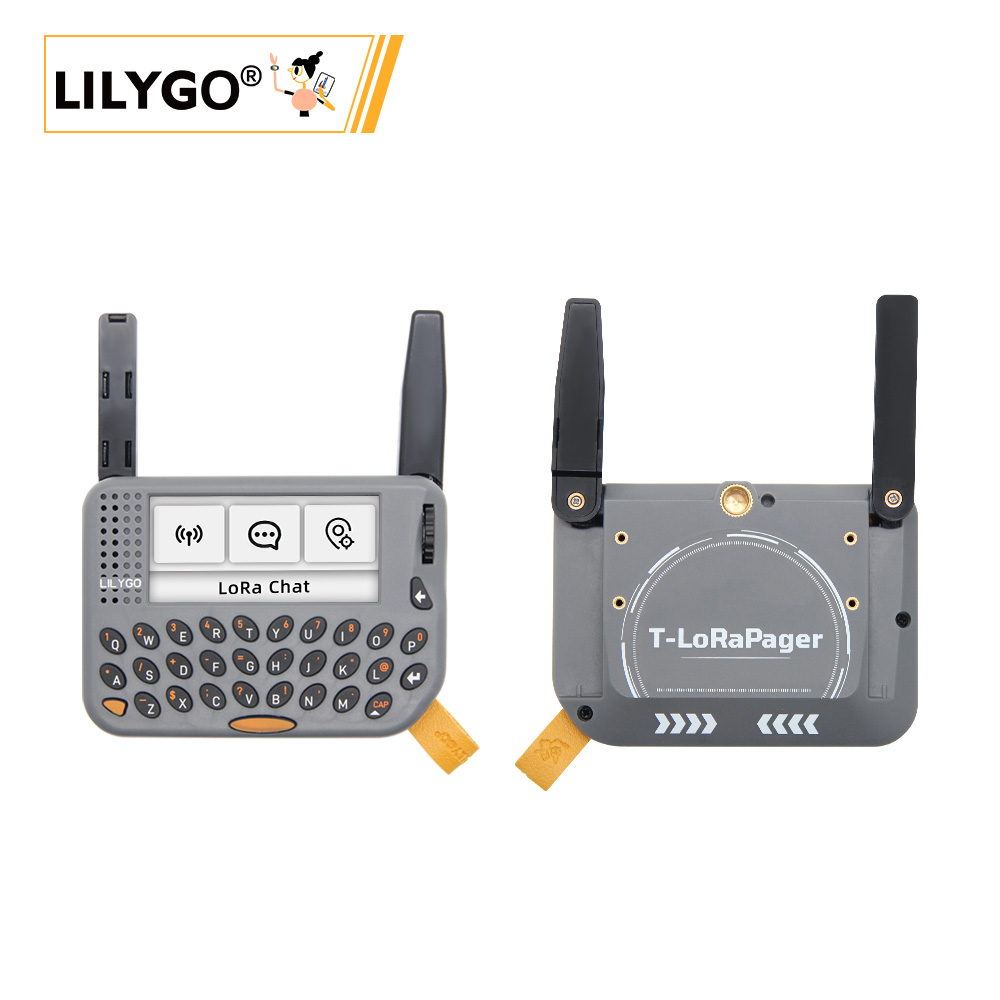
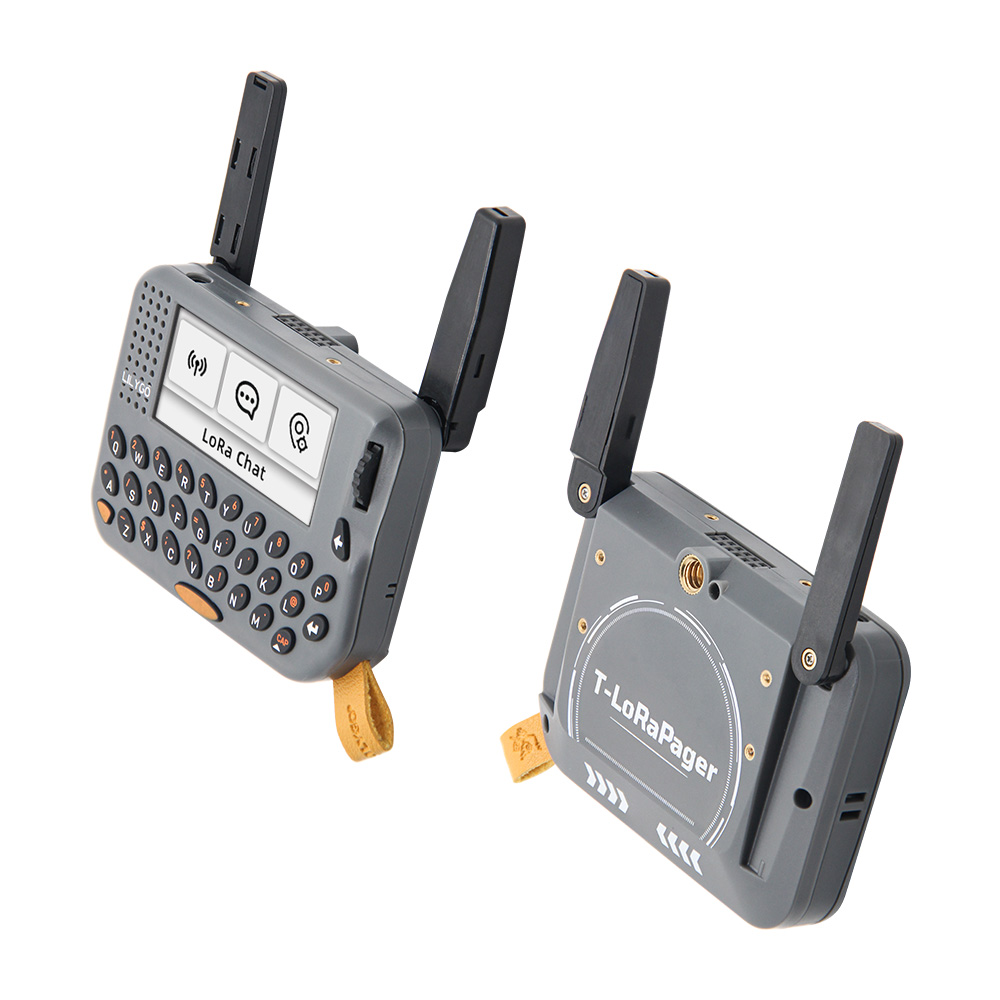
T-LoraPager is a handheld AIOT programmable development device launched by LILYGO, integrating ESP32-S3 high-performance Wi-Fi/Bluetooth dual-mode chip with multiple wireless communication modules. The device features a compact appearance and foldable external antenna design, ensuring wireless performance while maintaining aesthetics. Multiple version options are provided, mainly differing in LoRa modules (LR1121, SX1262 or CC1101), allowing users to choose according to application requirements.
The development board is feature-rich, integrating QWERT keyboard, AI-enabled IMU (BHI260AP), 2.33-inch strip screen (480×222 resolution), U-blox GPS module (MIA-M10Q), RFID/NFC, RTC circuit, TI power management chip, ES8311 audio codec (supporting microphone, speaker, headphone), rotary encoder, GPIO expansion interface, etc. The back design includes 1/4 fixed screw interface and M2 screw pillars, with a lanyard included for easy carrying and fixing. The factory firmware includes UI Demo designed by LILYGO, enabling smooth interaction through the encoder, suitable for smart wearables, IoT positioning, data collection and other scenario development.
Preview
Physical Image
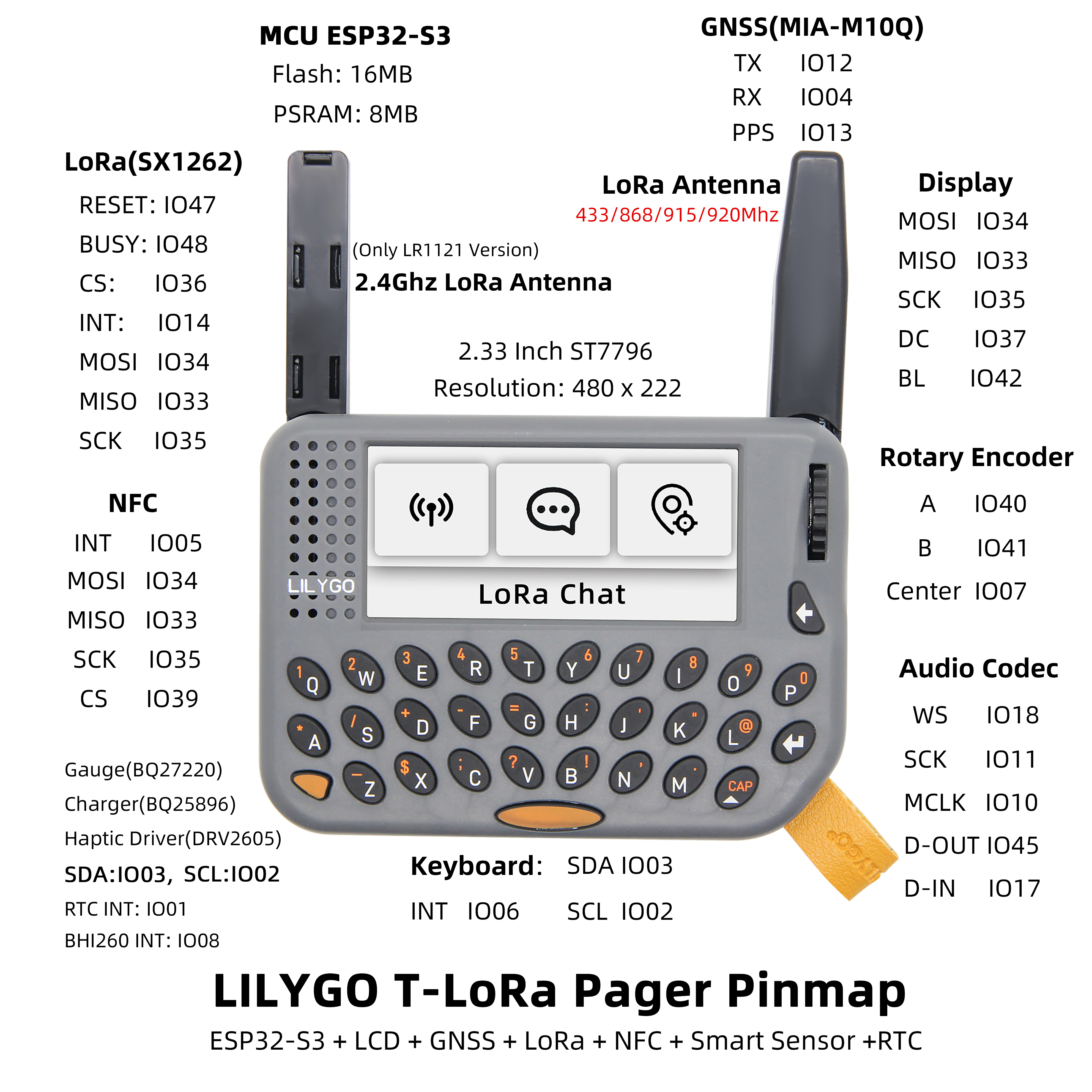
Pinout Diagram
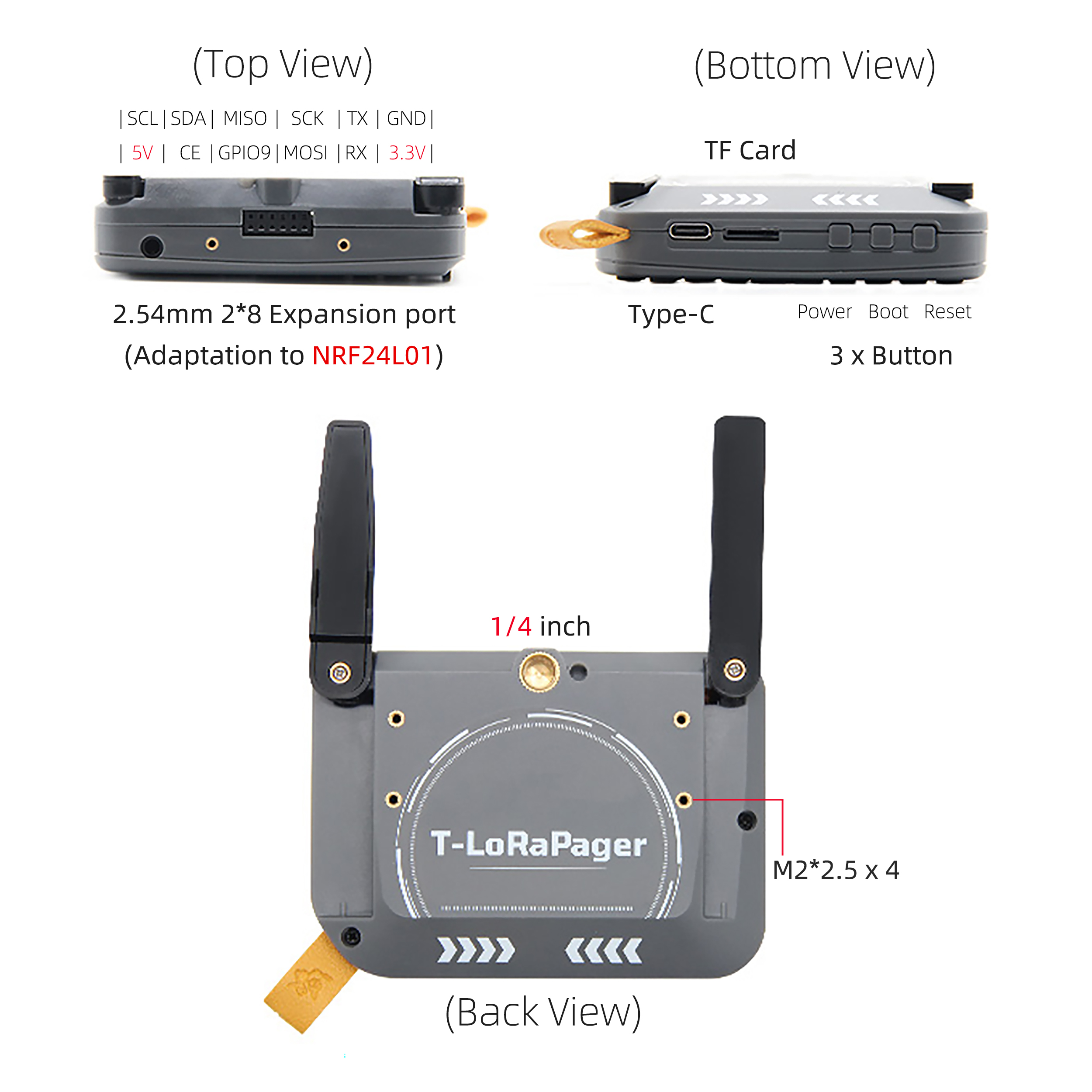
Three Views
Modules
MCU
Display
- Size: 2.33-inch LCD
- Resolution: 480x222px
- Display Type: LCD
- Driver Chip: ST7796
- Bus Communication Protocol: SPI
| Features |
Params |
| Resolution |
480 x 222 |
| Display Size |
2.33 Inch |
| Luminance on surface |
450 cd/m² |
| Driver IC |
ST7796U (SPI) |
| Contrast ratio |
1000:1 |
| Color gamut |
70% |
| PPI |
221 |
| Display Colors |
262K |
| View Direction |
All (IPS) |
| Operating Temperature |
-20~70°C |
LoRa
- Chip: SX1262 (Optional LR1121 / CC1101)
- Frequency: 433MHz ~ 920MHz
GPS
- Chip: MIA-M10Q
- Features: Low-power GNSS, supports 4-star concurrency
AI Sensor
- Chip: BHI260AP
- Features: AI-enabled IMU
Audio
- Chip: ES8311
- Features: 24-bit, 8kHz ~ 96kHz
RTC
- Chip: Built-in
- Features: Supports power switching
Overview
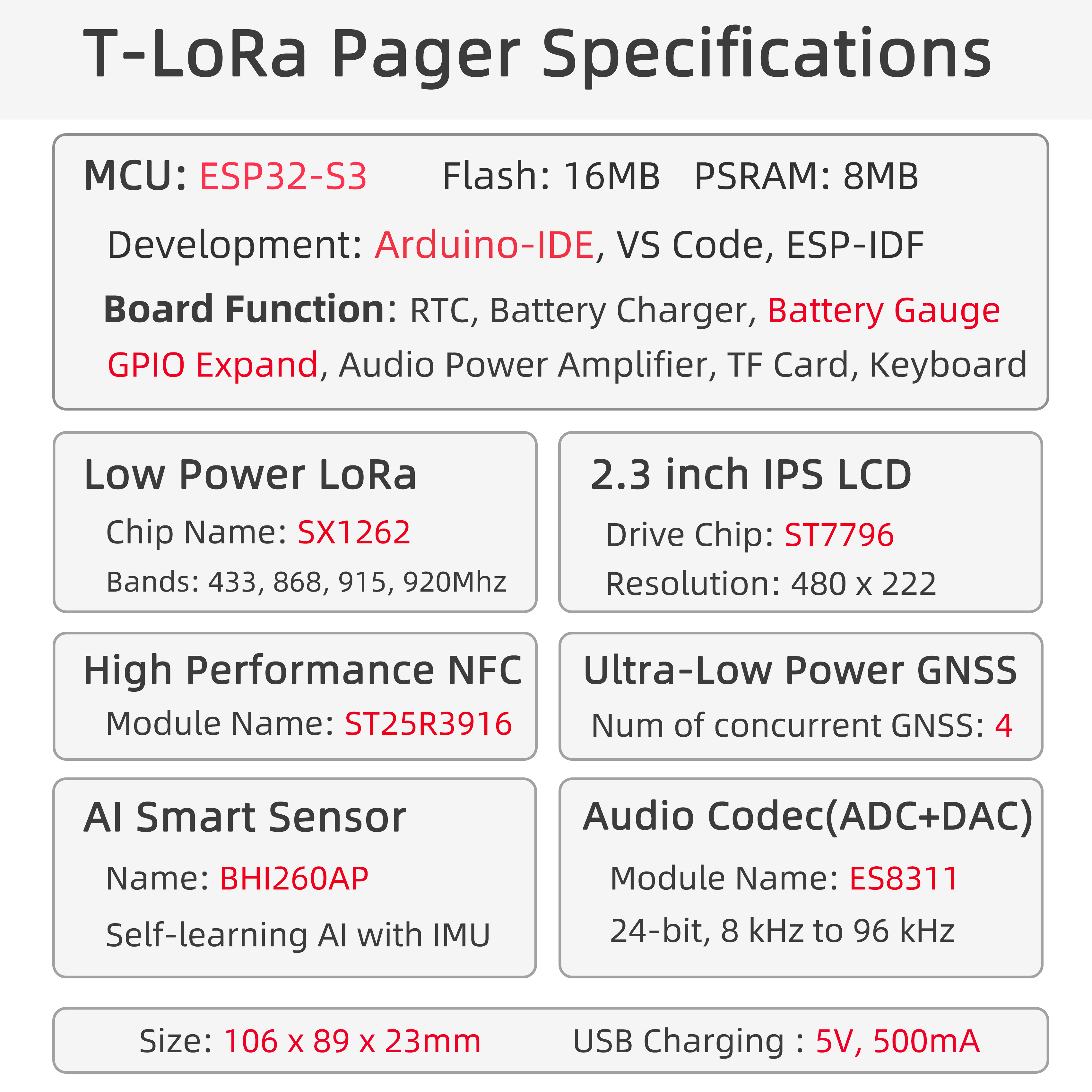
| Component |
Description |
| MCU |
ESP32-S3 |
| FLASH |
16MB |
| PSRAM |
8MB |
| Display |
2.33-inch ST7796 LCD |
| LoRa |
SX1262 (433-920MHz) |
| GPS |
MIA-M10Q |
| NFC |
ST25R3916 (SPI) |
| Storage |
TF Card |
| AI Sensor |
BHI260AP |
| Audio Codec |
ES8311 |
| Wireless |
2.4 GHz Wi-Fi & Bluetooth 5 (LE) |
| USB |
1 × USB Port (TYPE-C Connector) |
| IO Expansion |
PCA9535PW (I2C) |
| Input |
QWERT Keyboard + Rotary Encoder |
| Buttons |
1 x RESET Button + 1 x BOOT Button |
| Expansion Interfaces |
GPS Interface + 2 x Knockout + 2.54mm 2*8 GPIO |
| Mounting Holes |
1/4 inch Fixed Screw Interface + 4 x M2 Back Holes |
| Dimensions |
106x89x23mm |
Quick Start
Example Support
- Install Visual Studio Code.
- Search for and install "PlatformIO IDE" in extensions.
- Download T-LoraPager project code from GitHub.
- Open the project folder in VS Code, edit the
platformio.ini file to select the desired environment.
- Connect the device, compile and flash the program.
Arduino
- Install Arduino IDE
- Install Arduino ESP32 V3.3.0-alpha1 or higher or latest version
- Download LilyGoLib library
- Open
Arduino IDE -> Sketch -> Include Library -> Add .ZIP Library -> Select the library zip file downloaded in step 3
- Install LilyGoLib-ThirdParty
- Copy all directories from LilyGoLib-ThirdParty to the ArduinoIDE libraries directory. If there is no
libraries directory, please create it manually.
- Please note: do not copy the
LilyGoLib-ThirdParty directory itself, but copy all folders under that directory to the libraries directory
- How to find library file location on your computer, please refer here
- Windows:
C:\Users\{Username}\Documents\Arduino
- macOS:
/Users/{Username}/Documents/Arduino
- Linux:
/home/{Username}/Arduino
Please note that the libraries in LilyGoLib-ThirdParty are not necessarily the latest versions. Before confirming the hardware is working properly, please do not upgrade the dependent library versions.
ArduinoIDE will prompt that new library versions are available for upgrade every time it opens.
Please confirm normal operation before attempting to update to the latest versions. If you encounter issues, please revert to the dependent library versions that worked properly.
File -> Examples -> LilyGOLib -> helloworldTools -> Board -> esp32, please select the corresponding configuration from the table below
| Arduino IDE Setting |
Value |
| Board |
LilyGo-T-LoRa-Pager |
| Port |
Your port |
| USB CDC On Boot |
Enabled |
| CPU Frequency |
240MHZ(WiFi) |
| Core Debug Level |
None |
| USB DFU On Boot |
Disable |
| Erase All Flash Before Sketch Upload |
Disable |
| Events Run On |
Core 1 |
| JTAG Adapter |
Disable |
| Arduino Runs On |
Core 1 |
| USB Firmware MSC On Boot |
Disable |
| Partition Scheme |
16M Flash(3M APP/9.9MB FATFS) |
| Board Revision |
Radio-SX1262 |
| Upload Mode |
UART0/Hardware CDC |
| Upload Speed |
921600 |
| USB Mode |
CDC and JTAG |
- Board Revision Option, please select according to the actual purchased RF type. Current options include:
- Radio-SX1262(Sub 1G LoRa)
- Radio-SX1280(2.4G LoRa)
- Radio-CC1101(Sub 1G (G)MSK, 2(G)FSK, 4(G)FSK, ASK, OOK)
- Radio-LR1121(Sub 1G + 2.4G LoRa)
- Radio-SI4432(Sub 1G ISM)
- Select
Port
- Click
Upload, wait for compilation and writing to complete
- If unable to upload the program or the USB device keeps popping up on the computer, please manually put the device into download mode. How to enter download mode, please refer to here
- If there is no serial message output, please check if USB CDC ON Boot is set to Enabled.
- The board revision varies according to the actual RF module model. The current default version is SX1262.
- This library depends on the latest arduino-esp32 version. If it is lower than V3.3.0-alpha1, it will report an error.
- Platform IO
- Arduino IDE
- Micropython
- VS Code
Pin Overview
| Name |
GPIO NUM |
Free |
| Custom Pin |
GPIO9 (External 12-Pin socket) |
✅️ |
| Uart1 TX |
43(External 12-Pin socket) |
✅️ |
| Uart1 RX |
44(External 12-Pin socket) |
✅️ |
| SDA |
3 |
❌ |
| SCL |
2 |
❌ |
| SPI MOSI |
34 |
❌ |
| SPI MISO |
33 |
❌ |
| SPI SCK |
35 |
❌ |
| SD CS |
21 |
❌ |
| SD MOSI |
Share with SPI bus |
❌ |
| SD MISO |
Share with SPI bus |
❌ |
| SD SCK |
Share with SPI bus |
❌ |
| Keyboard(TCA8418) SDA |
Share with I2C bus |
❌ |
| Keyboard(TCA8418) SCL |
Share with I2C bus |
❌ |
| Keyboard(TCA8418) Interrupt |
6 |
❌ |
| Keyboard Backlight |
46 |
❌ |
| Rotary Encoder A |
40 |
❌ |
| Rotary Encoder B |
41 |
❌ |
| Rotary Encoder Center |
7 |
❌ |
| RTC(PCF85063A) SDA |
Share with I2C bus |
❌ |
| RTC(PCF85063A) SCL |
Share with I2C bus |
❌ |
| RTC(PCF85063A) Interrupt |
1 |
❌ |
| NFC(ST25R3916) CS |
39 |
❌ |
| NFC(ST25R3916) Interrupt |
5 |
❌ |
| NFC(ST25R3916) MOSI |
Share with SPI bus |
❌ |
| NFC(ST25R3916) MISO |
Share with SPI bus |
❌ |
| NFC(ST25R3916) SCK |
Share with SPI bus |
❌ |
| Sensor(BHI260) Interrupt |
8 |
❌ |
| Sensor(BHI260) SDA |
Share with I2C bus |
❌ |
| Sensor(BHI260) SCL |
Share with I2C bus |
❌ |
| Audio Codec(ES8311) WS |
18 |
❌ |
| Audio Codec(ES8311) SCK |
11 |
❌ |
| Audio Codec(ES8311) MCLK |
10 |
❌ |
| Audio Codec(ES8311) data out |
45 |
❌ |
| Audio Codec(ES8311) data in |
17 |
❌ |
| Audio Codec(ES8311) SDA |
Share with I2C bus |
❌ |
| Audio Codec(ES8311) SCL |
Share with I2C bus |
❌ |
| GNSS(MIA-M10Q) TX |
12 |
❌ |
| GNSS(MIA-M10Q) RX |
4 |
❌ |
| GNSS(MIA-M10Q) PPS |
13 |
❌ |
| LoRa(SX1262 or SX1280) SCK |
Share with SPI bus |
❌ |
| LoRa(SX1262 or SX1280) MISO |
Share with SPI bus |
❌ |
| LoRa(SX1262 or SX1280) MOSI |
Share with SPI bus |
❌ |
| LoRa(SX1262 or SX1280) RESET |
47 |
❌ |
| LoRa(SX1262 or SX1280) BUSY |
48 |
❌ |
| LoRa(SX1262 or SX1280) CS |
36 |
❌ |
| LoRa(SX1262 or SX1280) Interrupt |
14 |
❌ |
| Display CS |
38 |
❌ |
| Display MOSI |
Share with SPI bus |
❌ |
| Display MISO |
Share with SPI bus |
❌ |
| Display SCK |
Share with SPI bus |
❌ |
| Display DC |
37 |
❌ |
| Display RESET |
Not Connected |
❌ |
| Display Backlight(16 Level) |
42 |
❌ |
| Gauge(BQ27220) SDA |
Share with I2C bus |
❌ |
| Gauge(BQ27220) SCL |
Share with I2C bus |
❌ |
| Charger(BQ25896) SDA |
Share with I2C bus |
❌ |
| Charger(BQ25896) SCL |
Share with I2C bus |
❌ |
| Haptic Driver(DRV2605) SDA |
Share with I2C bus |
❌ |
| Haptic Driver(DRV2605) SCL |
Share with I2C bus |
❌ |
| Expand(XL9555) SDA |
Share with I2C bus |
❌ |
| Expand(XL9555) SCL |
Share with I2C bus |
❌ |
| Expand(XL9555) GPIO0 |
Haptic Driver Enable |
❌ |
| Expand(XL9555) GPIO1 |
Audio Power Amplifier Enable |
❌ |
| Expand(XL9555) GPIO2 |
Keyboard RESET |
❌ |
| Expand(XL9555) GPIO3 |
LoRa Power supply Enable |
❌ |
| Expand(XL9555) GPIO4 |
GNSS Power supply Enable |
❌ |
| Expand(XL9555) GPIO5 |
NFC Power supply Enable |
❌ |
| Expand(XL9555) GPIO6 |
Display RESET (No connect) |
❌ |
| Expand(XL9555) GPIO7 |
GNSS RESET |
❌ |
| Expand(XL9555) GPIO10 |
Keyboard Power supply Enable |
❌ |
| Expand(XL9555) GPIO11 |
External 12-Pin socket |
✅️ |
| Expand(XL9555) GPIO12 |
SD Insert Detect |
❌ |
| Expand(XL9555) GPIO14 |
SD Power supply Enable |
❌ |
Power Consumption Tests
| Mode |
Wake-Up Mode |
Current |
| DeepSleep |
BootButton |
530uA |
| DeepSleep |
Timer |
530uA |
| LightSleep |
BootButton |
~2.26mA |
| Power OFF |
PowerButton |
26uA |
FAQ
Q. How to choose between different versions of T-LoraPager?
A. Choose LoRa module according to application requirements: SX1262 for long-distance communication, LR1121 for multi-band support, CC1101 for low-cost Sub-1GHz applications.
Q. What to do if the device cannot flash the program?
A. Ensure USB CDC On Boot is enabled, and hold the BOOT button while clicking RESET to enter download mode.
Q. GPS positioning is slow or no signal?
A. Ensure use in outdoor open areas, and check if the antenna connection is good.
Projects
Resources
Dependent Libraries




 English
 Translate