



 English
 Translate
LILYGO T3-TXCO
Version History
Purchase Links
| Product | SOC | FLASH | PSRAM | Link |
|---|---|---|---|---|
| T3-TXCO | ESP32-Pico-D4 | 4MB | 2MB | LILYGO Store |
Table of Contents
- Description
- Preview
- Modules
- Quick Start
- Pin Overview
- Related Tests
- FAQ
- Projects
- Resources
- Dependent Libraries
Description
LILYGO LORA32 TCXO is a wireless communication module based on LoRa technology, supporting 868/915MHz dual-band, suitable for IoT applications in different regions worldwide. The module is equipped with a Temperature Compensated Crystal Oscillator (TCXO), significantly improving frequency stability, making it suitable for high-precision communication in environments with large temperature variations. Its design integrates LoRa modulation technology with a 32-bit microcontroller, combining long-distance, low-power data transmission with local processing capabilities. It can be widely used in smart agriculture, remote sensors, industrial monitoring, and other scenarios.
Preview
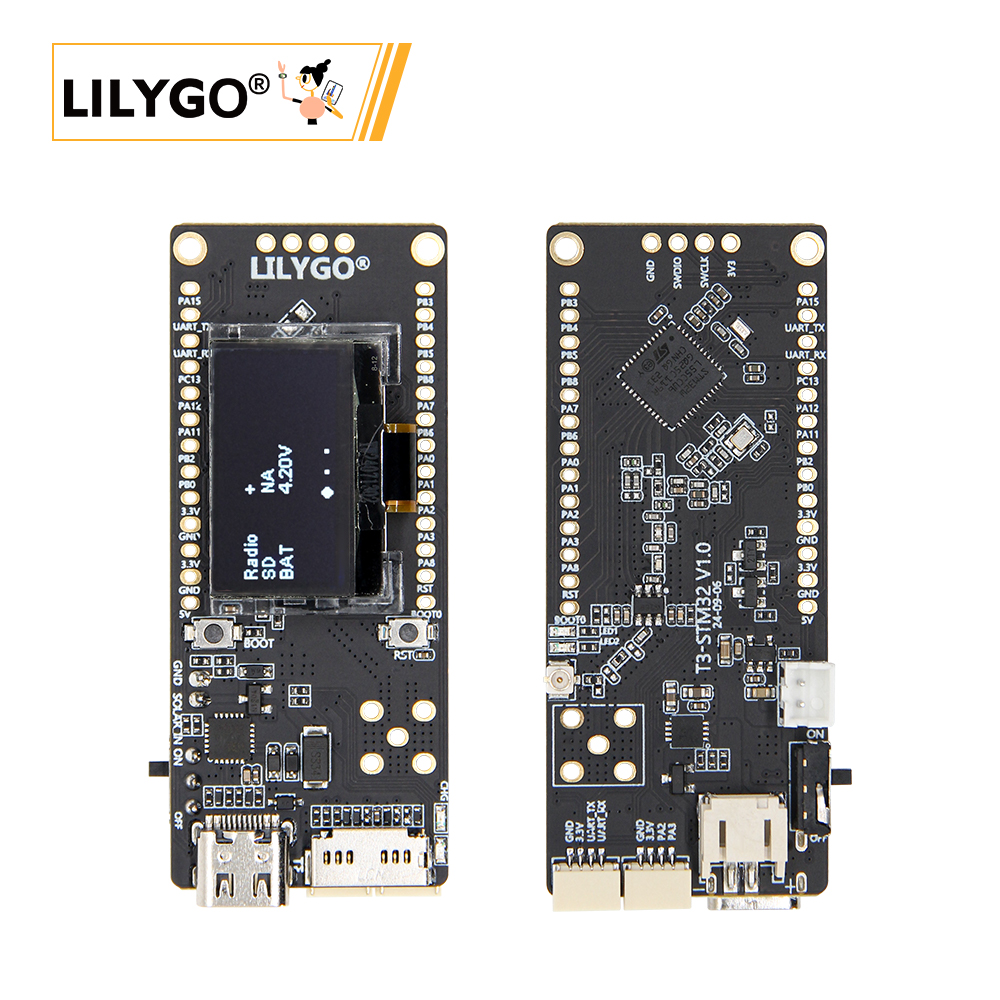
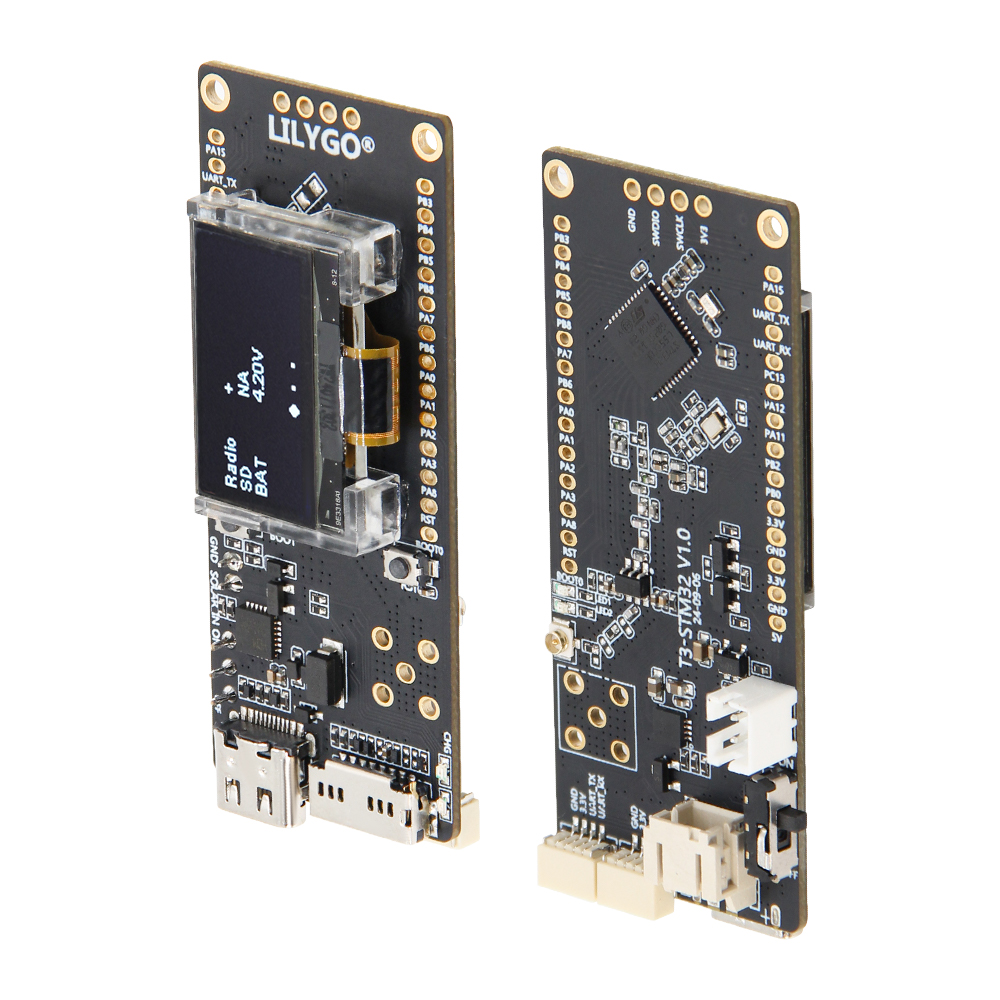
Physical Image
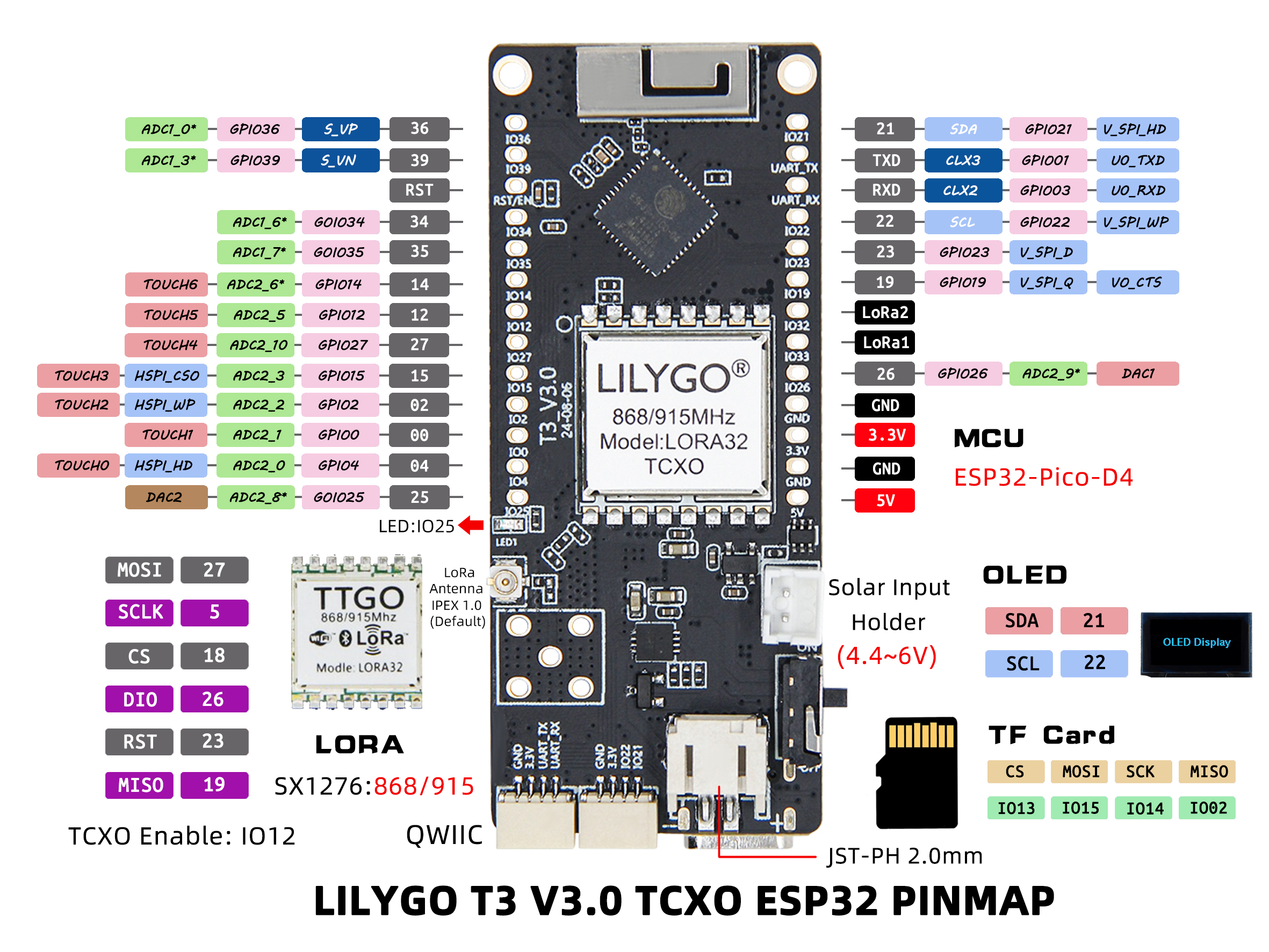
Pin Diagram
Modules
MCU
- Chip: ESP32-Pico-D4
- PSRAM: 2MB
- FLASH: 4MB
- Wireless: Wi-Fi + Bluetooth 4.2 + BLE
Display
- Type: SSD1306 I2C OLED
- Interface: I2C
- Driver Chip: SSD1306
Wireless Communication
- LoRa: SX1276
- Frequency Band: 868MHz/915MHz
- Feature: Temperature Compensated Crystal Oscillator (TCXO)
Power Management
- Power Supply: USB Type-C / 3.7V Lithium Battery
- Solar Input: Supported
- Battery Switch: Supports power switching
Overview
| Component | Description |
|---|---|
| MCU | ESP32-Pico-D4 |
| FLASH | 4MB |
| PSRAM | 2MB |
| Display | SSD1306 I2C OLED |
| LoRa | SX1276 (868/915MHz) |
| TCXO | Temperature Compensated Crystal Oscillator |
| Storage | TF Card Expansion |
| Wireless | Wi-Fi + Bluetooth 4.2 + BLE |
| USB | 1 × USB Port (TYPE-C) |
| Expansion Interface | 2 × QWIIC Interface |
| GPIO Interface | 2.54mm Pitch 2×13 Expansion IO Interface |
| Antenna Interface | Antenna Socket Interface + SMA Antenna Interface |
| Power Options | USB/3.7V Lithium Battery/Solar Input |
| Buttons | 1 x RESET Button + 1 x BOOT Button |
| Mounting Holes | 2 × 2mm Positioning Holes |
| Dimensions | 66 × 27 × 13 mm |
Quick Start
Example Support
| Example | PlatformIO/Arduino | ESP-IDF | Description |
|---|---|---|---|
| LoRa_Communication | ✓ | LoRa Communication Example | |
| OLED_Display | ✓ | OLED Display Example | |
| TCXO_Stability | ✓ | TCXO Stability Test Example | |
| Battery_Power | ✓ | Battery Power Example | |
| Solar_Power | ✓ | Solar Power Example |
PlatformIO
- Install Visual Studio Code, choose the installation according to your system type.
- Open the "Extensions" in the sidebar of Visual Studio Code (or use Ctrl+Shift+X to open extensions), search for the "PlatformIO IDE" extension and install it.
- While the extension is installing, you can go to GitHub to download the program. You can download the main branch program by clicking the green "<> Code" button, or download the "Releases" version from the sidebar.
- After the extension is installed, open the sidebar's Explorer (or use Ctrl+Shift+E to open it), click "Open Folder", find the project code you just downloaded (the entire folder), click "Add", and the project files will be added to your workspace.
- Open the "platformio.ini" file in the project folder (PlatformIO will automatically open the "platformio.ini" of the corresponding folder after successfully adding the folder). Under the "[platformio]" section, uncomment and select the example program you want to upload (marked with "default_envs = xxx"). Then click the "√" at the bottom left to compile. If the compilation is successful, connect the microcontroller to the computer and click the "→" at the bottom left to upload.
Arduino
- Install Arduino IDE
- Install Arduino ESP32
- Copy all folders in the
libdirectory to theSketchbook locationdirectory. To find the library location, refer here- Windows:
C:\Users\{username}\Documents\Arduino - macOS:
/Users/{username}/Documents/Arduino - Linux:
/home/{username}/Arduino
- Windows:
- Open the corresponding example
- Open the downloaded
LilyGo-LoRa-Seriesfolder - Open the
examplesfolder - Select the example file and open the file with the
inoextension
- Open the downloaded
- Select the corresponding development board model in the Arduino IDE Tools menu, click the corresponding option in the list below to select
| Name | Value |
|---|---|
| Board | ESP32 Dev Module |
| Port | Your port |
| CPU Frequency | 240MHZ(WiFi/BT) |
| Core Debug Level | None |
| Erase All Flash Before Sketch Upload | Disable |
| Events Run On | Core1 |
| Flash Frequency | 80MHZ |
| Flash Mode | QIO |
| Flash Size | 4MB(32Mb) |
| JTAG Adapter | Disabled |
| Arduino Runs On | Core1 |
| Partition Scheme | Huge APP (3MB No OTA/1MB SPIFFS) |
| PSRAM | Enable |
| Upload Speed | 921600 |
| Programmer | Esptool |
- Please uncomment the corresponding model in the
utilities.hfile according to your development board model, for exampleT3_V3_0_SX1276_TCXO, otherwise compilation will report an error - Upload the program
Development Platforms
Pin Overview
| Name | GPIO NUM | Free |
|---|---|---|
| OLED(SSD1306) SDA | 21 | ❌ |
| OLED(SSD1306) SCL | 22 | ❌ |
| SD CS | 13 | ❌ |
| SD MOSI | 15 | ❌ |
| SD MISO | 2 | ❌ |
| SD SCK | 14 | ❌ |
| LoRa(SX1276) SCK | 5 | ❌ |
| LoRa(SX1276) MISO | 19 | ❌ |
| LoRa(SX1276) MOSI | 27 | ❌ |
| LoRa(SX1276) RESET | 23 | ❌ |
| LoRa(SX1276) DIO0 | 26 | ❌ |
| LoRa(SX1276) DIO1 | 32 | ❌ |
| LoRa(SX1276) CS | 7 | ❌ |
| LoRa(SX1276) TCXO EN | 12 | ❌ |
| Battery ADC | 35 | ❌ |
| On Board LED | 25 | ❌ |
Related Tests
Power Consumption
| Firmware | Program | Description |
|---|---|---|
[T3-TXCO_V3.0][LoRa_Transmit]_firmware_V1.0.0.bin |
LoRa Transmission |
Power Consumption: To be completed |
[T3-TXCO_V3.0][WiFi_Active]_firmware_V1.0.0.bin |
WiFi Active |
Power Consumption: To be completed |
[T3-TXCO_V3.0][Deep_Sleep]_firmware_V1.0.0.bin |
Deep Sleep |
Power Consumption: To be completed |
TCXO Performance
| Temperature Range | Frequency Stability | Description |
|---|---|---|
| -40°C ~ +85°C | ±0.5ppm | TCXO Temperature Compensation Performance |
| 25°C | ±0.2ppm | Frequency Accuracy at Room Temperature |
| Features | Details |
|---|---|
| RF Module | SX1276 |
| Frequency range | 840~945MHz |
| Transfer rate(LoRa) | 0.018K~37.5Kbps |
| Transfer rate(FSK) | 1.2K~300Kbps |
| Modulation | FSK, GFSK, MSK, GMSK, LoRa,OOK |
FAQ
Q. How to adjust the external antenna resistor?
A. Refer to the image below to adjust the resistor direction for the external antenna:
Q. What advantages does TCXO have over ordinary crystal oscillators?
A. TCXO (Temperature Compensated Crystal Oscillator) can maintain higher frequency stability when temperature changes, suitable for applications with large environmental temperature variations.Q. What power supply methods are supported?
A. Supports USB Type-C power supply, 3.7V lithium battery power supply, and solar input, switchable via battery switch.Q. What is the LoRa communication distance?
A. Under ideal conditions, the communication distance can reach several kilometers, depending on environmental factors and antenna configuration.Q. Why does my board fail to upload programs?
A. Please hold down the "BOOT" button and press the "RST" button simultaneously, then release the "RST" button to enter download mode, and try uploading the program again.