
LILYGO T5 E-Paper S3 Pro get it now
概述
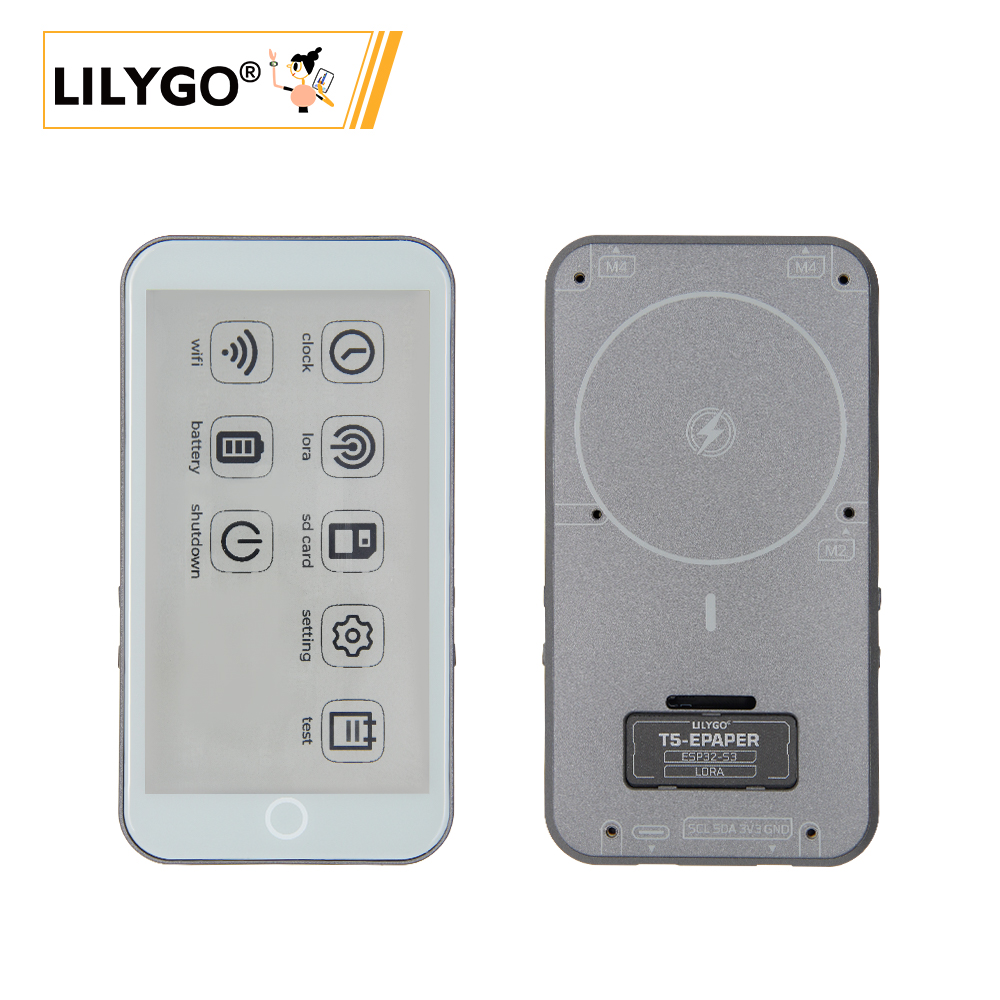
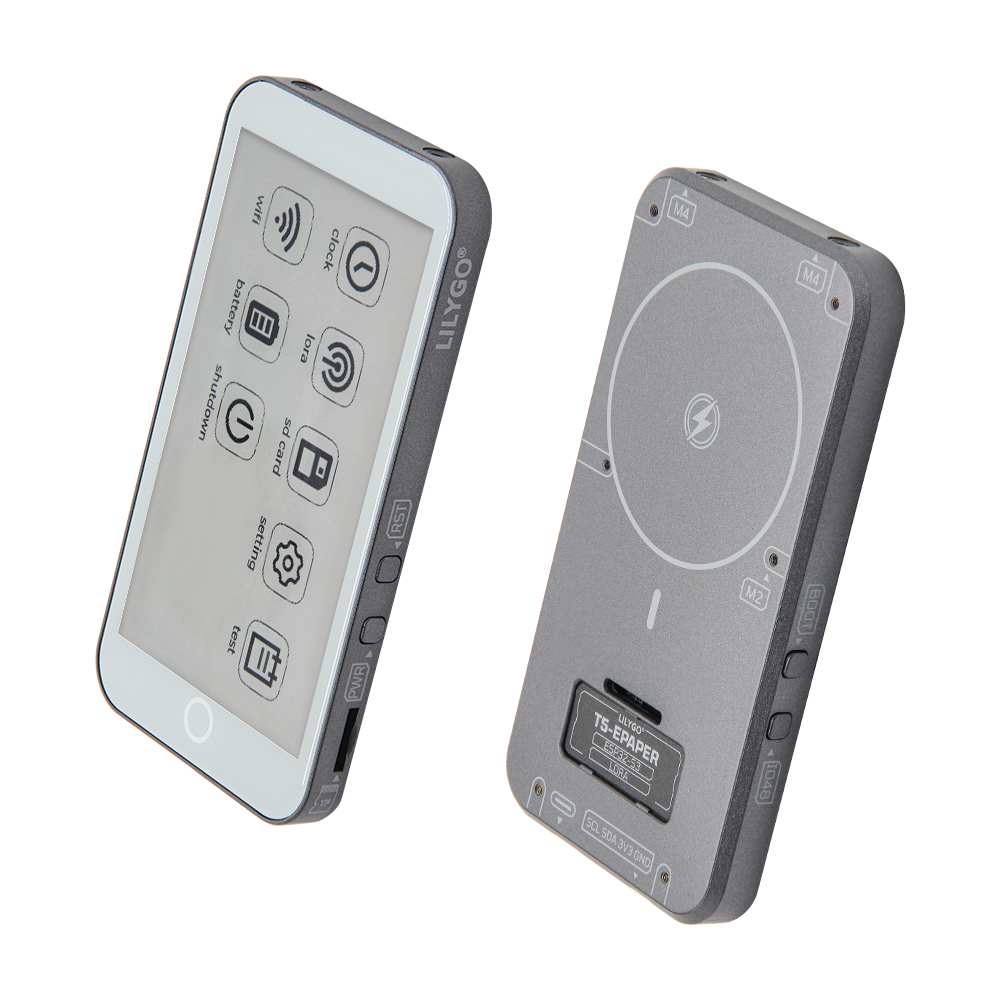
T5-4.7-S3 E-Paper Pro 是基于 ESP32-S3-WROOM-1 的多功能物联网设备,搭载 4.7 英寸 ED047TC1 电子墨水屏(960×540,16 级灰度)和 GT911 电容触摸(两点触控),内置 SX1262 LoRa、MIA-M10Q GPS 模块、PCF85063 RTC 和 TPS65185 电子墨水屏电源管理。支持 MagSafe 磁吸充电和 USB 充电,配备 QWIIC 接口和 TF 卡,适用于电子标签、远程监测和户外导航场景。
版本说明: H752-01(V1.0-241224)新增 TPS65185 电子墨水屏电源管理、支持局部刷新、可调 Vcom 电压,并支持 epdiy v7 直接驱动;较早版本 H752 不含 GPS 模块。
快速开始
示例支持
| 示例 | PlatformIO/Arduino | 描述 |
|---|---|---|
| factory | ✓ | 出厂综合测试 |
| display_test | ✓ | 墨水屏显示测试 |
| touch | ✓ | GT911 触摸测试 |
| lora_send | ✓ | SX1262 LoRa 发送 |
| lora_recv | ✓ | SX1262 LoRa 接收 |
| GPS | ✓ | GPS 测试(需户外) |
| rtc_pcf8563 | ✓ | RTC 时钟测试 |
| sd_card | ✓ | SD 卡读写测试 |
| io_extend | ✓ | IO 扩展芯片测试 |
| bq25896 | ✓ | 充电芯片测试 |
| bq27220 | ✓ | 电量计测试 |
| lvgl_test | ✓ | LVGL 图形界面测试 |
PlatformIO
- 安装 Visual Studio Code 并安装 "PlatformIO IDE" 扩展,安装后重启。
- 从 GitHub 下载 T5S3-4.7-e-paper-PRO 项目代码,在 VS Code 中打开。
- 在
platformio.ini中取消注释选择所需示例,点击 (✔) 编译,连接设备后点击 (→) 烧录。
Arduino
- 安装 Arduino IDE 和 Arduino ESP32。
- 将
libraries目录中的所有文件夹复制到 Arduino 库目录(~/Documents/Arduino/libraries)。 - 在"工具"菜单中选择正确的设置,如下表所示。
| Arduino IDE 设置 | 值 |
|---|---|
| Board | ESP32S3 Dev Module |
| Upload Speed | 921600 |
| USB Mode | Hardware CDC and JTAG |
| USB CDC On Boot | Enabled |
| USB Firmware MSC On Boot | Disabled |
| USB DFU On Boot | Disabled |
| CPU Frequency | 240MHz (WiFi) |
| Flash Mode | QIO 80MHz |
| Flash Size | 16MB (128Mb) |
| Core Debug Level | None |
| Partition Scheme | 16M Flash (3MB APP/9.9MB FATFS) |
| PSRAM | OPI PSRAM |
| Arduino Runs On | Core 1 |
| Events Run On | Core 1 |
- 选择正确的端口,上传程序。
开发平台
视频
主要特点
- ESP32-S3-WROOM-1:16MB Flash,8MB OPI PSRAM,Wi-Fi + 蓝牙 5.0
- 4.7 英寸 ED047TC1 电子墨水屏(960×540,16 级灰度),GT911 电容触摸
- SX1262 LoRa(433~915MHz),MIA-M10Q GPS
- TPS65185 电子墨水屏电源驱动,支持局部刷新和 Vcom 调节
- MagSafe 磁吸充电 + USB 充电,PCF85063 RTC,QWIIC 接口,TF 卡
产品参数
| 组件 | 描述 |
|---|---|
| MCU | ESP32-S3-WROOM-1 |
| Flash | 16MB |
| PSRAM | 8MB (OPI) |
| 屏幕 | 4.7 英寸 ED047TC1 电子墨水屏 (960×540, 16 级灰度) |
| 触摸 | GT911 电容触摸(两点触控) |
| 电源驱动 | TPS65185(电子墨水屏) |
| 充电 | BQ25896 + BQ27220 |
| 电池 | 3.7V 1500mAh 锂聚合物电池 |
| 充电方式 | MagSafe 磁吸充电 + USB 充电 |
| LoRa | SX1262(433~915MHz 可选) |
| GNSS | MIA-M10Q |
| RTC | PCF85063 (I2C 0x51) |
| IO 扩展 | PCA9535PW (I2C 0x20) |
| 存储 | TF 卡 |
| 无线 | 2.4GHz Wi-Fi + Bluetooth 5.0 (LE) |
| USB | 1 × USB Type-C |
| 扩展接口 | 2 × QWIIC |
| 按键 | RST + BOOT + IO48 + PWR |
| 安装孔 | 2 × M4mm |
| 尺寸 | 129×69×11mm |
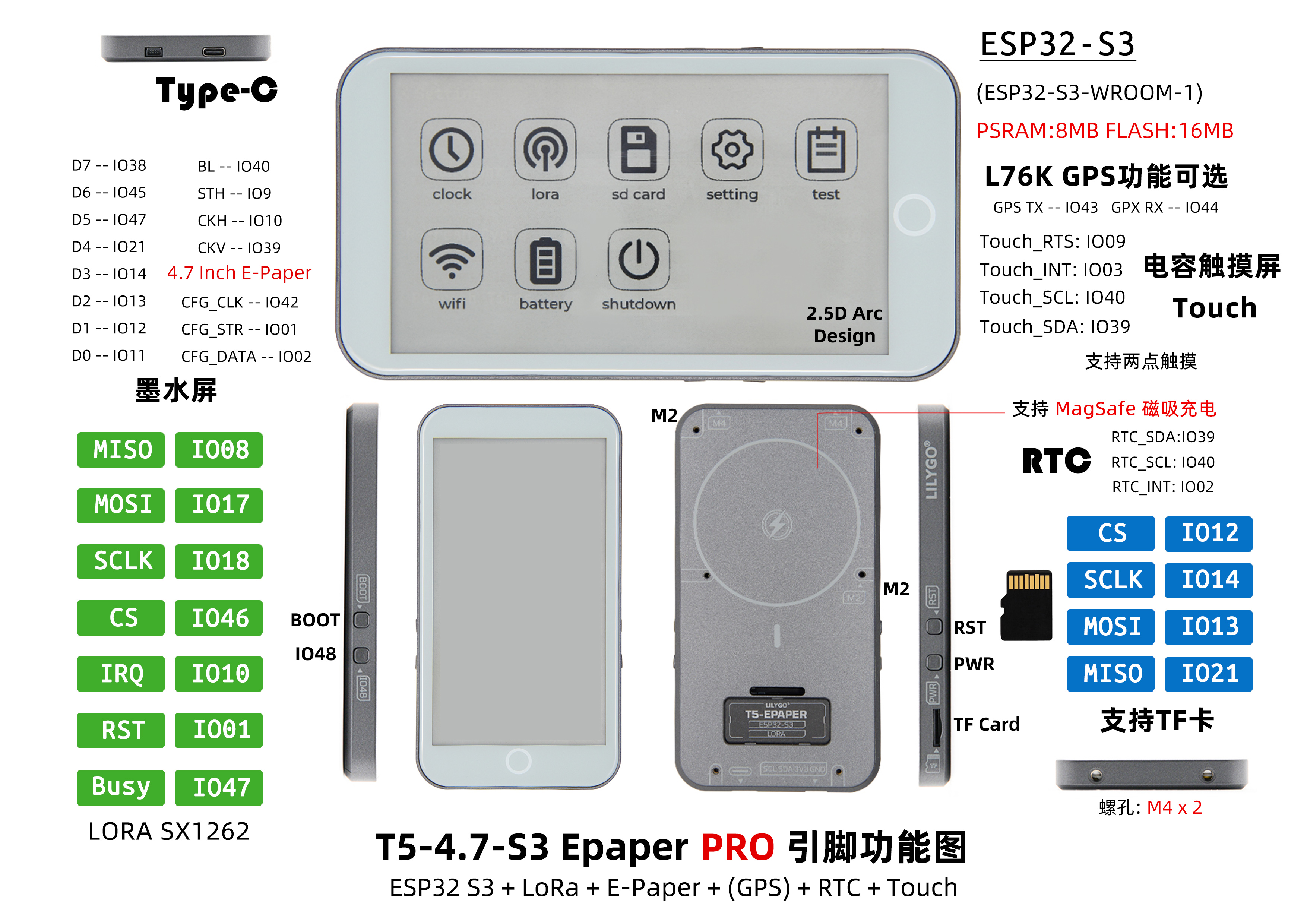
引脚图
引脚映射
c
#define BOARD_GPS_RXD       44
#define BOARD_GPS_TXD       43

#define BOARD_SCL           40
#define BOARD_SDA           39

#define BOARD_SPI_MISO      21
#define BOARD_SPI_MOSI      13
#define BOARD_SPI_SCLK      14

#define BOARD_TOUCH_INT     3
#define BOARD_TOUCH_RST     9

#define BOARD_RTC_IRQ       2

#define BOARD_SD_CS         12

#define BOARD_LORA_CS       46
#define BOARD_LORA_IRQ      10
#define BOARD_LORA_RST      1
#define BOARD_LORA_BUSY     47

#define BOARD_BL_EN         11
#define BOARD_PCA9535_INT   38
#define BOARD_BOOT_BTN      0

// ED047TC1 e-ink 数据总线
#define EP_D7  8
#define EP_D6  18
#define EP_D5  17
#define EP_D4  16
#define EP_D3  15
#define EP_D2  7
#define EP_D1  6
#define EP_D0  5
#define EP_CKV 48
#define EP_STH 41
#define EP_LEH 42
#define EP_STV 45
#define EP_CKH 4
尺寸图
原理图
数据手册
软件开发
依赖库
常见问题
Q. MagSafe 充电和 USB 充电有什么区别?
A. MagSafe 提供便捷的磁吸无线充电体验,USB 是传统有线充电方式,两者可同时使用。Q. GPS 示例无法获取定位?
A. GPS 测试需要在户外进行,室内可能无法获取 GPS 信号。Q. 为什么板子一直烧录失败?
A. 请按住 "BOOT" 按键重新下载程序。Q. 为什么 Arduino IDE 提示升级库文件?
A. 建议不升级,不同版本的库文件可能不兼容。
版本历史
| Version | Update date | Update description |
|---|---|---|
| H752-01 (V1.0-241224) | 2024-12-24 | 新增 TPS65185、GPS 模块,支持局部刷新和 epdiy v7 |
| H752 (V1.0-240810) | 2024-08-10 | 初始版本 |