
T-Display K230 get it now
Overview
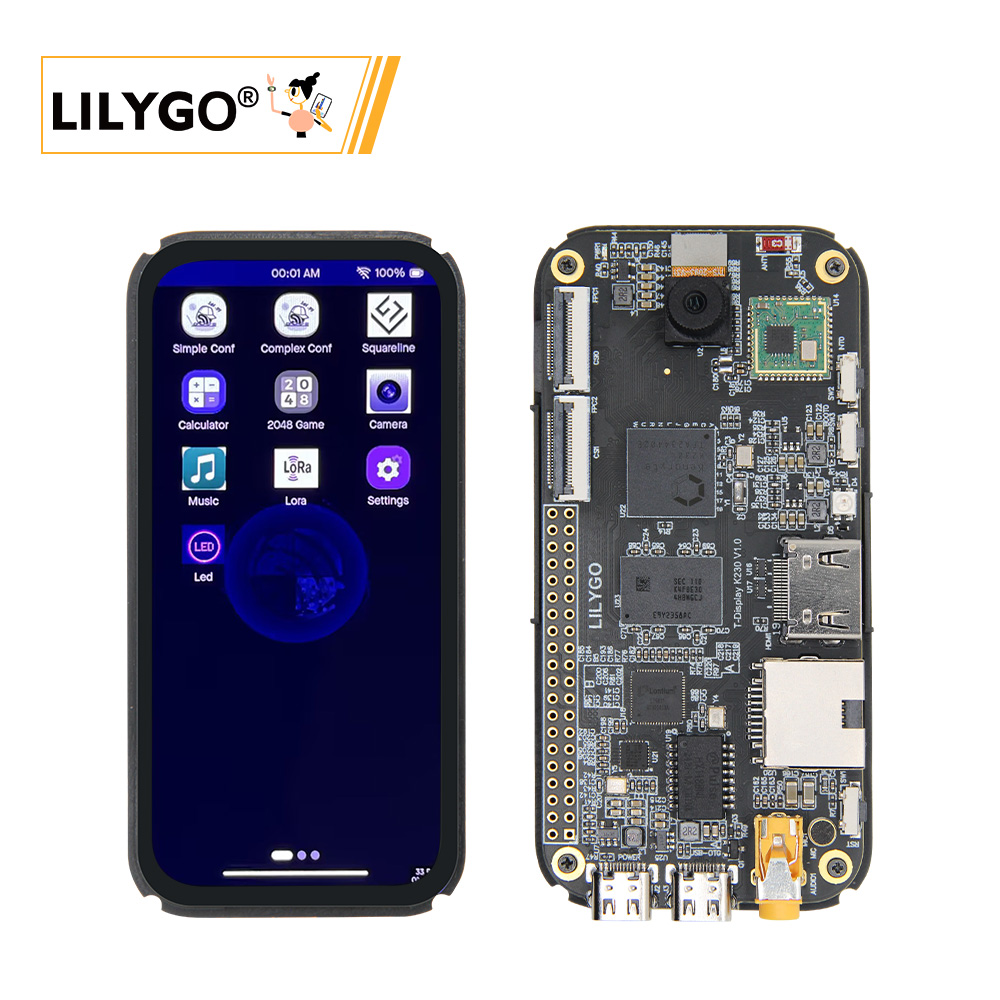
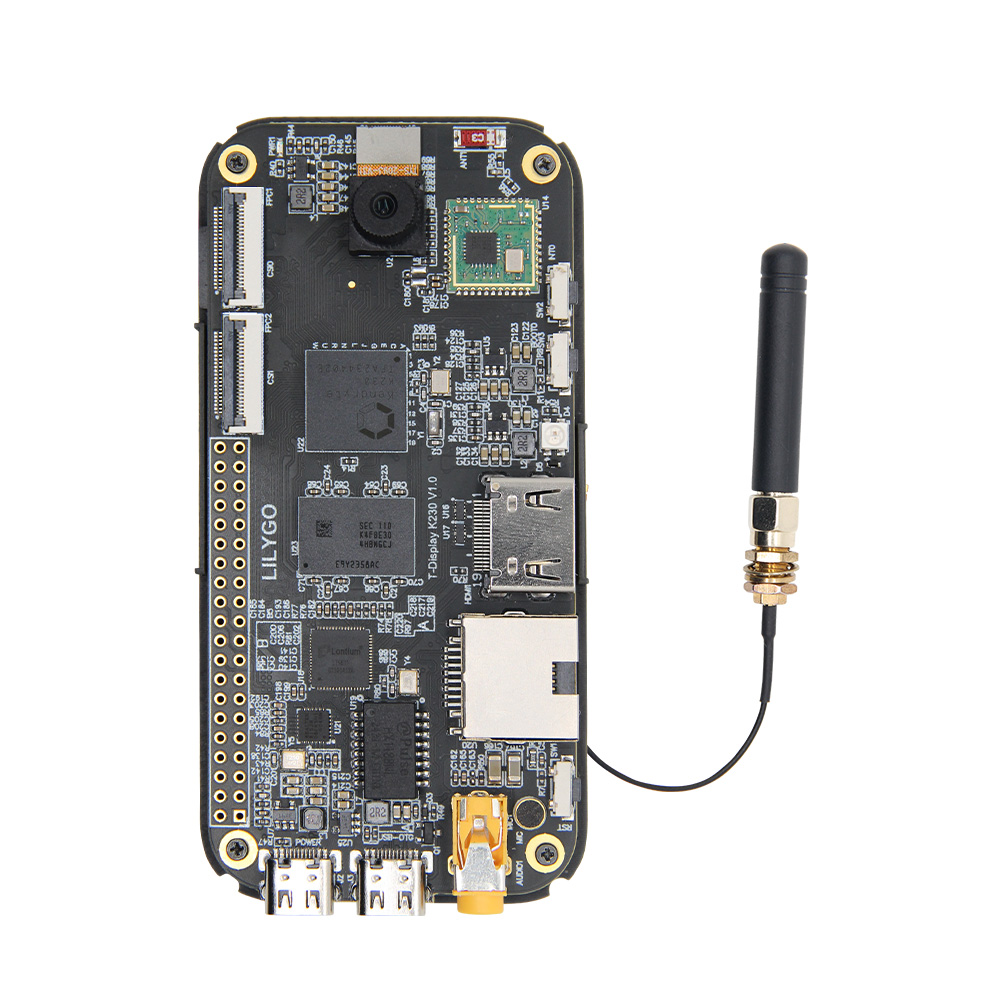
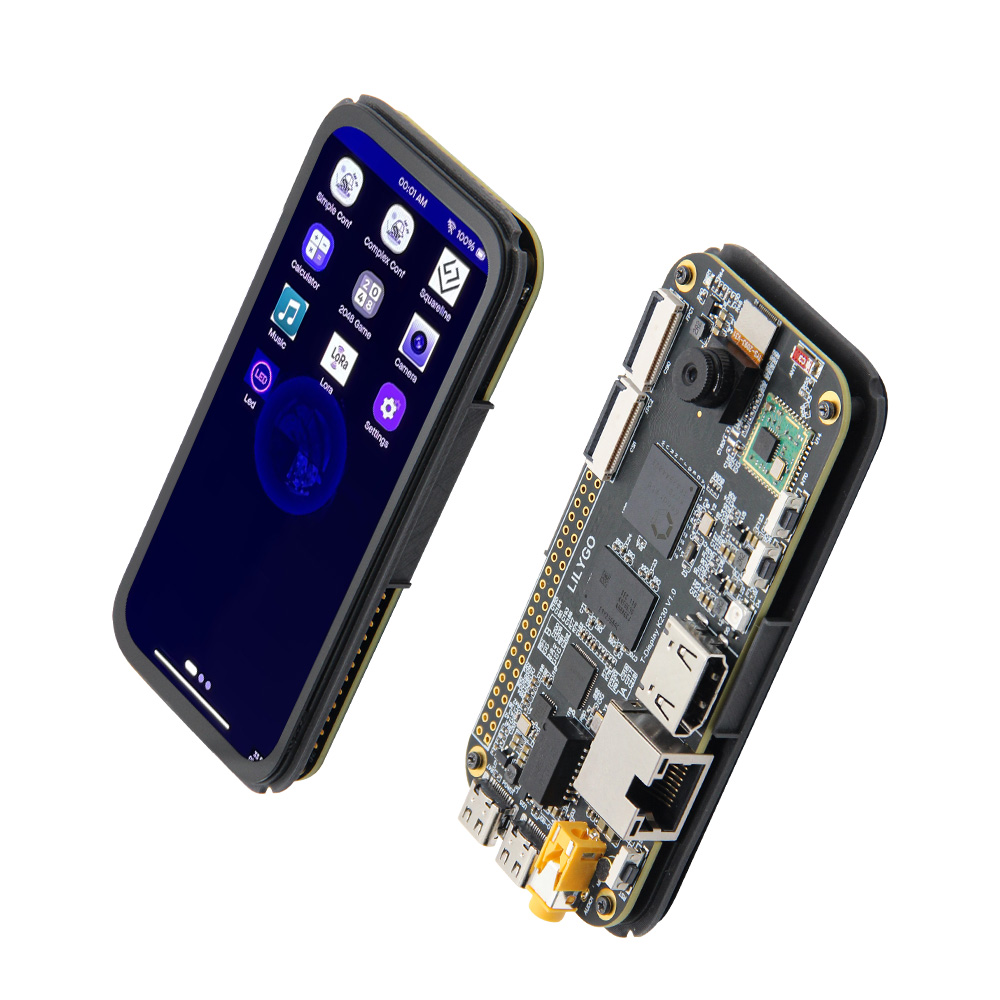
T-Display K230 is based on Canaan Technology's K230 chip — dual-core RISC-V (1.6 GHz + 0.8 GHz) with up to 1.6 TOPS NPU — combined with ESP32-S3-R8 (16 MB Flash, 8 MB PSRAM) for Wi-Fi/Bluetooth connectivity. Features a 4.1-inch AMOLED display (568 × 1232, MIPI DSI), GT9895 capacitive touch, SX1262/SX1280 LoRa (433–923 MHz), 3-channel MIPI CSI-2 camera, HDMI 1080P output, Ethernet, and 3.5 mm audio. Suitable for AI inference, remote wireless data transmission, IoT monitoring, and video interaction in a 104 × 51 × 15.5 mm form factor.
Quick Start
Example Support
| Example | PlatformIO/Arduino | ESP-IDF | Description |
|---|---|---|---|
| K230 SDK | K230 Linux/RT-Smart dual-core SDK |
K230 SDK Setup
K230 SDK must be compiled in a Linux environment (Ubuntu 20.04 recommended). For Windows, use WSL2 + Docker.
Pull Docker Image
docker pull ghcr.io/kendryte/k230_sdkDownload K230 SDK Source
git clone https://github.com/kendryte/k230_sdk
cd k230_sdk
make prepare_sourcecode
make prepare_sourcecodeautomatically downloads Linux and RT-Smart toolchains, buildroot packages, and AI packages. Ensure this completes without errors.
Compile K230 SDK
docker run -u root -it -v $(pwd):$(pwd) -v $(pwd)/toolchain:/opt/toolchain -w $(pwd) ghcr.io/kendryte/k230_sdk /bin/bash
make CONF=k230_evb_defconfig
Pre-compiled images are available at Canaan Developer Community under K230/Images.
Flashing Image
Linux:
sudo dd if=sysimage-sdcard.img of=/dev/sdx bs=1M oflag=syncWindows: Use Rufus to flash the TF card.
PlatformIO (ESP32-S3 co-processor)
- Install Visual Studio Code and Python
- Search for and install the PlatformIO IDE extension in VS Code
- Open the project folder and select the ESP32-S3 example
- Click ✓ to compile, click → to upload
Arduino (ESP32-S3 co-processor)
- Install Arduino IDE
- Install Arduino ESP32
- Configure board as ESP32S3 Dev Module
- Click Upload
Development Platforms
- K230 SDK — Main K230 development
- MaixPy — K230 MicroPython
- Arduino IDE — ESP32-S3 co-processor
- ESP-IDF — ESP32-S3 advanced
Video
Key Features
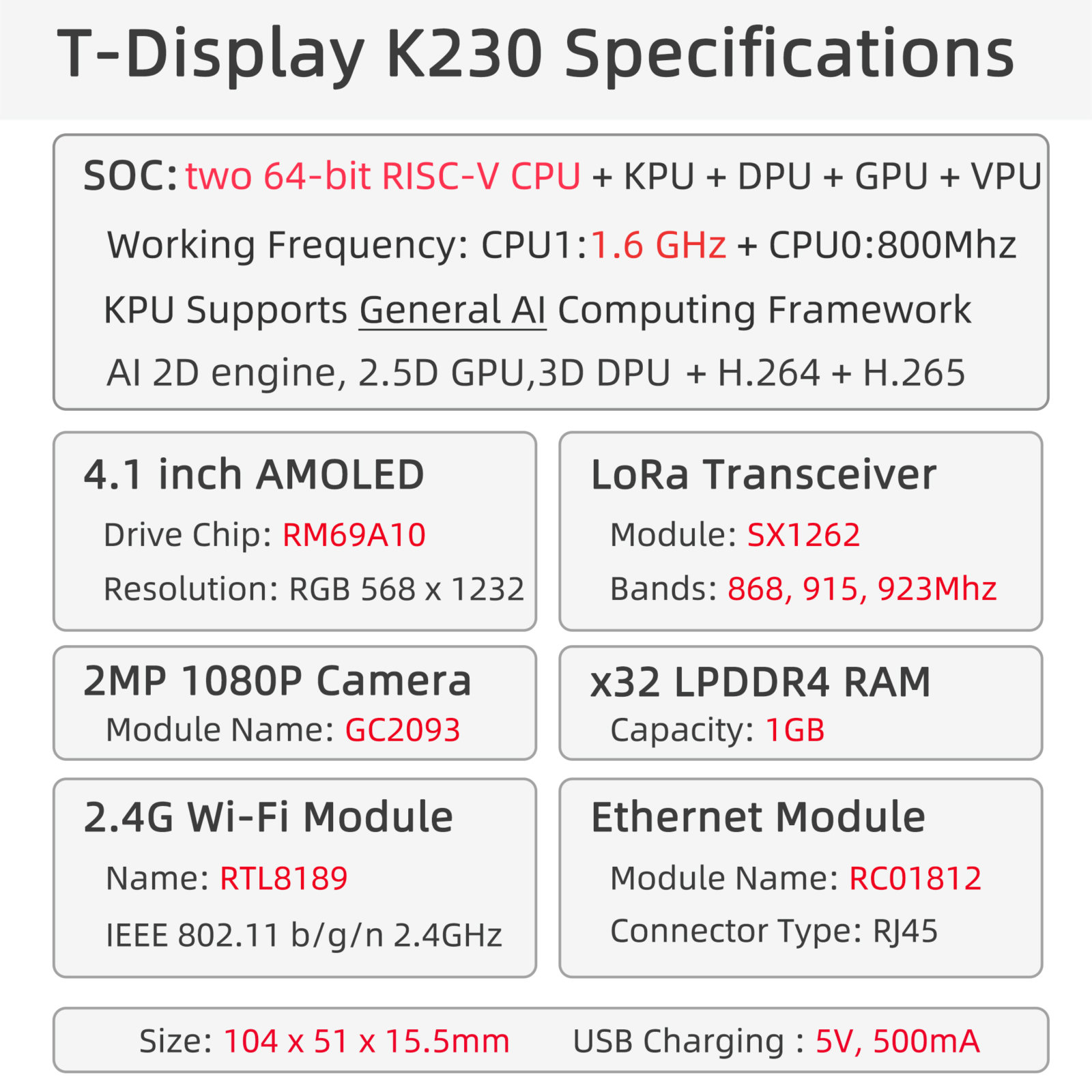
- K230 dual-core RISC-V (1.6 GHz + 0.8 GHz), KPU ~1.6 TOPS, H.264/H.265 codec
- ESP32-S3-R8 co-processor: Wi-Fi + Bluetooth 5.0
- 4.1-inch AMOLED (568 × 1232, MIPI DSI), GT9895 capacitive touch
- SX1262/SX1280 LoRa (433–923 MHz)
- 3-channel MIPI CSI-2 camera, HDMI 1080P @ 30 FPS
- RTL8152B 100 Mbps Ethernet (IEEE 802.3u), 3.5 mm audio, microphone
- 1 GB LPDDR4, 16 MB Flash, TF card slot
- 104 × 51 × 15.5 mm
Product Parameters
| Feature | Specification |
|---|---|
| Main Processor | K230 Dual-core RISC-V, 1.6 GHz + 0.8 GHz, 1.6 TOPS NPU |
| Co-processor | ESP32-S3-R8 |
| Flash | 16 MB |
| Memory | 1 GB LPDDR4 |
| Wi-Fi | 2.4 GHz 802.11 b/g/n (ESP32-S3) |
| Bluetooth | Bluetooth 5.0 LE (ESP32-S3) |
| LoRa | SX1262/SX1280, 433–923 MHz |
| Display | 4.1-inch AMOLED, 568 × 1232, MIPI DSI |
| Touch | GT9895 capacitive |
| Camera | 3 × MIPI CSI-2 |
| Video Output | HDMI 1080P @ 30 FPS |
| Network | Wi-Fi + RTL8152B 100 Mbps Ethernet (IEEE 802.3u) |
| Audio | 3.5 mm jack + microphone |
| Storage | TF card slot |
| USB | 1 × Power + 1 × USB 2.0 OTG (Type-C) |
| Expansion | 2 × 20-pin dual-row header |
| Dimensions | 104 × 51 × 15.5 mm |
Product Details
Pin Diagram
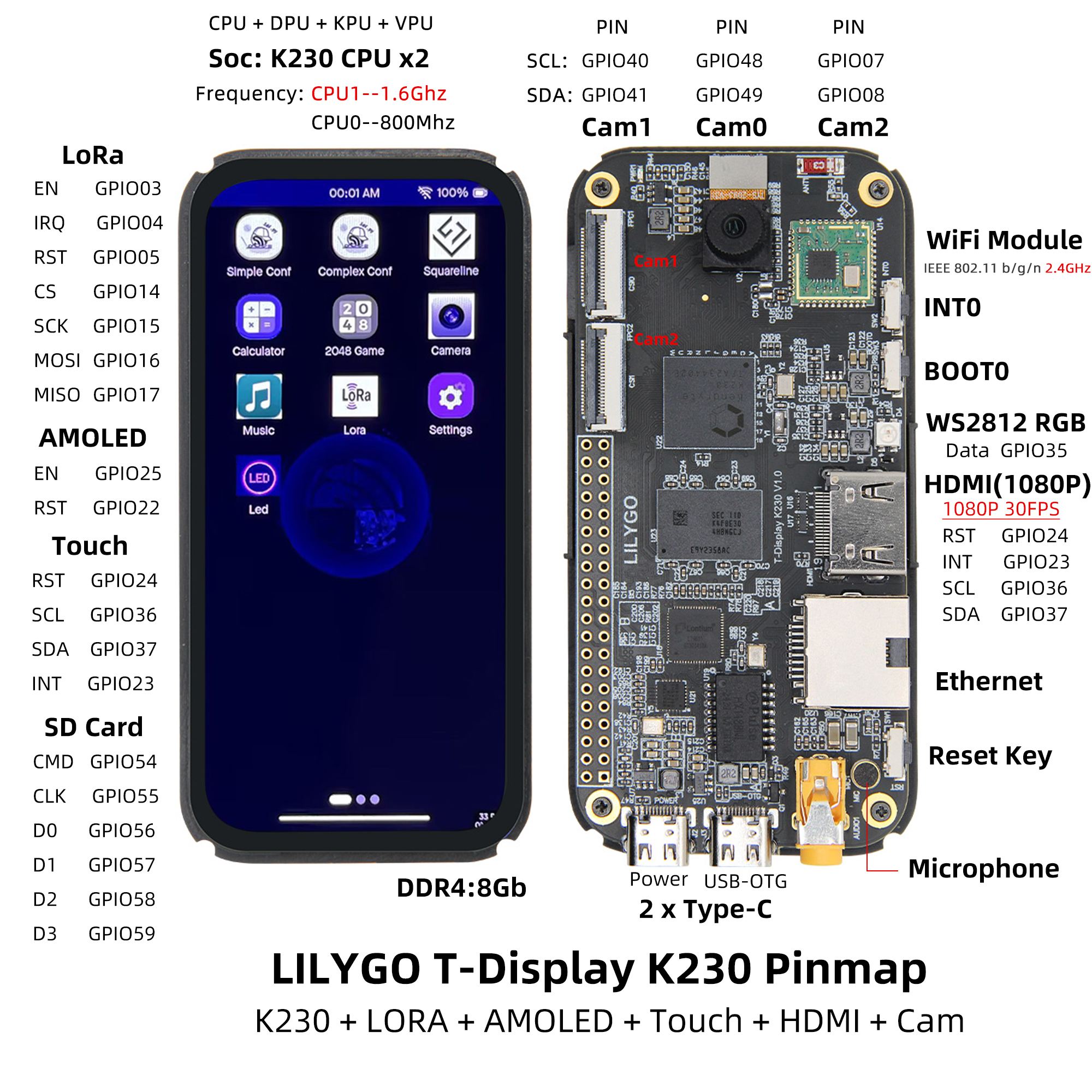
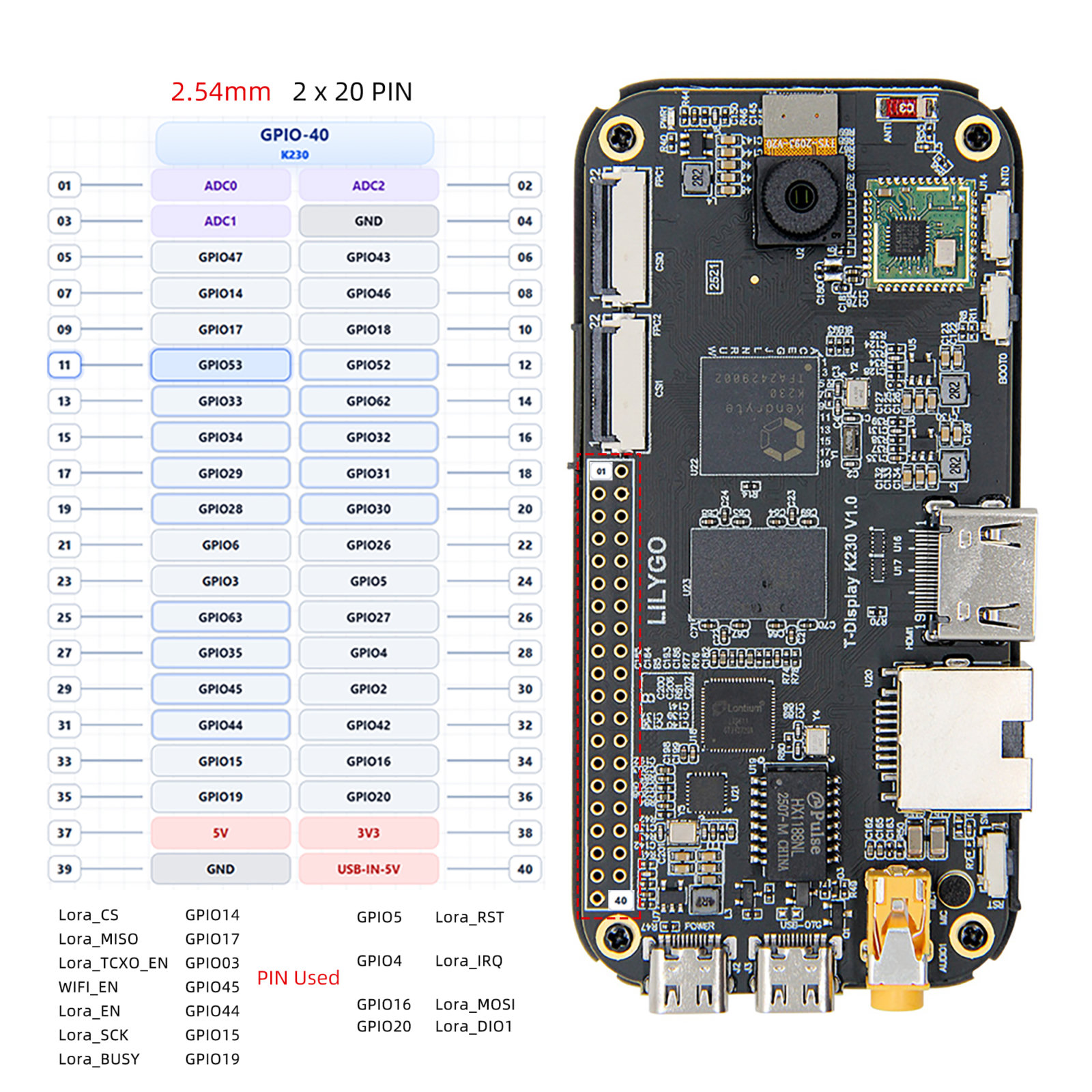
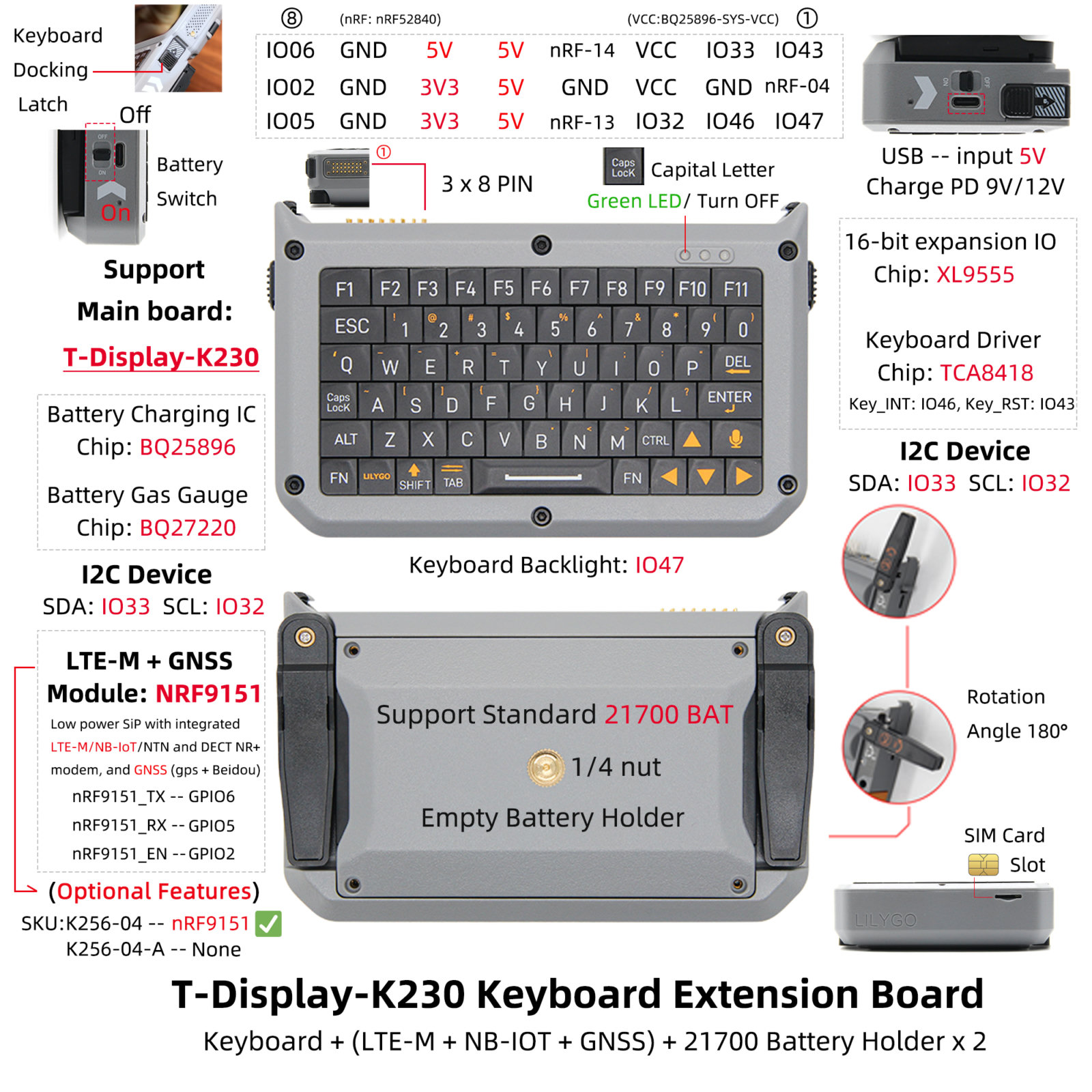
Expansion Board
Dimension Diagram
Schematic
Datasheet
Software Development
Dependent Libraries
FAQ
Q. Which boot methods does K230 support? A. K230 supports SDCard, eMMC, and NOR Flash boot. For development, TF card boot (SD card boot mode) is recommended.
Q. Which Linux distribution is required for K230 SDK compilation? A. Ubuntu 20.04 is recommended. For Windows, use WSL2 + Docker.
Version History
| Version | Release Date | Update Description |
|---|---|---|
| T-Display-K230 V1.0 | 2024-01-01 | Initial version |