
T-Display S3 Pro LR1121 get it now
Overview
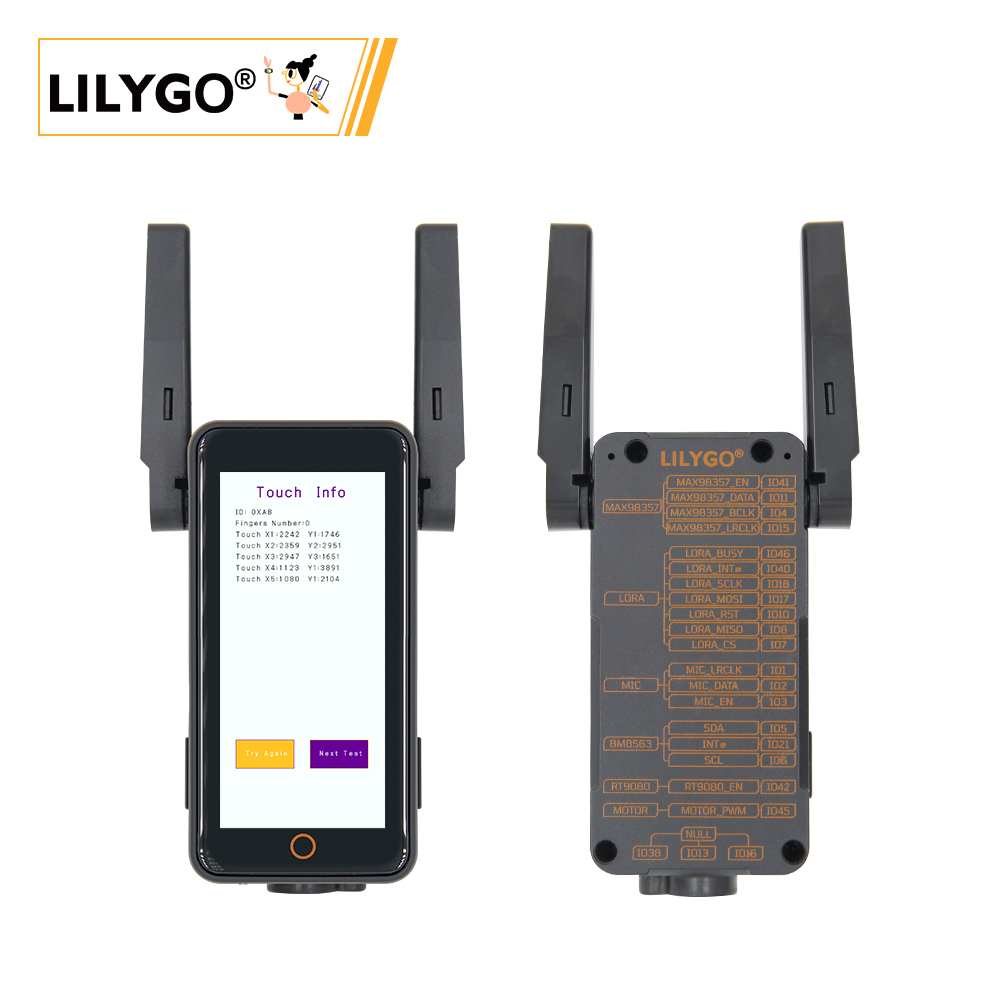
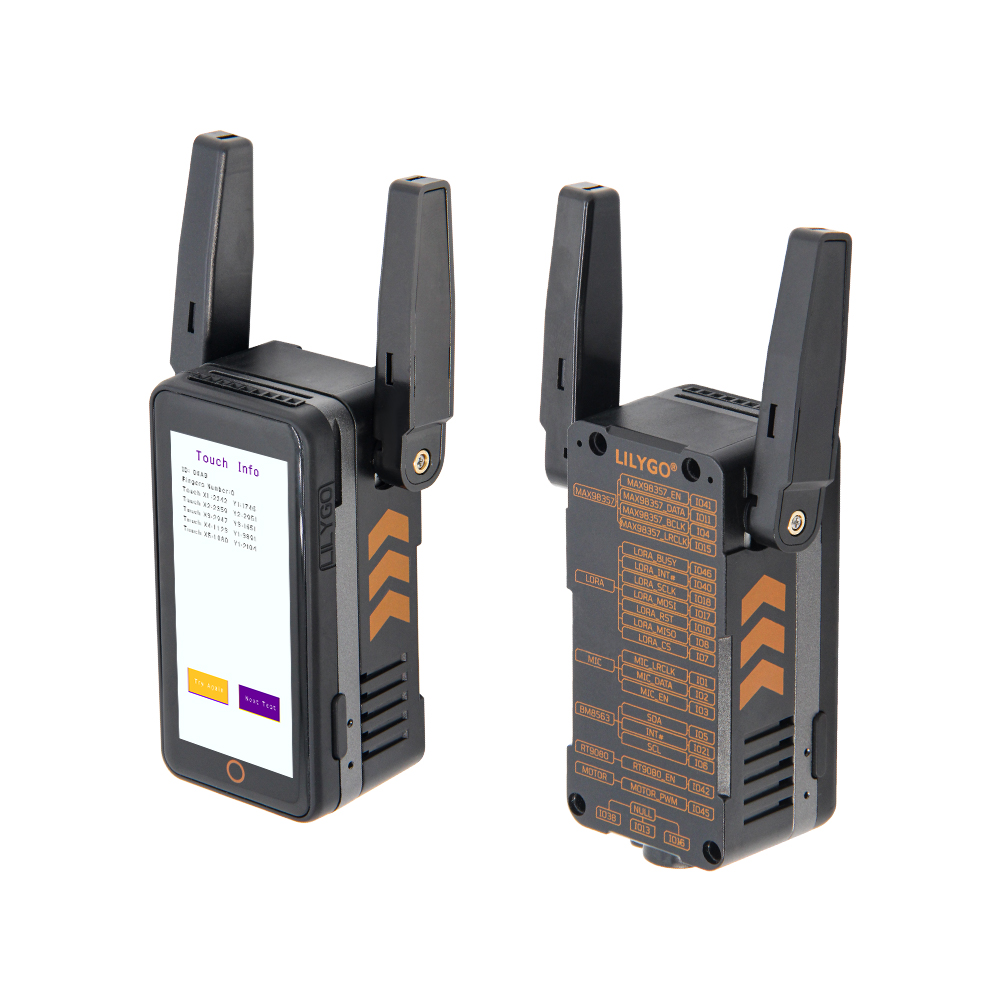
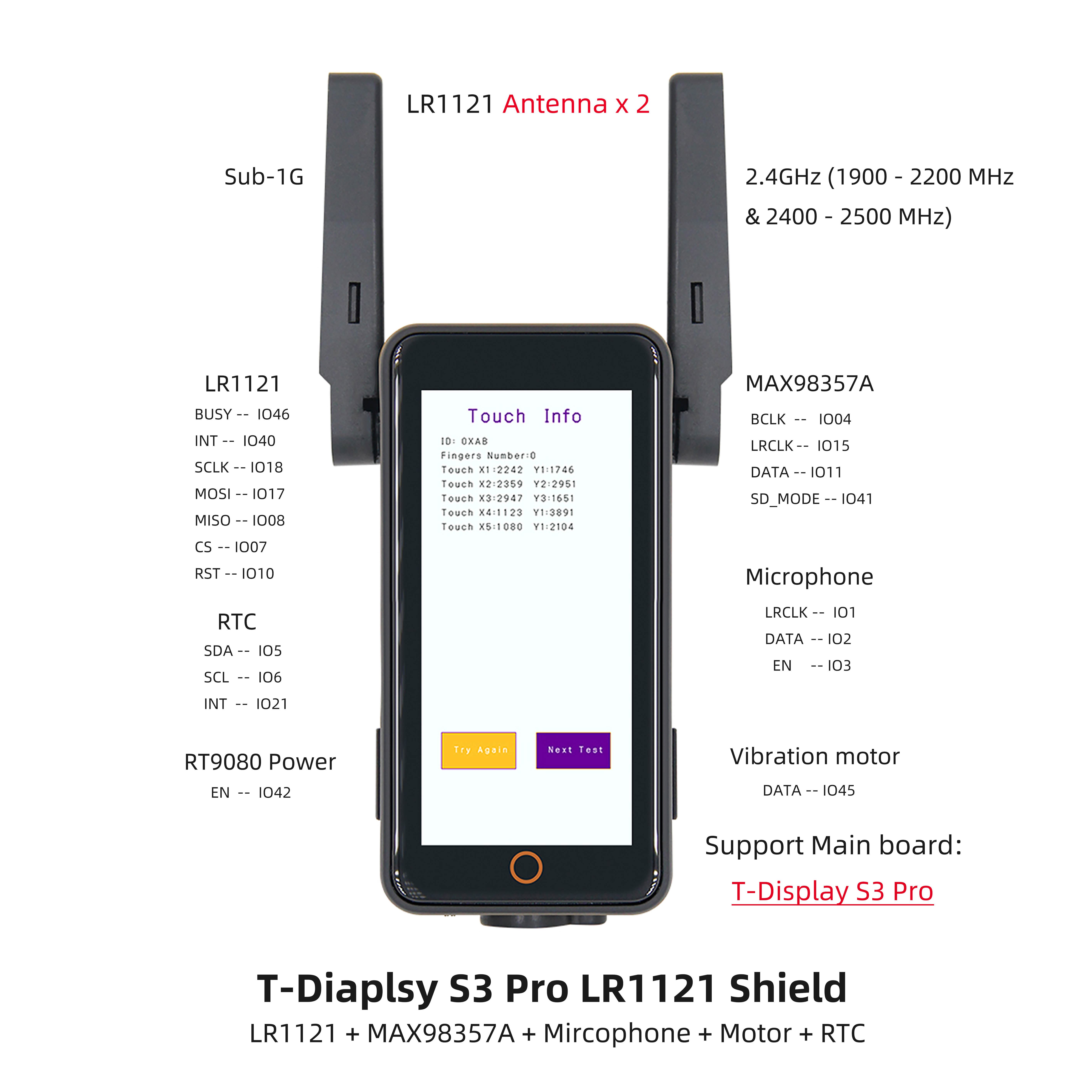
T-Display S3 Pro LR1121 is a highly integrated development board based on ESP32-S3R8 (16 MB Flash, 8 MB PSRAM). Equipped with a 1.91-inch RM67162 IPS AMOLED display (SPI/QSPI), LR1121 multi-band LoRa module, AXPM65611 + BQ25896 power management, PCF85063ATL RTC, TF card, and STEMMA QT/QWIIC expansion. Suitable for smart wearables, IoT terminals, and scenarios requiring display interaction with long-range wireless communication, in a compact 60 × 32 × 12 mm form factor.
Quick Start
Example Support
| Example | PlatformIO/Arduino | ESP-IDF | Description |
|---|---|---|---|
| LilyGo-AMOLED-Series | ✓ | Factory and display examples |
PlatformIO
- Install Visual Studio Code and Python
- Search for and install the PlatformIO IDE extension in VS Code
- Open the
LilyGo-AMOLED-Seriesproject folder - Open
platformio.iniand select your example - Click ✓ to compile, connect via USB-C, click → to upload
Arduino
- Install Arduino IDE
- Install Arduino ESP32
- In Tools → Board, configure:
| Arduino IDE Setting | Value |
|---|---|
| Board | ESP32S3 Dev Module |
| Upload Speed | 921600 |
| USB Mode | Hardware CDC and JTAG |
| USB CDC On Boot | Enabled |
| USB Firmware MSC On Boot | Disabled |
| USB DFU On Boot | Disabled |
| CPU Frequency | 240 MHz (WiFi) |
| Flash Mode | QIO 80 MHz |
| Flash Size | 16MB (128Mb) |
| Core Debug Level | None |
| Partition Scheme | 16M Flash (3MB APP/9.9MB FATFS) |
| PSRAM | OPI PSRAM |
| Arduino Runs On | Core 1 |
| Events Run On | Core 1 |
- Click Upload
Development Platforms
Video
Key Features
- ESP32-S3R8 dual-core LX7 @ 240 MHz, Wi-Fi + Bluetooth 5.0
- 1.91-inch RM67162 IPS AMOLED, SPI/QSPI
- LR1121 multi-band LoRa (sub-GHz + 2.4 GHz)
- AXPM65611 + BQ25896 power management, PCF85063ATL RTC
- TF card, STEMMA QT/QWIIC, 2×13 dual-row expansion header
- 60 × 32 × 12 mm, 4 × 2 mm positioning holes
Product Parameters
| Feature | Specification |
|---|---|
| MCU | ESP32-S3R8 @ Dual-core LX7, 240 MHz |
| Flash | 16 MB |
| PSRAM | 8 MB (Octal SPI) |
| Wi-Fi | 2.4 GHz 802.11 b/g/n |
| Bluetooth | Bluetooth 5.0 LE |
| LoRa | LR1121 (multi-band) |
| Display | 1.91-inch RM67162 IPS AMOLED |
| Touch | Capacitive |
| Power Management | AXPM65611 + BQ25896 |
| RTC | PCF85063ATL |
| Storage | TF card slot |
| USB | 1 × Type-C (USB + OTG) |
| Expansion | STEMMA QT/QWIIC + 2×13 dual-row header |
| Mounting Holes | 4 × 2 mm |
| Dimensions | 60 × 32 × 12 mm |
Pin Diagram
Dimension Diagram
Schematic
Datasheet
Software Development
Dependent Libraries
FAQ
Q. Why does my board keep failing to upload programs? A. Hold down the BOOT button, then press the RST button once, then click Upload to enter download mode.
Q. Which frequency bands does the LR1121 LoRa module support? A. The LR1121 supports multiple sub-GHz bands (433/868/915 MHz) and 2.4 GHz. Select the appropriate band according to regional regulations.
Q. How to connect external sensors? A. Use the onboard STEMMA QT/QWIIC interfaces for compatible sensor modules, or the 2×13 dual-row expansion header for other peripherals.
Version History
| Version | Release Date | Update Description |
|---|---|---|
| T-Display-S3-Pro-LR1121 V1.0 | 2024-01-01 | Initial version |