
T-SIM7670G-S3 get it now
Overview
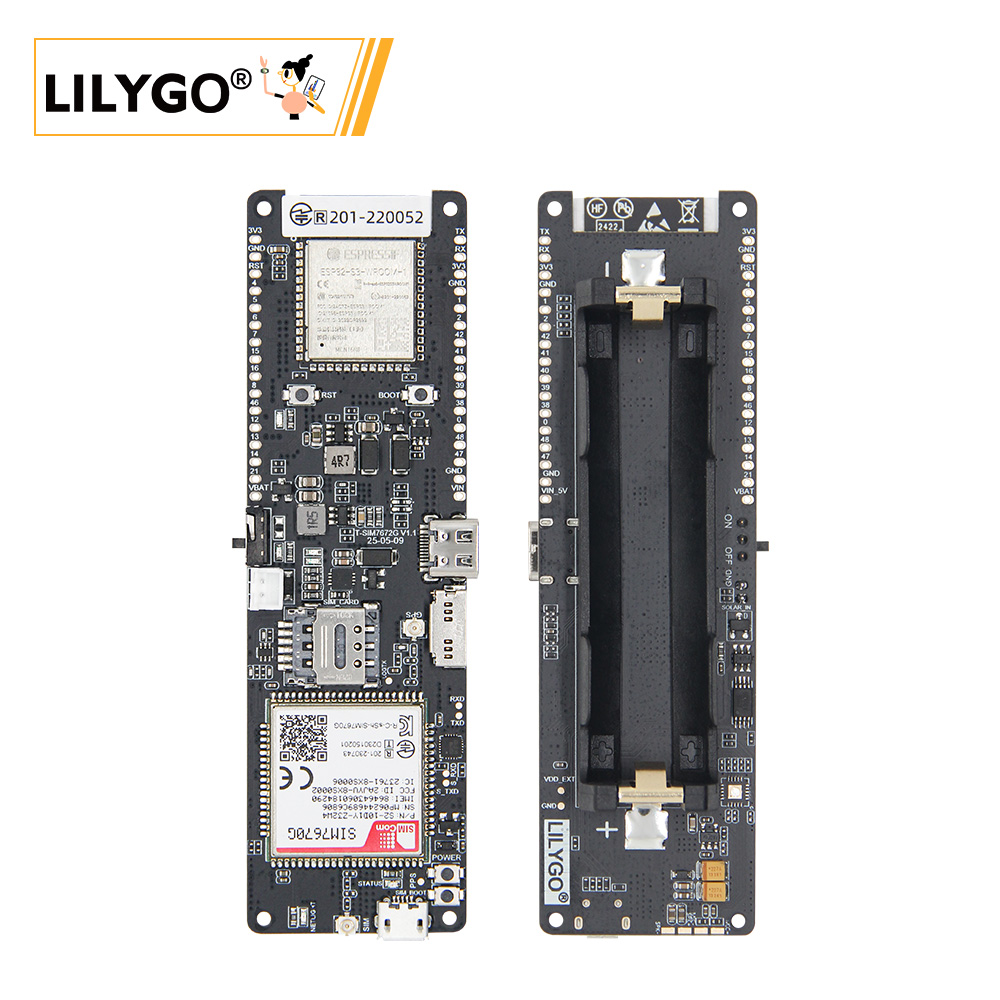
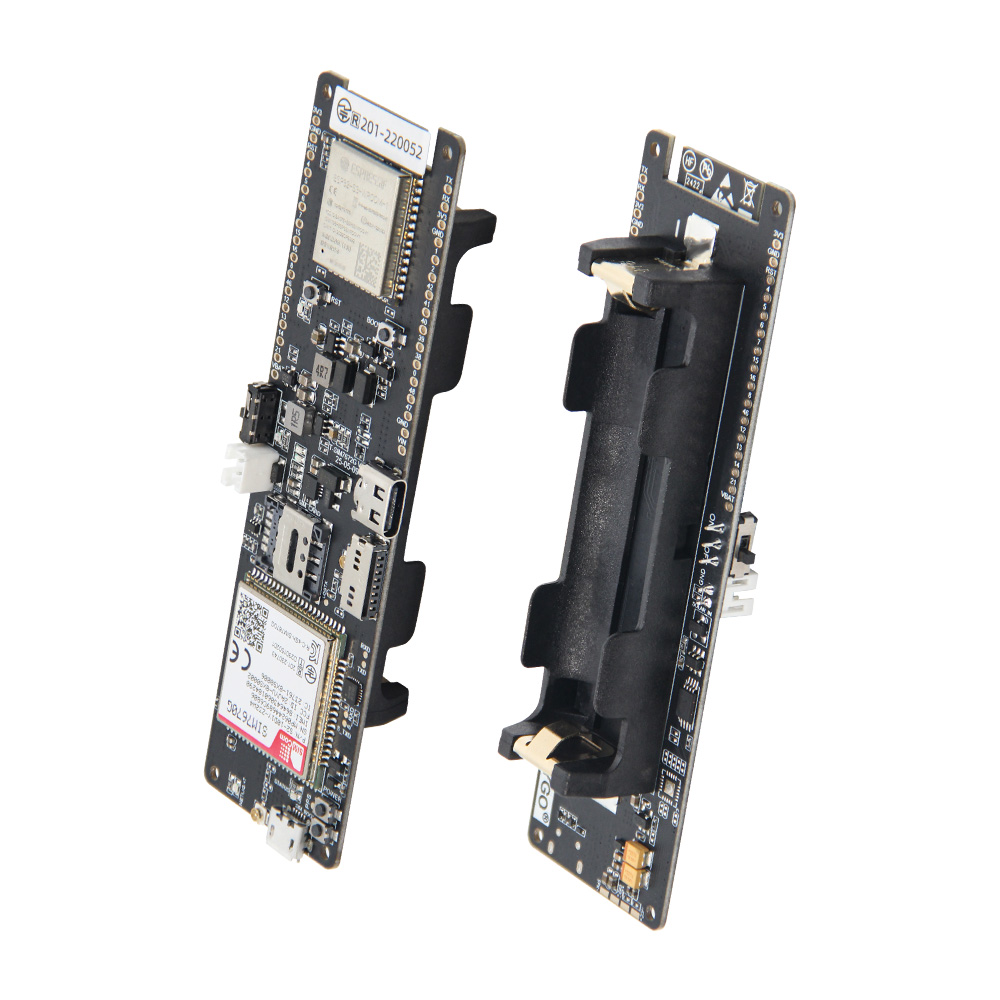
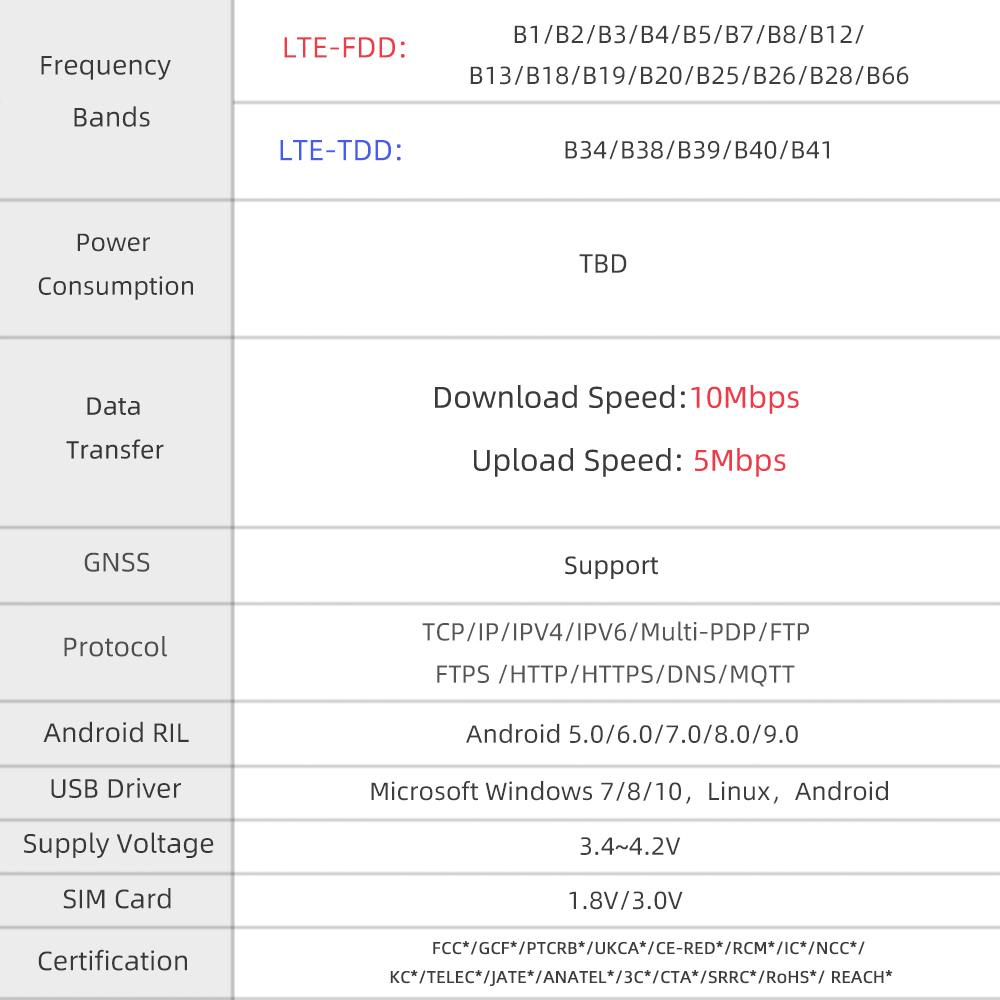
LILYGO T-SIM7670G-S3 combines the ESP32-S3 dual-core LX7 microcontroller with the SIMCom SIM7670G LTE Cat-1 cellular module and integrated GNSS. The SIM7670G delivers LTE Cat-1 data rates (10 Mbps downlink / 5 Mbps uplink) with global multi-band coverage, voice call support, and an integrated GPS/GLONASS/BeiDou receiver. The ESP32-S3 (16 MB Flash, 8 MB PSRAM) provides Wi-Fi 802.11 b/g/n and Bluetooth 5.0 LE alongside the cellular connection. Features a Nano SIM card slot, USB-C for programming, a 3.7 V Li-Po battery connector with charging, and IPEX antenna connectors for LTE and GPS. Part of the LilyGo-Modem-Series ecosystem.
Quick Start
Example Support
| Example | PlatformIO/Arduino | ESP-IDF | Description |
|---|---|---|---|
| LilyGo-Modem-Series | ✓ | LTE Cat-1, MQTT, HTTP, GPS, SMS examples |
PlatformIO
- Install Visual Studio Code and Python
- Search for and install the PlatformIO IDE extension in VS Code
- Open the
LilyGo-Modem-Seriesproject folder - Open
platformio.ini, select theT-SIM7670G-S3environment - Click ✓ to compile, connect via USB-C, click → to upload
Arduino
- Install Arduino IDE
- Install Arduino ESP32
- In Tools → Board, configure:
| Arduino IDE Setting | Value |
|---|---|
| Board | ESP32S3 Dev Module |
| Port | Your port |
| USB CDC On Boot | Enable |
| CPU Frequency | 240 MHz (WiFi) |
| Flash Size | 16MB (128Mb) |
| Partition Scheme | 16M Flash (3MB APP/9.9MB FATFS) |
| PSRAM | OPI PSRAM |
| Upload Mode | UART0/Hardware CDC |
| Upload Speed | 921600 |
| USB Mode | CDC and JTAG |
- Click Upload
Development Platforms
Related Videos
Key Features
- ESP32-S3 dual-core LX7 @ 240 MHz, Wi-Fi + Bluetooth 5.0
- SIMCom SIM7670G: LTE Cat-1 (10 Mbps DL / 5 Mbps UL), global multi-band
- Voice call support via SIM7670G
- Integrated GNSS: GPS, GLONASS, BeiDou
- Nano SIM card slot
- USB-C for programming and power
- 3.7 V Li-Po battery connector with charging
- IPEX connectors for LTE and GPS antennas
- 16 MB Flash, 8 MB PSRAM
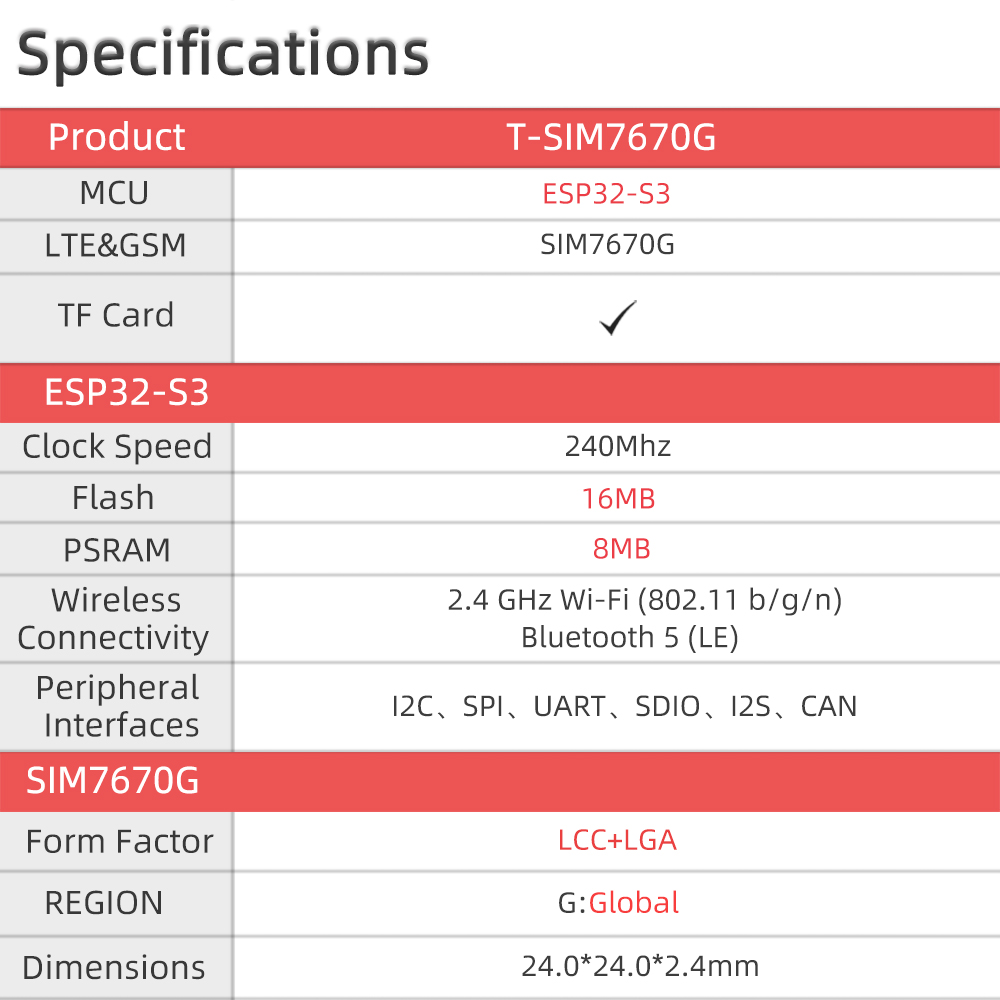
Specifications
| Parameter | Value |
|---|---|
| SOC | ESP32-S3, Dual-core LX7 @ 240 MHz |
| Flash | 16 MB |
| PSRAM | 8 MB |
| Wireless | Wi-Fi 802.11 b/g/n, Bluetooth 5.0 |
| Cellular | SIM7670G — LTE Cat-1, global multi-band |
| Voice | Supported (SIM7670G) |
| GNSS | GPS, GLONASS, BeiDou |
| SIM | Nano SIM |
| USB | 1 × USB-C |
| Battery | 3.7 V Li-Po connector with charging |
| Antenna | LTE IPEX + GPS IPEX |
Electrical Parameters
| Feature | Details |
|---|---|
| USB-C Input Voltage | 5 V |
| Solar Input Voltage | 5 V - 6 V |
| USB-C / Solar Charge Max Current | 500 mA |
| Battery Voltage | 3.7 V |
| VBUS pin header | 5 V |
| VBAT pin header | 4.2 V |
The onboard JST2.0 interface is only for solar-panel battery charging and cannot power the board directly. VBUS is tied to the USB-C input and is for external power input only. The USB/VBUS input should provide at least 2 A peak current and stay above 5 V to avoid low-voltage shutdown.
Battery Protector
| Feature | Details |
|---|---|
| Over-Voltage Threshold | 4.30 V |
| Under-Voltage Threshold | 2.5 V |
| Over-Discharge Current | 3 A |
| Chip | DW01V |
The board may reset when switching between USB and battery power because it does not have seamless power switching.
Pin Diagram
SIM7670G UART
| Signal | GPIO |
|---|---|
| UART TX (to SIM7670G) | 17 |
| UART RX (from SIM7670G) | 18 |
| PWR KEY | 9 |
| DTR | 10 |
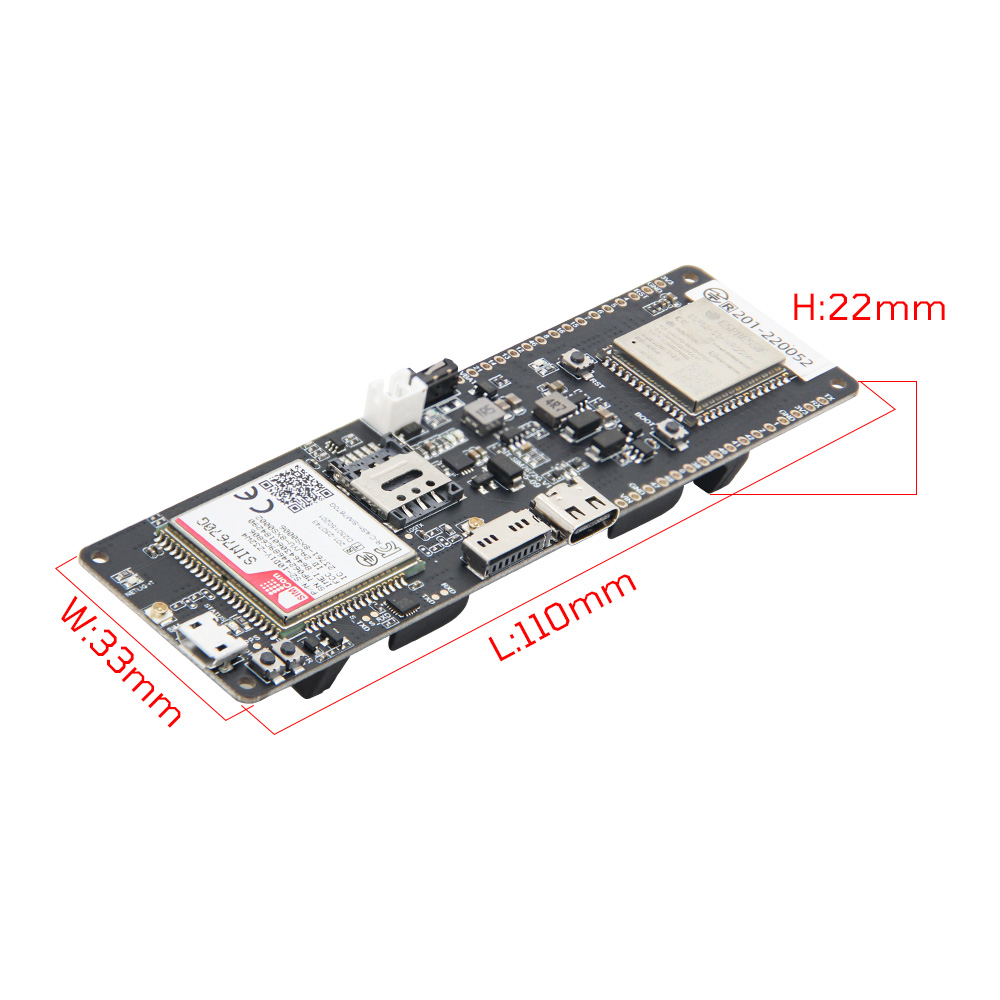
Dimensions
Schematic
Datasheet
Software Libraries
Dependent Libraries
FAQ
Q. What is the difference between SIM7670G and SIM7000G? A. SIM7670G is an LTE Cat-1 module with higher data rates (up to 10 Mbps DL) and voice call support. SIM7000G is an NB-IoT/LTE Cat-M module designed for low-power, low-data applications. Choose SIM7670G for applications requiring higher throughput or voice.
Q. Does T-SIM7670G-S3 support voice calls? A. Yes. The SIM7670G supports voice calls. An audio codec and speaker/microphone hardware would need to be connected to the module's audio pins for a complete voice solution.
Q. How do I power on the SIM7670G? A. Pull GPIO9 (PWR KEY) LOW for at least 1 second, then release. Wait for the module to boot (typically 5–10 seconds) before sending AT commands.
Changelog
| Version | Date | Notes |
|---|---|---|
| V1.0 | Initial release |