
T-Connect Pro
Overview
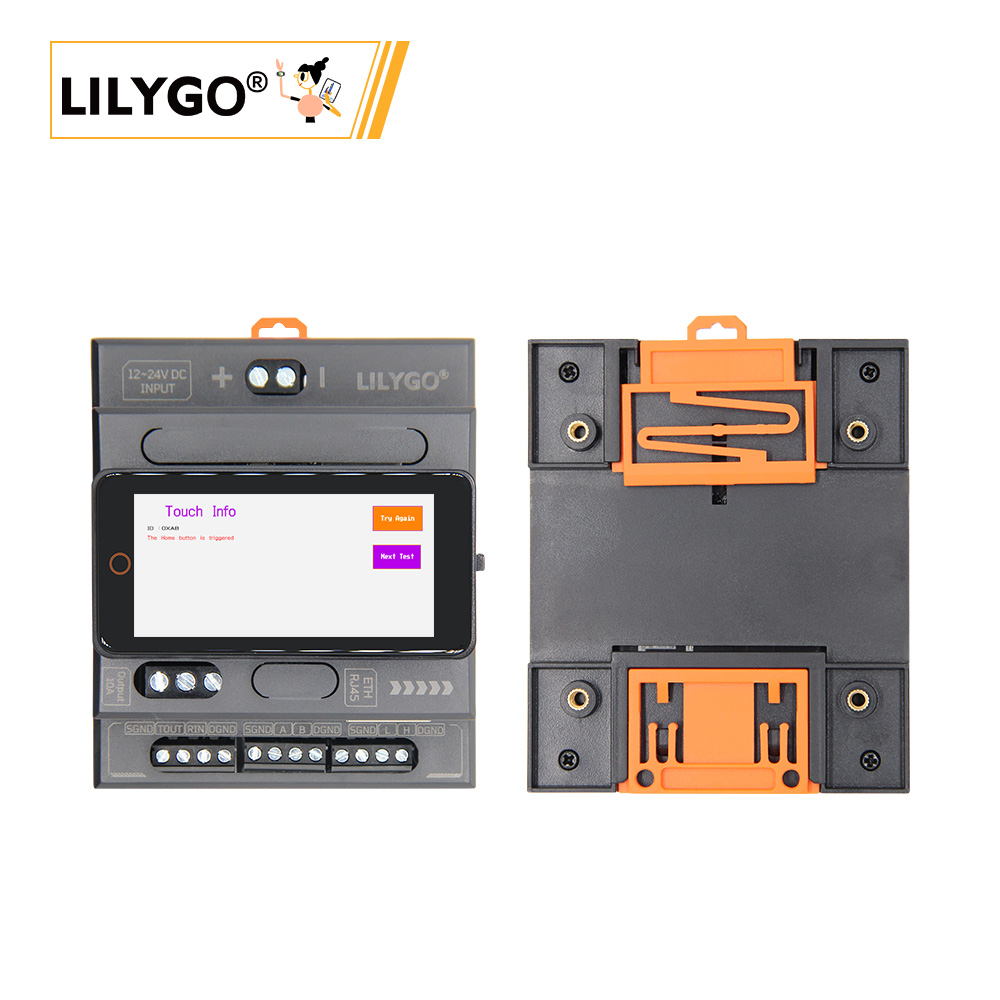
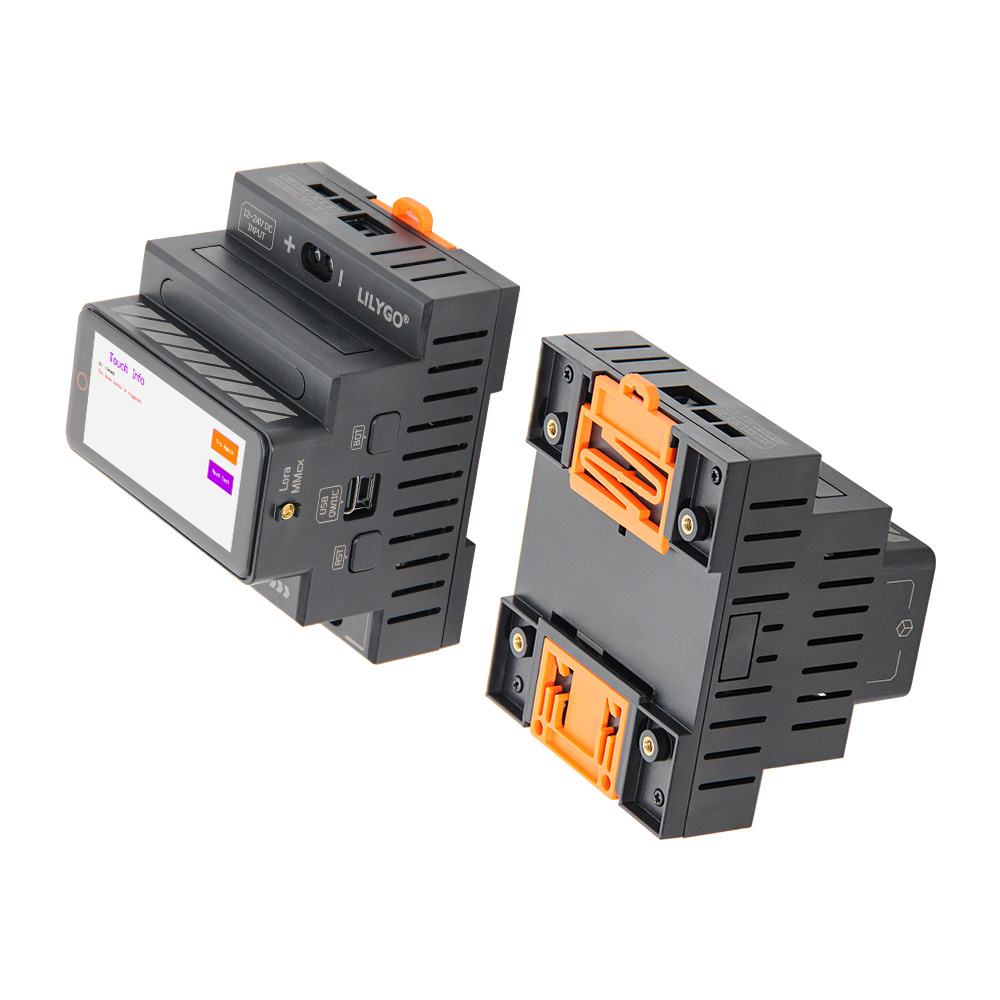
T-Connect Pro is a 3-layer stackable industrial-grade module based on ESP32-S3-R8 (16 MB Flash, 8 MB PSRAM). Integrates SX1262 LoRa (HPD16A, 433–920 MHz), ST7796 TFT LCD (222 × 480, SPI) with CST226SE capacitive touch, W5500 Ethernet, CAN (TD501MCANFD), RS485 (TD501D485H-A), RS232 (TD501D232H), and 10 A relay. 12–24 V DC wide-range input. Suitable for complex industrial automation and IoT terminals.
Quick Start
Example Support
| Example | PlatformIO/Arduino | ESP-IDF | Description |
|---|---|---|---|
| Original_Test | ✓ | Factory program | |
| CAN | ✓ | CAN bus communication | |
| RS485 | ✓ | RS485 communication | |
| RS485_2 | ✓ | RS485 communication (variant) | |
| Ethernet_HTTP | ✓ | Ethernet HTTP client | |
| Ethernet_Relay | ✓ | Ethernet relay control | |
| Ethernet_Scan | ✓ | Ethernet network scan | |
| GFX | ✓ | Display test | |
| GFX_SX1262 | ✓ | Display + LoRa combined | |
| CST226SE | ✓ | Touch screen test | |
| Relay | ✓ | Relay control | |
| SX126x_PingPong | ✓ | LoRa ping-pong test | |
| raw | ✓ | LoRa raw transmission | |
| ttn_abp | ✓ | TTN ABP activation | |
| ttn_otaa | ✓ | TTN OTAA activation |
PlatformIO
- Install Visual Studio Code and Python
- Search for and install the PlatformIO IDE extension in VS Code
- Clone the T-Connect-Pro repository
- Open
platformio.iniand under[platformio]uncomment the desired environment - Click ✓ to compile, click → to upload
Arduino
- Install Arduino IDE
- Add ESP32 boards URL:
https://raw.githubusercontent.com/espressif/arduino-esp32/gh-pages/package_esp32_index.json - Copy the project
librariesfolder to your Arduino libraries folder - In Tools → Board, configure:
| Arduino IDE Setting | Value |
|---|---|
| Board | ESP32S3 Dev Module |
| Upload Speed | 921600 |
| USB Mode | Hardware CDC and JTAG |
| USB CDC On Boot | Enabled |
| USB Firmware MSC On Boot | Disabled |
| USB DFU On Boot | Disabled |
| CPU Frequency | 240 MHz (WiFi) |
| Flash Mode | QIO 80 MHz |
| Flash Size | 16MB (128Mb) |
| Core Debug Level | None |
| Partition Scheme | 16M Flash (3MB APP/9.9MB FATFS) |
| PSRAM | OPI PSRAM |
| Arduino Runs On | Core 1 |
| Events Run On | Core 1 |
- Click Upload
Development Platforms
Video
Key Features
- ESP32-S3-R8 dual-core LX7 @ 240 MHz, 16 MB Flash, 8 MB PSRAM, Wi-Fi + BT 5.0
- SX1262 LoRa (HPD16A, 433–920 MHz), W5500 Ethernet
- ST7796 TFT LCD 222 × 480, CST226SE capacitive touch
- CAN (TWAI), RS485, RS232 industrial protocols; 10 A relay
- 12–24 V DC input, 3-layer stackable design
Product Parameters
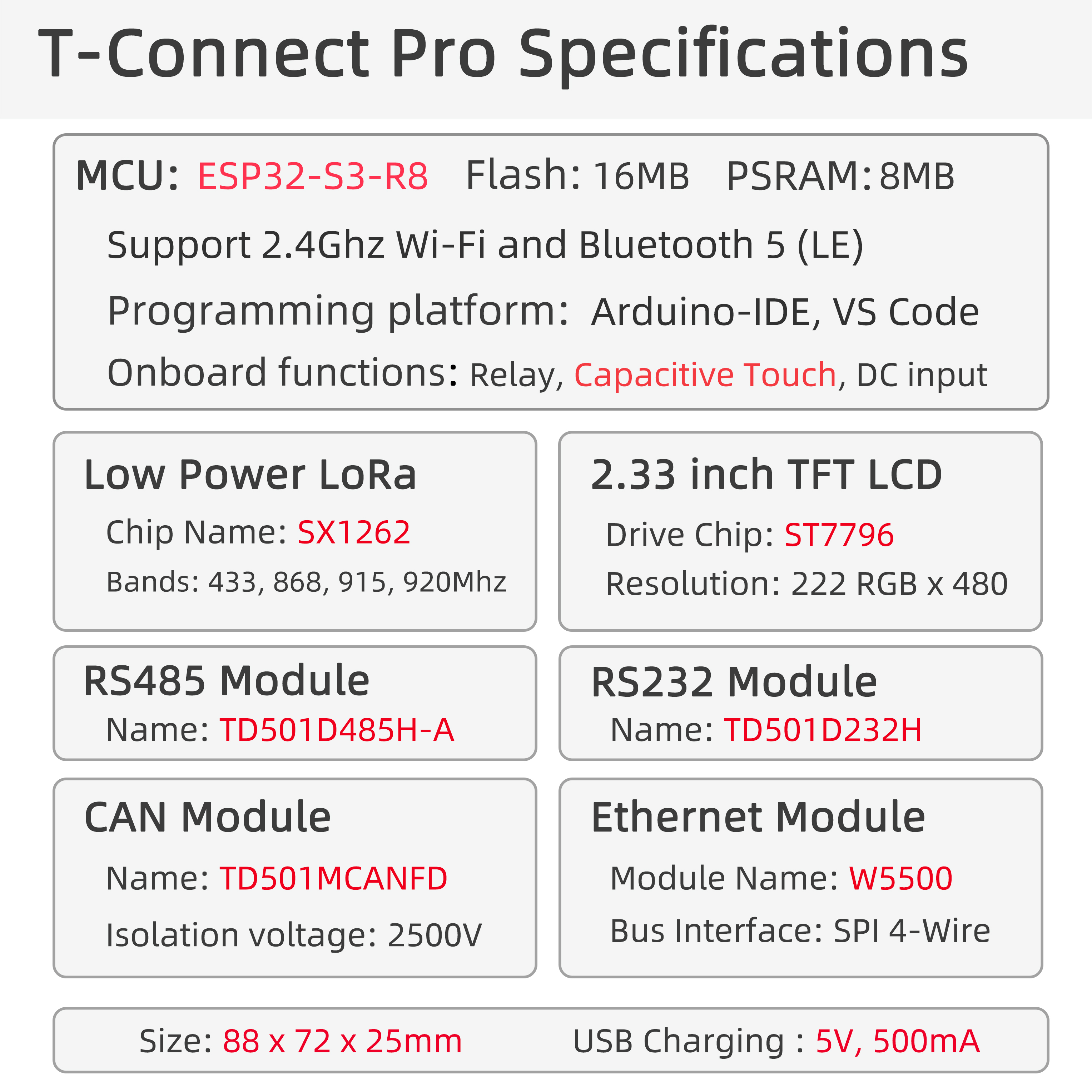
| Feature | Specification |
|---|---|
| MCU | ESP32-S3-R8 |
| Flash | 16 MB |
| PSRAM | 8 MB (Octal SPI) |
| Wi-Fi | 2.4 GHz 802.11 b/g/n |
| Bluetooth | Bluetooth 5.0 LE |
| LoRa | SX1262 (HPD16A), 433–920 MHz |
| Ethernet | W5500 (SPI) |
| Display | ST7796 TFT LCD, 222 × 480 (SPI) |
| Touch | CST226SE (I²C) |
| CAN | TD501MCANFD (TWAI) |
| RS485 | TD501D485H-A (UART) |
| RS232 | TD501D232H (UART) |
| Relay | 10 A output |
| IMU | BMA423 (I²C) |
| USB | 1 × Type-C (USB + OTG) |
| Power Input | 12–24 V DC or 5 V/500 mA USB |
| Expansion | 1 × QWIIC |
| Mounting Holes | 4 × M3 |
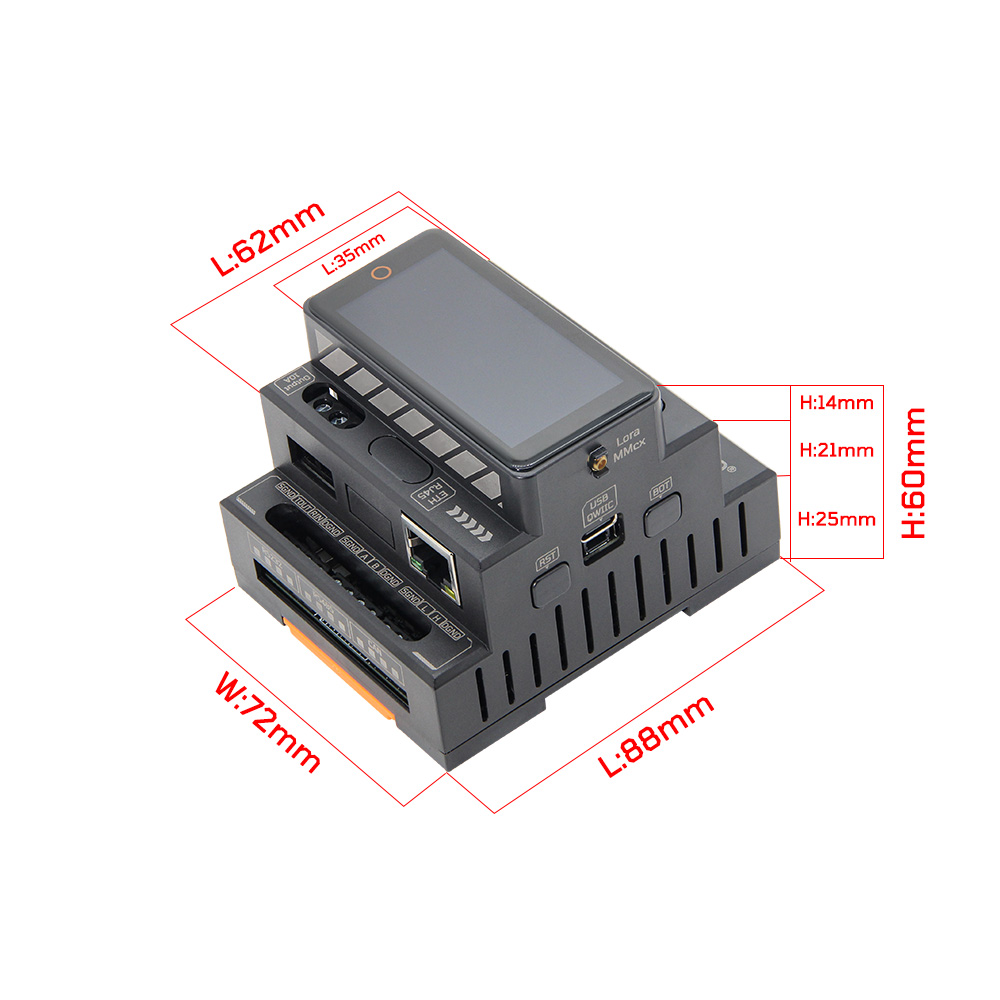
| Dimensions | 88 × 72 × 60 mm (with base) |
Pin Diagram
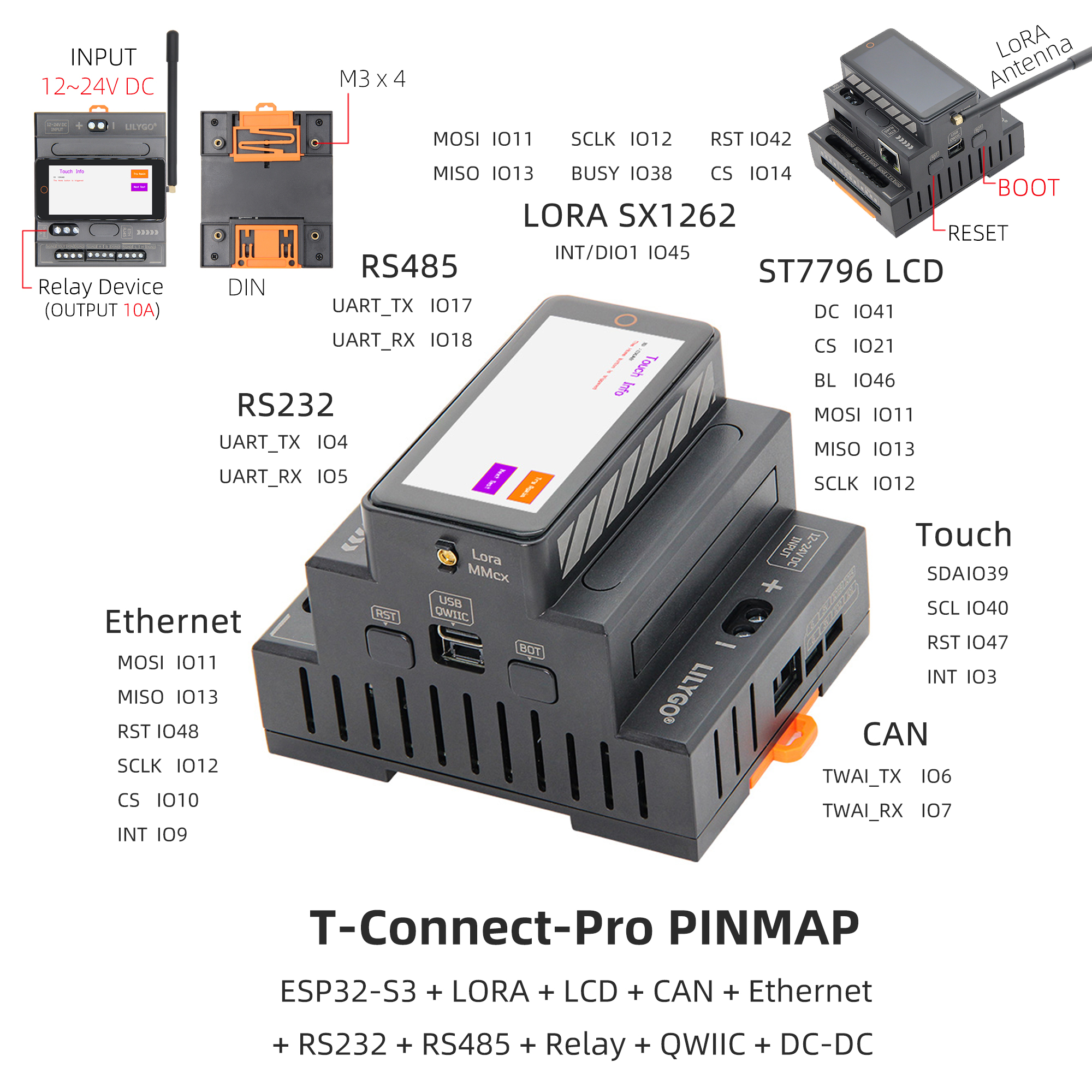
Pin Mapping
| Display | IO11 (MOSI), IO13 (MISO), IO41 (DC), IO12 (SCLK), IO21 (CS), IO46 (BL) |
|---|---|
| Touch (CST226SE) | IO39 (SDA), IO40 (SCL), IO47 (RST), IO3 (INT) |
| Ethernet (W5500) | IO11 (MOSI), IO13 (MISO), IO48 (RST), IO12 (SCLK), IO10 (CS), IO9 (INT) |
| LoRa (SX1262) | IO11 (MOSI), IO13 (MISO), IO42 (RST), IO12 (SCLK), IO14 (CS), IO45 (DIO1), IO38 (BUSY) |
| RS485 | IO17 (TX), IO18 (RX) |
| RS232 | IO4 (TX), IO5 (RX) |
| CAN | IO6 (TWAI_TX), IO7 (TWAI_RX) |
Dimension Diagram
Schematic
Datasheet
Software Development
Dependent Libraries
FAQ
Q. Why does my board keep failing to upload programs? A. Hold down the BOOT button and try uploading again.
Q. What frequency bands does the LoRa module support? A. The LoRa module supports 433–920 MHz. Select the appropriate band per regional regulations.
Q. Are there any GPIO conflicts when using LoRa with Wi-Fi or Bluetooth? A. No, Wi-Fi and Bluetooth are built-in chip functions with no GPIO conflicts.
Version History
| Version | Release Date | Update Description |
|---|---|---|
| T-Connect Pro V1.0 | — | Initial version |