
T-PICO-2350 get it now
Overview
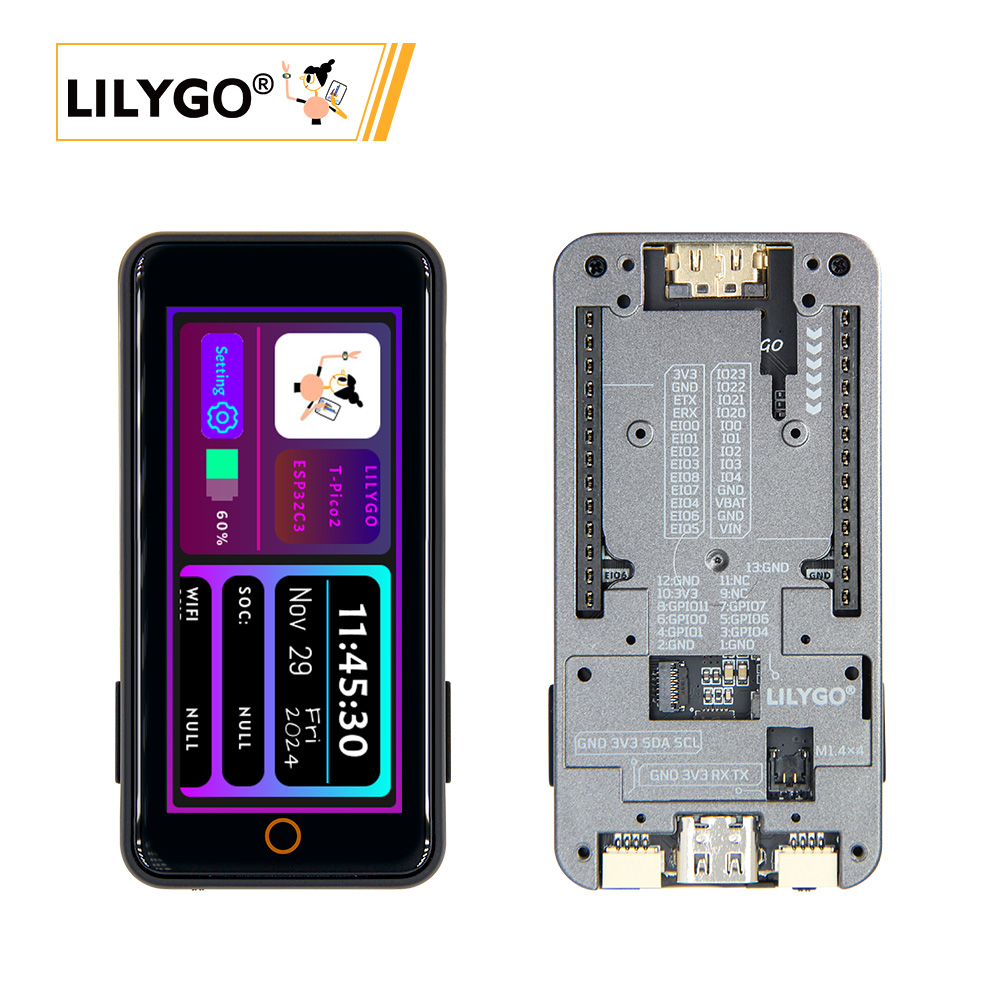
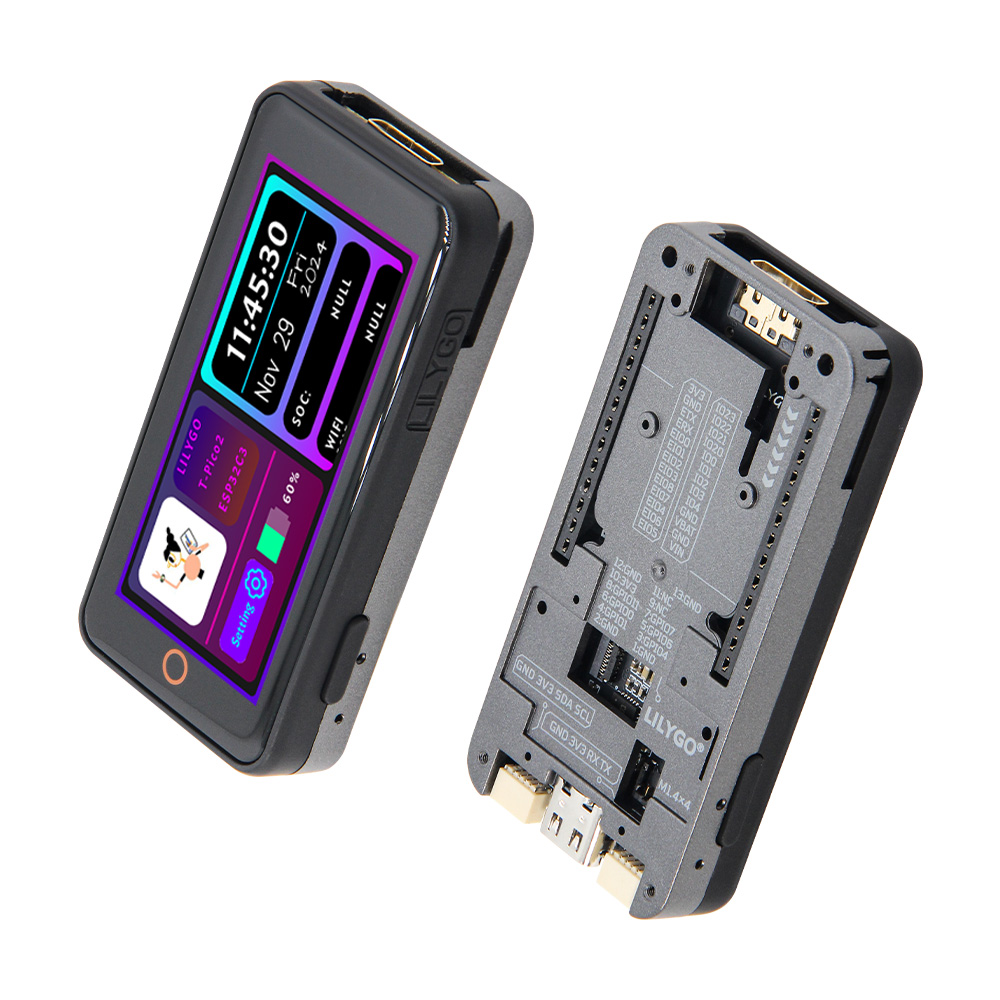
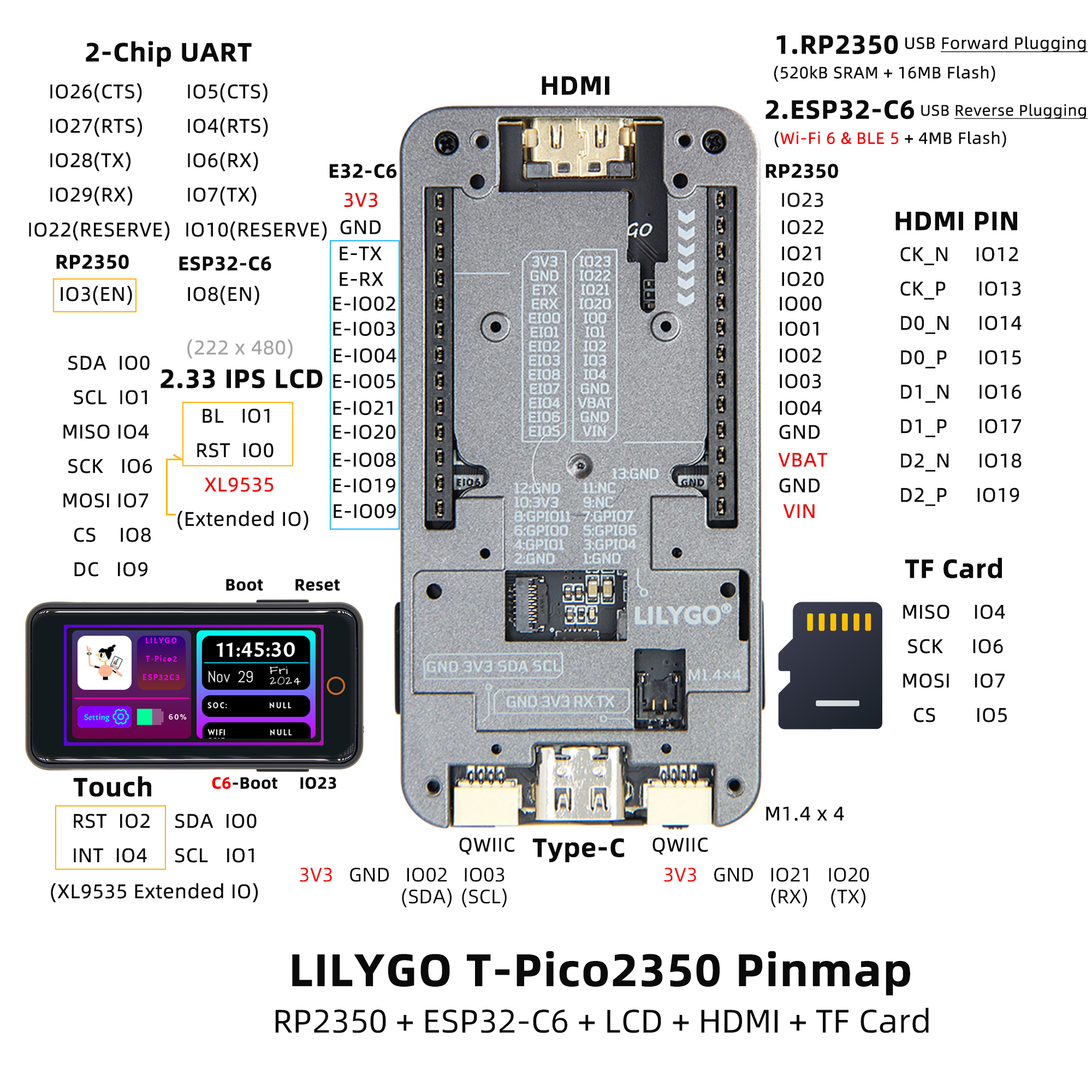
T-PICO-2350 is a dual-processor development board based on Raspberry Pi RP2350 (16 MB Flash) and ESP32-C6-MINI-1U (4 MB Flash, Wi-Fi 6 + BT). Features a 2.33-inch IPS LCD (ST7796S), XL9535 touch, HDMI output, TF card, 2 × QWIIC, 2×13 IO expansion, and PMU. Reversible USB for programming both chips independently. Supports battery and USB power.
Quick Start
Example Support
| Example | PlatformIO/Arduino | C/C++ | Description |
|---|---|---|---|
| Factory | ✓ | ✓ | Factory test |
| LilyGO-T-Pico2 Examples | ✓ | ✓ | RP2350 and ESP32-C6 examples |
PlatformIO
- Install Visual Studio Code and Python
- Search for and install the PlatformIO IDE extension in VS Code
- Clone the Lilygo-T-Pico2 repository
- Open
platformio.ini, uncomment the desiredsrc_dirline (keep only one active) - Click ✓ to compile, click → to upload
Arduino
- Install Arduino IDE
- Install Arduino Pico (RP2350 board support)
- For ESP32-C6 examples: add ESP32 boards URL
https://espressif.github.io/arduino-esp32/package_esp32_index.json - Copy all directories from the project
libfolder to your Arduino libraries folder - Select Board and configure per the project repository instructions
- Click Upload
Note: T-PICO-2350 uses reversible USB — plug orientation selects either the RP2350 port or the ESP32-C6 port. To identify the RP2350 port, hold the side BOOT button while plugging in USB-C; if the computer recognizes a disk drive, that is the RP2350 port.
Development Platforms
- PlatformIO
- Arduino IDE (via Arduino-Pico)
- MicroPython
Video
Key Features
- RP2350 @ 16 MB Flash, 520 kB SRAM + ESP32-C6 @ 4 MB Flash, Wi-Fi 6 + BT
- 2.33-inch IPS LCD (ST7796S, SPI), XL9535 capacitive touch (I2C)
- HDMI output, TF card, 2 × QWIIC, 2×13 IO expansion, reversible USB
Product Parameters
| Feature | Specification |
|---|---|
| Main MCU | Raspberry Pi RP2350 |
| Main Flash | 16 MB |
| Main SRAM | 520 kB |
| Wireless MCU | ESP32-C6-MINI-1U-N4 |
| Wireless Flash | 4 MB |
| Wi-Fi | 2.4 GHz 802.11 b/g/n (Wi-Fi 6) |
| Bluetooth | Bluetooth 5.0 LE |
| Display | 2.33-inch IPS LCD (ST7796S, SPI) |
| Touch | XL9535 I2C Capacitive |
| Video Output | HDMI (19-pin) |
| Storage | TF card |
| Power Management | Integrated PMU |
| USB | 2 × Type-C (reversible, RP2350 / ESP32-C6) |
| Expansion | 2×13 IO + 2 × QWIIC + 13-pin FPC |
| Power Supply | Battery + USB |
| Mounting Holes | 4 × M1.4 |
Pin Diagram
Dimension Diagram
Schematic
Datasheet
Software Development
Dependent Libraries
FAQ
Q. Why does my board keep failing to upload programs? A. Hold the side BOOT button and press the side RST button, release RST, release BOOT, then upload.
Q. How to write to ESP32-C6? A. Hold the ESP32 BOOT button on the ESP32-C6 module side and plug in USB-C on that side. Do not include ESP32-C6 reset pin control in the RP2350 program when updating ESP32-C6 firmware.
Q. How to identify which USB port is RP2350 vs ESP32-C6? A. Hold the side BOOT button while plugging in USB-C. If the computer recognizes a disk drive, this is the RP2350 port.
Q. No serial output? A. In Arduino IDE, select Debug Port: "Serial" in the toolbar and enable the DTR option in your serial monitor.
Version History
| Version | Release Date | Update Description |
|---|---|---|
| T-PICO-2350 V1.2 | 2024-01-01 | Initial version |