
LILYGO LoRa32 get it now
Overview
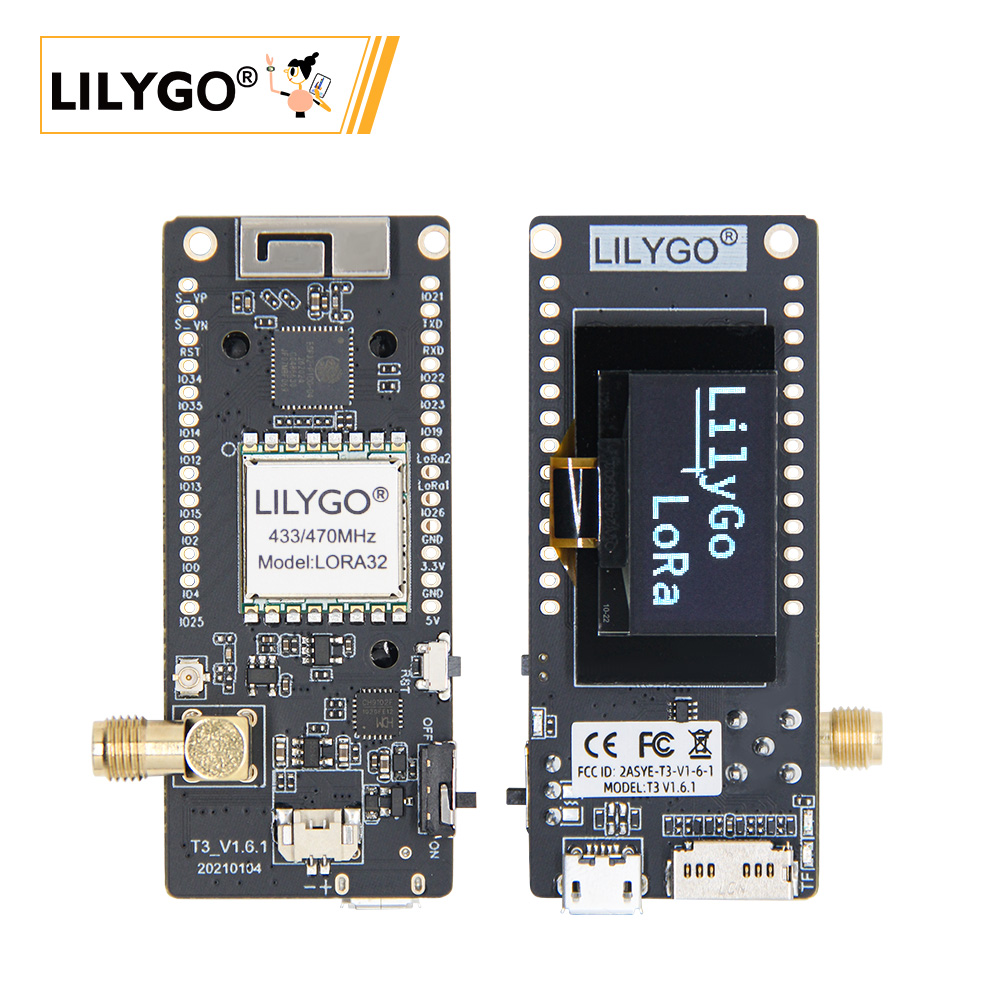
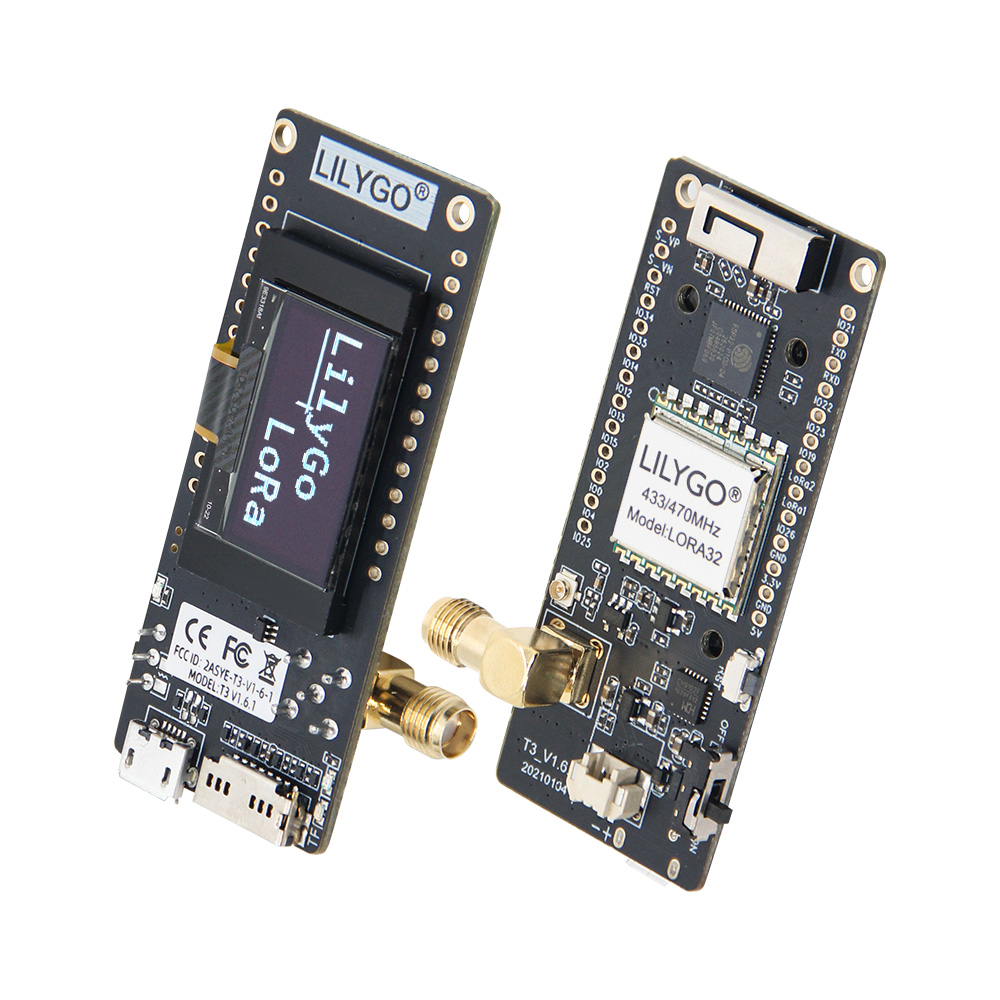
The LILYGO T3_V1.6.1 (LoRa32 V2.1.6) is a multi-protocol IoT development board integrating an ESP32 main controller (4 MB Flash), a 0.96-inch SSD1306 I²C OLED display (128×64), and a low-power LoRa module.
The board supports SX1276/SX1278 dual-band LoRa, providing Wi-Fi + Bluetooth 4.2 + BLE wireless connectivity. It supports dual power modes (USB or 3.7 V Li-Po battery with a power switch) and features a TF card slot plus hardware RESET/BOOT buttons. The LoRa module delivers +14 dBm transmit power and 9.9 mA ultra-low receive current, making it ideal for long-range environmental monitoring, LoRaWAN end nodes, low-power sensor gateways, and other IoT applications.
Quick Start
Example Support
| Example | PlatformIO/Arduino | ESP-IDF | Description |
|---|---|---|---|
| LoRaSender | ✓ | LoRa transmit (SX1276/SX1278) | |
| LoRaReceiver | ✓ | LoRa receive (SX1276/SX1278) | |
| RadioLib Examples | ✓ | RadioLib communication examples | |
| LoRaWAN OTAA | ✓ | LoRaWAN OTAA join | |
| OLED Display | ✓ | OLED display example | |
| Factory Test | ✓ | Factory test |
PlatformIO
- First-time use requires installing the CH9102 USB driver: Windows / macOS
- Install Visual Studio Code and the PlatformIO IDE extension; restart after installation.
- Download the LilyGo-LoRa-Series project from GitHub and open it in VS Code.
- Uncomment the target example in
platformio.ini, click ✓ to compile, connect the device, then click → to flash.
Arduino
- First-time use requires installing the CH9102 USB driver.
- Install Arduino IDE and Arduino ESP32.
- Copy all folders from the
libdirectory to the Arduino libraries folder (~/Documents/Arduino/libraries). - In Tools, configure the board settings as shown below.
| Arduino IDE Setting | Value |
|---|---|
| Board | ESP32 Dev Module |
| Upload Speed | 921600 |
| CPU Frequency | 240MHz (WiFi/BT) |
| Flash Mode | QIO |
| Flash Frequency | 80MHz |
| Flash Size | 4MB (32Mb) |
| Core Debug Level | None |
| Partition Scheme | Huge APP (3MB No OTA/1MB SPIFFS) |
| PSRAM | Enabled |
| Arduino Runs On | Core 1 |
| Events Run On | Core 1 |
- In
utilities.h, uncomment the line matching your board variant (e.g.T3_V1_3_SX1276orT3_V1_3_SX1278). - Select the correct port and upload.
Development Platforms
Related Videos
Key Features
- ESP32: 4 MB Flash, Wi-Fi + Bluetooth 4.2 + BLE
- SX1276 (868/915/923 MHz) or SX1278 (433 MHz) LoRa, +14 dBm TX, 9.9 mA RX
- 0.96-inch SSD1306 OLED (128×64, I²C)
- CH9102 USB-to-serial, MicroSD (TF) card slot
- Dual power: Micro USB or 3.7 V Li-Po (with power switch)
Specifications
| Component | Description |
|---|---|
| MCU | ESP32 (Xtensa LX6 dual-core) |
| Flash | 4 MB |
| Display | 0.96-inch SSD1306 OLED (128×64) |
| LoRa | SX1276 (868/915/923 MHz) / SX1278 (433 MHz) |
| USB-Serial | CH9102 |
| Storage | TF card slot |
| Wireless | 2.4 GHz Wi-Fi + Bluetooth 4.2 + BLE |
| USB | 1 × Micro USB |
| Expansion | 3D Wi-Fi antenna + LoRa antenna + 1.25 mm JST GH battery |
| I/O | 2.54 mm 2×13 expansion header |
| Buttons | RESET + BOOT |
| Mounting holes | 2 × 2 mm |
| Dimensions | 66 × 36 × 15 mm |
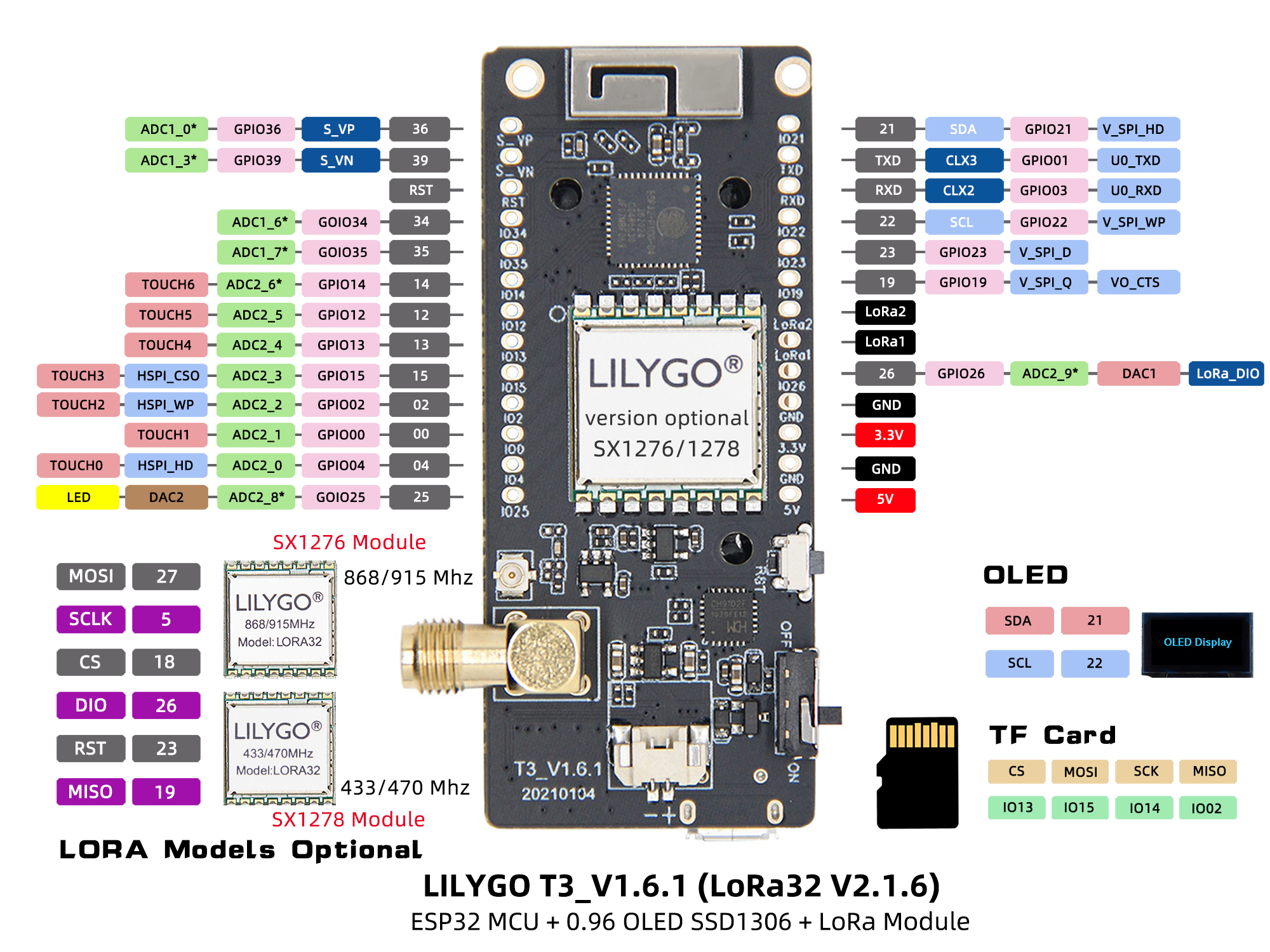
Pin Diagram
Pin Mapping (LoRa32 V1.3)
| Name | GPIO | Available |
|---|---|---|
| OLED SDA | 21 | ❌ |
| OLED SCL | 22 | ❌ |
| LoRa SCK | 18 | ❌ |
| LoRa MISO | 19 | ❌ |
| LoRa MOSI | 27 | ❌ |
| LoRa RST | 14 | ❌ |
| LoRa DIO0 | 26 | ❌ |
| LoRa DIO1 | 33 | ❌ |
| LoRa CS | 18 | ❌ |
| Battery ADC | 35 | ❌ |
Pin Mapping (LoRa32 V1.6.1)
| Name | GPIO | Available |
|---|---|---|
| OLED SDA | 21 | ❌ |
| OLED SCL | 22 | ❌ |
| SD CS | 13 | ❌ |
| SD MOSI | 15 | ❌ |
| SD MISO | 2 | ❌ |
| SD SCK | 14 | ❌ |
| LoRa SCK | 5 | ❌ |
| LoRa MISO | 19 | ❌ |
| LoRa MOSI | 27 | ❌ |
| LoRa RST | 23 | ❌ |
| LoRa DIO1 | 33 | ❌ |
| LoRa DIO2 | 32 | ❌ |
| LoRa CS | 18 | ❌ |
| Battery ADC | 35 | ❌ |
| Onboard LED | 25 | ❌ |
Pin Mapping (LoRa32 TCXO)
| Name | GPIO | Available |
|---|---|---|
| OLED SDA | 21 | ❌ |
| OLED SCL | 22 | ❌ |
| SD CS | 13 | ❌ |
| SD MOSI | 15 | ❌ |
| SD MISO | 2 | ❌ |
| SD SCK | 14 | ❌ |
| LoRa SCK | 5 | ❌ |
| LoRa MISO | 19 | ❌ |
| LoRa MOSI | 27 | ❌ |
| LoRa RST | 23 | ❌ |
| LoRa DIO0 | 26 | ❌ |
| LoRa DIO1 | 32 | ❌ |
| LoRa CS | 7 | ❌ |
| LoRa TCXO EN | 12 | ❌ |
| Battery ADC | 35 | ❌ |
| Onboard LED | 25 | ❌ |
Notes:
- GPIO33 and above are input-only; they cannot be configured as outputs.
- Remove the SD card before uploading firmware, otherwise the upload may fail.
- TCXO EN must be set HIGH before initializing LoRa.
Dimensions
Schematic
Datasheet
Software Libraries
Dependent Libraries
FAQ
Q. What is the difference between LoRa32 and T3-S3? A. LoRa32 uses ESP32 + SX1276/78; T3-S3 uses ESP32-S3 + SX1262/80. Both the processor and LoRa chip are different.
Q. How do I choose between SX1276 and SX1278? A. Choose based on your regional frequency regulations: SX1276 supports 868/915/923 MHz; SX1278 supports 433 MHz.
Q. The OLED display is not showing anything? A. Check the I²C address (SSD1306 is typically 0x3C) and confirm SDA=IO21, SCL=IO22 wiring.
Q. Firmware upload fails? A. Ensure the CH9102 driver is correctly installed. Hold the BOOT button and press RESET to enter download mode.
Version History
| Version | Release Date | Notes |
|---|---|---|
| T3_V1.6.1 (LoRa32 V2.1.6) | — | Multi-protocol IoT development board |