
T-Echo Lite get it now
Overview
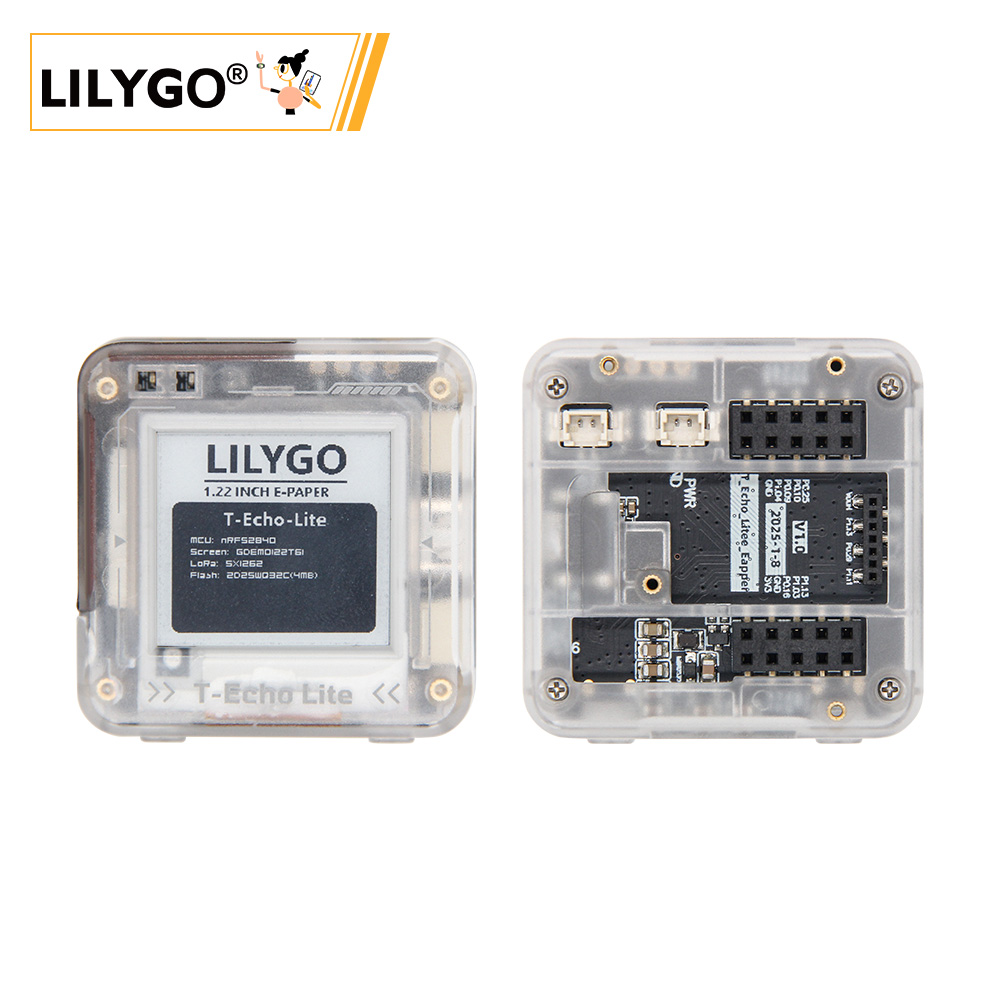
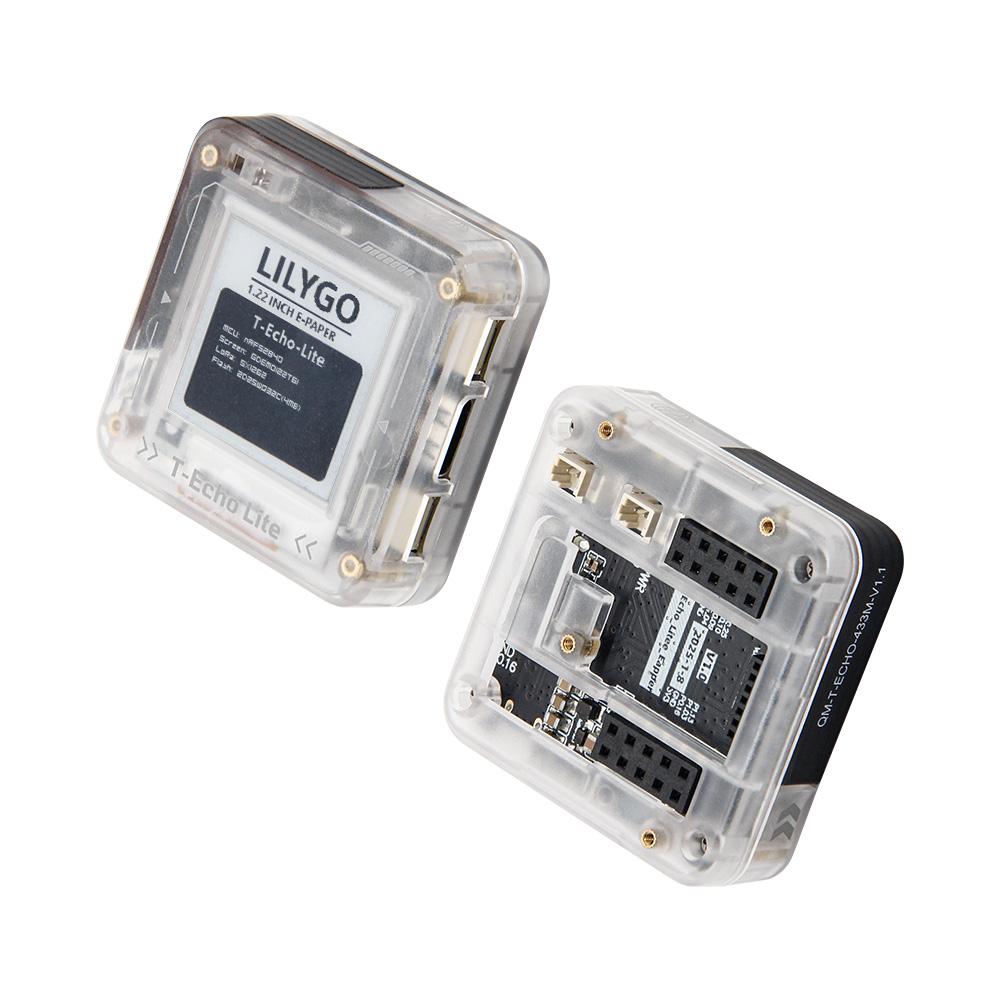
T-Echo-Lite is a lightweight version of T-Echo featuring a smaller form factor and lower power consumption. Minimum deep sleep power consumption can reach 2 µA to 10 µA. The board includes an inertial sensor (ICM20948), SX1262 LoRa module, solar charging (5 V), external GPS (L76K), 1.22-inch e-paper display, and 32 MB SPI Flash.
T-Echo-Lite-KeyShield is an optional baseboard expansion that adds a keyboard (TCA8418), speaker/microphone (ES8311), vibration motor (AW86224), and keyboard backlight (AW21009QNR).
Quick Start
Example Support
T-Echo-Lite Examples
| Example | Arduino (Adafruit_nRF52 V1.6.1) / PlatformIO | Description |
|---|---|---|
| Battery_Measurement | ✓ | Battery voltage reading |
| BLE_Uart | ✓ | BLE UART communication |
| Display | ✓ | E-Paper display |
| GPS | ✓ | GPS positioning |
| ICM20948 | ✓ | IMU sensor |
| SX126x_PingPong | ✓ | LoRa ping-pong |
| Sleep_Wake_Up | ✓ | Deep sleep & wake |
| Original_Test | ✓ | Factory test |
T-Echo-Lite-KeyShield Examples
| Example | Support | Description |
|---|---|---|
| aw21009qnr | ✓ | Keyboard backlight |
| aw86224 | ✓ | Vibration motor |
| es8311 | ✓ | Speaker/microphone |
| tca8418 | ✓ | Keyboard |
| original_test | ✓ | Factory test |
PlatformIO
- Install Visual Studio Code and Python
- Search for and install the PlatformIO IDE extension in VS Code
- Open the T-Echo-Lite project folder
- Open
platformio.ini, uncomment the example you want under[platformio]→default_envs - If first time: run
python t-echo-lite_v1.0.0_setup.pyfrom thetool/win10 vscode platformio startfolder to install the board - Click ✓ to compile, connect the board, click → to upload
Arduino
- Install Arduino IDE
- In Preferences, add
https://www.adafruit.com/package_adafruit_index.jsonto Additional Board Manager URLs - In Board Manager, install Adafruit nRF52
- Copy library folders from the project
librariesdirectory to your Arduino Sketchbook libraries folder - In Tools → Board, select:
| Arduino IDE Setting | Value |
|---|---|
| Board | Nordic nRF52840 DK |
- Select the correct port
- Enter DFU boot mode: press and release RST, wait for LED1 to light, then press and release RST again. LED1 will dim then brighten — DFU mode is active.
- Click ✓ to compile, then → to upload
JLINK Flashing
- Install nRF Connect for Desktop
- Install J-Link
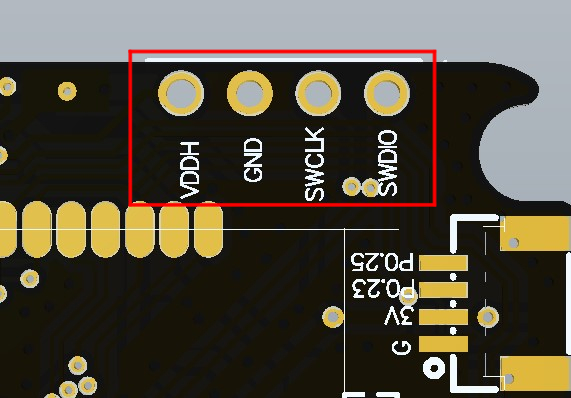
- Connect JLINK to the board as shown below:
- Open nRF Connect for Desktop, install and open the Programmer tool
- Add both the bootloader file and firmware file, click Erase & Write to flash
Video
Key Features
- nRF52840 ARM Cortex-M4 @ 64 MHz, Bluetooth 5.0, 256 kB RAM, 1 MB Flash
- SX1262 (S62F module) LoRa, SPI
- 1.22-inch GDEM0122T61 E-Paper display (176 × 192), driver SSD1681 — full refresh only
- ICM20948 9-axis IMU (I2C)
- L76K GPS module (UART)
- 32 MB SPI Flash (ZD25WQ32CEIGR)
- Solar charging (5 V input)
- Deep sleep power consumption: 2–10 µA minimum
- KeyShield expansion: TCA8418 keyboard + ES8311 audio + AW86224 vibration + AW21009QNR backlight
Product Parameters
| Feature | Specification |
|---|---|
| MCU | nRF52840 @ ARM Cortex-M4, 64 MHz |
| RAM | 256 kB |
| Flash (MCU) | 1 MB |
| Flash (External) | 32 MB (ZD25WQ32CEIGR, SPI) |
| Bluetooth | Bluetooth 5.0 |
| LoRa | SX1262 (S62F module), SPI |
| GPS | L76K (UART) |
| Display | 1.22-inch GDEM0122T61 E-Paper, 176 × 192, SSD1681 |
| IMU | ICM20948 (9-axis, I2C) |
| Deep Sleep | 2–10 µA |
| Charging | Solar (5 V) |
KeyShield Expansion
| Component | IC | Bus |
|---|---|---|
| Keyboard | TCA8418 | I2C |
| Keyboard Backlight | AW21009QNR | I2C |
| Vibration Motor | AW86224 | I2C |
| Speaker / Microphone | ES8311 | I2C + I2S |
Pin Diagram
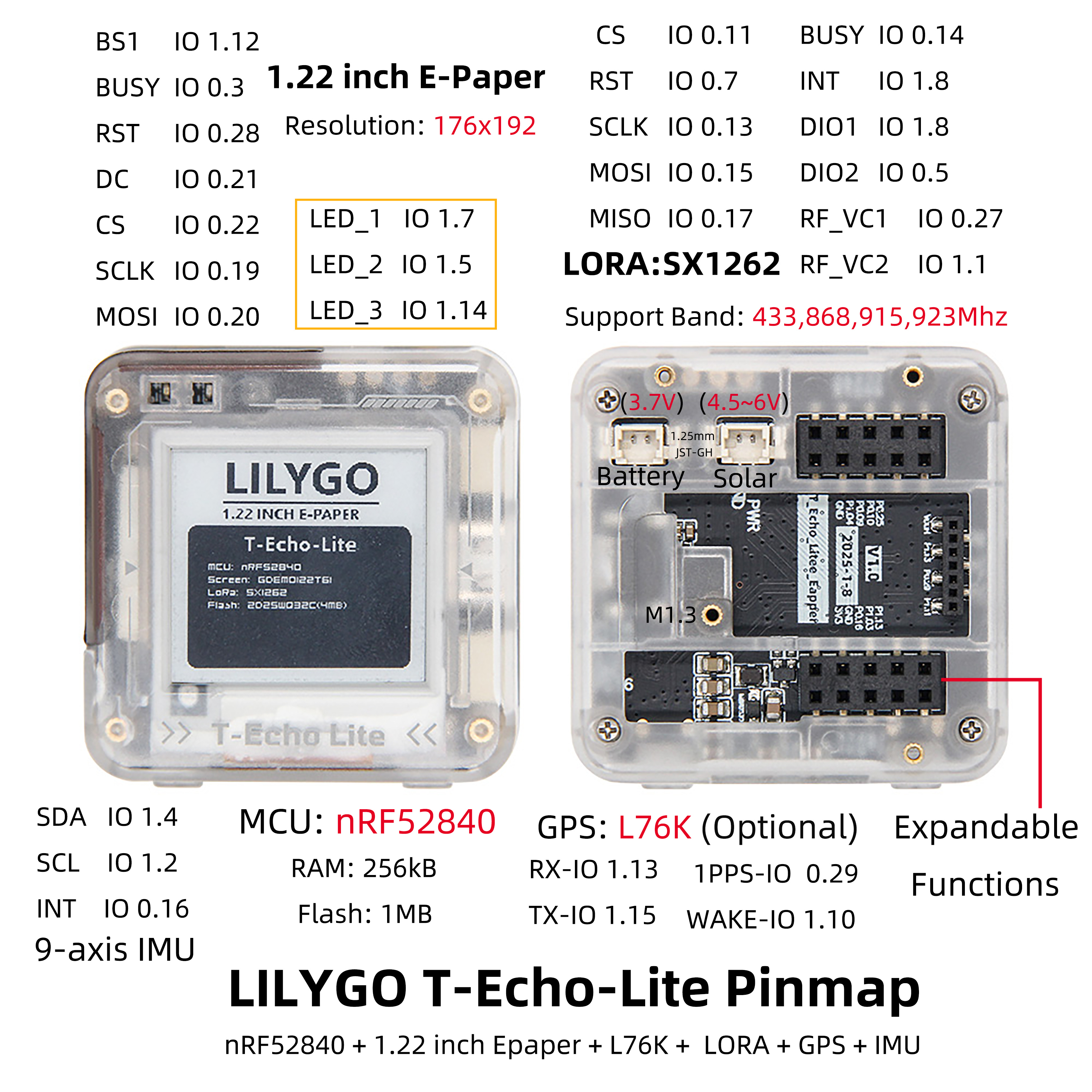
For pin definitions, refer to the configuration files in the repository:
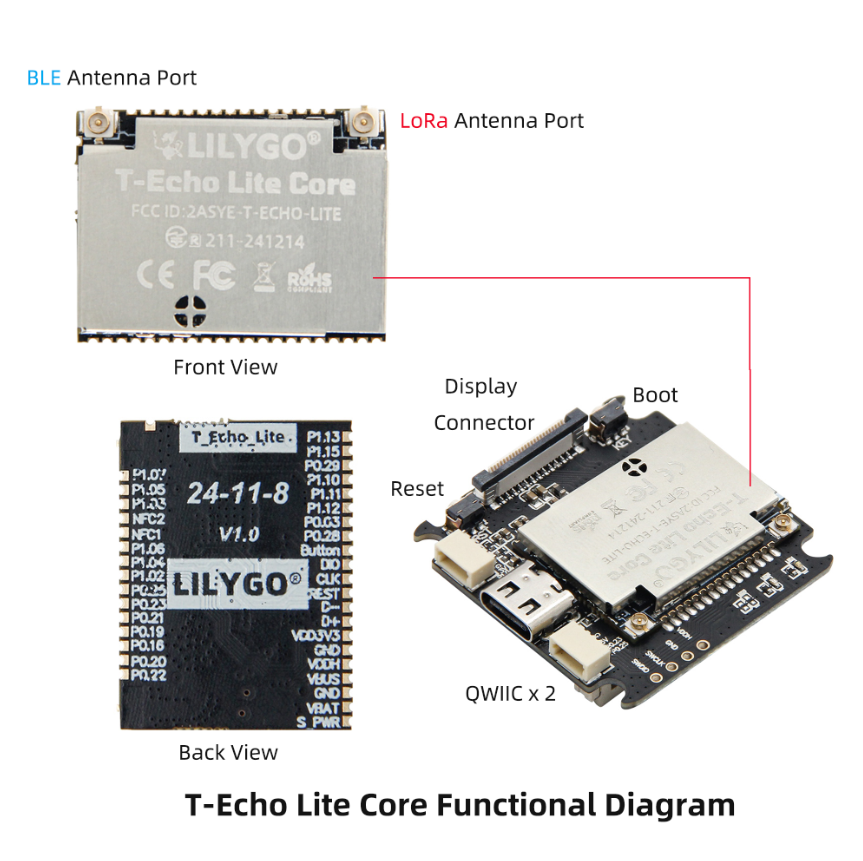
Antenna note: The Bluetooth and LoRa antennas are separate — see the diagram above to distinguish them.
Dimension Diagram
Schematic
Datasheet
- nRF52840 Datasheet
- GDEM0122T61 (E-Paper)
- SSD1681 (E-Paper Driver)
- S62F (SX1262 Module)
- L76KB-A58 (GPS)
- ICM20948
- ZD25WQ32CEIGR (Flash)
Software Development
Dependent Libraries
- Adafruit_EPD
- Adafruit_BusIO
- Adafruit_SPIFlash
- Adafruit-GFX-Library
- RadioLib
- TinyGPSPlus
- ICM20948_WE
- cpp_bus_driver (KeyShield)
FAQ
Q. No debug output from USB? A. Enable the DTR option in your serial assistant software.
Q. USB upload fails? A. Enter DFU boot mode: press and release RST, wait for LED1 to light, press and release RST again. LED1 will dim then brighten — DFU mode is active.
Q. How to distinguish the Bluetooth and LoRa antennas? A. Refer to the antenna diagram in the Pin Diagram section above.
Q. Arduino IDE prompts to upgrade libraries? A. Do not upgrade — stay with the library versions included in the project.
Q. E-paper display shows ghosting? A. GDEM0122T61 does not support fast refresh. Use full refresh only.
Version History
| Version | Release Date | Update Description |
|---|---|---|
| T-Echo-Lite V1.0 | 2024-12-06 | Initial release |
| T-Echo-Lite-KeyShield V1.0 | 2025-10-14 | KeyShield expansion board |
Related Tests
Power Consumption
| Mode | Firmware | Minimum Current |
|---|---|---|
| Deep Sleep | Sleep_Wake_Up | 2.54 µA |