
T-SIM7000G get it now
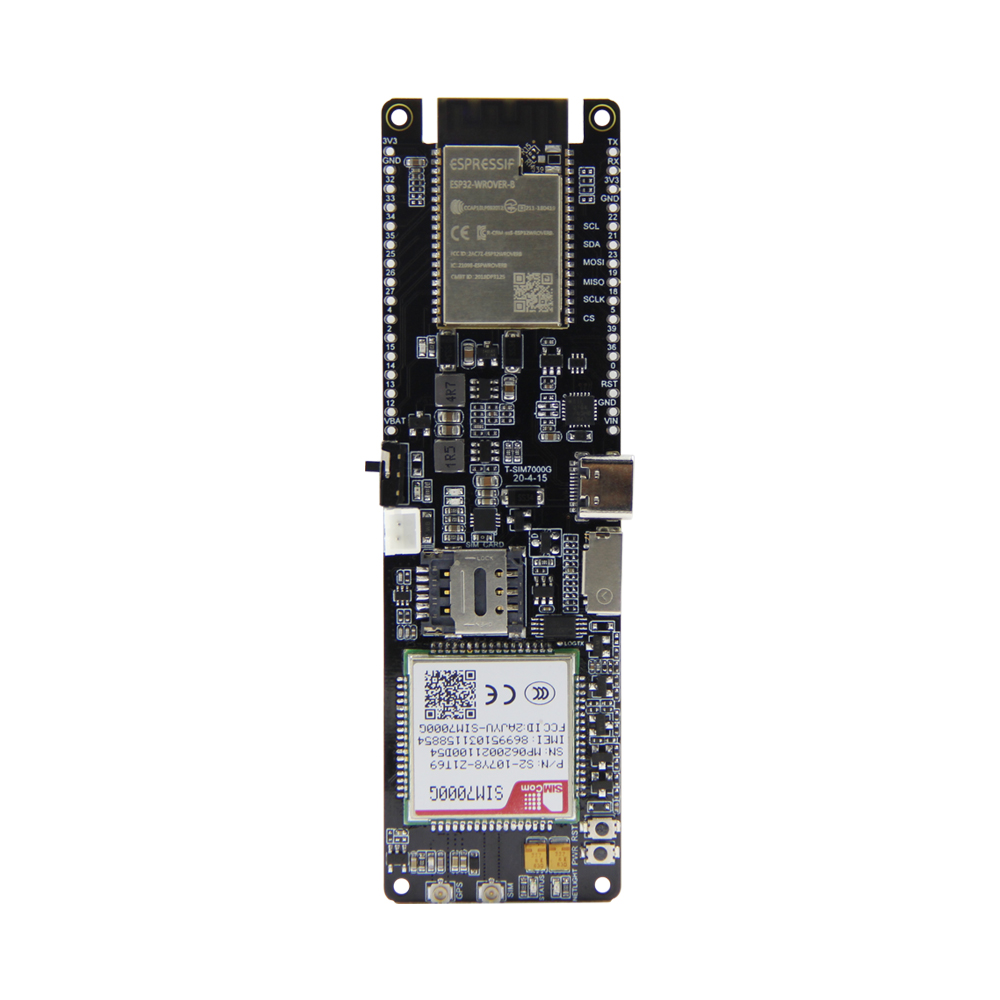
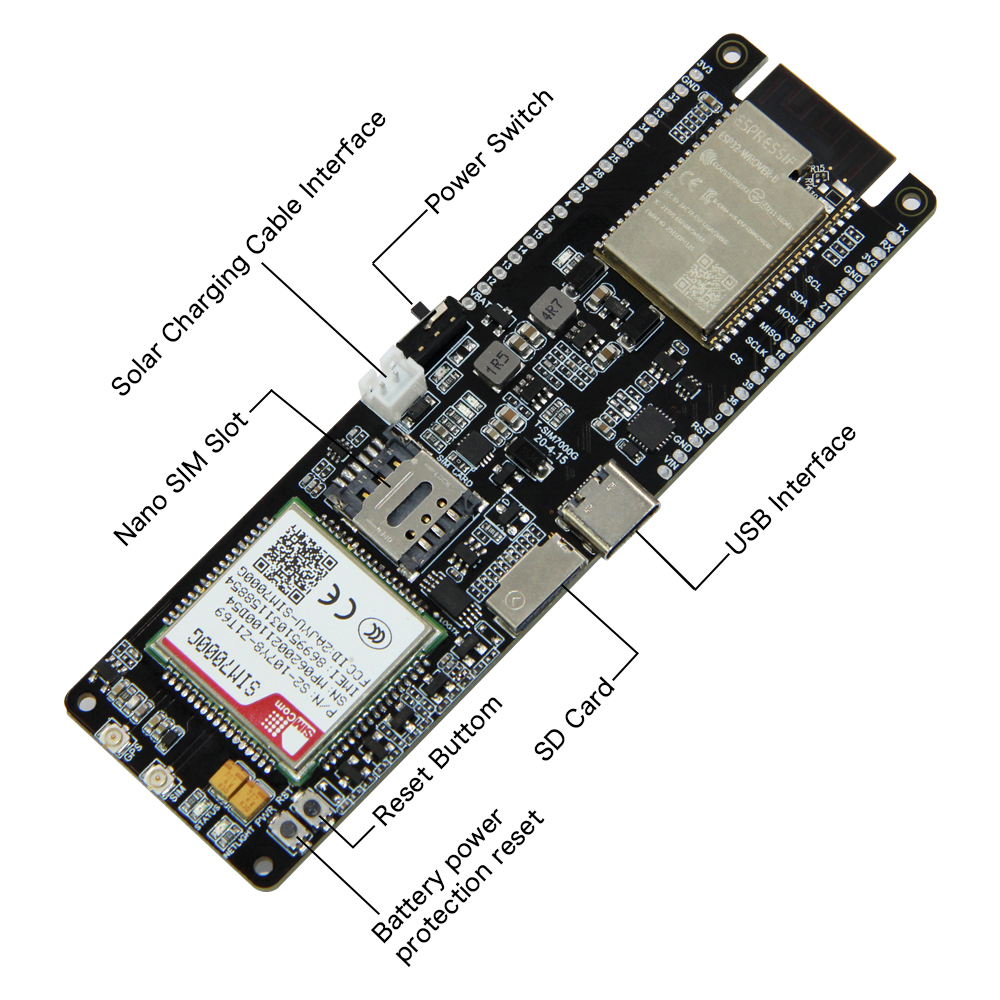
Overview
LILYGO T-SIM7000G integrates the ESP32 microcontroller with the SIMCom SIM7000G multi-band LTE Cat-M/NB-IoT/GPRS module plus an integrated GNSS receiver. Powered by the ESP32-WROVER-B (dual-core Xtensa LX6, 240 MHz, 4 MB Flash, 8 MB PSRAM) with Wi-Fi and Bluetooth 4.2, it supports global LTE Cat-M1 (eMTC) and NB-IoT (NB1/NB2) bands plus a GPRS fallback. The SIM7000G's integrated GPS/GLONASS/BeiDou/Galileo GNSS makes this a complete cellular + GPS solution for asset tracking, remote environmental monitoring, predictive maintenance, and smart agriculture applications. Connects via Micro USB and supports a 3.7 V LiPo battery.
Quick Start
Example Support
| Example | PlatformIO/Arduino | ESP-IDF | Description |
|---|---|---|---|
| LilyGO-T-SIM7000G | ✓ | NB-IoT, MQTT, HTTP, GPS examples |
PlatformIO
- Install Visual Studio Code and Python
- Search for and install the PlatformIO IDE extension in VS Code
- Open the
LilyGO-T-SIM7000Gproject folder - Open
platformio.iniand select your example - Click ✓ to compile, connect via Micro USB, click → to upload
Arduino
- Install Arduino IDE
- Install Arduino ESP32
- In Tools → Board, configure:
| Arduino IDE Setting | Value |
|---|---|
| Board | ESP32 Wrover Module |
| CPU Frequency | 240 MHz (WiFi) |
| Flash Size | 4MB (32Mb) |
| Partition Scheme | Huge APP (3MB No OTA/1MB SPIFFS) |
| PSRAM | Enabled |
| Upload Speed | 921600 |
- Click Upload
Development Platforms
Related Videos
Key Features
- ESP32-WROVER-B dual-core Xtensa LX6 @ 240 MHz, Wi-Fi + Bluetooth 4.2
- SIMCom SIM7000G: global LTE Cat-M1, NB-IoT, GPRS
- Integrated GNSS: GPS, GLONASS, BeiDou, Galileo
- Nano SIM card slot
- Micro USB for programming and power
- 3.7 V Li-Po battery connector and charging circuit
- Cellular + GPS antenna connectors (IPEX/U.FL)
- 4 MB Flash, 8 MB PSRAM
Specifications
| Parameter | Value |
|---|---|
| SOC | ESP32-WROVER-B (Xtensa dual-core LX6, 240 MHz) |
| Flash | 4 MB |
| PSRAM | 8 MB |
| Wireless | Wi-Fi 802.11 b/g/n, Bluetooth 4.2 |
| Cellular | SIM7000G — LTE Cat-M1, NB-IoT, GPRS (global multi-band) |
| GNSS | GPS, GLONASS, BeiDou, Galileo |
| SIM | Nano SIM |
| USB | Micro USB |
| Battery | 3.7 V Li-Po connector with charging |
| Antenna | LTE IPEX + GPS IPEX |
Pin Diagram
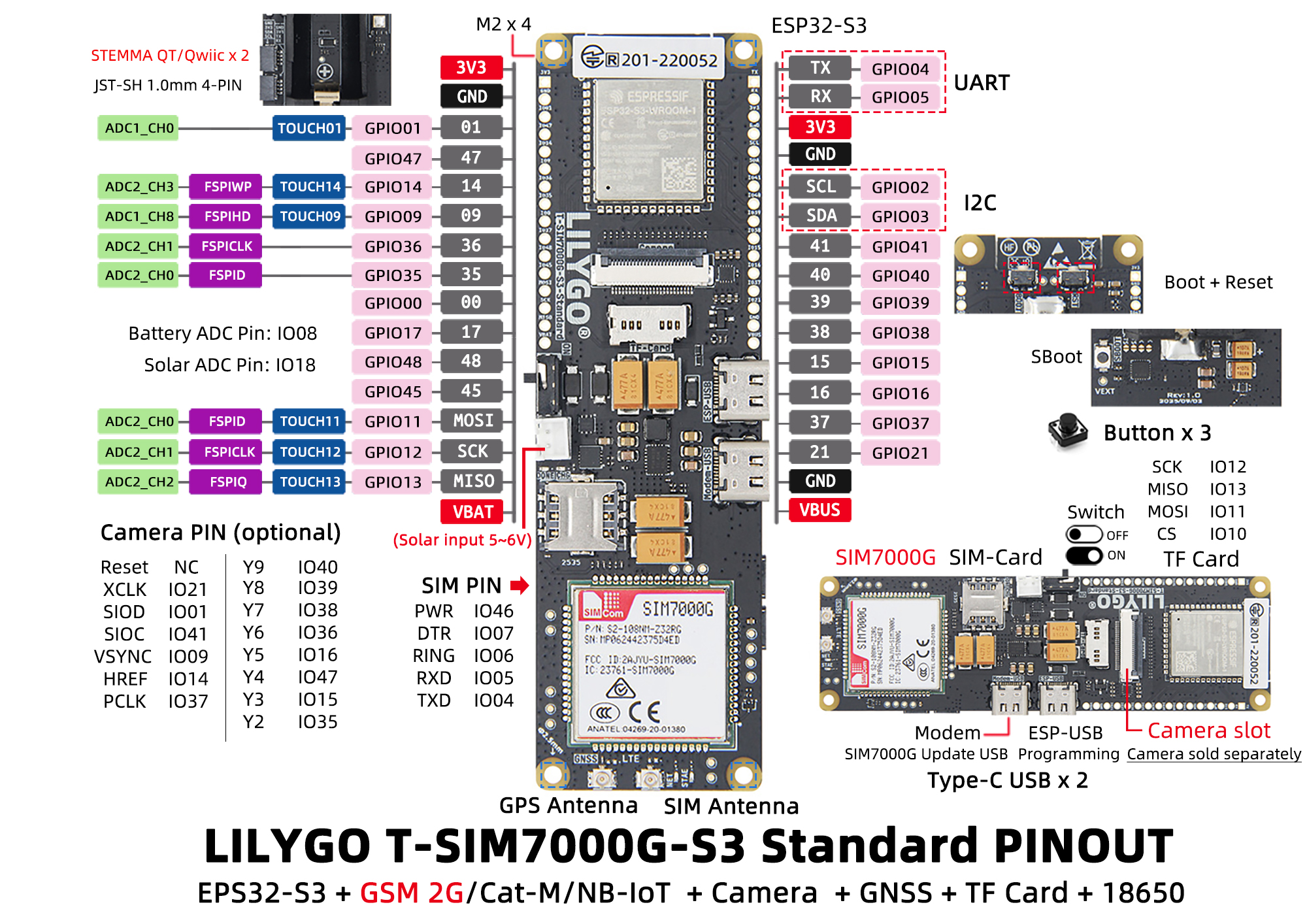
SIM7000G UART
| Signal | GPIO |
|---|---|
| UART TX (to SIM7000G) | 27 |
| UART RX (from SIM7000G) | 26 |
| PWR KEY | 4 |
| RESET | — (controlled via AT) |
I2C
| Signal | GPIO |
|---|---|
| SDA | 21 |
| SCL | 22 |
Dimensions
Schematic
Datasheet
Software Libraries
Dependent Libraries
FAQ
Q. What cellular networks does the SIM7000G support? A. The SIM7000G supports LTE Cat-M1 (eMTC) and NB-IoT globally across multiple frequency bands (B1, B2, B3, B4, B5, B8, B12, B13, B18, B19, B20, B26, B28, B85) plus GPRS/EDGE as fallback. Check carrier support in your region.
Q. How do I power on the SIM7000G module? A. Pull GPIO4 (PWR KEY) LOW for at least 1 second, then release. You can also use
modem.powerOn()if using the TinyGSM library.Q. What antennas do I need? A. You need both a cellular LTE antenna (connected to the LTE IPEX connector) and a GPS antenna (connected to the GPS IPEX connector). The module has separate connectors for each.
Changelog
| Version | Date | Notes |
|---|---|---|
| V1.0 | Initial release |