
T-Echo Lite Kit get it now
Overview
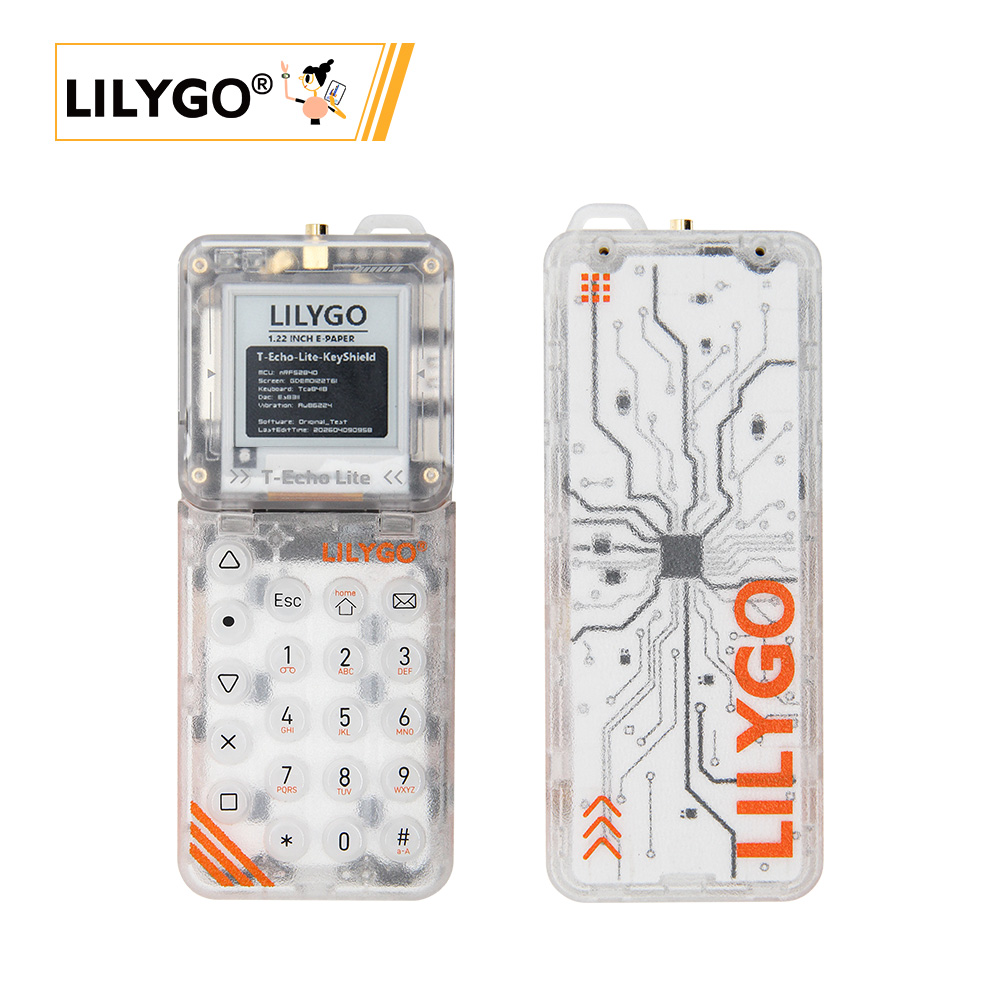
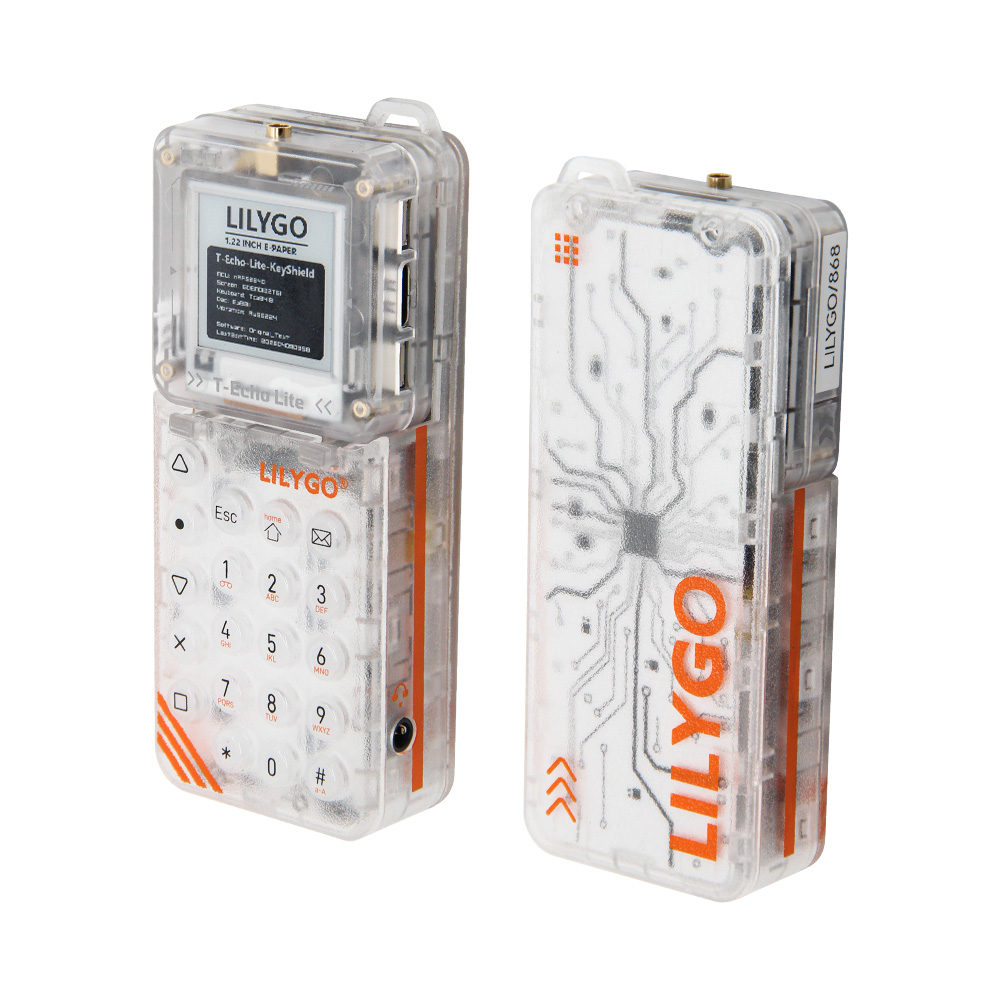
T-Echo Lite Kit is the T-Echo Lite mainboard combined with the KeyShield accessory baseboard. The KeyShield adds a 5×4 physical keyboard (TCA8418), ES8311 audio codec with speaker and earphone jack, AW21009QNR keyboard backlight, and a vibration motor — plus optional GPS (L76K) and IMU (ICM20948) sockets. The combination provides a complete portable communication terminal built on the nRF52840 with LoRa SX1262, 1.22-inch e-paper display, and ultra-low deep-sleep power consumption.
Quick Start
Firmware Flash
Using LILYGO Spark (Recommended)
Download LILYGO Spark, search for T-Echo Lite Kit, and flash the firmware directly.
PlatformIO
- Install Visual Studio Code and Python
- Search for and install the PlatformIO IDE extension in VS Code
- Open the T-Echo-Lite project folder
- Open
platformio.ini, uncomment the example you want under[platformio]→default_envs - If first time: run
python t-echo-lite_v1.0.0_setup.pyfrom thetool/win10 vscode platformio startfolder to install the board - Click ✓ to compile, connect the board, click → to upload
Arduino
- Install Arduino IDE
- In Preferences, add
https://www.adafruit.com/package_adafruit_index.jsonto Additional Board Manager URLs - In Board Manager, install Adafruit nRF52
- Copy library folders from the project
librariesdirectory to your Arduino Sketchbook libraries folder - In Tools → Board, select Nordic nRF52840 DK
- Enter DFU boot mode: press and release RST, wait for LED1 to light, then press and release RST again. LED1 will dim then brighten — DFU mode is active.
- Click ✓ to compile, then → to upload
Example Support
T-Echo-Lite Examples
| Example | Support | Description |
|---|---|---|
| Battery_Measurement | ✓ | Battery voltage reading |
| BLE_Uart | ✓ | BLE UART communication |
| Display | ✓ | E-Paper display |
| GPS | ✓ | GPS positioning |
| ICM20948 | ✓ | IMU sensor |
| SX126x_PingPong | ✓ | LoRa ping-pong |
| Sleep_Wake_Up | ✓ | Deep sleep & wake |
| Original_Test | ✓ | Factory test |
T-Echo-Lite-KeyShield Examples
| Example | Support | Description |
|---|---|---|
| aw21009qnr | ✓ | Keyboard backlight |
| aw86224 | ✓ | Vibration motor |
| es8311 | ✓ | Speaker / microphone |
| tca8418 | ✓ | Keyboard |
| original_test | ✓ | Factory test |
Related Videos
Key Features
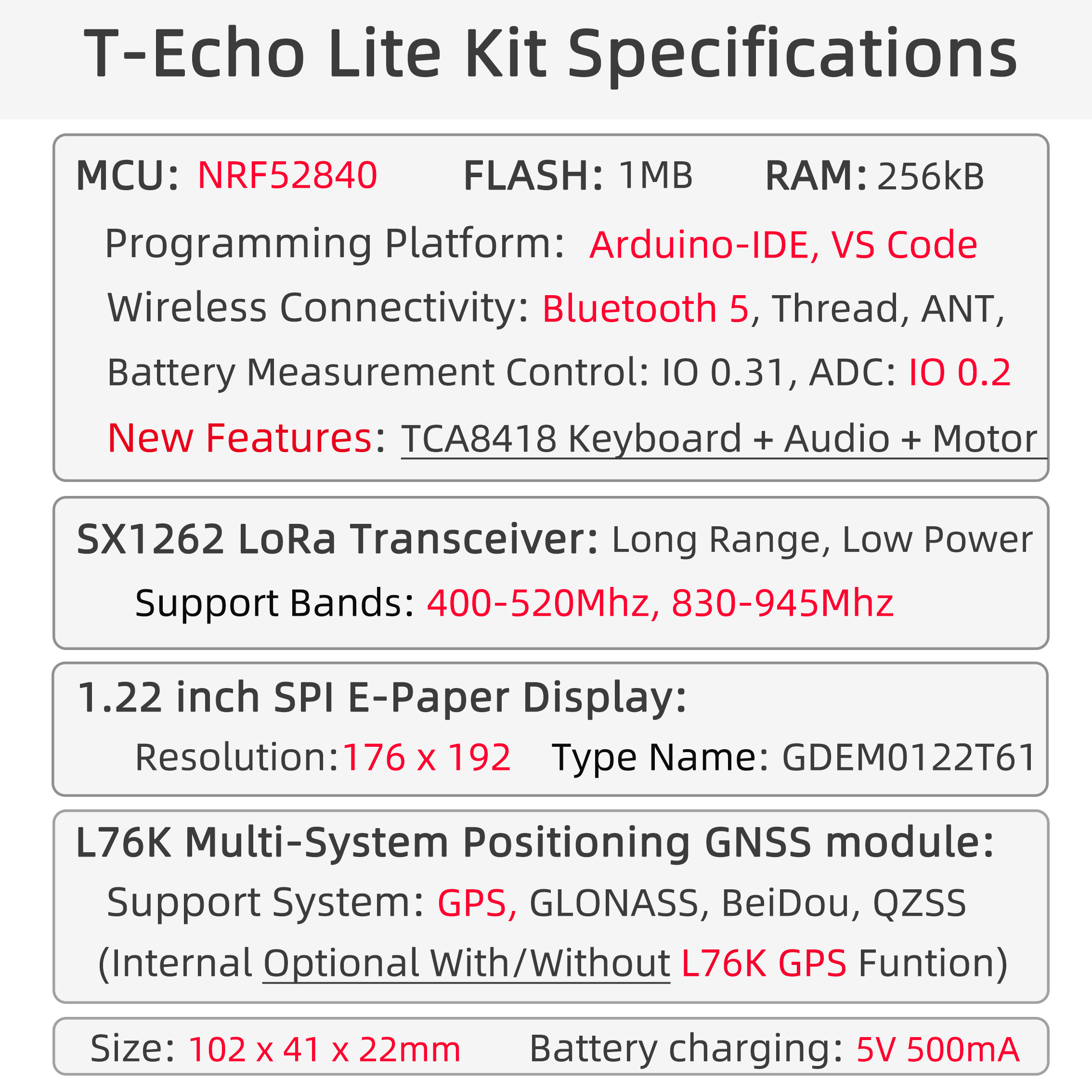
- nRF52840 ARM Cortex-M4 @ 64 MHz, Bluetooth 5.0, 256 kB RAM, 1 MB Flash
- SX1262 LoRa (400–520 MHz / 830–945 MHz), SPI
- 1.22-inch GDEM0122T61 E-Paper display (176 × 192), driver SSD1681
- 5×4 physical keyboard via TCA8418 keyboard controller (I2C)
- AW21009QNR keyboard backlight (I2C)
- ES8311 audio codec — speaker + earphone jack (I2C + I2S)
- Vibration motor (I2C)
- Optional ICM20948 9-axis IMU (I2C)
- Optional L76K GNSS module (UART)
- Key button (IO 0.24)
- Deep sleep power consumption: 2–10 µA minimum
Specifications
| Parameter | Value |
|---|---|
| MCU | nRF52840, ARM Cortex-M4 @ 64 MHz |
| RAM | 256 kB |
| Flash (MCU) | 1 MB |
| Bluetooth | Bluetooth 5.0 |
| LoRa | SX1262, 400–520 MHz / 830–945 MHz |
| Display | 1.22-inch GDEM0122T61 E-Paper, 176 × 192 |
| Keyboard | TCA8418 (5×4), I2C 0x34 |
| Keyboard Backlight | AW21009QNR, I2C |
| Audio | ES8311, I2C 0x34 |
| IMU (optional) | ICM20948, I2C |
| GNSS (optional) | L76K, UART |
| Deep Sleep | 2–10 µA |
Pin Diagram
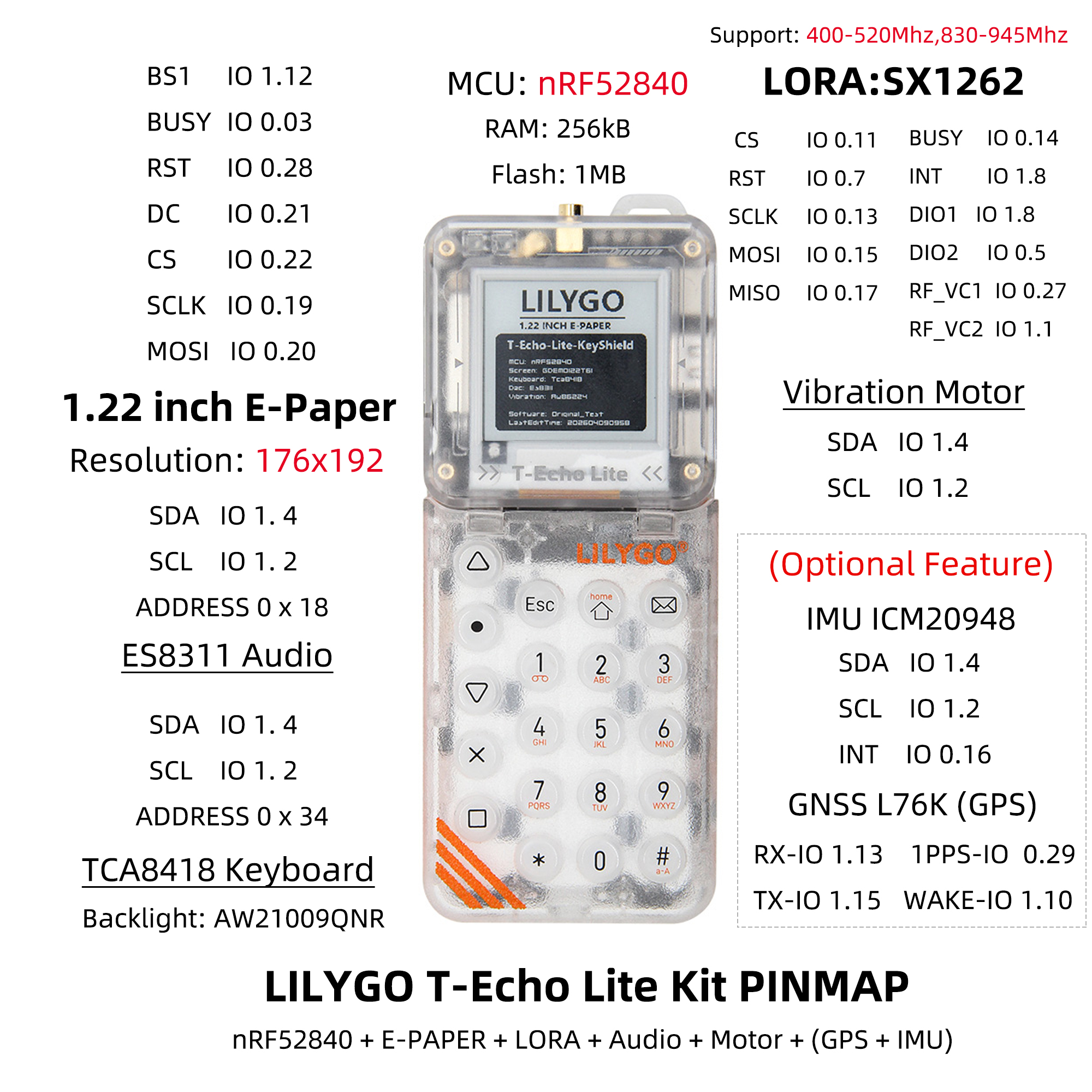
E-Paper Display (1.22-inch, 176×192)
| GDEM0122T61 | BS1 | BUSY | RST | DC | CS | SCLK | MOSI |
|---|---|---|---|---|---|---|---|
| nRF52840 | IO 1.12 | IO 0.03 | IO 0.28 | IO 0.21 | IO 0.22 | IO 0.19 | IO 0.20 |
ES8311 Audio
| ES8311 | SDA | SCL | Address |
|---|---|---|---|
| nRF52840 | IO 1.4 | IO 1.2 | 0x34 |
Vibration Motor
| Vibration Motor | SDA | SCL |
|---|---|---|
| nRF52840 | IO 1.4 | IO 1.2 |
LoRa SX1262
| SX1262 | CS | RST | SCLK | MOSI | MISO | BUSY | DIO1 / INT | DIO2 | RF_VC1 | RF_VC2 |
|---|---|---|---|---|---|---|---|---|---|---|
| nRF52840 | IO 0.11 | IO 0.07 | IO 0.13 | IO 0.15 | IO 0.17 | IO 0.14 | IO 1.8 | IO 0.05 | IO 0.27 | IO 1.1 |
Keyboard (TCA8418)
| TCA8418 | SDA | SCL | Address |
|---|---|---|---|
| nRF52840 | IO 1.4 | IO 1.2 | 0x34 |
Key Button
| Function | Pin |
|---|---|
| Key | IO 0.24 |
IMU ICM20948 (Optional)
| ICM20948 | SDA | SCL | INT |
|---|---|---|---|
| nRF52840 | IO 1.4 | IO 1.2 | IO 0.16 |
GNSS L76K (Optional)
| L76K | RX | TX | 1PPS | WAKE |
|---|---|---|---|---|
| nRF52840 | IO 1.13 | IO 1.15 | IO 0.29 | IO 1.10 |
Dimensions
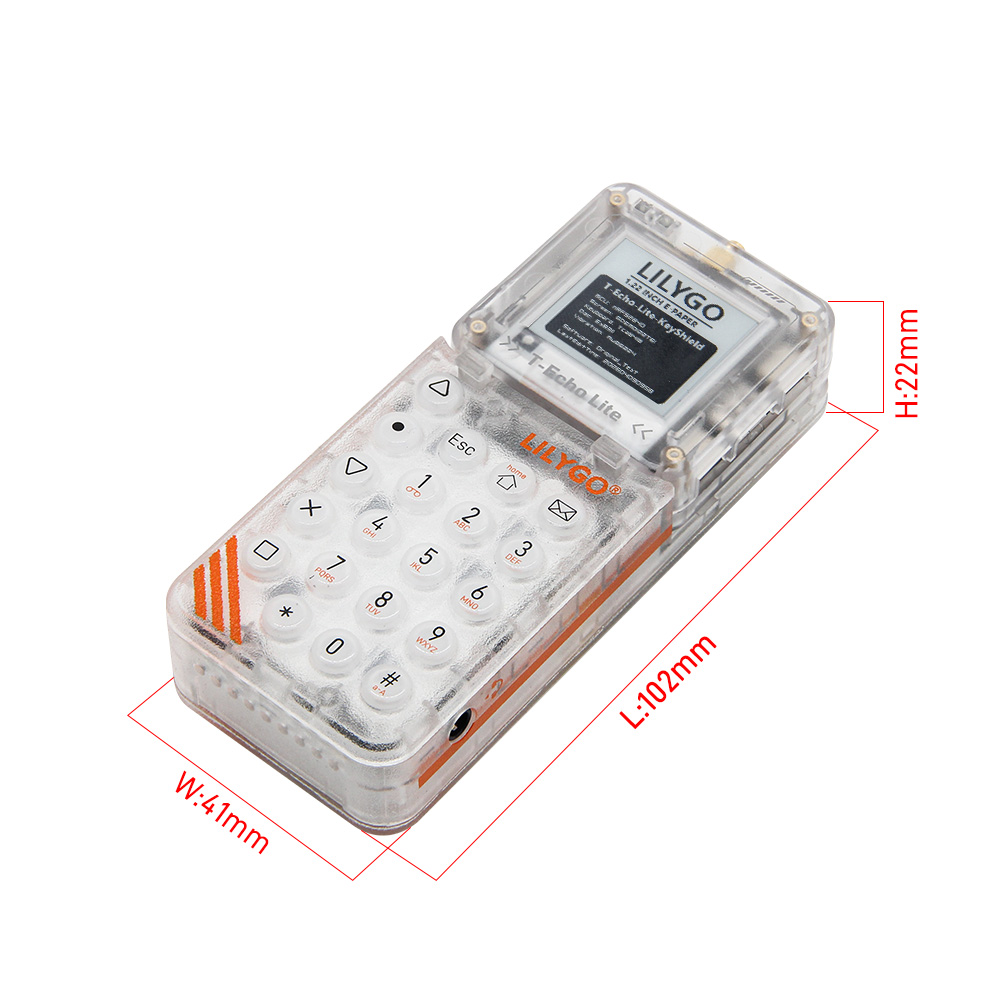
Schematic
Datasheet
- nRF52840 Datasheet
- GDEM0122T61 (E-Paper)
- SSD1681 (E-Paper Driver)
- S62F (SX1262 Module)
- L76KB-A58 (GNSS)
- ICM20948
Software Libraries
Dependent Libraries
- Adafruit_EPD
- Adafruit_BusIO
- Adafruit_SPIFlash
- Adafruit-GFX-Library
- RadioLib
- TinyGPSPlus
- ICM20948_WE
- cpp_bus_driver
FAQ
Q. No debug output from USB? A. Enable the DTR option in your serial assistant software.
Q. USB upload fails? A. Enter DFU boot mode: press and release RST, wait for LED1 to light, press and release RST again. LED1 will dim then brighten — DFU mode is active.
Q. Arduino IDE prompts to upgrade libraries? A. Do not upgrade — stay with the library versions included in the project.
Q. E-paper display shows ghosting? A. GDEM0122T61 does not support fast refresh. Use full refresh only.
Changelog
| Version | Date | Notes |
|---|---|---|
| V1.0 | — | Initial release |