
T-Deck MAX get it now
Overview
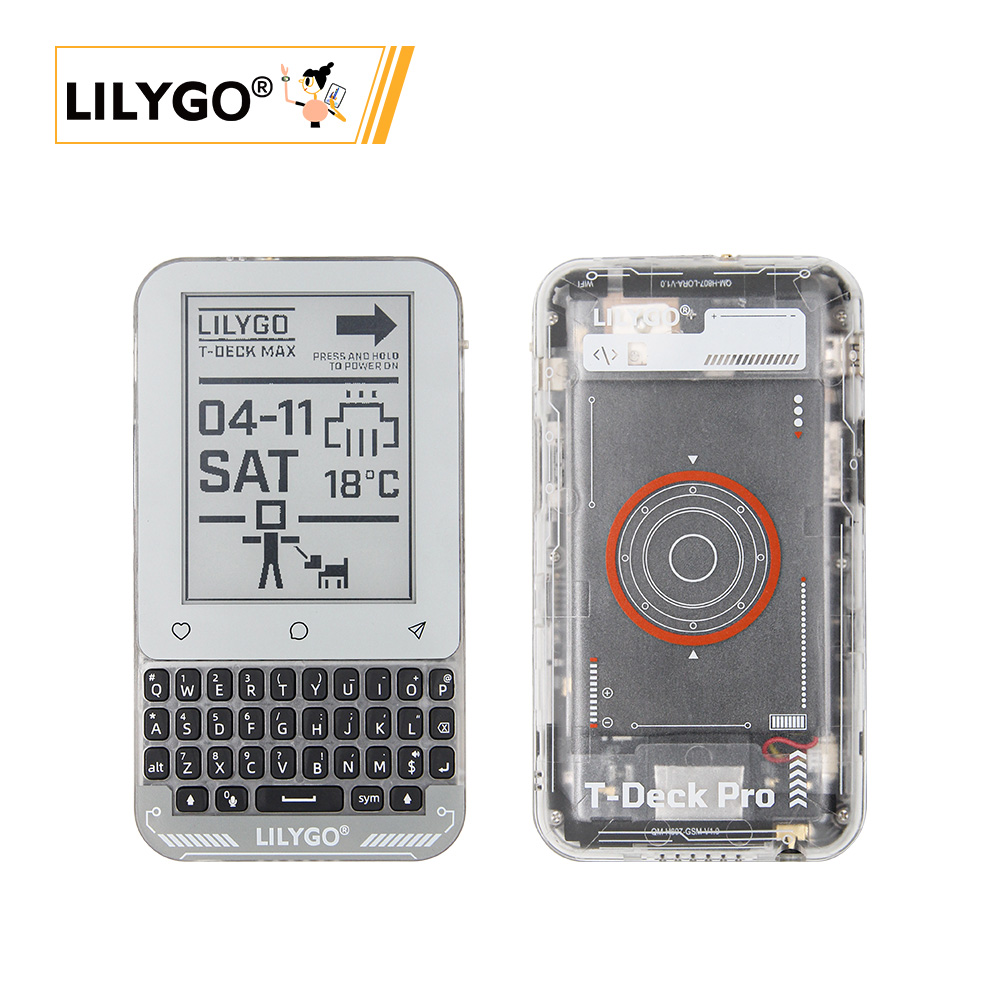
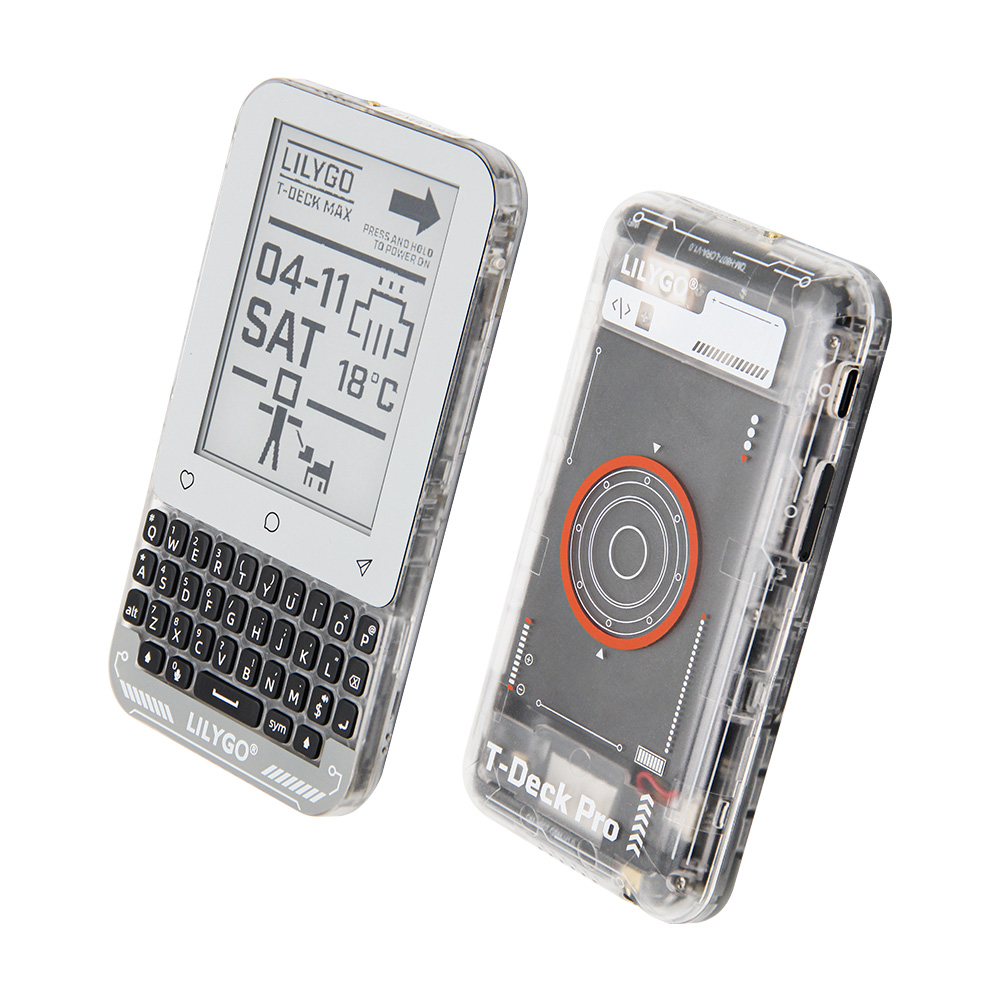
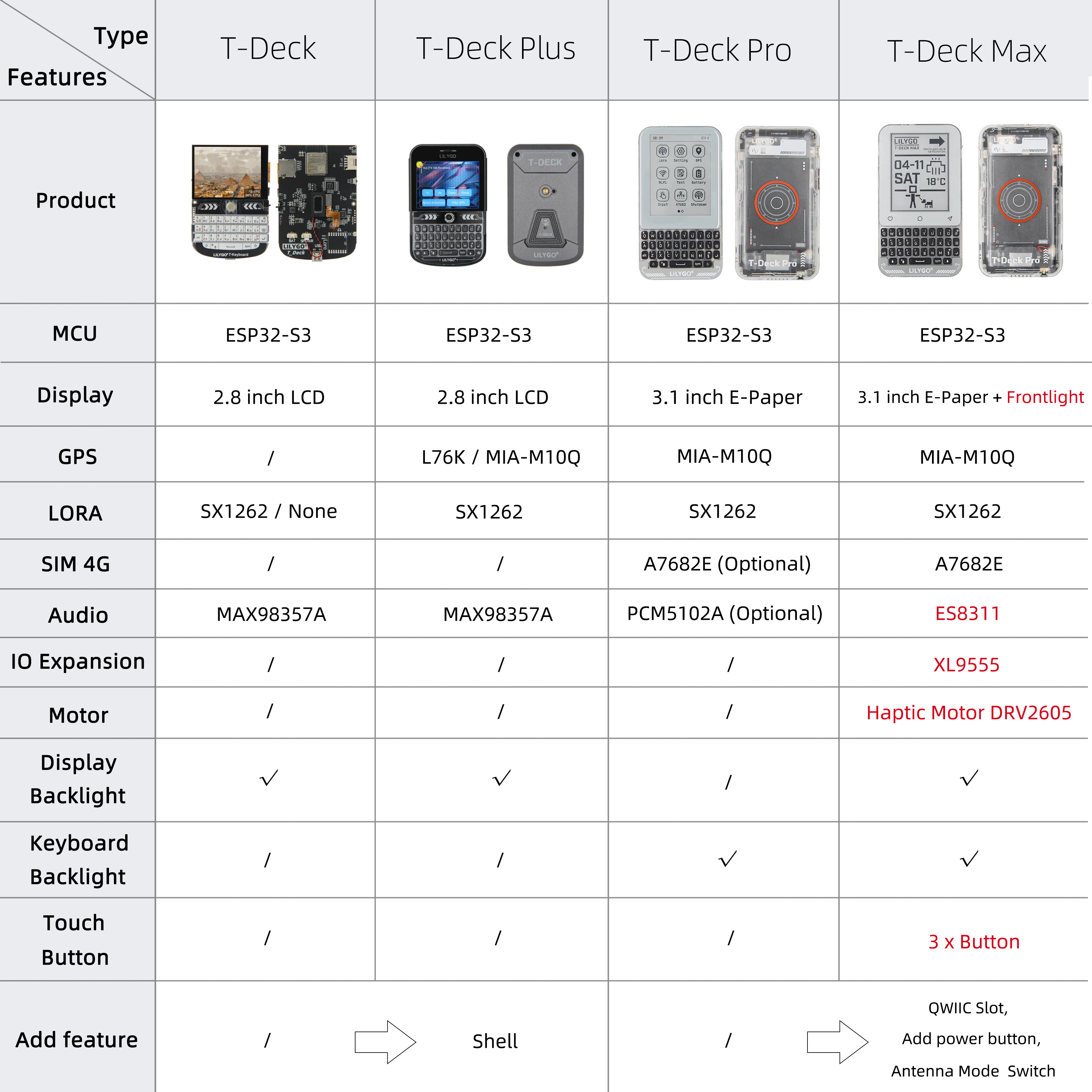
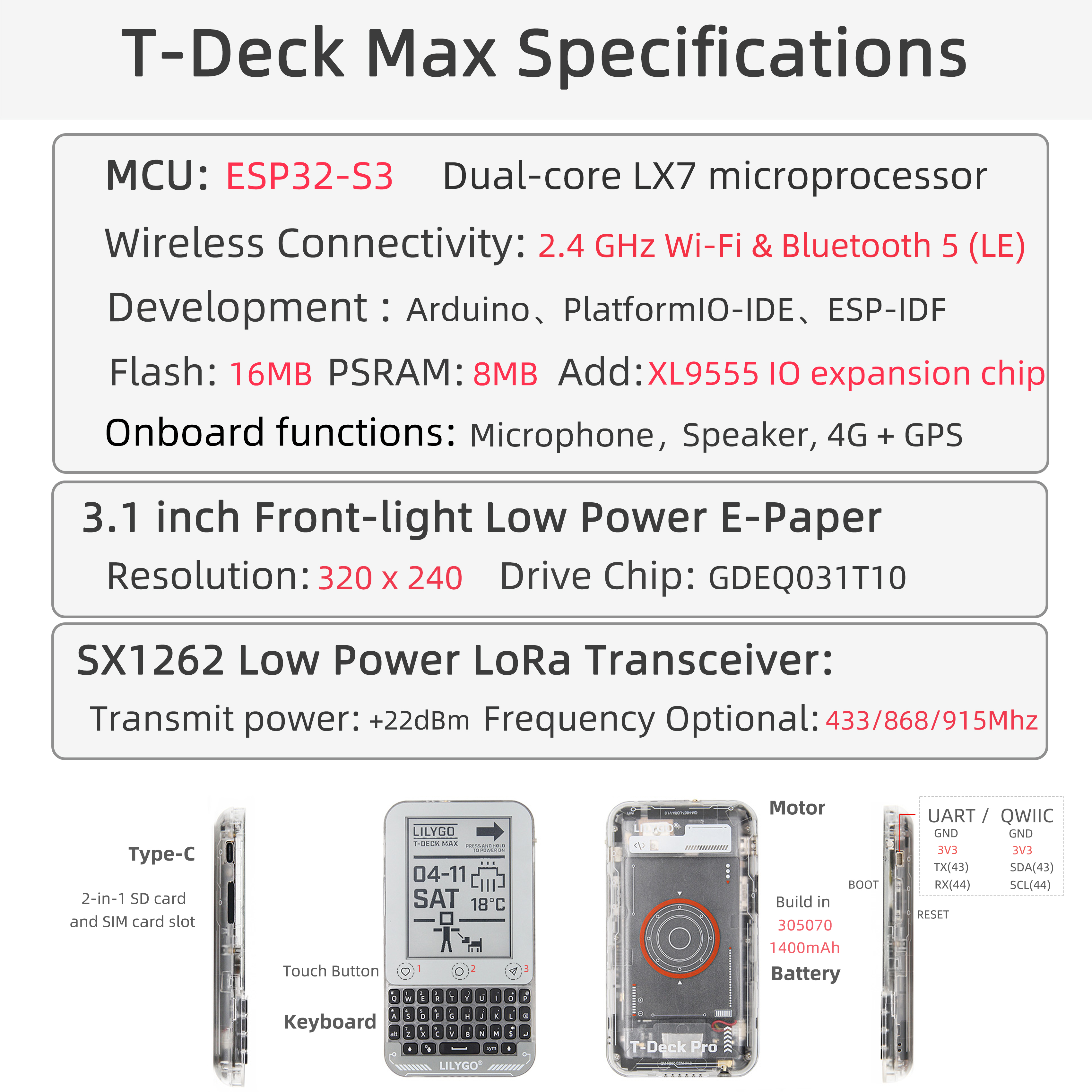
LILYGO T-Deck MAX is a highly integrated multi-functional development platform based on ESP32-S3, built on the T-Deck Pro foundation with several key upgrades. It integrates A7682E 4G LTE and ES8311 audio on a single board (previously separate versions), adds an XL9555 IO expander for antenna switching and audio routing, and introduces a DRV2605 haptic motor driver for vibration feedback. It features a 3.1-inch e-paper display (GDEQ031T10, 320 × 240) with touch (CST3530), SX1262 LoRa, MIA-M10Q GPS, BHI260AP AI IMU, TCA8418 mechanical keyboard, and SY6970 + BQ27220 battery management.
Suitable for IoT terminals, outdoor devices, smart communication equipment, and portable industrial control applications.
Quick Start
Firmware Flash
Enter download mode before flashing:
- Hold the BOOT button
- Press and release the RST button on the back
- Release the BOOT button
Using LILYGO Spark (Recommended)
Download LILYGO Spark, search for T-Deck Max, and flash the firmware directly.
| Firmware | Description | Source |
|---|---|---|
| T-Deck-MAX_xxxxx | Factory program | — |
Verify Hardware with WireScan
Download the WireScan firmware, open the serial monitor, and confirm all I2C modules are detected.
Example Support
| Example | Description |
|---|---|
| WireScan | I2C device scan — verify all modules on boot |
| test_wifi | WiFi connection test |
| test_BHI260AP | Gyroscope (BHI260AP) test |
| test_GPS | GPS (MIA-M10Q) test |
| keypad | Keyboard input test |
| XL9555/read | IO expander read example |
| XL9555/write | IO expander write example |
| Elink_paper/touch | Touchscreen basic test |
| Elink_paper/display | E-paper display example |
| Elink_paper/test_lvgl | LVGL graphics example |
| Elink_paper/GDEQ031T10_Arduino | E-paper Arduino driver example |
| LoRa_sx1262/lora_send | LoRa transmit example |
| LoRa_sx1262/lora_recv | LoRa receive example |
| A7682E/test_AT | 4G module AT command test |
| ES8311/playWAV | Play WAV audio example |
| ES8311/playFormSD | Play audio from TF card |
| battery/bq25896 | Battery charger BQ25896 test |
| battery/bq27220 | Fuel gauge BQ27220 test |
| battery/sy6974 | Charger SY6974 test |
| motor/basic | Haptic motor basic example |
| motor/audio | Haptic motor audio feedback |
| motor/realtime | Haptic motor realtime control |
| motor/complex | Haptic motor complex patterns |
| tf_card | TF card read/write test |
| eng_test | Full hardware integration test |
PlatformIO
- Install Visual Studio Code and Python
- Search for and install the PlatformIO IDE extension in VS Code, then restart
- Open the T-Deck-MAX project folder; PlatformIO will auto-download dependencies
- Open
platformio.ini, uncomment the example you want, pressCtrl+Sto save - Click ✓ to compile, connect via USB, click → to upload
Arduino
- Install Arduino IDE
- Copy all folders from the project
lib/directory to your Arduino libraries folder - Open the example
.inofile - In Tools → Board, configure:
| Arduino IDE Setting | Value |
|---|---|
| Board | ESP32S3 Dev Module |
| Port | Your port |
| USB CDC On Boot | Enabled |
| CPU Frequency | 240 MHz (WiFi) |
| Core Debug Level | None |
| USB DFU On Boot | Disabled |
| Erase All Flash Before Upload | Disabled |
| Events Run On | Core 1 |
| Flash Mode | QIO 80 MHz |
| Flash Size | 16MB (128Mb) |
| Arduino Runs On | Core 1 |
| USB Firmware MSC On Boot | Disabled |
| Partition Scheme | 16M Flash (3MB APP/9.9MB FATFS) |
| PSRAM | QSPI PSRAM |
| Upload Mode | UART0 / Hardware CDC |
| Upload Speed | 921600 |
| USB Mode | CDC and JTAG |
- Click Upload
Related Videos
Key Features
- ESP32-S3 dual-core LX7 @ 240 MHz, 16 MB Flash, 8 MB PSRAM, Wi-Fi + Bluetooth 5.0 LE
- SX1262 LoRa (433–920 MHz) with selectable internal/external antenna via XL9555
- A7682E 4G LTE Cat 1 (downlink 10 Mbps / uplink 5 Mbps)
- ES8311 audio codec — shared speaker with A7682E, switched via XL9555 IO12
- 3.1-inch GDEQ031T10 e-paper display (320 × 240) with CST3530 touch
- TCA8418 mechanical keyboard controller
- BHI260AP AI IMU (6-axis self-learning)
- MIA-M10Q GNSS module
- XL9555 IO expander — controls antenna selection, audio routing, power amplifier
- DRV2605 haptic motor driver (vibration feedback)
- SY6970 + BQ27220 battery management, 3.7 V 1500 mAh
Specifications
| Parameter | Value |
|---|---|
| MCU | ESP32-S3 |
| Flash | 16 MB |
| PSRAM | 8 MB |
| Wi-Fi | 2.4 GHz 802.11 b/g/n |
| Bluetooth | Bluetooth 5.0 LE |
| LoRa | SX1262 |
| 4G Module | A7682E (LTE Cat 1) |
| GPS | MIA-M10Q |
| Display | GDEQ031T10 E-Paper, 320 × 240 |
| Touch | CST3530 (I2C 0x1A) |
| Keyboard | TCA8418 (I2C 0x34) |
| IMU | BHI260AP (I2C 0x28) |
| Audio | ES8311 (I2C 0x18) |
| IO Expander | XL9555 (I2C 0x20) |
| Haptic Motor | DRV2605 (I2C 0x5A) |
| Battery Management | SY6970 (I2C 0x6A) + BQ27220 (I2C 0x55) |
| Battery | 3.7 V, 1500 mAh |
| USB | 1 × Type-C |
| Storage | TF card slot |
Module Notes
A7682E 4G Module
A7682E is an LTE Cat 1 module supporting LTE-FDD/GSM/GPRS/EDGE. Supports voice calls, SMS, and data. Insert a SIM card to enable these functions.
| Spec | Value |
|---|---|
| Frequency Bands | LTE-FDD B1/B3/B5/B7/B8/B20, GSM/GPRS/EDGE 900/1800 MHz |
| LTE Cat 1 | Downlink 10 Mbps / Uplink 5 Mbps |
| GPRS | Up to 85.6 Kbps |
| Supply Voltage | 3.4–4.2 V |
| Protocols | TCP/IP, IPv4/IPv6, HTTP/HTTPS, FTP/FTPS, DNS, SSL |
| Other | Voice calls, SMS, FOTA, RNDIS/PPP/ECM |
The A7682E and ES8311 share the same speaker. Set XL9555 IO12 HIGH to route A7682E audio output. Set XL9555 IO06 HIGH to enable the power amplifier if volume is too low.
ES8311 Audio
Set XL9555 IO12 LOW to route ES8311 audio output. Set XL9555 IO06 HIGH to enable the power amplifier if volume is too low.
LoRa Antenna Selection
| Antenna | XL9555 IO04 |
|---|---|
| Internal (default) | HIGH |
| External | LOW |
Pin Diagram
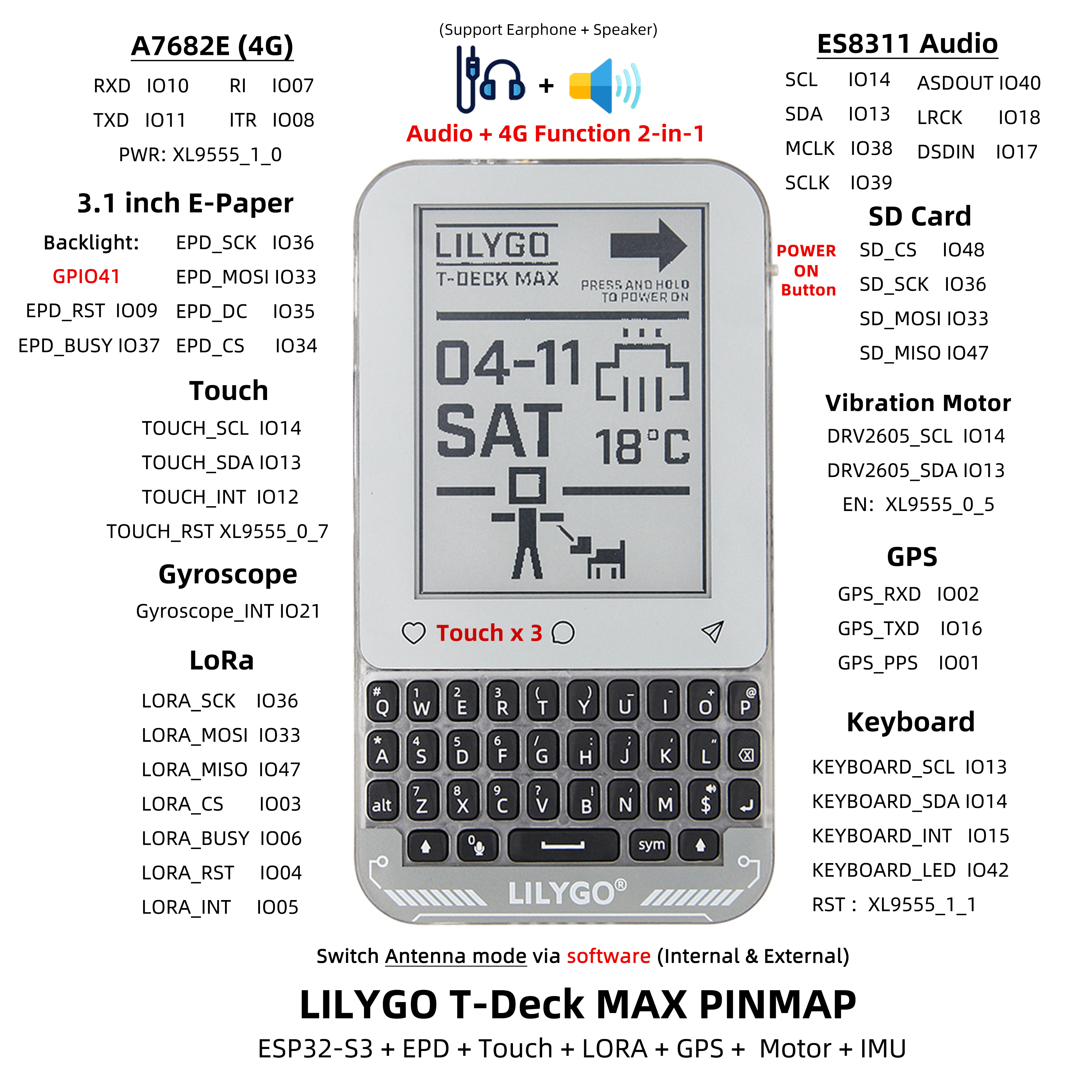
Pin definitions are consolidated in:
lib/TDeckMaxBoard/src/TDeckMaxBoard.h
Include in your sketch with:
#include <TDeckMaxBoard.h>Full pin map: pinmap
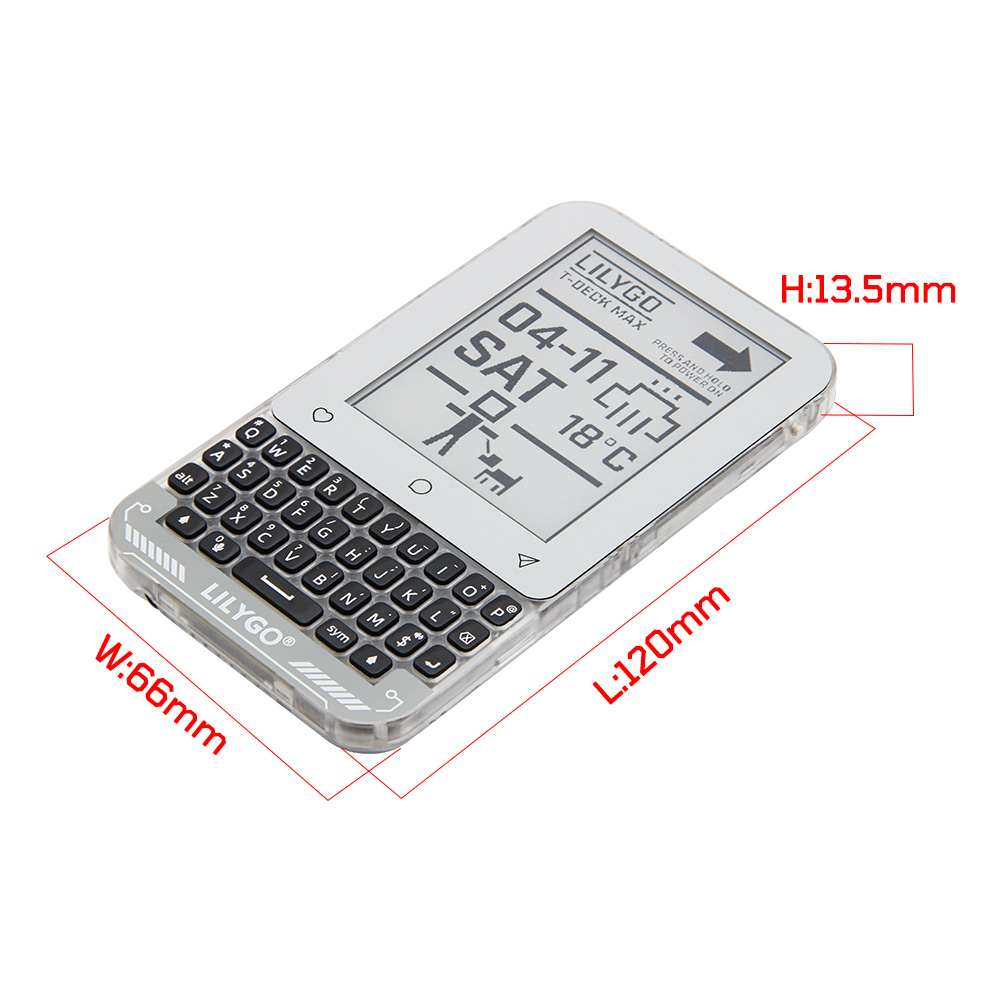
Dimensions
Schematic
Datasheet
Software Libraries
Dependent Libraries
zinggjm/GxEPD2
jgromes/RadioLib
lewisxhe/SensorLib
mikalhart/TinyGPSPlus
vshymanskyy/TinyGSM
lvgl/lvgl
lewisxhe/XPowersLib
adafruit/Adafruit TCA8418
adafruit/Adafruit BusIO
esphome/ESP32-audioI2S
FAQ
Q. How to enter download mode? A. Hold BOOT, press and release RST, then release BOOT.
Q. No sound from speaker. A. Check XL9555 IO12 level (HIGH = A7682E audio, LOW = ES8311 audio). Set IO06 HIGH to enable the power amplifier.
Q. LoRa not working with external antenna. A. Set XL9555 IO04 LOW to switch to external antenna. Default is internal (HIGH).
Q. Ghosting on the e-paper display. A. After 5 consecutive fast/partial refreshes, perform a full refresh to clear ghosting.
Q. Cannot flash firmware. A. Hold BOOT and retry. Ensure the correct partition scheme is selected (16M Flash 3MB APP/9.9MB FATFS).
Changelog
| Version | Date | Notes |
|---|---|---|
| V1.0 | — | Initial release — XL9555 IO expander, integrated 4G + audio, DRV2605 haptic motor |