T-LoRa Dual get it now
Overview
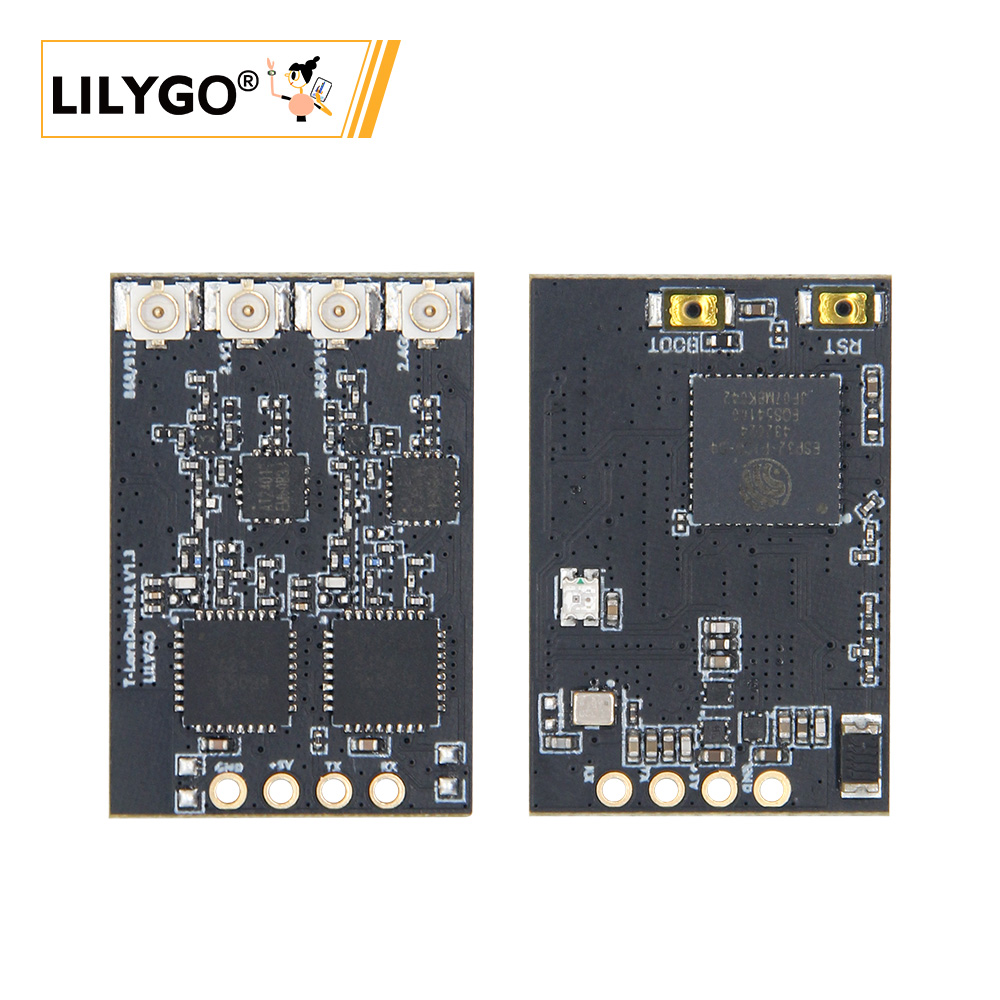
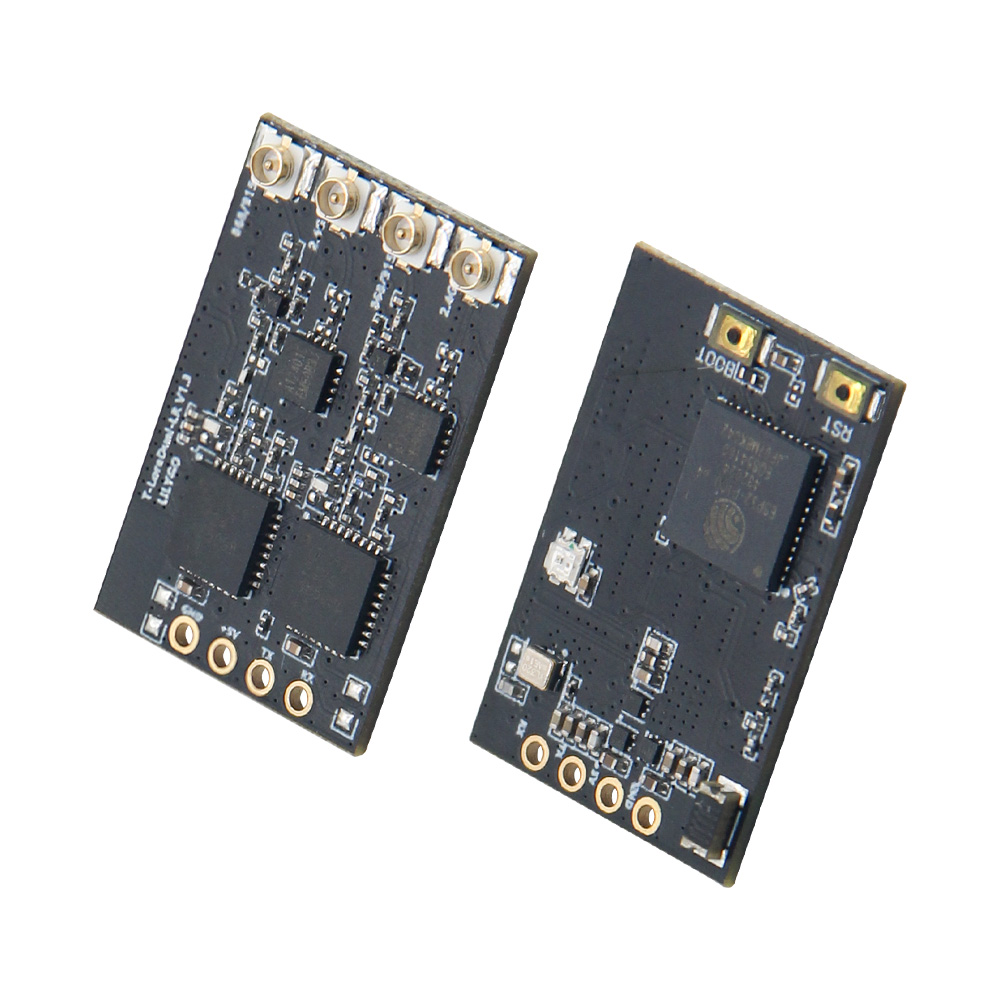
T-LoRa-Dual (T-ELRS) is a dual-band wireless communication module based on the ESP32-PICO-D4 microcontroller, integrating two LR1121 multi-band wireless chips. Specifically designed for the ExpressLRS flight control protocol, it supports Sub-GHz / 1.9 GHz / 2.4 GHz multi-band concurrent communication. Suitable for remote control transmitter modules, drone data links, and IoT long-distance communication scenarios.
The two LR1121 modules share the SPI bus (SCK/MOSI/MISO) with independent CS signals, and the AT2401 RF switch controls antenna switching for dual-channel TX/RX.
Quick Start
Example Support
| Example | PlatformIO/Arduino | ESP-IDF | Description |
|---|---|---|---|
| T-ELRS Examples | ✓ | T-ELRS and ExpressLRS examples | |
| ExpressLRS | ✓ | ExpressLRS protocol firmware |
PlatformIO (ExpressLRS)
- Open the
ExpressLRS/srcsubdirectory with VS Code - Select your device model from the target list
- Click ✓ to compile and → to upload (first compile downloads dependencies — may be slow)
PlatformIO (T-ELRS)
- Open the
T-ELRSdirectory with VS Code - Open
platformio.ini, uncomment the example to compile - Click ✓ to compile and → to upload
Arduino (T-ELRS)
- Copy the
libdirectory fromT-ELRSto your Arduino libraries folder - Open the example from the
examplesdirectory - Select board and default configuration:
| Arduino IDE Setting | Value |
|---|---|
| Board | ESP32 Pico Kit (or compatible) |
- Click Upload
Flashing Firmware
- Hold the BOOT button, then press and release RESET to enter download mode
- Use ESP Flash Download Tool (Windows) to flash firmware
- If flashing fails, try a lower baud rate or a different USB cable
- Press RESET to restart after flashing
Video
Key Features
- ESP32-PICO-D4 dual-core @ 240 MHz, Wi-Fi + Bluetooth
- Two independent LR1121 modules: Sub-GHz (410–960 MHz) + 1.9 GHz / 2.4 GHz
- AT2401 RF switch for dual-channel TX/RX antenna control
- ExpressLRS protocol support (True Diversity)
- Shared SPI bus with independent CS, RST, BUSY, DIO9 per module
- Status LED (GPIO5)
Product Parameters
| Feature | Specification |
|---|---|
| MCU | ESP32-PICO-D4 @ Dual-core, 240 MHz |
| Wi-Fi | 2.4 GHz |
| Bluetooth | Bluetooth 4.2 |
| LoRa Module | LR1121 × 2 |
| Frequency Bands | Sub-GHz + 1.9 GHz + 2.4 GHz |
| RF Switch | AT2401 |
| Protocol Support | LoRa, FSK, ExpressLRS |
Pin Diagram
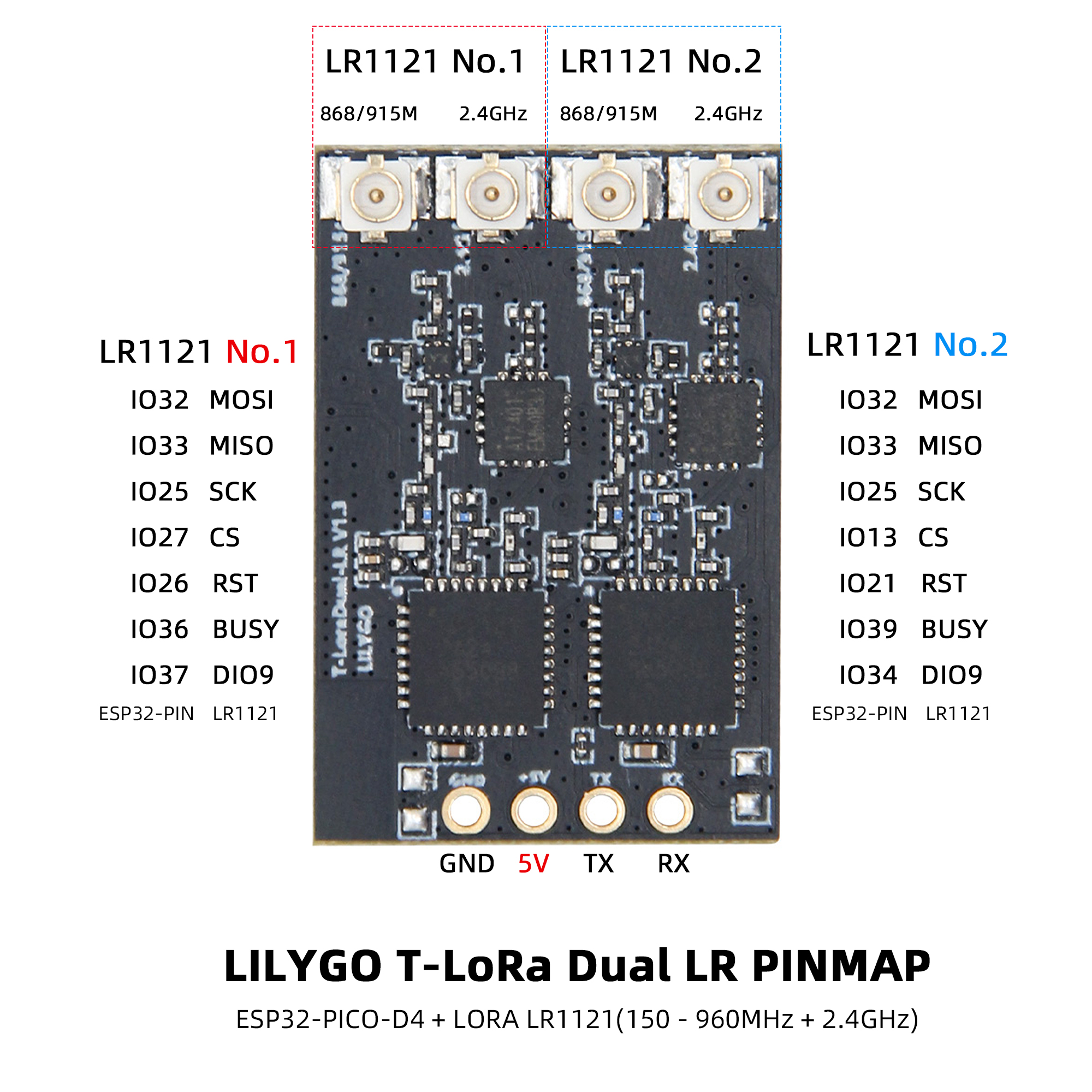
LR1121-1 Module
| Signal | ESP32 Pin |
|---|---|
| MISO | 33 |
| MOSI | 32 |
| SCK | 25 |
| CS | 27 |
| DIO9 | 37 |
| RST | 26 |
| BUSY | 36 |
LR1121-2 Module
| Signal | ESP32 Pin |
|---|---|
| MISO | 33 (shared) |
| MOSI | 32 (shared) |
| SCK | 25 (shared) |
| CS | 13 |
| DIO9 | 34 |
| RST | 21 |
| BUSY | 39 |
AT2401 RF Switch
| Signal | ESP32 Pin | Function |
|---|---|---|
| TX1 | 14 | TX channel 1 control |
| TX2 | 15 | TX channel 2 control |
| RX1 | 10 | RX channel 1 control |
| RX2 | 9 | RX channel 2 control |
| Signal | GPIO | Function |
|---|---|---|
| LED | 5 | Status indicator |
Dimension Diagram
Schematic
Datasheet
Software Development
File Directory
├── ExpressLRS/            # ExpressLRS firmware
│   └── src/
│       ├── user_defines   # ExpressLRS configuration
│       ├── hardware/
│       │   ├── RX/        # Receiver hardware IO (T-ELRS LR1121 True Diversity.json)
│       │   ├── TX/        # Transmitter hardware IO
│       │   └── targets.json
│       └── lib/
├── T-ELRS/                # T-ELRS code
│   ├── src/
│   ├── examples/
│   ├── firmware/
│   └── hardware/
└── README.md
FAQ
Q. How to enter download mode? A. Hold the BOOT button, then press and release RESET. The device will enter download mode.
Q. ExpressLRS compilation is slow on first run? A. The first build downloads dependencies — this is normal. Subsequent builds are faster.
Q. Which ExpressLRS target to select? A. For True Diversity RX:
BAYCKRC 900/2400 Dual Band Gemini RXintargets.json.
Version History
| Version | Release Date | Update Description |
|---|---|---|
| T-ELRS V1.0 | 2025-03-15 | Initial version, ExpressLRS protocol support |
| T-ELRS V1.1 | 2025-06-20 | Optimized SPI timing, improved stability |
Related Tests
Hardware Overview