
T-Camera Plus S3 get it now
Overview
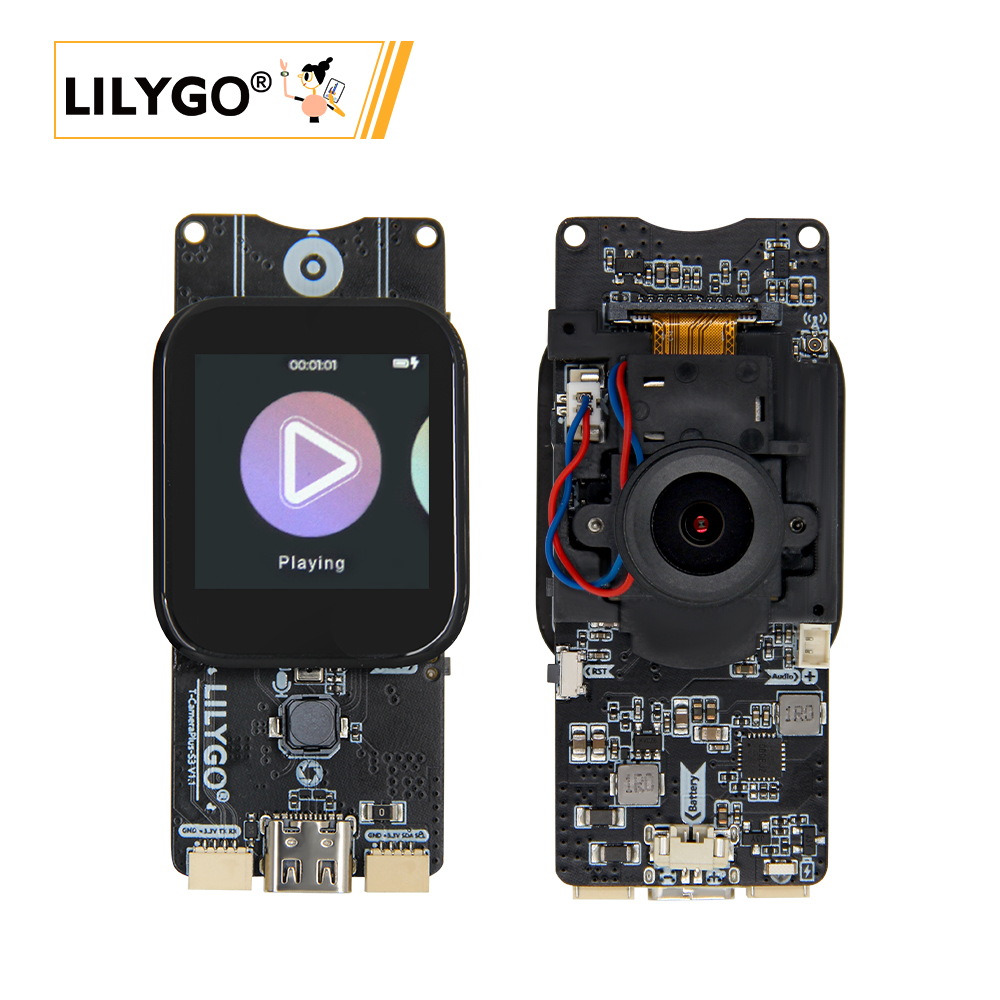
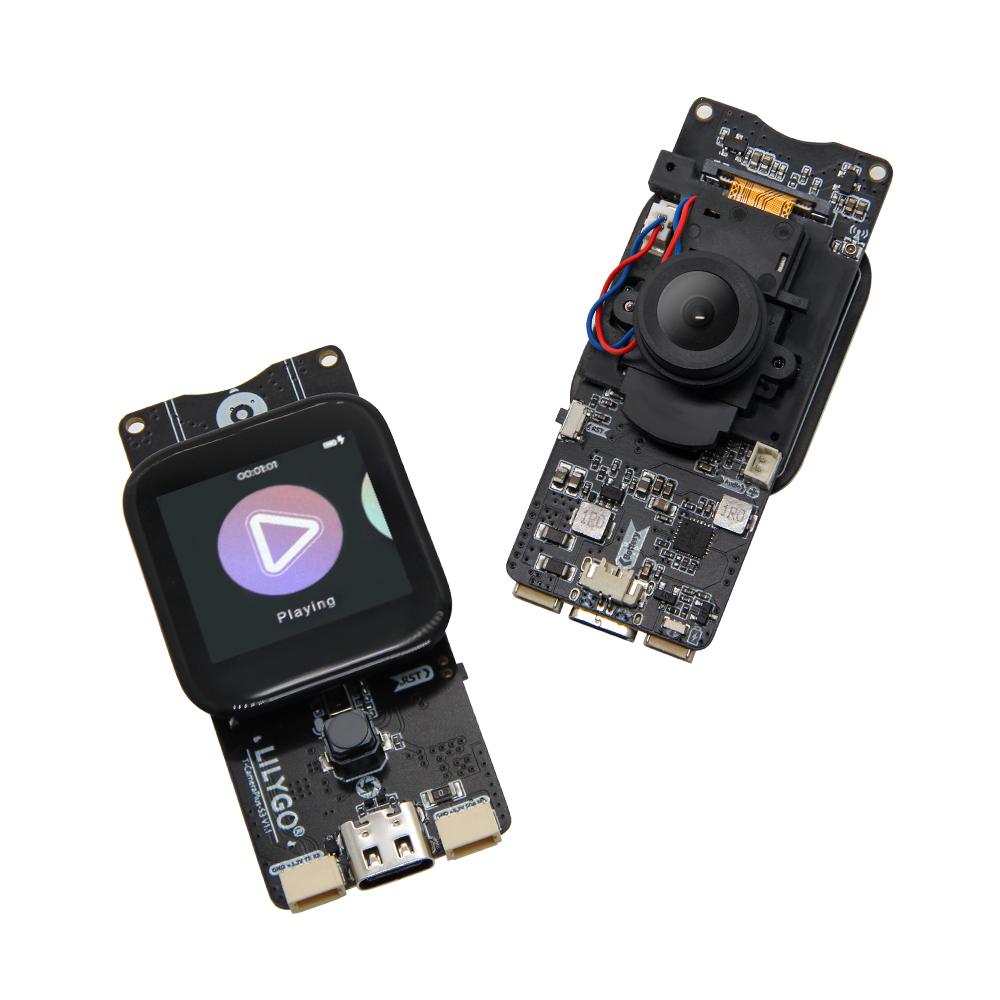
T-Camera Plus S3 is a versatile smart hardware development board based on ESP32-S3 (16 MB Flash, 8 MB PSRAM). Integrates a OV2640/OV5640 (optional) camera module, ST7789V 1.3-inch IPS TFT (240 × 240) with CST816S capacitive touch, MAX98357A I2S audio amplifier, MP34DT05-A PDM microphone (V1.2), SY6970 PMU, and TF card. Pre-installed with an LVGL-based UI supporting file management, music playback, recording, and camera projection. Suitable for AIoT, edge computing, and multimedia development.
Quick Start
Example Support
| Example | PlatformIO/Arduino | ESP-IDF | Description |
|---|---|---|---|
| T-CameraPlus-S3 | ✓ | ✓ | Camera, display, audio, Wi-Fi examples |
PlatformIO
- Install Visual Studio Code and Python
- Search for and install the PlatformIO IDE extension in VS Code
- Open the
T-CameraPlus-S3project folder - Open
platformio.iniand select your example - Click ✓ to compile, connect via USB-C, click → to upload
Arduino
- Install Arduino IDE
- Install Arduino ESP32
- In Tools → Board, configure:
| Arduino IDE Setting | Value |
|---|---|
| Board | ESP32S3 Dev Module |
| Upload Speed | 921600 |
| USB Mode | Hardware CDC and JTAG |
| USB CDC On Boot | Enabled |
| USB Firmware MSC On Boot | Disabled |
| USB DFU On Boot | Disabled |
| CPU Frequency | 240 MHz (WiFi) |
| Flash Mode | QIO 80 MHz |
| Flash Size | 16MB (128Mb) |
| Core Debug Level | None |
| Partition Scheme | 16M Flash (3MB APP/9.9MB FATFS) |
| PSRAM | QSPI PSRAM |
| Arduino Runs On | Core 1 |
| Events Run On | Core 1 |
- Click Upload
Development Platforms
Video
Key Features
- ESP32-S3R8 dual-core LX7 @ 240 MHz, Wi-Fi + Bluetooth 5.0
- OV2640/OV5640 (optional) camera, AP1511B IR filter control
- ST7789V 1.3-inch IPS TFT (240 × 240), CST816S touch
- MAX98357A I2S speaker, MP34DT05-A PDM microphone (V1.2)
- SY6970 PMU, TF card slot, 2 × STEMMA QT/QWIIC
- LVGL-based UI pre-installed (file manager, music, recording, camera)
- 60 × 32 × 12 mm, 4 × 2 mm positioning holes
Product Parameters
| Feature | Specification |
|---|---|
| MCU | ESP32-S3R8 @ Dual-core LX7, 240 MHz |
| Flash | 16 MB |
| PSRAM | 8 MB |
| Wi-Fi | 2.4 GHz 802.11 b/g/n |
| Bluetooth | Bluetooth 5.0 LE |
| Display | 1.3-inch ST7789V IPS TFT, 240 × 240 |
| Touch | CST816S capacitive, I²C |
| Camera | OV2640 (OV5640 optional) |
| Speaker | MAX98357A I2S |
| Microphone | MP34DT05-A PDM (V1.2) / MSM261S I2S (V1.0-V1.1) |
| PMU | SY6970 |
| Storage | TF card slot |
| USB | 1 × Type-C (USB + OTG) |
| Expansion | 2 × STEMMA QT/QWIIC + JST-GH 1.25 mm |
| Mounting Holes | 4 × 2 mm |
| Dimensions | 60 × 32 × 12 mm |
Power Consumption Reference
| Hardware | Mode / Test Firmware | Current |
|---|---|---|
| T-CameraPlus-S3 V1.2 | Deep sleep / Deep_Sleep_Wake_Up | 1.7 mA average |
This result applies to V1.2 under the official test setup. See the Power Consumption Test Log. Other hardware revisions, camera modules, and firmware configurations may produce different results.
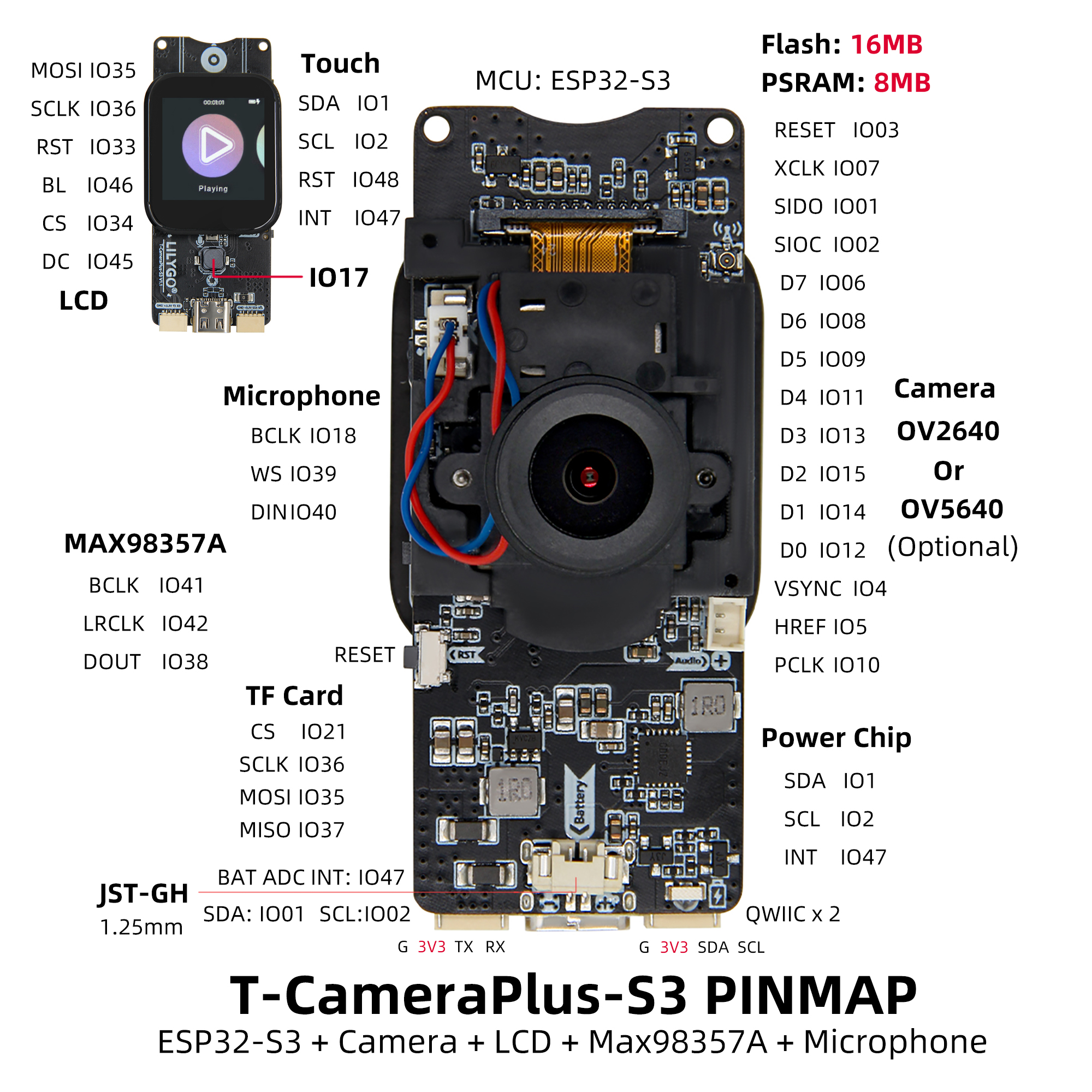
Pin Diagram
Display
| ST7789V | MOSI | SCLK | CS | DC | BL |
|---|---|---|---|---|---|
| V1.0-V1.1 | GPIO35 | GPIO36 | GPIO34 | GPIO45 | GPIO46 |
| V1.2 | GPIO34 | GPIO35 | GPIO36 | GPIO45 | GPIO46 |
Touch
| CST816S | SDA | SCL | RST | INT |
|---|---|---|---|---|
| V1.0-V1.1 | GPIO1 | GPIO2 | GPIO48 | GPIO47 |
| V1.2 | GPIO33 | GPIO37 | NC | GPIO47 |
Camera
| OV2640 | XCLK | SIOD | SIOC | VSYNC | PWDN/RST | HREF | PCLK | D0 | D1 | D2 | D3 | D4 | D5 | D6 | D7 |
|---|---|---|---|---|---|---|---|---|---|---|---|---|---|---|---|
| V1.0-V1.1 | GPIO7 | GPIO1 | GPIO2 | GPIO4 | GPIO3 | GPIO5 | GPIO10 | GPIO12 | GPIO14 | GPIO15 | GPIO13 | GPIO11 | GPIO9 | GPIO8 | GPIO6 |
| V1.2 | GPIO7 | GPIO1 | GPIO2 | GPIO3 | GPIO4 | GPIO5 | GPIO10 | GPIO12 | GPIO14 | GPIO15 | GPIO13 | GPIO11 | GPIO9 | GPIO8 | GPIO6 |
Speaker
| MAX98357A | BCLK | LRCLK | DATA |
|---|---|---|---|
| V1.0-V1.1 | GPIO41 | GPIO42 | GPIO38 |
| V1.2 | GPIO41 | GPIO42 | GPIO39 |
Microphone
V1.0-V1.1 (MSM261S4030H0R)
| MSM261S4030H0R | BCLK | WS | DATA |
|---|---|---|---|
| V1.0-V1.1 | GPIO18 | GPIO39 | GPIO40 |
V1.2 (MP34DT05TR)
| MP34DT05TR | LRCLK | DATA |
|---|---|---|
| V1.2 | GPIO40 | GPIO38 |
SDCard
| SD Card | CS | SCLK | MOSI | MISO |
|---|---|---|---|---|
| V1.0-V1.1 | GPIO21 | GPIO36 | GPIO35 | GPIO37 |
| V1.2 | GPIO21 | GPIO35 | GPIO34 | GPIO48 |
Power
| SY6970(0x6A) | SDA | SCL | INT |
|---|---|---|---|
| V1.0-V1.1 | GPIO1 | GPIO2 | GPIO47 |
| V1.2 | GPIO33 | GPIO37 | NC |
Button
| Button | KEY1 | KEY2 |
|---|---|---|
| V1.0-V1.1 | GPIO17 | GPIO0 |
| V1.2 | GPIO17 | GPIO0 |
Dimension Diagram
Schematic
Datasheet
Software Development
Dependent Libraries
- Arduino_GFX-1.3.7
- lvgl-8.3.5
- JPEGDEC-1.2.8
- TFT_eSPI
- XPowersLib-0.2.1
- Arduino_DriveBus-1.1.16
- cst816t-1.5.0
- ESP32-audioI2S-3.0.6
- MiniTV
FAQ
Q. What are the main application scenarios for T-Camera Plus S3? A. Suitable for smart surveillance, video doorbells, IoT visual interaction, multimedia terminals, and AI image recognition.
Q. Which camera modules are supported? A. Supports OV2640 and OV5640. V1.2 adds OV5640 auto-focus support.
Q. How to flash the factory firmware? A. Flash the
Lvgl_UIexample from the GitHub repository. Pre-compiled firmware binaries are available in thefirmware/folder.
Version History
| Version | Release Date | Update Description |
|---|---|---|
| T-CameraPlus-S3 V1.0-V1.1 | 2023-10-23 | Initial version |
| T-CameraPlus-S3 V1.2 | 2025-04-17 | Improved Wi-Fi performance, updated microphone (MP34DT05-A), modified pin numbers, optimized PCB routing |