
T-Halow RJ45 get it now
Overview
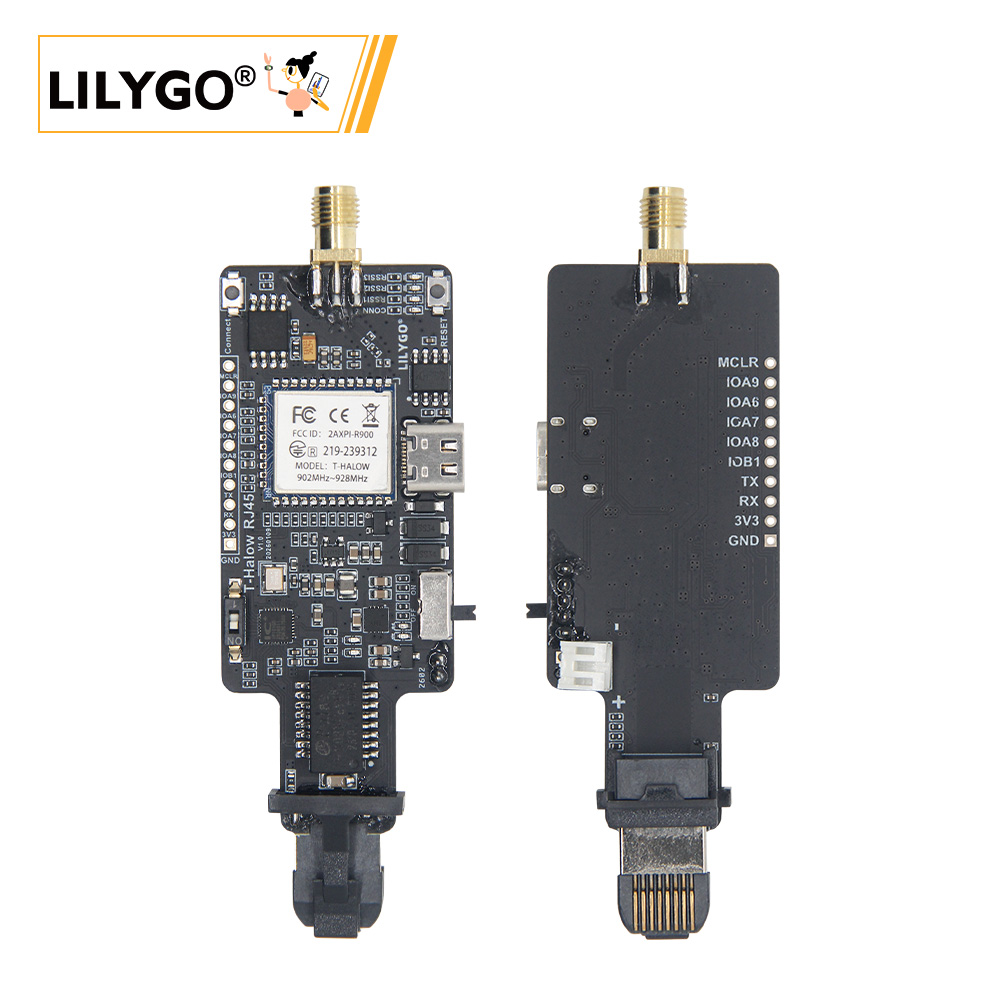
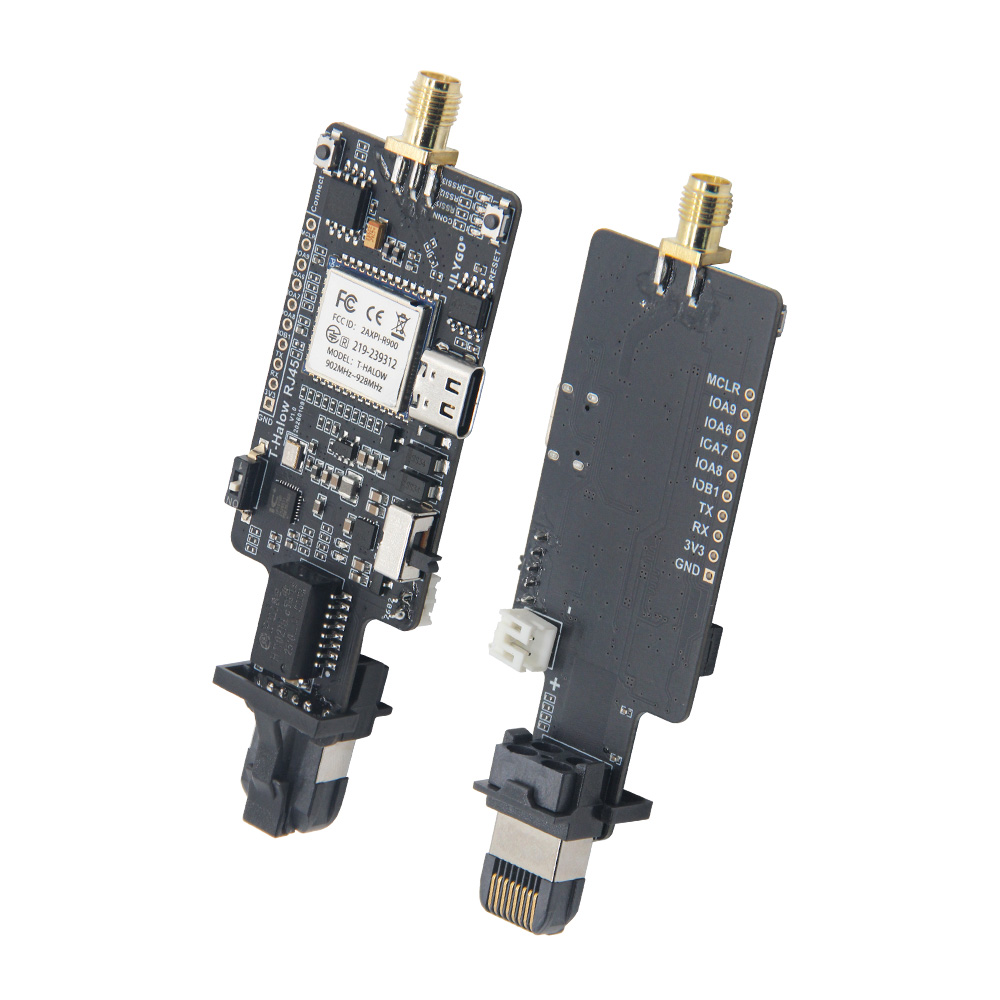
T-Halow RJ45 is a long-range, low-power wireless Ethernet bridge module integrating a HaLow (IEEE 802.11ah) wireless module with an RJ45 Ethernet interface. It supports Sub-1 GHz wireless networking with AP, STA, APSTA relay, and GROUP multicast modes. Features WPA-PSK encryption, roaming, relay, and low-power sleep modes. Configured via AT commands over a serial interface. Suitable for industrial IoT, remote monitoring, and smart agriculture applications.
Quick Start
Hardware Connection
Connect the module to a network device via the RJ45 interface, and connect to a host or debug tool via serial port.
Serial Configuration
Use a serial terminal to connect to the module. Send AT commands in newline mode (AT commands are case-insensitive).
Quick Pairing (No Pre-set SSID Required)
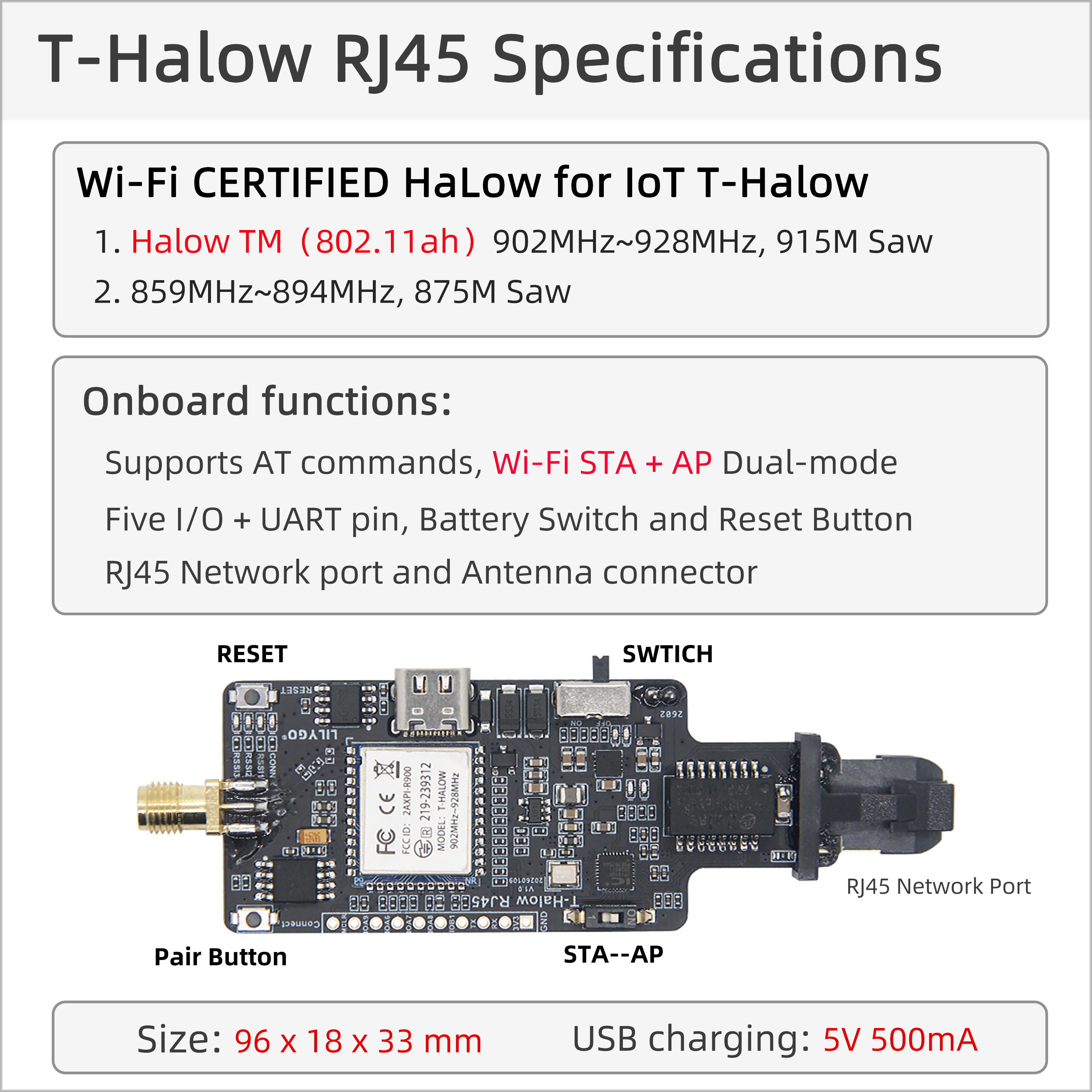
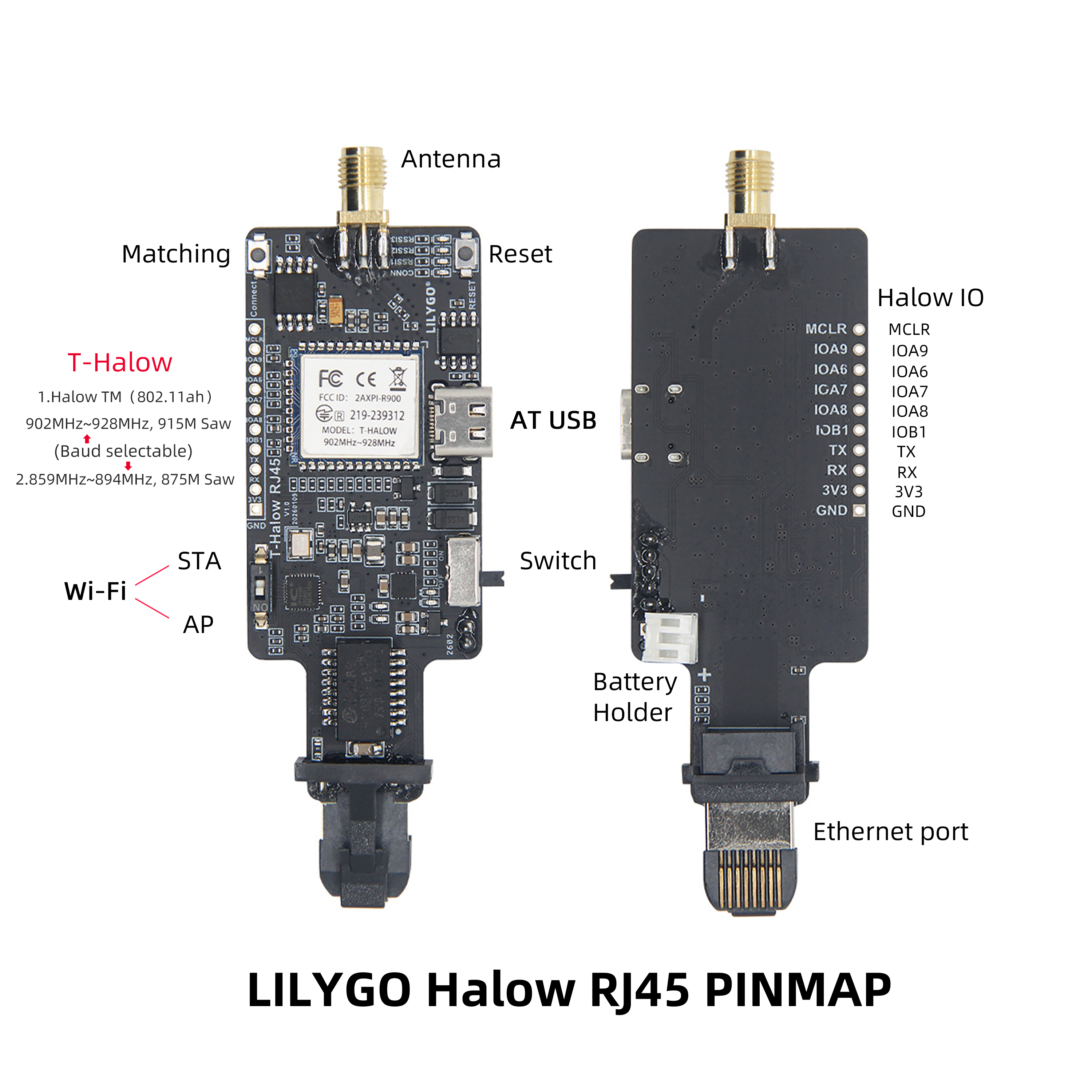
Set one device as AP (flip DIP switch to NO position) and another as STA (flip DIP switch to 1 position), then press the Connect button on both devices simultaneously. Wait for the CONN indicator to flash rapidly — this indicates successful pairing. Once paired, the RSSI LEDs will light up; more lit LEDs indicate stronger signal.
AT+PAIR=1   // Enable pairing on both AP and STA simultaneously
// Wait for PAIR SUCCESS message
AT+PAIR=0   // Stop pairing — devices connect automatically
Basic Network Setup (AP + STA)
AP side:
AT+MODE=AP
AT+SSID=my_network
AT+KEYMGMT=WPA-PSK
AT+PSK=baa58569a9edd7c3a55e446bc658ef76a7173d023d256786832474d737756a82
STA side:
AT+MODE=STA
AT+SSID=my_network
AT+KEYMGMT=WPA-PSK
AT+PSK=baa58569a9edd7c3a55e446bc658ef76a7173d023d256786832474d737756a82
After configuration the devices will connect automatically.
Related Videos
Key Features
- HaLow (IEEE 802.11ah) Sub-1 GHz long-range wireless communication
- AP / STA / APSTA (relay) / GROUP (multicast) operating modes
- WPA-PSK encryption support
- Relay, roaming, and multicast support
- Low-power sleep mode
- RJ45 Ethernet interface
- AT command configuration via serial interface
Specifications
| Parameter | Value |
|---|---|
| Wireless | HaLow IEEE 802.11ah Sub-1 GHz |
| Operating Modes | AP / STA / APSTA / GROUP |
| Encryption | WPA-PSK / NONE |
| Interface | RJ45 Ethernet + Serial (AT commands) |
| Firmware Version | huge-ic-ah_v1.6.4.3-38054_2025.12.12 |
AT Commands
Full AT command reference: docs/AT_cmd.md
Network
| Command | Description |
|---|---|
AT+MODE=[ap/sta/group/apsta] | Set operating mode |
AT+SSID=[ssid] | Set SSID (max 32 chars) |
AT+KEYMGMT=[WPA-PSK/NONE] | Set encryption type |
AT+PSK=[64-char hex] | Set encryption password |
AT+PAIR=[0/1] | Enable / stop pairing |
AT+BSS_BW=[1/2/4/8] | Set channel bandwidth |
AT+FREQ_RANGE=[start,end] | Set frequency range (unit: 0.1 MHz) |
AT+CHAN_LIST=[freq1,freq2,...] | Set non-contiguous channel list (max 16) |
Status Query
| Command | Description |
|---|---|
AT+RSSI=? | Query signal strength |
AT+CONN_STATE | View connection state |
AT+WNBCFG | View device parameters |
AT+SCAN_AP=2 | Scan for APs (STA mode) |
AT+BSSLIST | Get scanned AP list |
AT+MAC_ADDR=? | View device MAC address |
AT+VERSION=? | View firmware version |
Advanced Parameters
| Command | Description |
|---|---|
AT+TXPOWER=[6~20] | Set max TX power (dBm) |
AT+ACKTMO=[us] | Set ACK timeout (for >1 km: 10 × (distance_km - 1)) |
AT+TX_MCS=[0~7/255] | Set TX MCS; 255 = auto |
AT+HEART_INT=[ms] | Set heartbeat interval (recommended: STA_count × 50 ms) |
Relay Mode (APSTA)
AT+MODE=APSTA
AT+R_SSID=upper_ap_ssid     // Set upstream AP SSID
AT+R_PSK=<64-char hex>       // Set upstream AP password
Roaming (STA only)
AT+ROAM=1   // Enable roaming
AT+ROAM=0   // Disable roaming
AP SSIDs support full or fuzzy matching (SSID length > 8 chars, last 3 chars differ, e.g. HUGE_IC_AH001, HUGE_IC_AH002).
Multicast Mode (GROUP)
AT+MODE=GROUP
AT+JOINGROUP=11:22:33:44:55:66,3   // Join multicast network with AID=3
Sleep Mode (STA)
| Command | Description |
|---|---|
AT+PS_MODE=0 | No sleep (same as mode 3) |
AT+PS_MODE=1 | Sleep — module maintains server keepalive |
AT+PS_MODE=2 | Sleep — AP maintains keepalive (lowest power) |
AT+PS_MODE=3 | Sleep — maintains AP connection, unicast wakes device |
AT+PS_MODE=4 | Sleep — maintains AP connection, only AT+WAKEUP wakes device |
Debug
AT+LOADDEF=1        // Restore factory defaults
AT+SYSDBG=LMAC,1   // Enable air interface statistics
AT+SYSDBG=WNB,1    // Enable network layer statistics
Operating Modes
| Mode | Description |
|---|---|
AP | Access point — acts as hotspot for STA devices |
STA | Station — connects to an AP |
APSTA | Relay — acts as both AP and STA simultaneously |
GROUP | Multicast / broadcast mode |
Firmware Upgrade
Firmware files are located in the firmware/ directory.
Current firmware version: huge-ic-ah_v1.6.4.3-38054_2025.12.12_.bin
Check firmware version:
AT+VERSION=?Pin Diagram
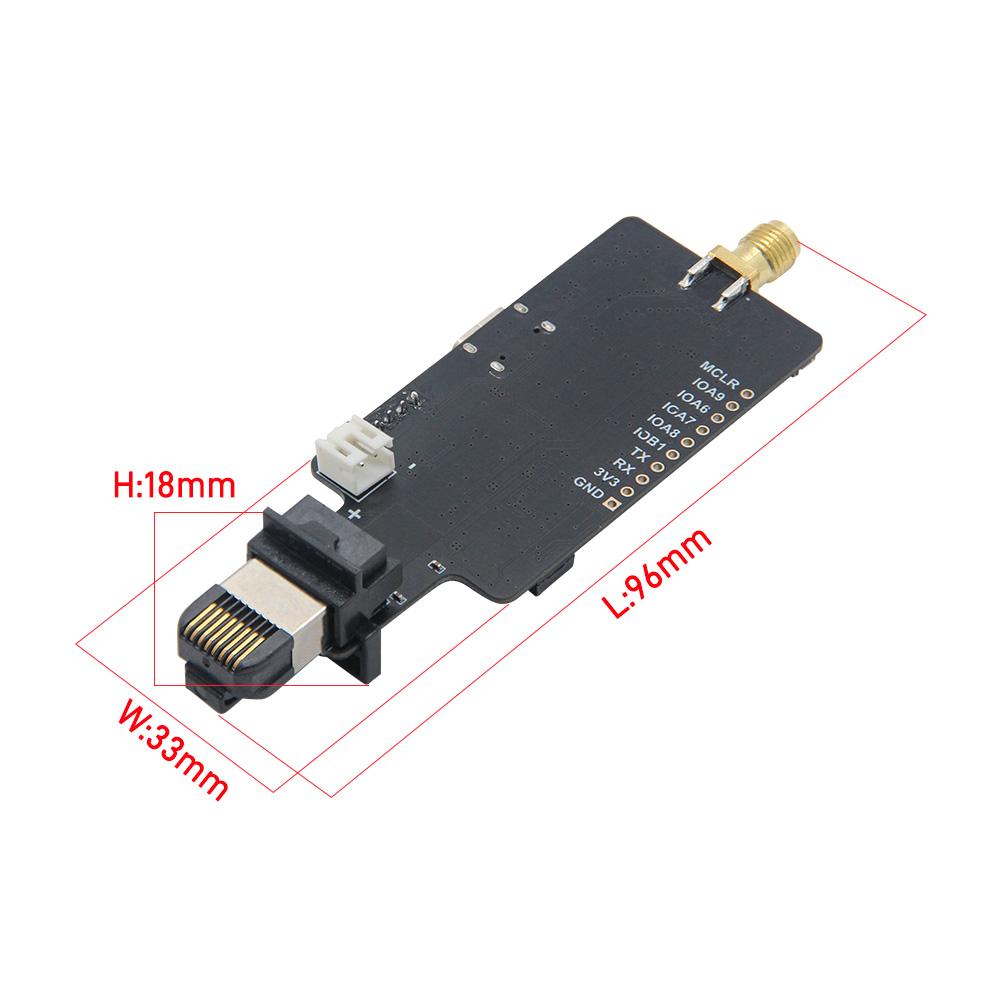
Dimensions
Schematic
Datasheet
Software Libraries
FAQ
Q. How do I pair two devices without pre-configuring SSID? A. Set one as AP (DIP switch to NO), the other as STA (DIP switch to 1), press the Connect button on both simultaneously, and wait for the CONN LED to flash rapidly.
Q. Connection drops at long range. A. Increase ACK timeout:
AT+ACKTMO=[us]. Formula: 10 × (distance_km − 1) microseconds.Q. How to reset to factory defaults? A. Run
AT+LOADDEF=1.Q. How do I set up a relay? A. Set
AT+MODE=APSTA, then configureAT+R_SSIDandAT+R_PSKto point to the upstream AP.
Changelog
| Version | Date | Notes |
|---|---|---|
| V0.1 | — | Initial release |