
T-Bao get it now
Overview
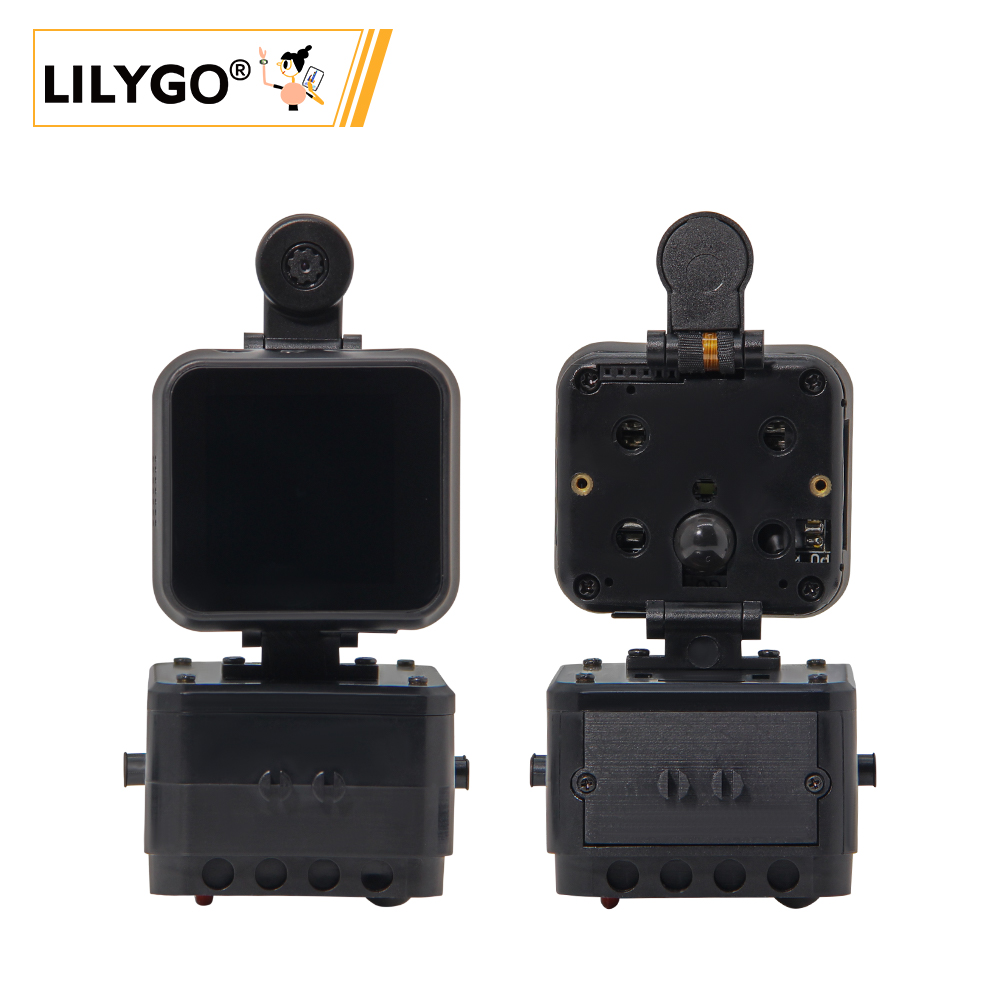
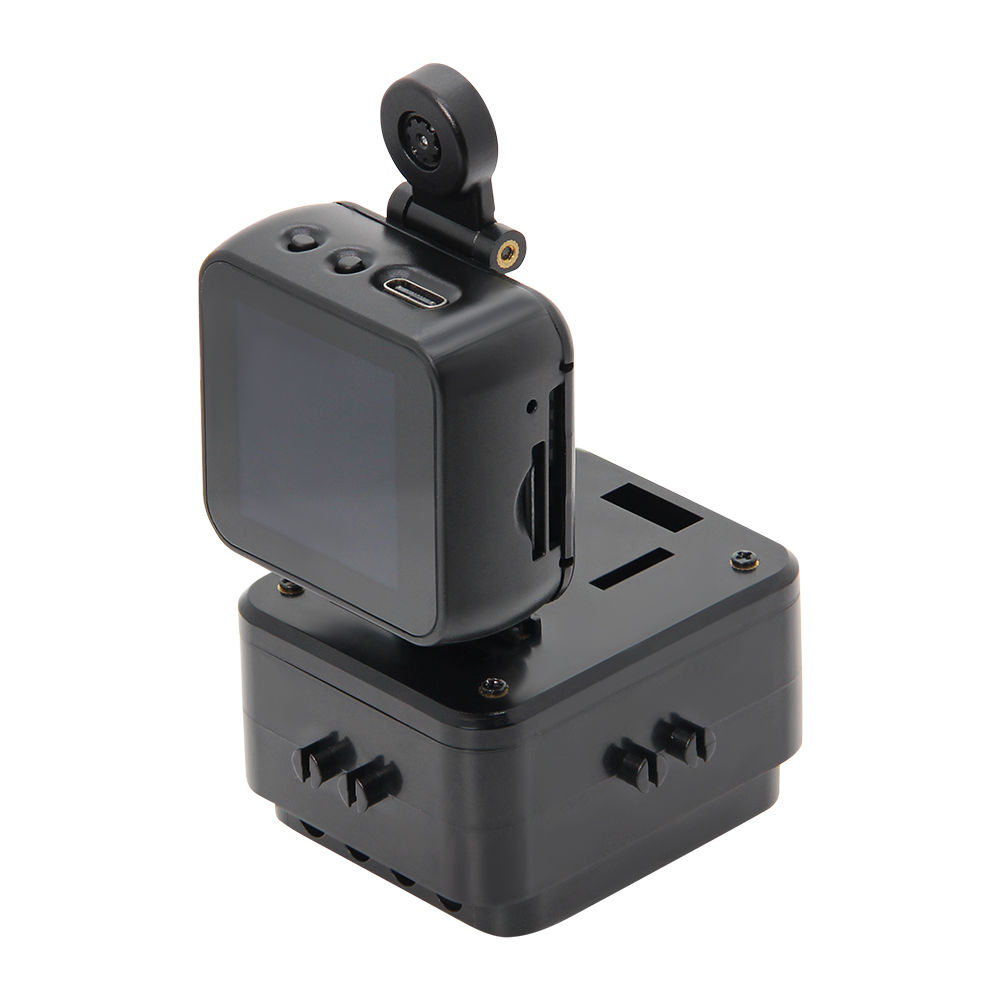
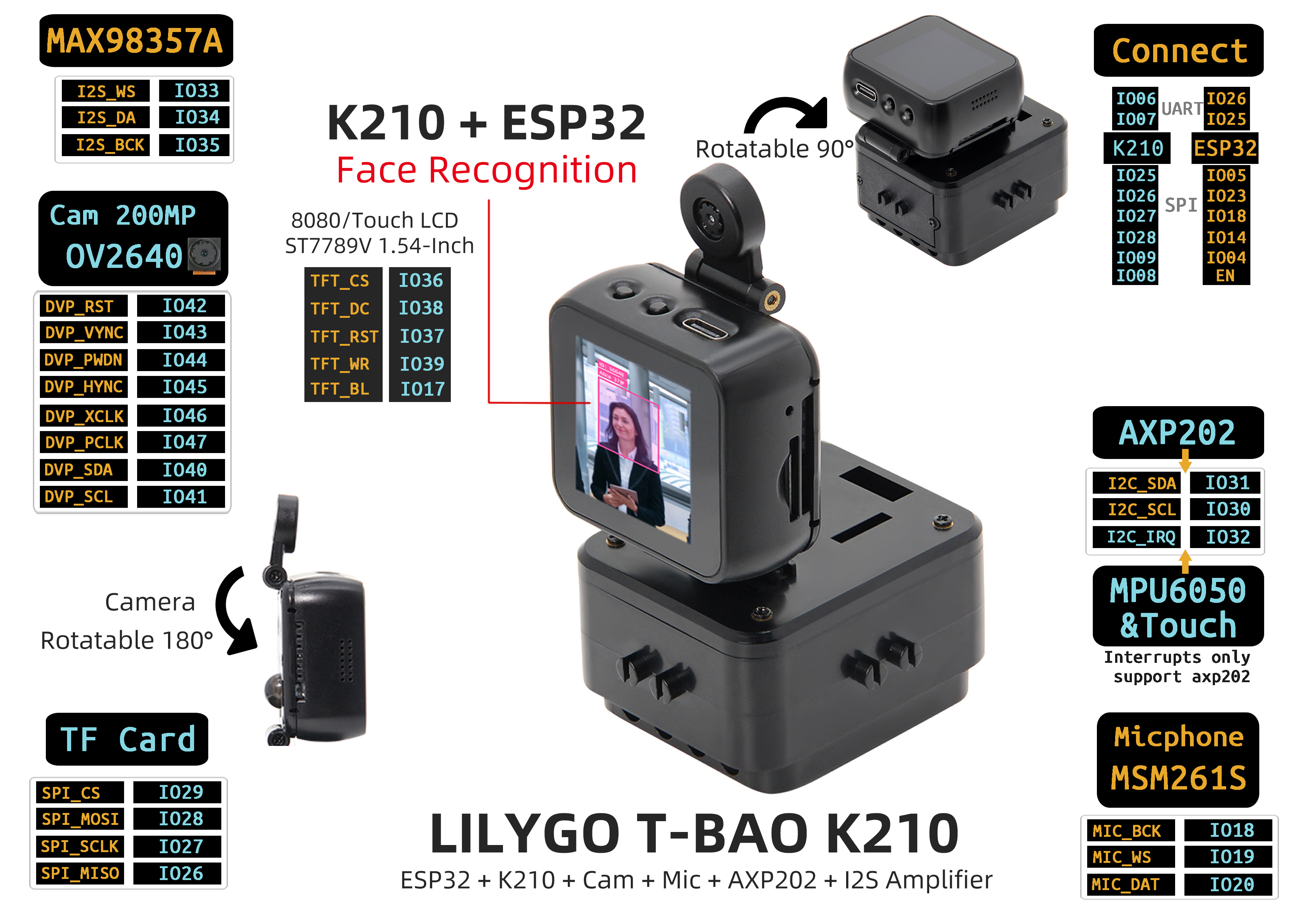
T-Bao is an open-source AIoT terminal based on ESP32-D0WDQ6-V3 and K210 RISC-V AI chip, featuring high performance, low power consumption, expandability, and programmability. It deeply integrates the K210 RISC-V architecture AI chip (with KPU neural network processor) with the ESP32 dual-core Wi-Fi/BLE communication module, equipped with a professional OV2640 2-megapixel camera (supporting 180° rotation) and ST7789V 1.54-inch IPS touch screen (240 × 240, 90° adaptive rotation). The display is driven by the K210 side; ESP32 communicates with K210 over UART and does not connect to the display directly. Supports millisecond-level face recognition and dynamic image processing.
Built-in MAX98357A I2S digital power amplifier, MSM261S high-sensitivity microphone array, and AXP202 intelligent power management. Integrates MPU6050 six-axis sensor, TF card storage, and rich interface resources (UART/SPI/I2C/Touch). Compatible with Arduino/MicroPython ecosystem. Suitable for industrial vision detection, smart security, AIoT terminals, and educational robots.
Quick Start
Example Support
| Example | PlatformIO/Arduino | ESP-IDF | Description |
|---|---|---|---|
| LilyGo-K210-Script | ✓ | Direction recognition, face recognition, speech recognition |
K210 Firmware Flashing
- Download the latest MaixPy firmware: MaixPy Firmware
- Download flashing tool: kflash_gui
- Select the corresponding firmware and model files for flashing
Note: Speech recognition requires writing the model file
maix_asr_2900k_0x500000.kmodelto address 0x500000 first, then flashing the firmware.
| Application | K210 Firmware | ESP32 Firmware | Model File |
|---|---|---|---|
| Direction Recognition | maixpy_twatch_v0.6.2-75.bin | ESP32_AT_Firmware_UART1_SGPIO.bin | Identify_Direction_model.kmodel |
| Face Recognition | maixpy_twatch_v0.6.2-75.bin | ESP32_AT_Firmware_UART1_SGPIO.bin | face_model_at_0x300000.kfpkg |
| Speech Recognition | maixpy_v0.6.2_83_minimum_speech.bin | ESP32_AT_Firmware_UART1_SGPIO.bin | maix_asr_2900k_0x500000.kmodel |
PlatformIO
- Install Visual Studio Code and Python
- Search for and install the PlatformIO IDE extension in VS Code
- Open the
LilyGo-K210-Scriptproject folder - Open
platformio.iniand select your example - Click ✓ to compile, connect via USB-C, click → to upload
Arduino
- Install Arduino IDE
- Install Arduino ESP32
- Copy library folders from the project
librariesdirectory to your Arduino libraries folder - Click Upload
Development Platforms
- Arduino IDE — ESP32 development
- MaixPy IDE — K210 development
- ESP-IDF — ESP32 advanced development
- MicroPython — Script development
Video
Key Features
- K210 RISC-V dual-core (400 MHz), KPU neural network processor (YOLOv3, face recognition, etc.)
- ESP32-D0WDQ6-V3, 16 MB Flash, 8 MB PSRAM, Wi-Fi + Bluetooth 4.2
- OV2640 2 MP camera, 180° rotation
- ST7789V 1.54-inch IPS touch screen (240 × 240), driven by K210
- MAX98357A I2S amplifier + MSM261S microphone array
- AXP202 PMU, MPU6050 six-axis IMU, DRV8833 motor driver
- 2 × QWIIC + 4 × magnetic interfaces, TF card slot
- 164 × 46 × 42 mm
Product Parameters
| Feature | Specification |
|---|---|
| AI Chip | K210 RISC-V Dual-core, 400 MHz, KPU ~0.5 TOPS |
| MCU | ESP32-D0WDQ6-V3 |
| Flash | 16 MB |
| PSRAM | 8 MB |
| Wi-Fi | 2.4 GHz 802.11 b/g/n |
| Bluetooth | Bluetooth 4.2 + BLE |
| Display | 1.54-inch ST7789V IPS TFT, 240 × 240, driven by K210 |
| Camera | OV2640 (2 MP) |
| Audio Output | MAX98357A I2S amplifier |
| Audio Input | MSM261S microphone array |
| Sensor | MPU6050 six-axis IMU |
| Power Management | AXP202 PMU |
| Motor Driver | DRV8833 |
| Storage | TF card slot |
| USB | 1 × Type-C |
| Expansion | 2 × QWIIC + 4 × magnetic interfaces |
| Dimensions | 164 × 46 × 42 mm |
Pin Diagram
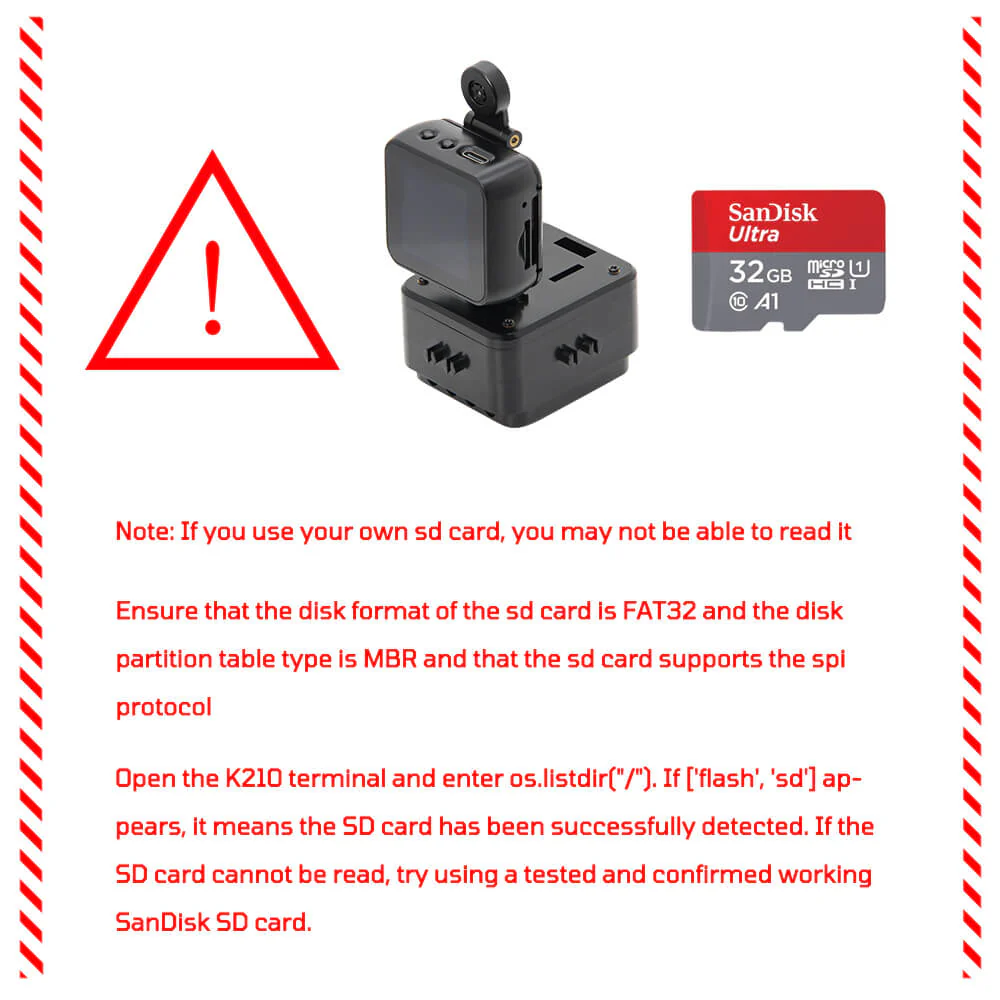
SD Card Notes
Dimension Diagram
Schematic
Datasheet
Software Development
Dependent Libraries
- MaixPy — K210 development framework
- LVGL — Embedded graphics library
- Adafruit_Sensor
FAQ
Q. How do K210 and ESP32 communicate? A. Communication is through UART serial port, with K210 as AI processor and ESP32 as main controller and communication module.
Q. Camera not working properly? A. Check the camera ribbon cable connection, ensure the camera module is properly inserted, and check power supply.
Q. SD card not recognized? A. Refer to the SD card installation diagram in the Pin Diagram section, ensure the card is properly inserted and formatted as FAT32.
Version History
| Version | Release Date | Update Description |
|---|---|---|
| T-Bao V1.0 | — | Initial version: K210 + ESP32 dual-core AIoT terminal |