
T-SIM7080-S3 get it now
Overview
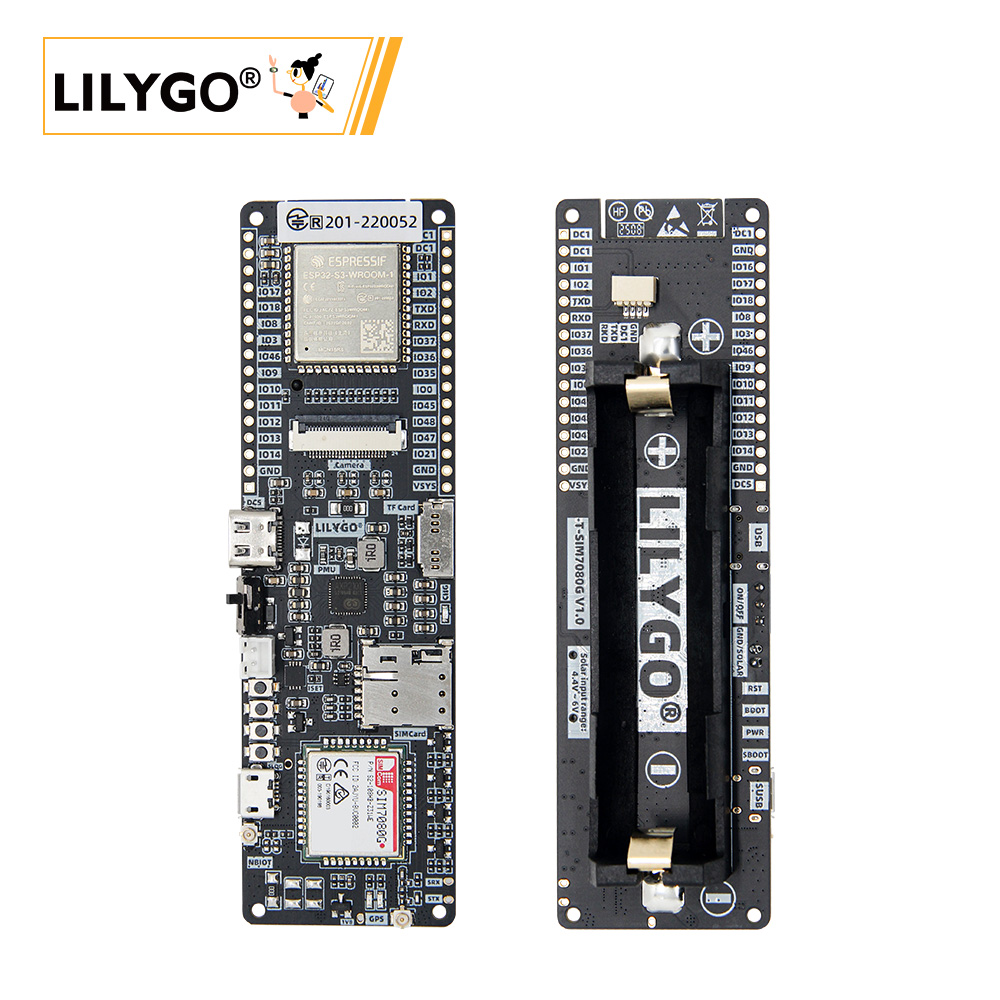
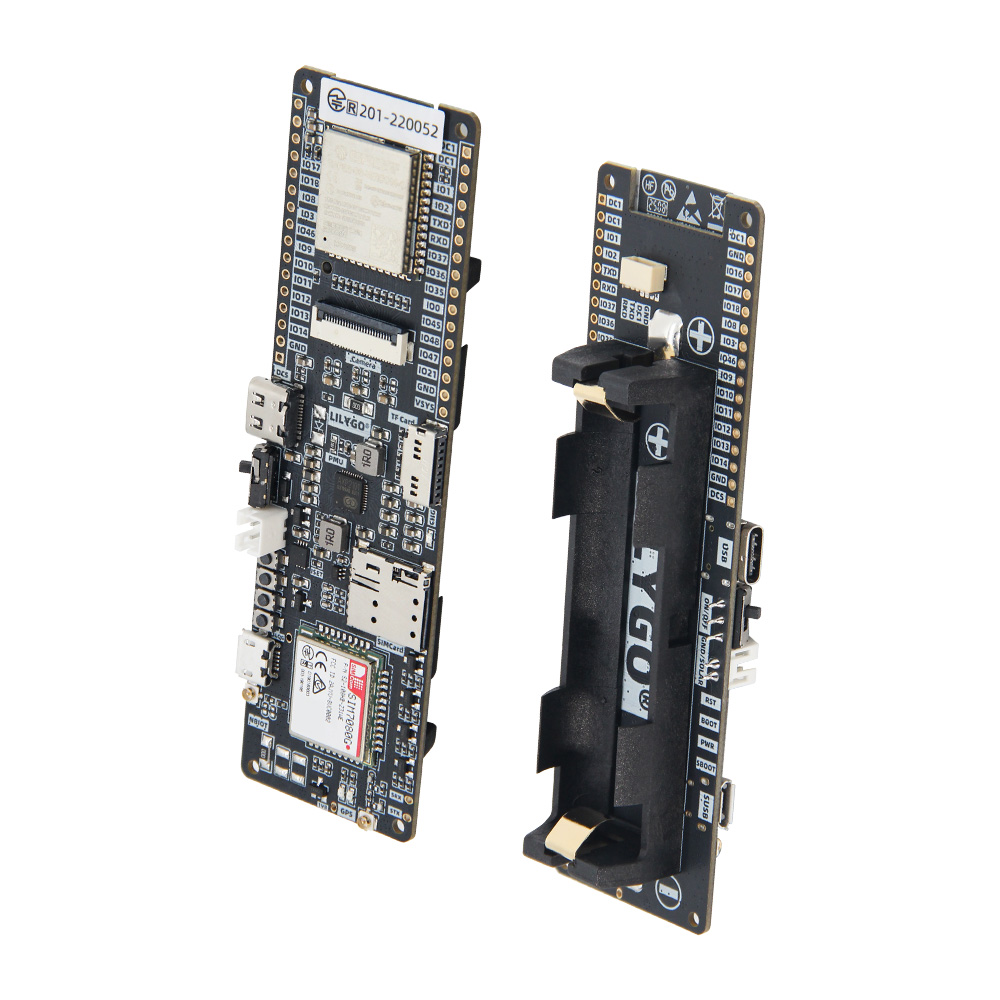
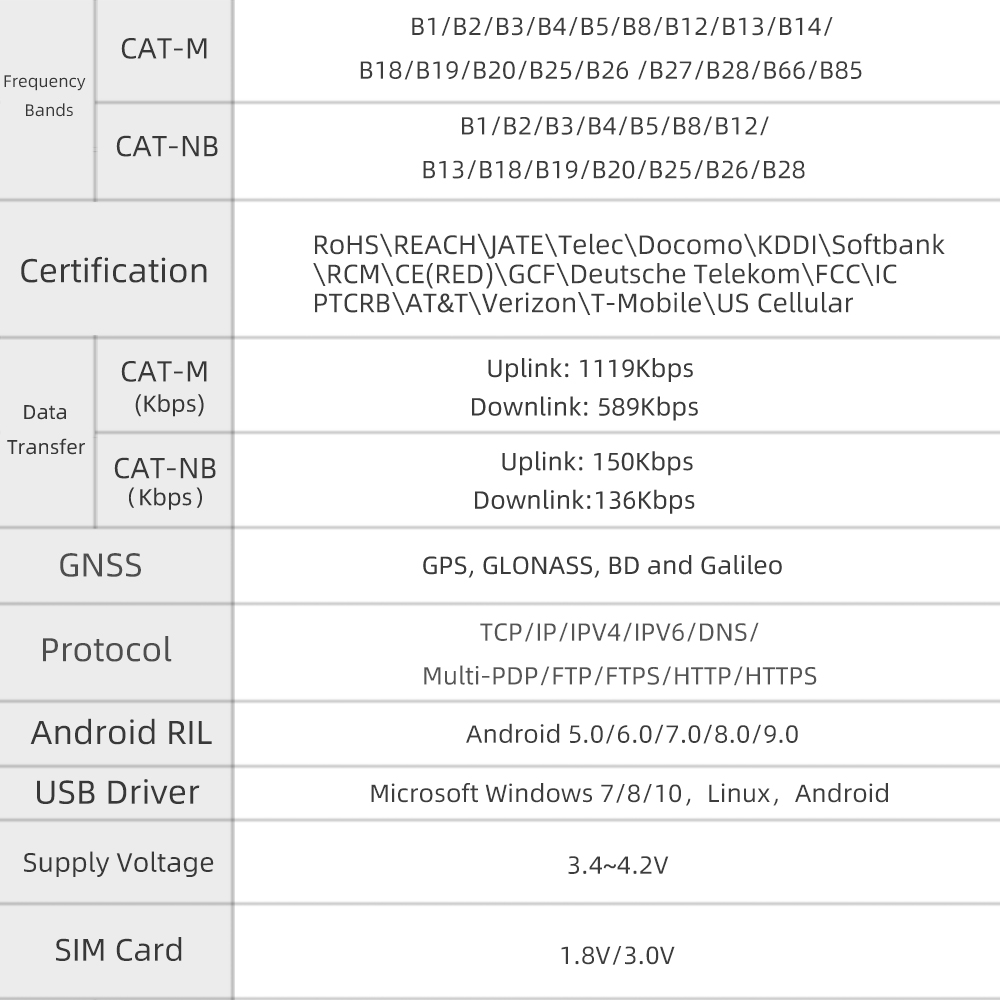
LILYGO T-SIM7080-S3 is a compact IoT development board combining the ESP32-S3 dual-core LX7 processor with the SIM7080G multi-band Cat-M / NB-IoT module. It adds Wi-Fi 4, Bluetooth 5.0 LE, and optional GNSS positioning, making it well-suited for low-power wide-area network (LPWAN) applications such as asset tracking, smart metering, and remote sensor nodes. The board integrates an onboard PMU with short-circuit and overload protection, an 18650 battery holder, a solar charging input (4.4 V–6 V), a TF card slot, and a nano SIM slot. Two USB ports are provided: USB-C for ESP32-S3 programming and a Micro-USB port dedicated to SIM7080G firmware upgrades.
Quick Start
Example Support
| Example | PlatformIO/Arduino | ESP-IDF | Description |
|---|---|---|---|
| LilyGo-T-SIM7080G | ✓ | NB-IoT, Cat-M, GPS, BLE5, deep sleep examples |
PlatformIO
- Install Visual Studio Code and Python
- Search for and install the PlatformIO IDE extension in VS Code
- Open the
LilyGo-T-SIM7080Gproject folder - Select your target example in
platformio.ini - Click ✓ to compile, connect via USB-C, click → to upload
Arduino
- Install Arduino IDE
- Install Arduino ESP32
- In Tools → Board, configure:
| Arduino IDE Setting | Value |
|---|---|
| Board | ESP32S3 Dev Module |
| Port | Your port |
| USB CDC On Boot | Enable |
| CPU Frequency | 240 MHz (WiFi) |
| Flash Mode | QIO 80 MHz |
| Flash Size | 16MB (128Mb) |
| Partition Scheme | 16M Flash (3MB APP/9.9MB FATFS) |
| PSRAM | OPI PSRAM |
| Upload Mode | UART0/Hardware CDC |
| Upload Speed | 921600 |
| USB Mode | CDC and JTAG |
- Click Upload
Development Platforms
Related Videos
Key Features
- ESP32-S3 dual-core LX7 @ 240 MHz, Wi-Fi 4 + Bluetooth 5.0 LE
- SIM7080G multi-band Cat-M1 / NB-IoT module (global frequency bands)
- GNSS positioning (GPS, optional concurrent with data — note: Cat-M/NB and GPS cannot run simultaneously)
- Solar charging input 4.4 V–6 V for off-grid deployment
- 18650 battery holder with onboard PMU (short circuit + overload protection)
- TF card slot and nano SIM card slot
- USB-C for programming; Micro-USB for SIM7080G firmware upgrade
- 16 MB Flash, 8 MB PSRAM (Octal SPI — GPIO 35–37 reserved)
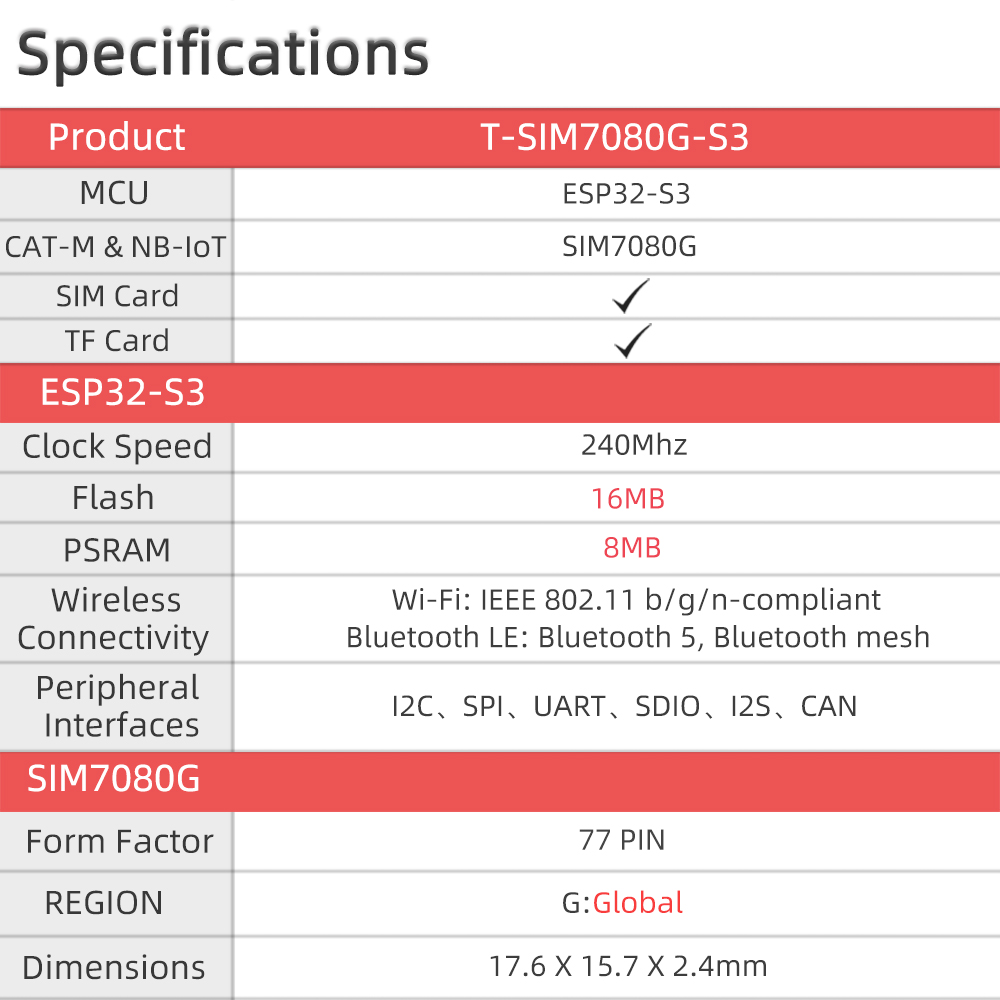
Specifications
| Parameter | Value |
|---|---|
| SOC | ESP32-S3 dual-core LX7 @ 240 MHz |
| Flash | 16 MB |
| PSRAM | 8 MB (Octal SPI) |
| Wireless | Wi-Fi 4 (2.4 GHz 802.11 b/g/n), Bluetooth 5.0 LE |
| Cellular | SIM7080G — Cat-M1 / NB-IoT (multi-band global) |
| GNSS | GPS (via SIM7080G, not concurrent with cellular data) |
| SIM | Nano SIM |
| Storage | TF card slot |
| Power | USB-C, 18650 battery, solar input 4.4 V–6 V |
| USB | USB-C (ESP32-S3) + Micro-USB (SIM7080G firmware) |
| Weight | |
| Package size |
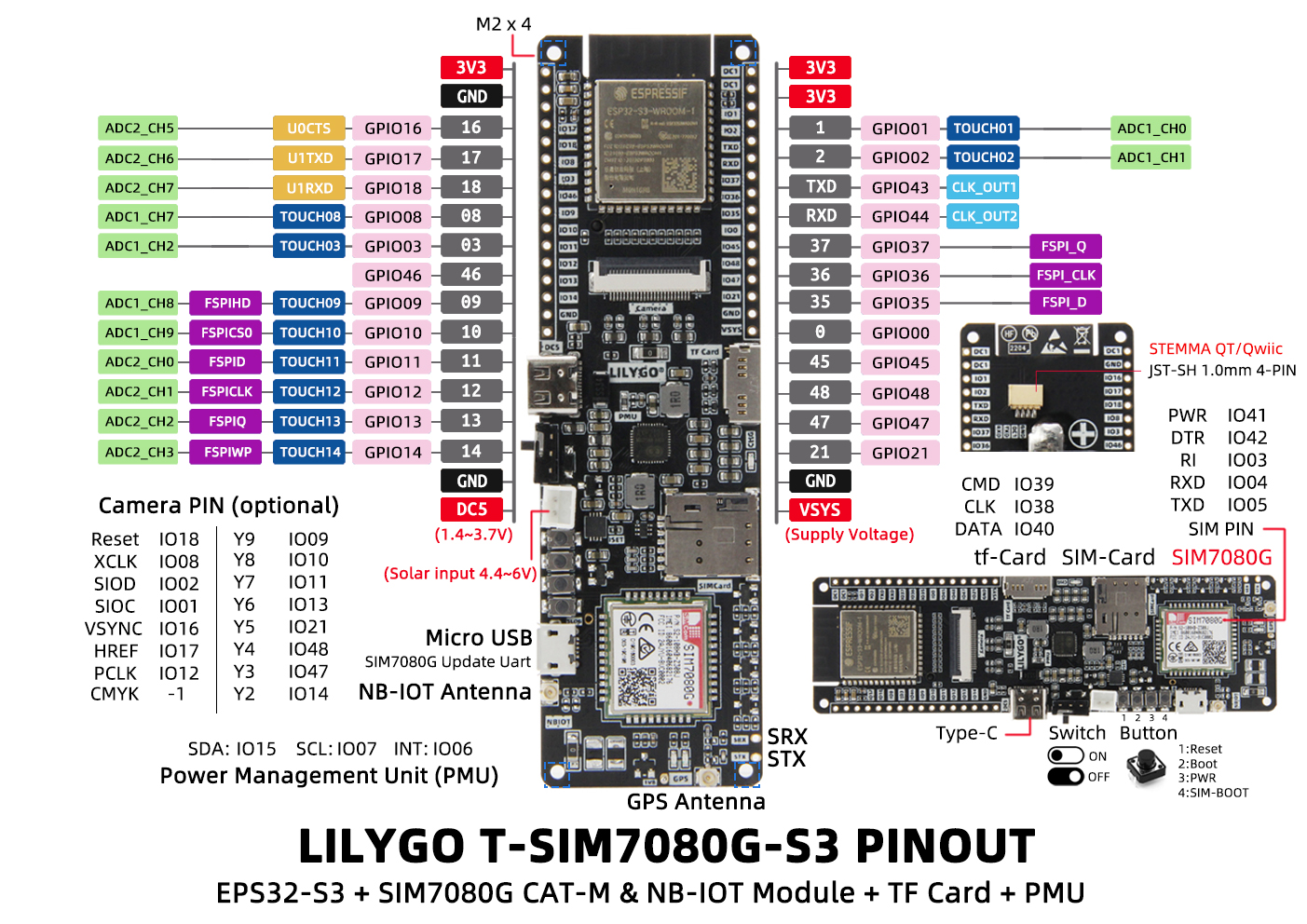
Pin Diagram
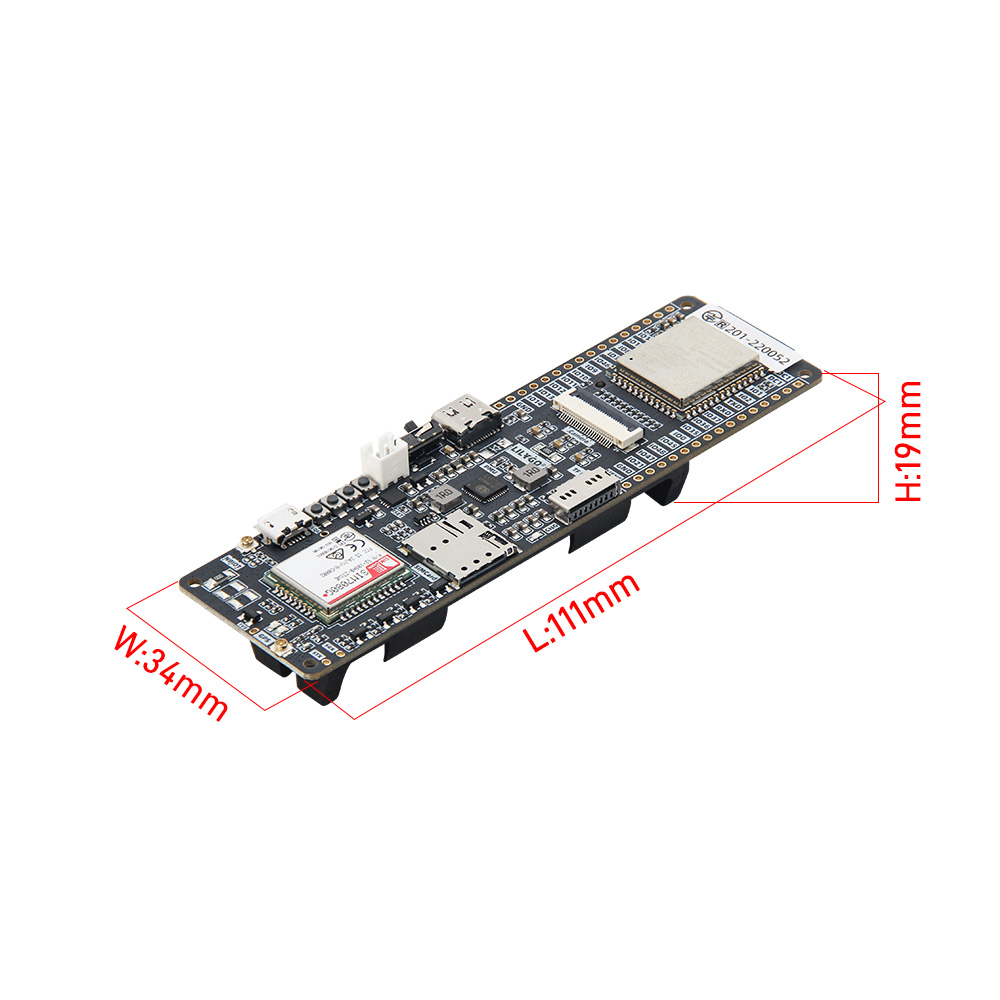
Dimensions
Schematic
Datasheet
Software Libraries
FAQ
- SIM card not detected: Insert the SIM card before powering on. Hot-inserting after the SIM7080G has started will not be detected.
- Turning off the board: Press and hold PWRKEY for 6 seconds to power off; press for 128 ms to power on.
- GPIO 35–37 unavailable: These pins are used internally by the Octal SPI PSRAM.
Changelog
| Version | Date | Notes |
|---|---|---|
| V1.0 | Initial release |