
T-QT C6 get it now
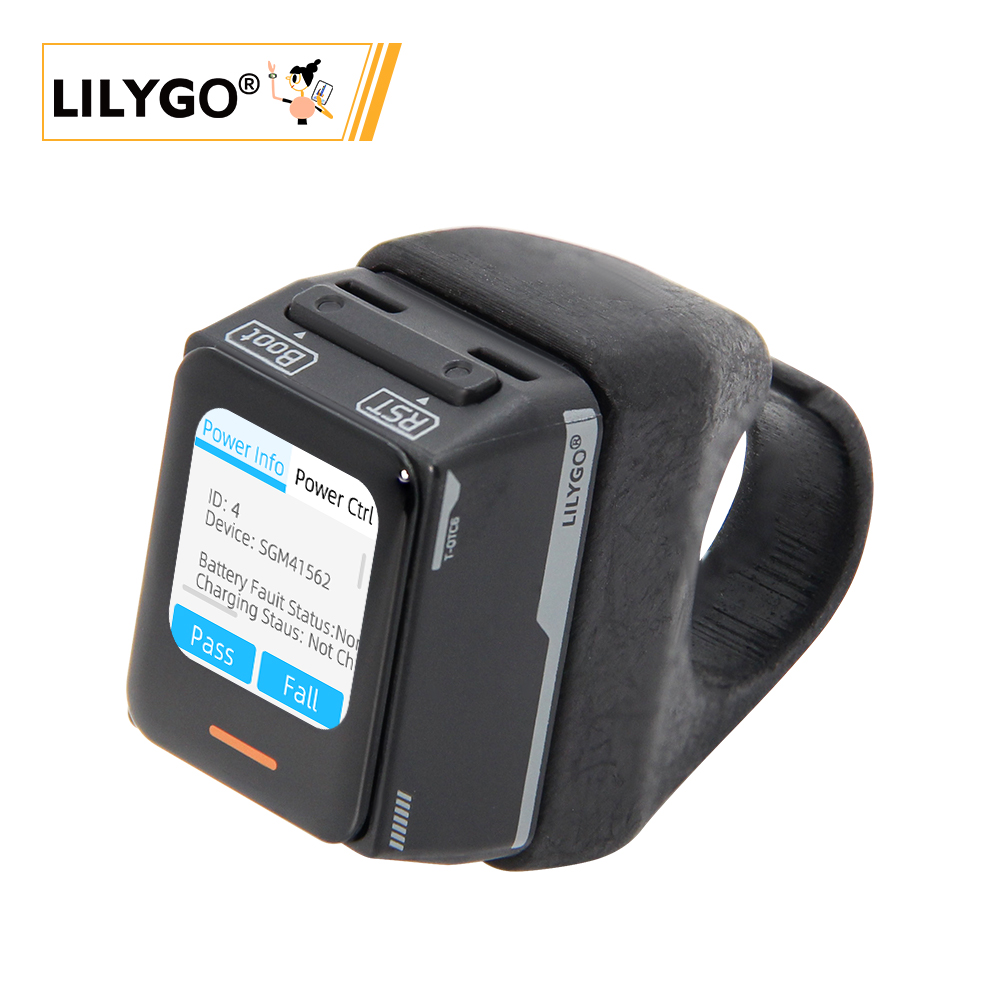
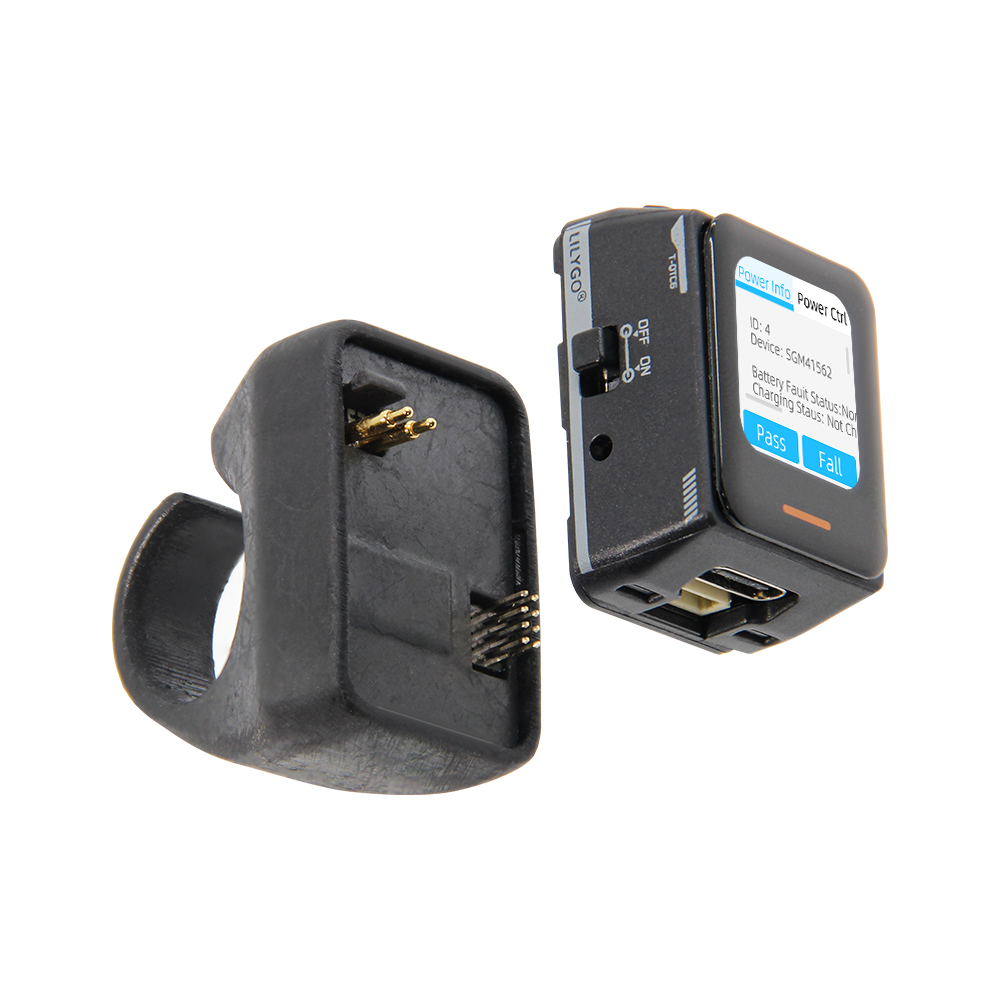
Overview
T-QT C6 is a compact smart wearable development kit based on ESP32-C6-MINI-1U (4 MB Flash, 4 MB PSRAM). Features a 0.85-inch GC9107 TFT LCD (128 × 128), CST816T touch, LSM6DSLTR 6-axis IMU (V1.1+), SGM41562 PMU (V1.2) / ETA4662 (V1.0–V1.1), breathing light, QWIIC interface, and battery support. Supports Wi-Fi 6 + BT 5.0. 33 × 24 × 44.5 mm.
Quick Start
Example Support
| Example | PlatformIO/Arduino | ESP-IDF | Description |
|---|---|---|---|
| Battery_Voltage | ✓ | Battery voltage reading | |
| Breathing_Light | ✓ | Breathing light effect | |
| CST816T | ✓ | Touch gesture demo | |
| Deep_Sleep | ✓ | Deep sleep (172.61 µA) | |
| Light_Sleep | ✓ | Light sleep (516.81 µA) | |
| IMU | ✓ | 6-axis IMU example | |
| GFX | ✓ | Display graphics test | |
| Lvgl_CIT_SGM41562 | ✓ | Factory test (V1.2) | |
| Lvgl_CIT_ETA4662 | ✓ | Factory test (V1.0–V1.1) |
PlatformIO
- Install Visual Studio Code and Python
- Search for and install the PlatformIO IDE extension in VS Code
- Clone the T-QT-C6 repository
- Open
platformio.iniand under[platformio]uncomment the desired environment - Click ✓ to compile, click → to upload
Arduino
- Install Arduino IDE
- Add ESP32 boards URL:
https://espressif.github.io/arduino-esp32/package_esp32_index.json - Copy all directories from the project
librariesfolder to your Arduino libraries folder - In Tools → Board, configure:
| Arduino IDE Setting | Value |
|---|---|
| Board | ESP32C6 Dev Module |
| Upload Speed | 921600 |
| CPU Frequency | 160 MHz |
| Flash Mode | QIO |
| Flash Size | 4MB (32Mb) |
| Core Debug Level | None |
| Partition Scheme | Huge APP (3MB No OTA/1MB SPIFFS) |
- Click Upload
Development Platforms
Video
Key Features
- ESP32-C6-MINI-1U, 4 MB Flash, 4 MB PSRAM, Wi-Fi 6 + BT 5.0
- 0.85-inch GC9107 TFT (128 × 128), CST816T capacitive touch
- LSM6DSLTR 6-axis IMU, SGM41562 PMU, breathing light, QWIIC, 33 × 24 × 44.5 mm
Product Parameters
| Feature | Specification |
|---|---|
| MCU | ESP32-C6-MINI-1U |
| Flash | 4 MB |
| PSRAM | 4 MB |
| Wi-Fi | 2.4 GHz 802.11 b/g/n (Wi-Fi 6) |
| Bluetooth | Bluetooth 5.0 LE |
| Display | 0.85-inch GC9107 TFT, 128 × 128 (SPI) |
| Touch | CST816T Capacitive (I2C) |
| IMU | LSM6DSLTR 6-axis (V1.1+) |
| Power Management | SGM41562 (V1.2) / ETA4662 (V1.0–V1.1) |
| LED | WS2812B/C Breathing Light |
| USB | 1 × Type-C (USB + OTG) |
| Expansion | QWIIC 4-pin + 2×2×7 IO |
| Buttons | RESET + BOOT |
| Dimensions | 33 × 24 × 44.5 mm |
Power Consumption Reference
| Hardware | Mode / Test Firmware | Current |
|---|---|---|
| T-QT-C6 V1.2 | Light sleep | 553 µA |
| T-QT-C6 V1.2 | Deep sleep | 170 µA |
Measurements were taken at the battery input with the official sleep firmware. See the T-QT-C6 V1.2 Power Consumption Test Log. Results for V1.0-V1.1 may differ because they use a different PMU.
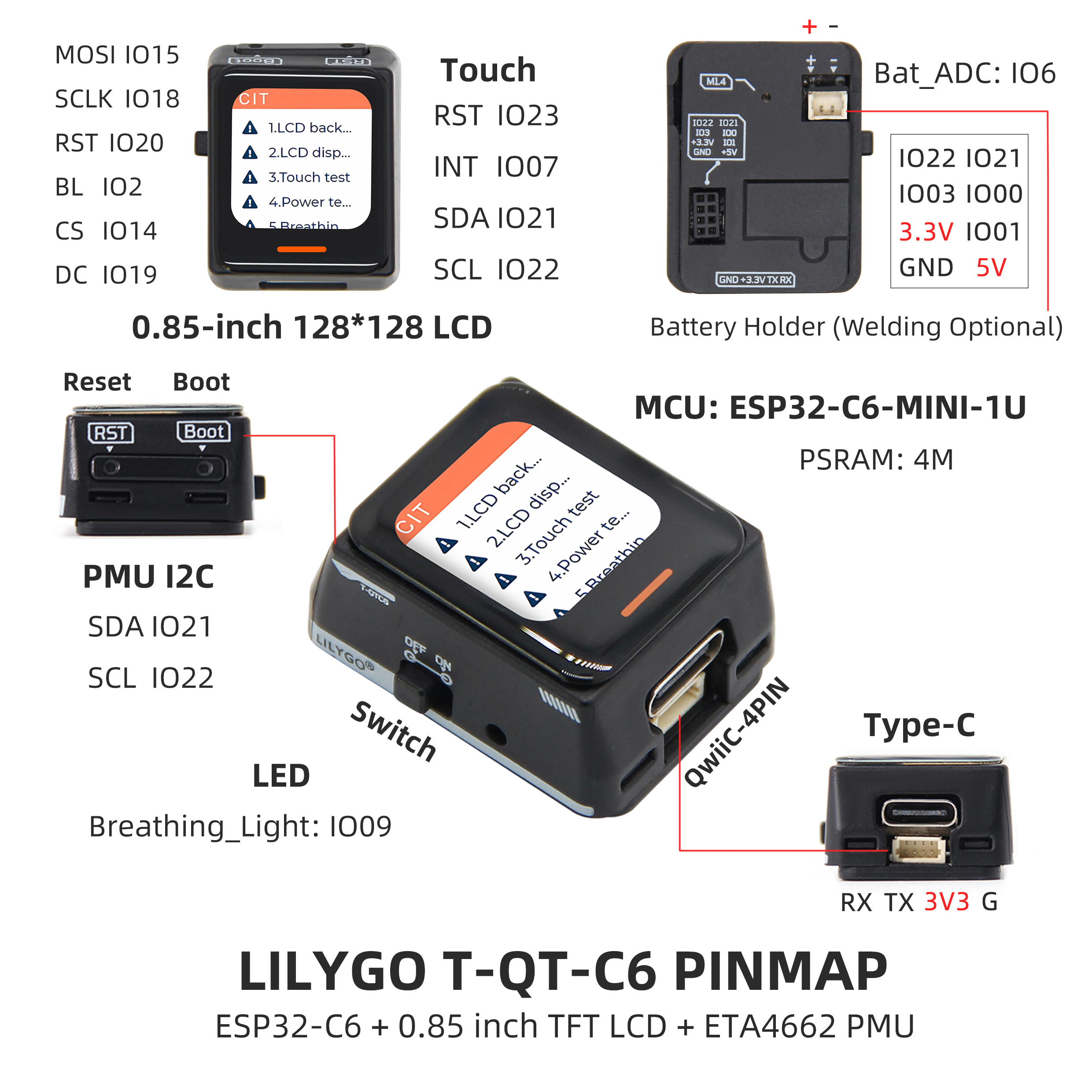
Pin Diagram
Pin Mapping
| Name | GPIO |
|---|---|
| Display MOSI | IO15 |
| Display SCLK | IO18 |
| Display RST | IO20 |
| Display BL | IO2 |
| Display CS | IO14 |
| Display DC | IO19 |
| Touch RST | IO23 |
| Touch INT | IO7 |
| Touch / IMU SDA | IO21 |
| Touch / IMU SCL | IO22 |
| Battery ADC Control | IO8 |
| Battery ADC Data | IO6 |
| Breathing Light | IO9 |
| IMU INT1 (V1.1–V1.2) | IO0 |
| IMU INT2 (V1.1–V1.2) | IO1 |
| IMU I2C Address Mode (V1.1–V1.2) | IO3 |
| SGM41562 INT (V1.2) | IO4 |
Dimension Diagram
Schematic
Datasheet
Software Development
Dependent Libraries
FAQ
Q. Why does my board keep failing to upload programs? A. Hold BOOT and press RST once, release RST while still holding BOOT, then start the upload.
Q. How to achieve low power operation? A. On V1.2, the official test measured approximately 170 µA in deep sleep and 553 µA in light sleep. V1.0-V1.1 use a different PMU and may differ.
Q. Which touch gestures are supported? A. CST816T supports swipe up/down/left/right, single-click, double-click, and long-press.
Version History
| Version | Release Date | Update Description |
|---|---|---|
| T-QT-C6 V1.0 | 2023-12-20 | Initial version |
| T-QT-C6 V1.1 | 2024-03-27 | Added battery backplane support |
| T-QT-C6 V1.2 | 2024-06-13 | Changed PMU to SGM41562 |
| T-QT-C6 Battery V1.2 | 2025-08-11 | Modified backplane pins, 2-pin 1.25 mm pitch battery connector |