
T-LoRa C6 get it now
Overview
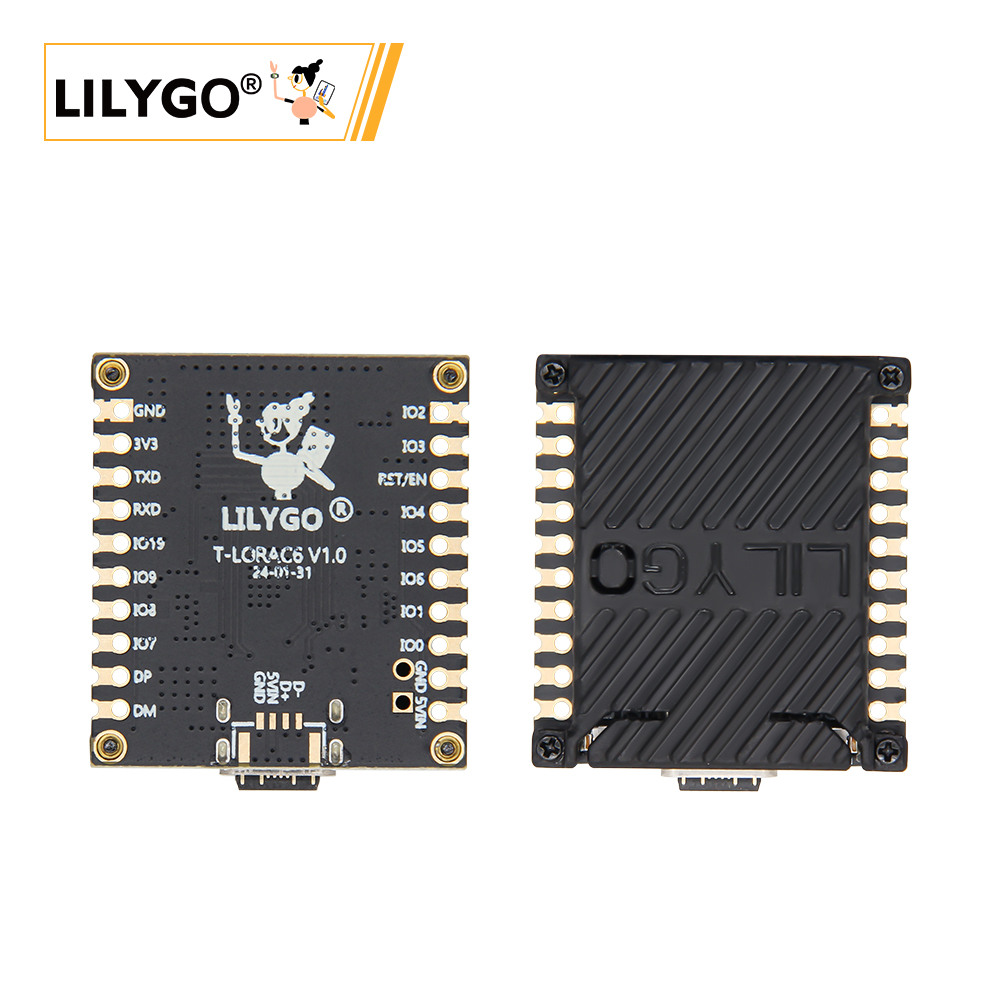
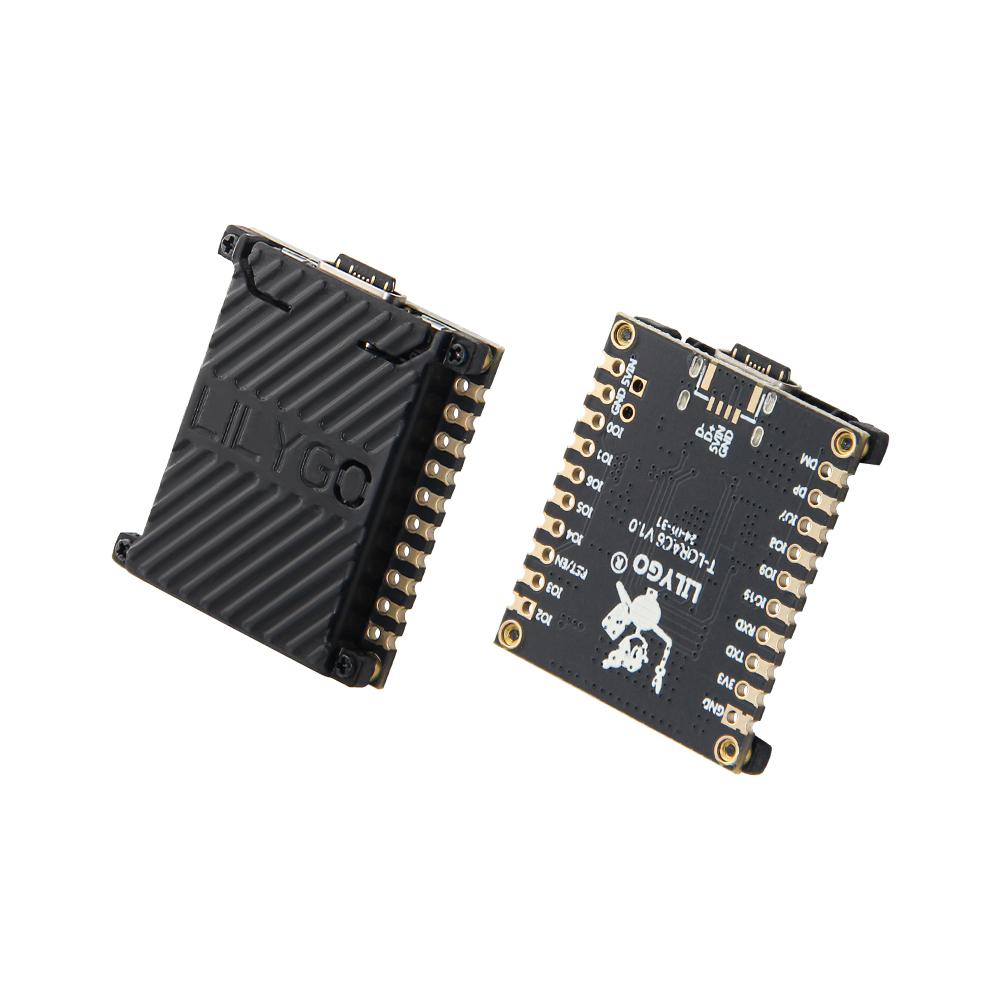
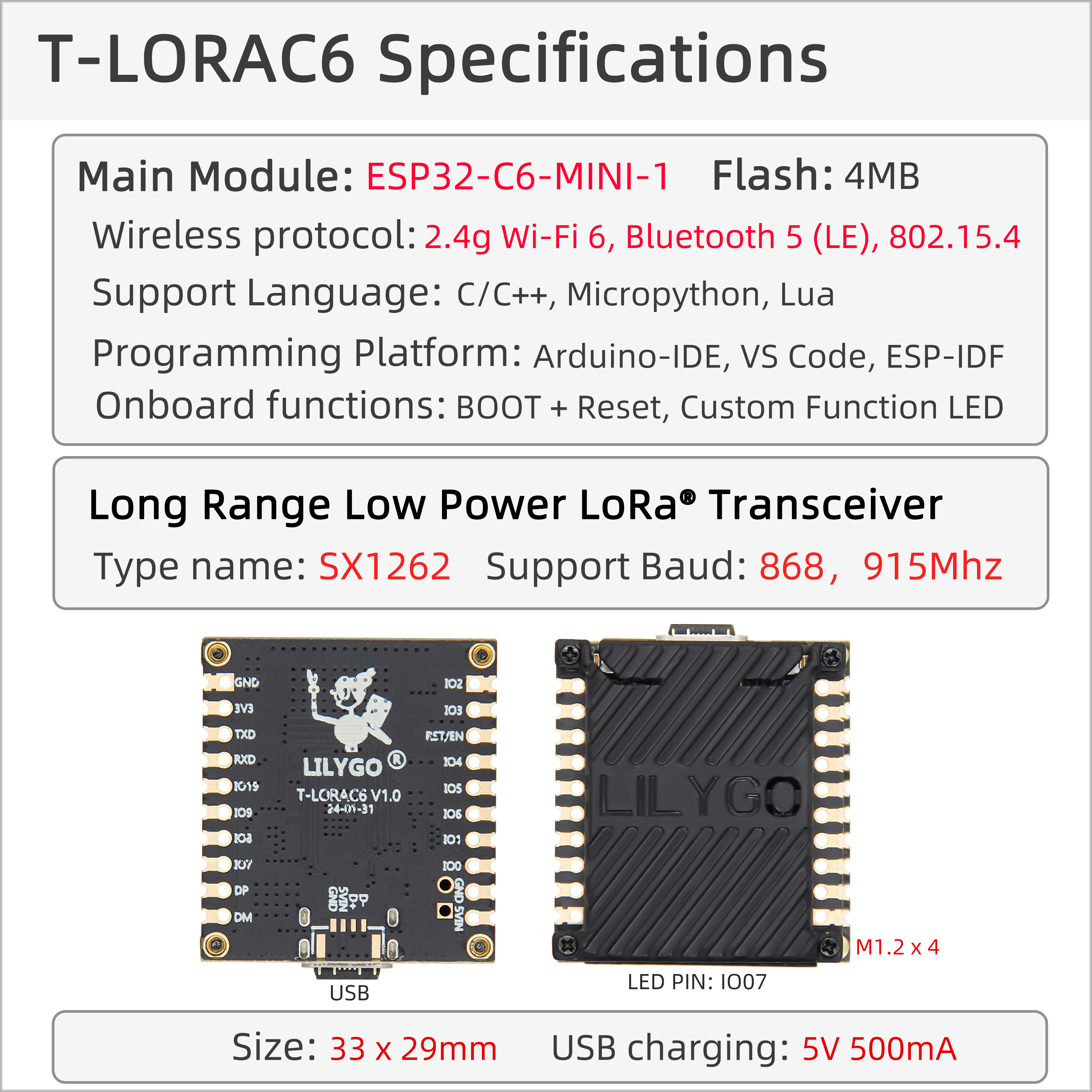
LILYGO T-LoRa C6 is a compact IoT development board based on the ESP32-C6-MINI-1 module, integrating Wi-Fi 6, Bluetooth 5 (LE), 802.15.4, and LoRa SX1262 long-range communication (868/915 MHz). Its compact size (33 × 29 mm) and multi-protocol integration make it ideal for smart home, industrial sensor networks, remote environmental monitoring, and low-power wide-area IoT applications.
Quick Start
Example Support
| Example | PlatformIO/Arduino | ESP-IDF | Description |
|---|---|---|---|
| LilyGo-LoRa-Series | ✓ | LoRa, Wi-Fi 6, BLE, Sensor examples |
PlatformIO
- Install Visual Studio Code and Python
- Search for and install the PlatformIO IDE extension in VS Code
- After restarting VS Code, click File → Open Folder → select the
LilyGo-LoRa-Seriesdirectory - Wait for dependency libraries to install
- Open
platformio.ini, underdefault_envsuncomment your board name - Uncomment one
src_dir = xxxxline (only one active at a time) - Click ✓ to compile, connect via USB-C, click → to upload
Arduino
- Install Arduino IDE
- Install Arduino ESP32
- Copy all folders from the
libdirectory to your Arduino libraries folder:- Windows:
C:\Users\{Username}\Documents\Arduino - macOS:
/Users/{Username}/Documents/Arduino - Linux:
/home/{Username}/Arduino
- Windows:
- Open the example sketch from the
examplesdirectory - In Tools → Board, configure:
| Arduino IDE Setting | Value |
|---|---|
| Board | ESP32C6 Dev Module |
| Port | Your port |
| USB CDC On Boot | Enable |
| CPU Frequency | 160 MHz (WiFi) |
| Core Debug Level | None |
| USB DFU On Boot | Disable |
| Erase All Flash Before Sketch Upload | Disable |
| Flash Mode | DIO |
| Flash Size | 4MB(32Mb) |
| Arduino Runs On | Core1 |
| USB Firmware MSC On Boot | Disable |
| Partition Scheme | Default 4M Flash with spiffs(1.2M APP/1.5MB SPIFFS) |
| Upload Speed | 921600 |
| Programmer | Esptool |
- In
utilities.h, uncomment your board model (e.g.,T3_C6) - Click Upload
Development Platforms
Video
Key Features
- ESP32-C6-MINI-1: Wi-Fi 6 (2.4 GHz), Bluetooth 5 (LE), 802.15.4 (Zigbee/Thread)
- SX1262 LoRa module (868/915 MHz)
- 4 MB Flash (Quad-SPI)
- 2 × 10-pin GPIO expansion interfaces
- Type-C USB power (5 V / 500 mA)
- Compact size: 33 × 29 × 6 mm
Product Parameters
| Feature | Specification |
|---|---|
| MCU | ESP32-C6-MINI-1 @ 160 MHz |
| Flash | 4 MB (Quad-SPI) |
| Wi-Fi | Wi-Fi 6 (2.4 GHz 802.11ax) |
| Bluetooth | Bluetooth 5.0 LE |
| 802.15.4 | Zigbee / Thread |
| LoRa | SX1262, 868 / 915 MHz |
| USB | 1 × Type-C |
| GPIO Expansion | 2 × 10-pin |
| Power Input | 5 V / 500 mA |
| Mounting Holes | 4 × M1.2 |
| Dimensions | 33 × 29 × 6 mm |
Pin Diagram
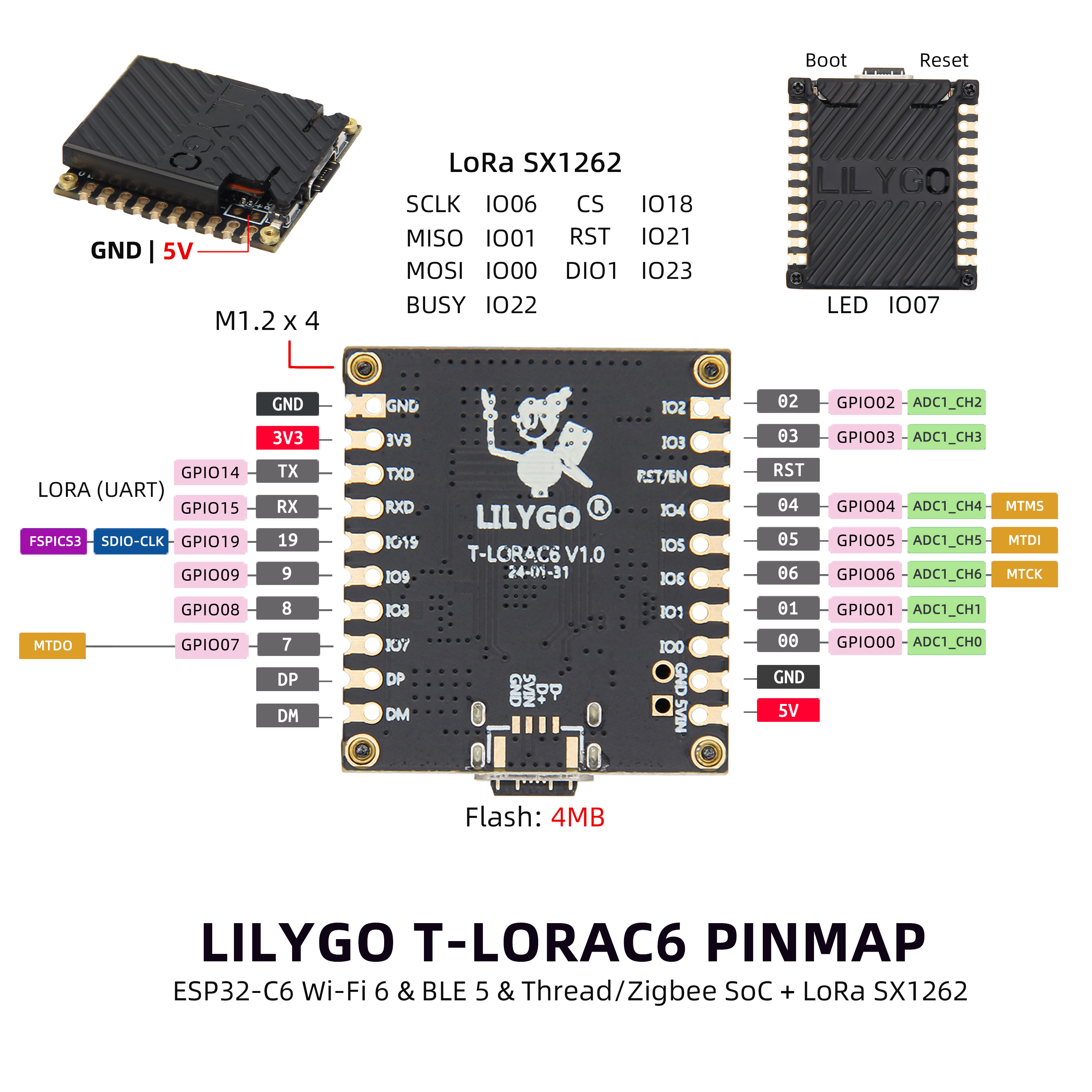
Pin Mapping
| Pin Name | GPIO | Available |
|---|---|---|
| LoRa SCK | 6 | ❌ |
| LoRa MISO | 1 | ❌ |
| LoRa MOSI | 0 | ❌ |
| LoRa RESET | 21 | ❌ |
| LoRa DIO0 | 23 | ❌ |
| LoRa BUSY | 22 | ❌ |
| LoRa CS | 18 | ❌ |
| Onboard LED | 7 | ❌ |
Dimension Diagram
Schematic
Datasheet
Software Development
Dependent Libraries
FAQ
Q. What are the advantages of ESP32-C6 over ESP32-S3? A. ESP32-C6 supports Wi-Fi 6 and 802.15.4 (Zigbee/Thread), with better energy efficiency and network performance while maintaining low cost.
Q. What is the LoRa communication range? A. Under ideal conditions, SX1262 can achieve several kilometers. Actual range depends on environment, antenna, and LoRa parameter settings.
Q. Upload fails? A. Hold BOOT while pressing RST, then release RST to enter download mode, then click Upload.
Q. Does it support battery power? A. External batteries can be connected through the expansion interface, but additional power management circuitry is required.
Q. Can Wi-Fi 6 and Bluetooth work simultaneously? A. Yes, ESP32-C6 supports Wi-Fi and Bluetooth coexistence mode.
Version History
| Version | Release Date | Update Description |
|---|---|---|
| T-LoRa-C6 V1.0 | 2024-03-15 | Initial hardware version |
| T-LoRa-C6 V1.1 | 2024-06-20 | Software optimization update |