
T5-4.7 E-Paper S3 Lite
Overview
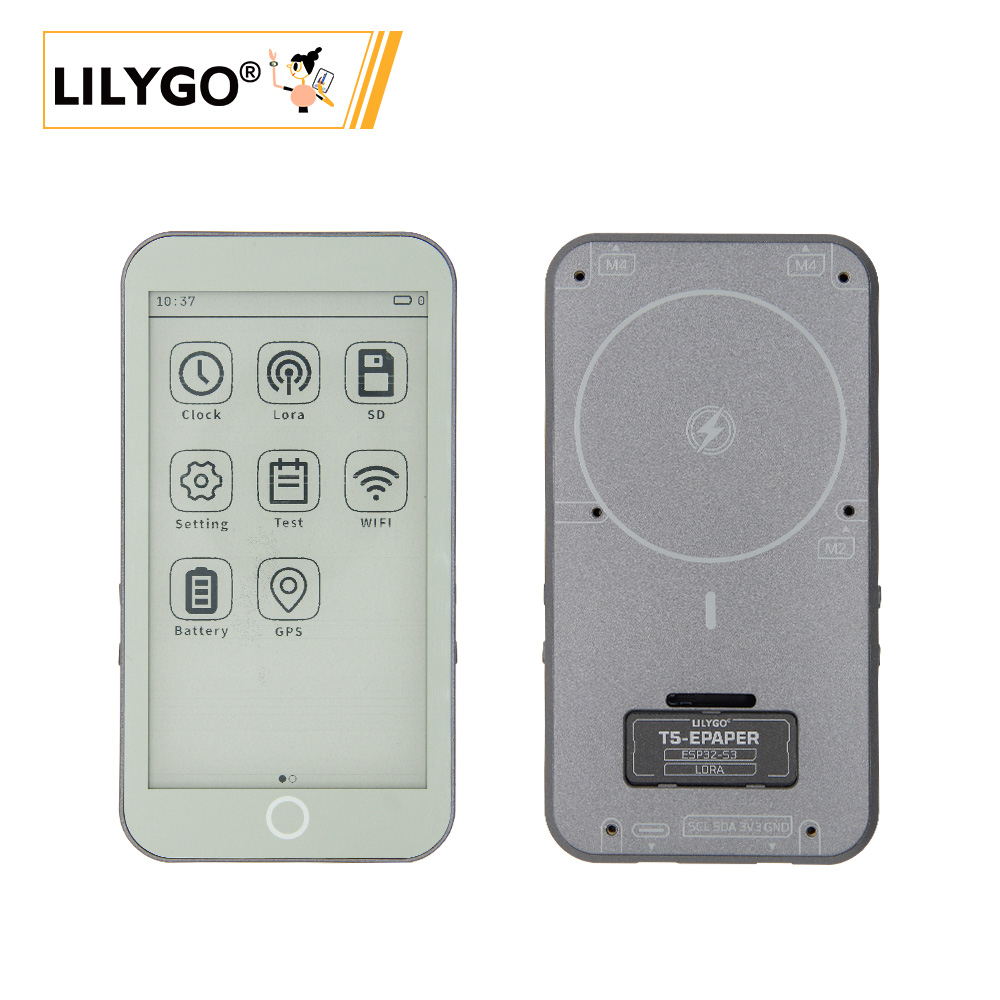
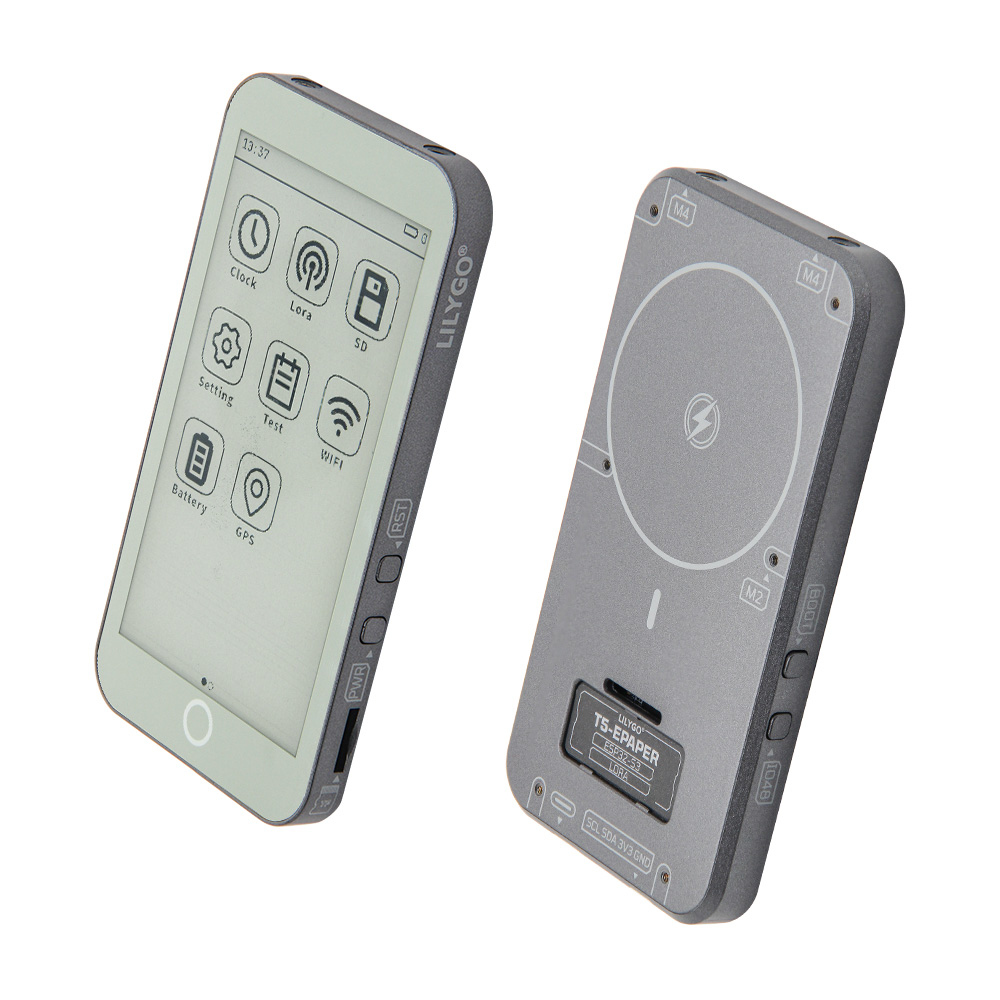
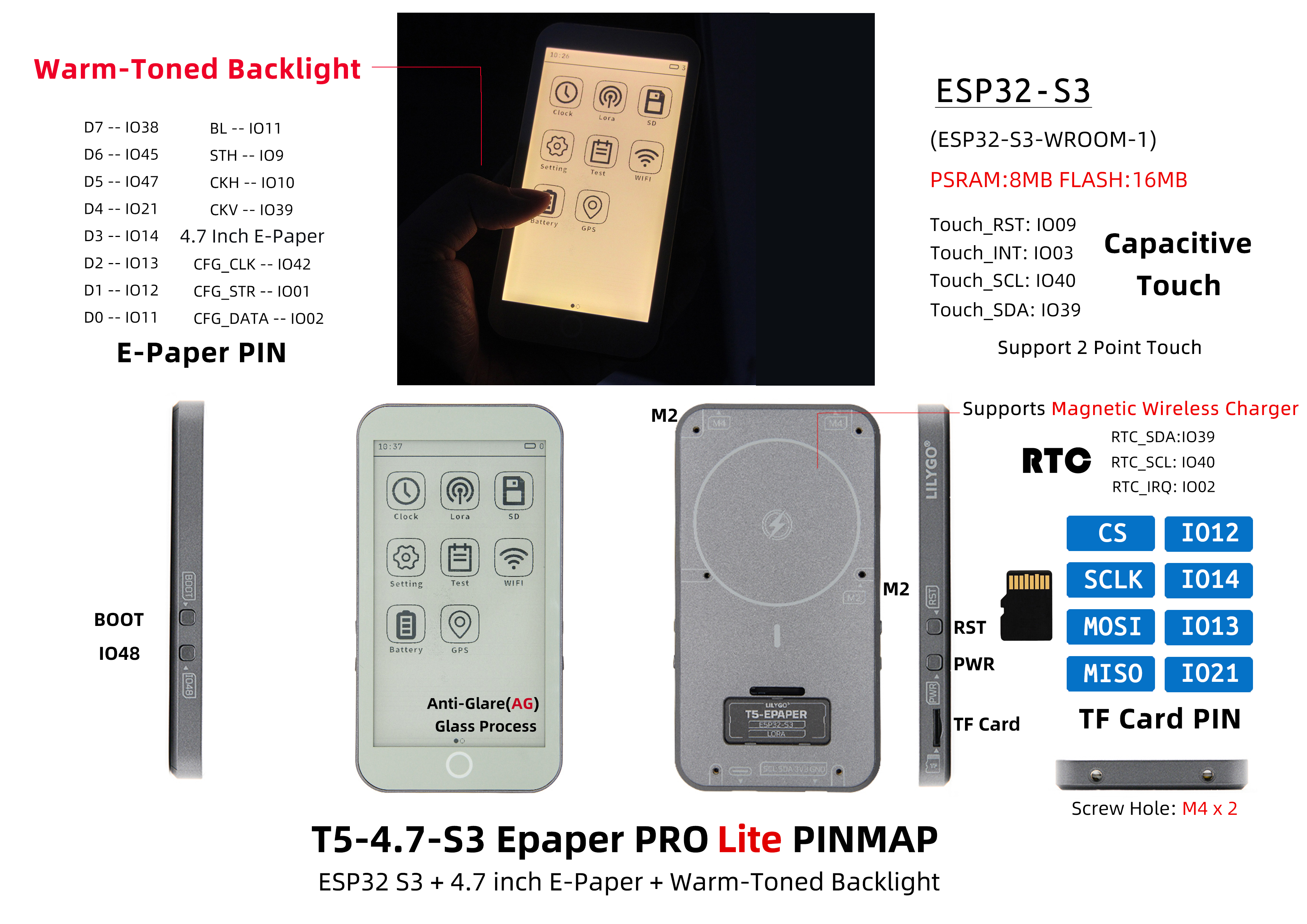
The LILYGO T5-4.7-S3 series offers two models based on ESP32-S3-WROOM-1-N16R8 (16 MB Flash, 8 MB PSRAM): Pro and Lite. The Lite edition removes GPS and LoRa to reduce cost for pure display applications (e-books, photo frames, weather stations), and upgrades to AG (anti-glare) glass for better outdoor visibility and a warm backlight for comfortable extended reading. Both share the same 4.7-inch EDO47TC1 E-Ink display (540 × 960), GT911 two-point capacitive touch, PCF8563 RTC, TF card slot, and Raspberry Pi 40-pin GPIO expansion.
Pro vs. Lite Comparison
| Feature | T5-4.7-S3 Pro | T5-4.7-S3 Lite |
|---|---|---|
| Core Chip | ESP32-S3-WROOM-1-N16R8 | ESP32-S3-WROOM-1-N16R8 |
| Flash / PSRAM | 16 MB / 8 MB | 16 MB / 8 MB |
| E-Paper | 4.7-inch EDO47TC1 (540 × 960) | 4.7-inch EDO47TC1 (540 × 960) |
| Touch | GT911 two-point | GT911 two-point |
| RTC | PCF8563 | PCF8563 |
| GPS / LoRa | ✅ Supported | ❌ Removed |
| Glass | Standard | AG anti-glare |
| Backlight | Standard white | Warm tone |
| Use Case | Full-featured IoT terminal | E-books, photo frames, weather stations |
Quick Start
Example Support
| Example | PlatformIO/Arduino | ESP-IDF | Description |
|---|---|---|---|
| LilyGo-EPD47 | ✓ | E-Paper display, touch, button, Wi-Fi sync examples |
Available examples
examples/
├── button          # Button example
├── demo            # Comprehensive test + sleep current test
├── drawExample     # Draw lines and circles
├── drawImages      # Show images
├── grayscale_test  # Grayscale test
├── screen_repair   # Full refresh (afterimage removal)
├── spi_driver      # Display as SPI slave
├── touch           # Touch example
└── wifi_sync       # Wi-Fi comprehensive example
PlatformIO
- Install Visual Studio Code and Python
- Search for and install the PlatformIO IDE extension in VS Code
- Open the
LilyGo-EPD47project folder - Open
platformio.ini, uncomment onesrc_dir = xxxxline (only one active at a time) - Click ✓ to compile, connect via USB-C, click → to upload
Arduino
- Install Arduino IDE
- Install Arduino ESP32 and add boards manager URL:
https://espressif.github.io/arduino-esp32/package_esp32_index.json - Copy library folders from the project
librariesdirectory to your Arduino libraries folder - Open the example
.inofile - In Tools → Board, configure:
| Arduino IDE Setting | Value |
|---|---|
| Board | ESP32S3 Dev Module |
| Upload Speed | 921600 |
| USB Mode | Hardware CDC and JTAG |
| USB CDC On Boot | Enabled |
| USB Firmware MSC On Boot | Disabled |
| USB DFU On Boot | Disabled |
| CPU Frequency | 240 MHz (WiFi) |
| Flash Mode | QIO 80 MHz |
| Flash Size | 16MB (128Mb) |
| Core Debug Level | None |
| Partition Scheme | 16M Flash (3MB APP/9.9MB FATFS) |
| PSRAM | OPI PSRAM |
| Arduino Runs On | Core 1 |
| Events Run On | Core 1 |
- Select the correct port and click Upload
If upload fails: hold BOOT (IO0), press RST, release RST, release BOOT, then click Upload.
Development Platforms
Video
Key Features
- ESP32-S3-WROOM-1-N16R8: 16 MB Flash, 8 MB PSRAM, Wi-Fi + Bluetooth 5.0
- 4.7-inch EDO47TC1 E-Ink display (540 × 960) with AG anti-glare glass
- Warm backlight for comfortable extended reading
- GT911 capacitive touch (two-point), I²C
- PCF8563 RTC; TF card slot
- 40-pin Raspberry Pi-compatible GPIO; USB-C; JST-GH 2.0 mm Li-Po
- GPS / LoRa removed vs. Pro edition — lower cost
Product Parameters
| Feature | Specification |
|---|---|
| MCU | ESP32-S3-WROOM-1-N16R8 |
| Flash | 16 MB |
| PSRAM | 8 MB |
| Wi-Fi | 2.4 GHz 802.11 b/g/n |
| Bluetooth | Bluetooth 5.0 LE |
| Display | EDO47TC1 4.7-inch E-Ink, 540 × 960 + AG glass + warm backlight |
| Touch | GT911 capacitive, two-point, I²C |
| RTC | PCF8563 (I²C) |
| Storage | TF card slot |
| USB | 1 × Type-C (USB + OTG) |
| Battery | JST-GH 2.0 mm Li-Po |
| I/O Expansion | 2 × 20-pin (Raspberry Pi 40-pin compatible) |
| Buttons | RST + SIR_io0 + io21 |
| Mounting Holes | 6 × 3.8 mm |
| Dimensions | 121 × 67 × 12 mm |
Pin Diagram
Pin Mapping
| GPIO | Connected To | Available |
|---|---|---|
| 13 | 74HCT4094D CFG_DATA | ❌ |
| 12 | 74HCT4094D CFG_CLK | ❌ |
| 0 | 74HCT4094D CFG_STR | ❌ |
| 38 | E-paper CKV | ❌ |
| 40 | E-paper STH | ❌ |
| 41 | E-paper CKH | ❌ |
| 8–7 | E-paper D0–D7 | ❌ |
| 21 | Button | ❌ |
| 14 | Battery ADC | ❌ |
| 16/15/11/42 | SD MISO/MOSI/SCK/CS | ❌* |
| 18 | SDA | ❌ |
| 17 | SCL | ❌ |
| 47 | Touch IRQ | ❌ |
| 45/10/48/39 | — | ✅ |
*SD pins (16, 15, 11, 42) are free if SD card is not used.
Dimension Diagram
Schematic
Datasheet
Software Development
Dependent Libraries
FAQ
Q. Are the Lite and Pro editions code-compatible? A. Yes — core display, touch, RTC, and other basic functions are fully compatible between editions.
Q. What are the benefits of AG glass and warm backlight? A. AG (anti-glare) glass reduces reflections and improves outdoor visibility. Warm backlight provides a more paper-like reading experience, reducing eye strain during long sessions.
Q. Arduino IDE prompts to upgrade libraries? A. Do not upgrade — stay with the tested library versions.
Q. Upload fails? A. Hold BOOT (IO0), press RST, release RST, release BOOT, then click Upload.
Version History
| Version | Release Date | Update Description |
|---|---|---|
| T5-ePaper-S3-V2.4 (Pro) | — | Current Pro edition |
| T5-ePaper-S3-Lite | — | Lite edition: AG glass, warm backlight, GPS/LoRa removed |