
T-TWR get it now
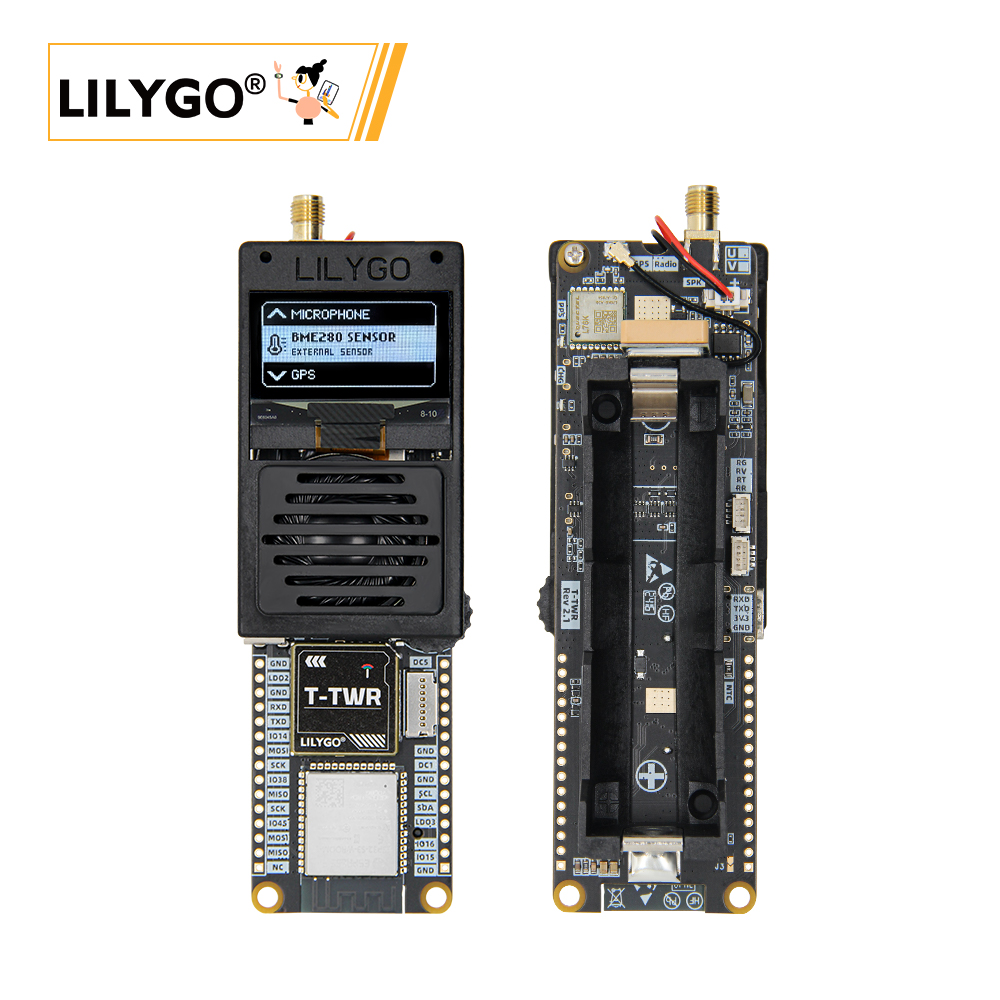
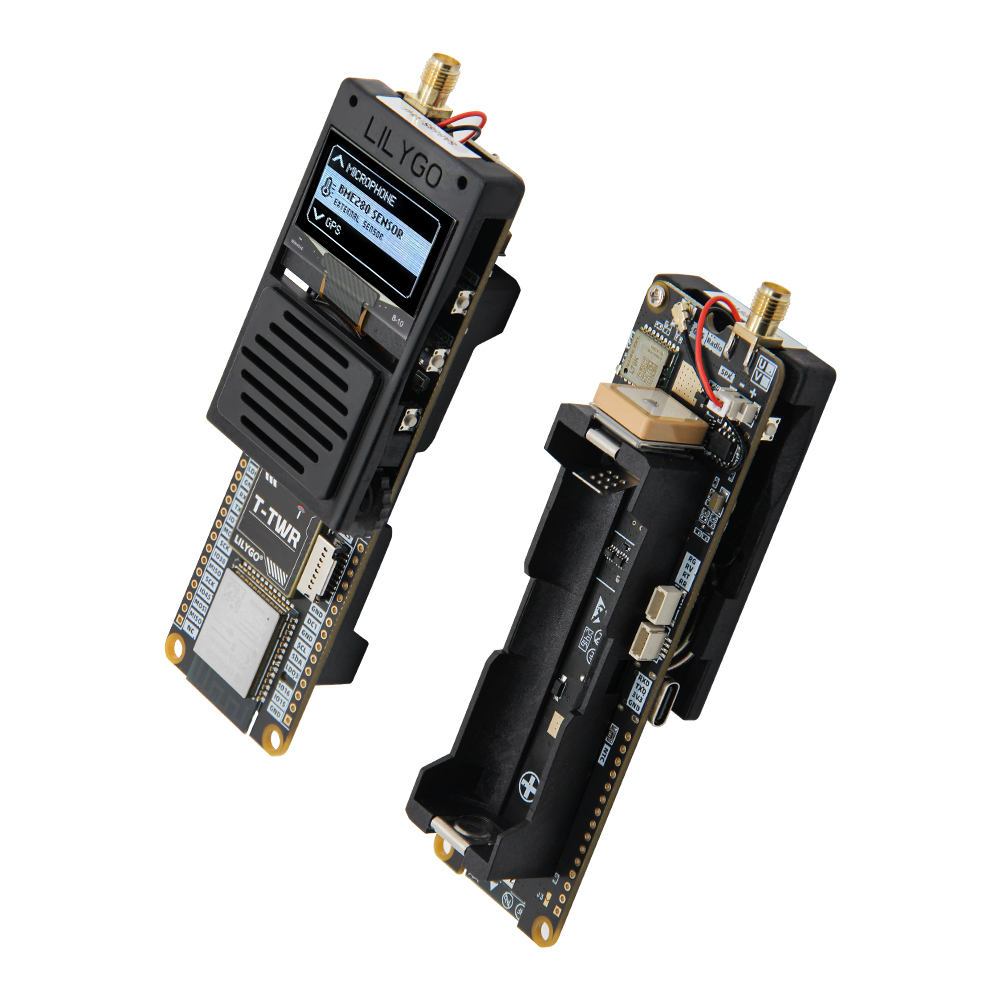
Overview
T-TWR REV2.1 is a portable walkie-talkie and GNSS development board based on ESP32-S3-WROOM-1-N16R8 (16 MB Flash, 8 MB OPI PSRAM). Features SA868 UHF (400–480 MHz) or VHF (134–174 MHz) walkie-talkie module, L76K GNSS (GPS/BDS/GLONASS + AGNSS), 1.3-inch SH1106 OLED (128 × 64, I²C), AXP2102 PMU, WS2812 RGB LED, TF card, and microphone. Supports 21700/18650 battery, USB, PTT button, and rotary encoder. 126 × 39 × 29 mm.
T-TWR has UHF (400–480 MHz) and VHF (134–174 MHz) versions. The RF antenna must be connected before powering on — operating without an antenna may damage the SA868 module and trigger PMU auto-shutdown.
REV2.1 requires a battery for radio operation. USB alone cannot supply sufficient current for the RF unit; connect a 21700 or 18650 battery.
Quick Start
Example Support
| Example | PlatformIO/Arduino | ESP-IDF | Description |
|---|---|---|---|
| Factory | ✓ | Factory application | |
| GPS_Basic_Example | ✓ | Basic GPS example | |
| SA868_ATDebug_Example | ✓ | SA868 AT command debug | |
| SA868_ESPSendAudio_Example | ✓ | Radio audio transmission | |
| U8g2_GraphicsTest_Example | ✓ | OLED graphics test |
PlatformIO
- Install Visual Studio Code and Python
- Search for and install the PlatformIO IDE extension in VS Code
- Clone the T-TWR repository and open the project folder
- Open
platformio.iniand uncomment the desired example under[platformio] - Click ✓ to compile, click → to upload
Arduino
- Install Arduino IDE
- Install Arduino ESP32
- Copy all folders from
T-TWR/libto your Arduino libraries folder - In Tools → Board, configure:
| Arduino IDE Setting | Value |
|---|---|
| Board | ESP32S3 Dev Module |
| Upload Speed | 921600 |
| USB Mode | Hardware CDC and JTAG |
| USB CDC On Boot | Enabled |
| USB Firmware MSC On Boot | Disabled |
| USB DFU On Boot | Disabled |
| CPU Frequency | 240 MHz (WiFi) |
| Flash Mode | QIO 80 MHz |
| Flash Size | 16MB (128Mb) |
| Core Debug Level | None |
| Partition Scheme | 16M Flash (3MB APP/9.9MB FATFS) |
| PSRAM | OPI PSRAM |
| Arduino Runs On | Core 1 |
| Events Run On | Core 1 |
- Click Upload
Development Platforms
Video
Key Features
- ESP32-S3-WROOM-1-N16R8 @ 240 MHz, 16 MB Flash, 8 MB OPI PSRAM, Wi-Fi + BT 5.0
- SA868 walkie-talkie module: UHF 400–480 MHz or VHF 134–174 MHz
- L76K GNSS (GPS/BDS/GLONASS + AGNSS)
- 1.3-inch SH1106 OLED (128 × 64), AXP2102 PMU, WS2812 RGB
- 21700/18650 battery, TF card, PTT button, rotary encoder, 126 × 39 × 29 mm
Product Parameters
| Feature | Specification |
|---|---|
| MCU | ESP32-S3-WROOM-1-N16R8 |
| Flash | 16 MB |
| PSRAM | 8 MB (Octal SPI) |
| Wi-Fi | 2.4 GHz 802.11 b/g/n |
| Bluetooth | Bluetooth 5.0 LE |
| Display | 1.3-inch SH1106 OLED, 128 × 64, I²C |
| Radio | SA868 UHF (400–480 MHz) or VHF (134–174 MHz) |
| GNSS | L76K (GPS/BDS/GLONASS + AGNSS) |
| Power Management | AXP2102 PMU |
| Battery | 21700 / 18650 (spring holder) |
| Audio | RS2257XC6, built-in condenser microphone |
| LED | WS2812 RGB |
| Storage | TF card slot |
| USB | 1 × Type-C (USB + OTG) |
| Expansion | 2 × STEMMA QT/QWIIC (1 mm 4-pin) + 2 × 15-pin IO |
| Buttons | RESET + BOOT + PWR + PTT |
| Mounting Holes | 2 × 2 mm |
| Dimensions | 126 × 39 × 29 mm + 200 mm antenna |
Power Consumption Reference
| Hardware | Mode / Test Firmware | Current |
|---|---|---|
| T-TWR Rev2.1 | Deep sleep / Factory example | About 680 µA |
Reference measurement published in the official T-TWR repository. Radio transmit current is substantially higher and depends on the selected power level; use a battery capable of supplying the required peak current.
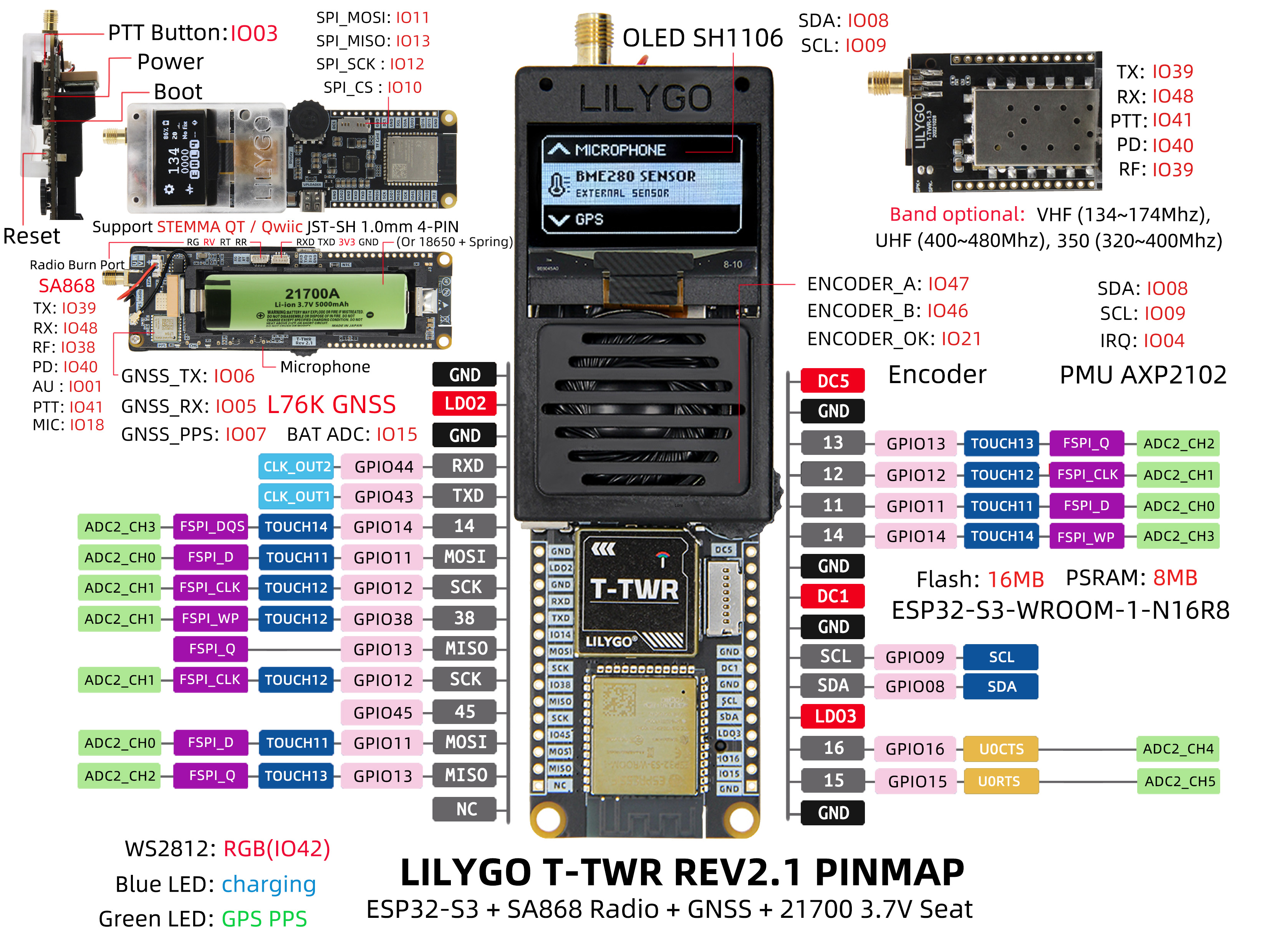
Pin Diagram
Dimension Diagram
Schematic
Datasheet
Software Development
Dependent Libraries
FAQ
Q. Why does my board keep failing to upload programs? A. Press PWR to power on, then hold BOOT, press RST once and release, then release BOOT and start uploading.
Q. Can I power the board with USB alone? A. For REV2.1, USB alone cannot supply sufficient current for RF operation. Connect a 21700 or 18650 battery for radio use.
Q. The RF antenna must always be connected? A. Yes. Always connect the glue-stick (RF) antenna before powering on. Without an antenna, the SA868 module may be damaged, and the PMU will automatically cut power to the RF unit.
Q. How do I power on/off? A. Press PWR for 1 second to power on; hold PWR for 6 seconds to shut down. On REV2.1, inserting the battery auto-powers the board.
Version History
| Version | Release Date | Update Description |
|---|---|---|
| T-TWR REV2.0 | — | Initial version with NiceRF/OpenRTX firmware options |
| T-TWR REV2.1 | — | Current version; removed external mic jack; auto power-on with battery |