
T-Deck Pro get it now
Overview
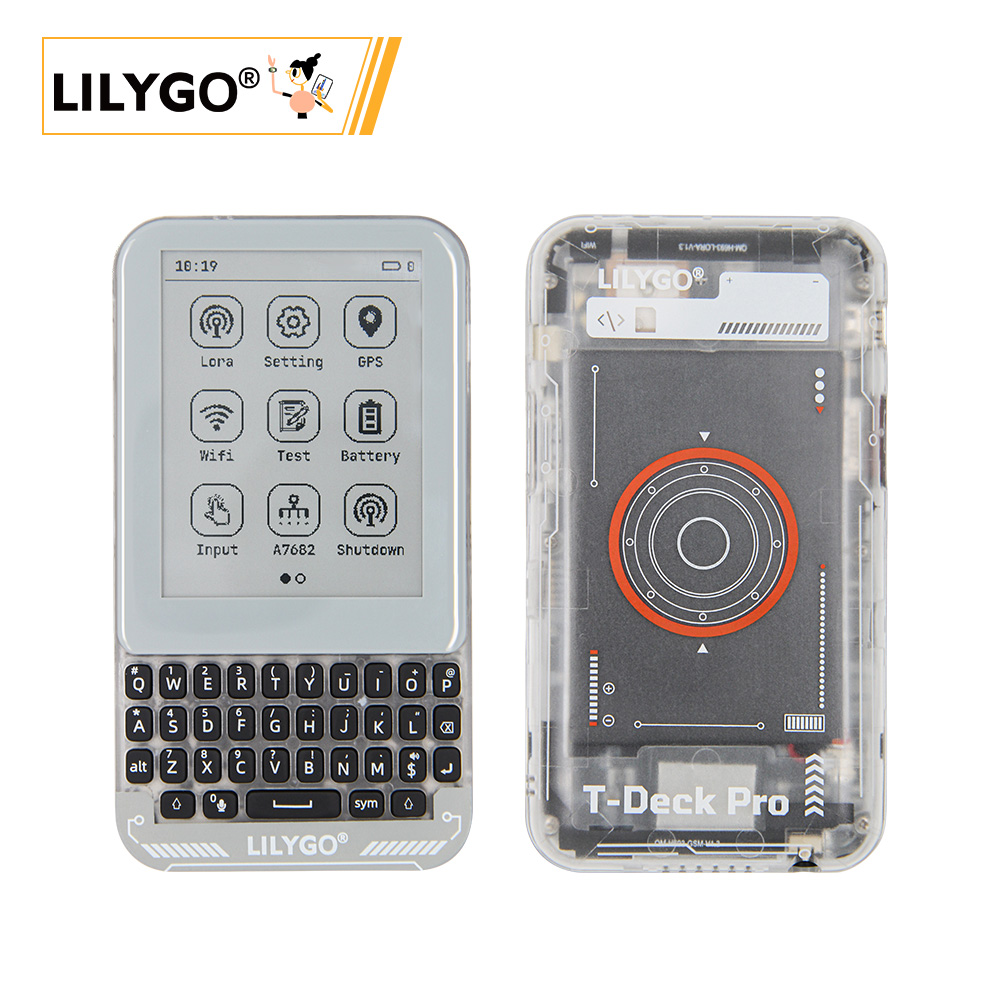
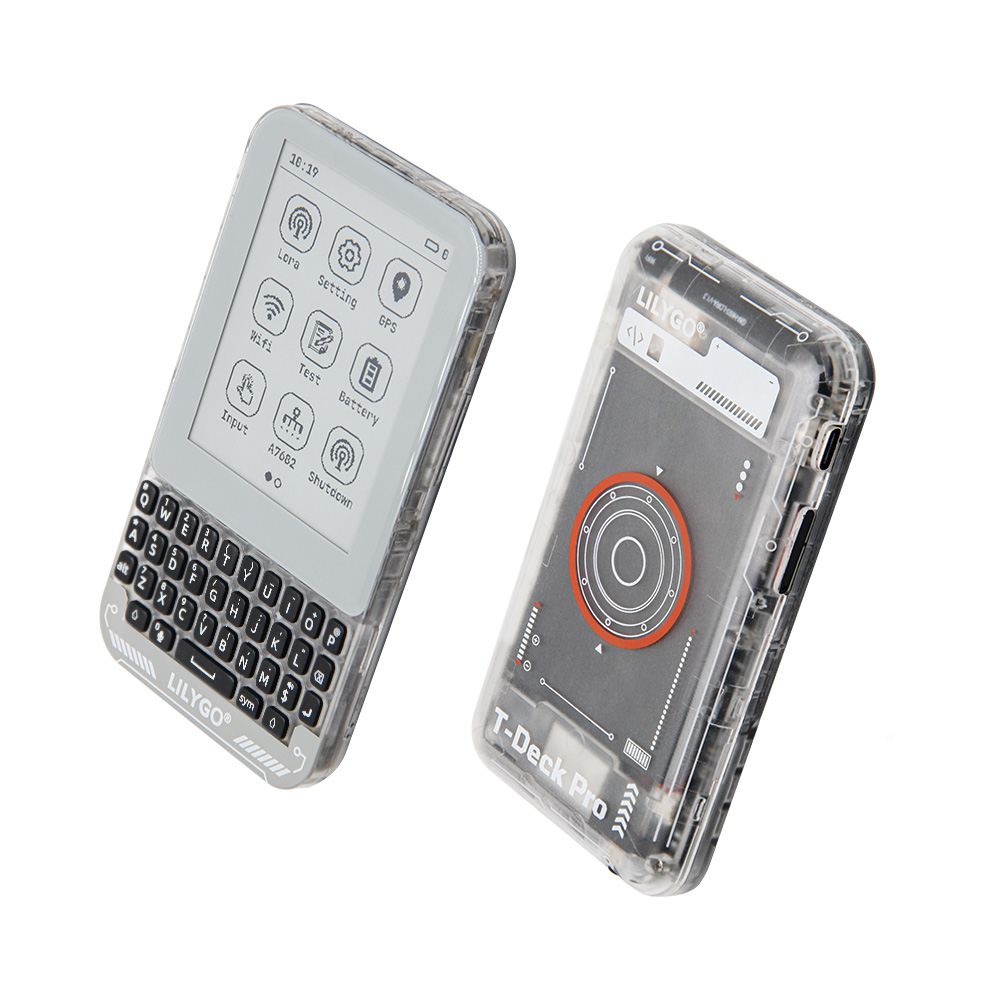
LILYGO T-Deck Pro is a highly integrated multi-functional development platform based on ESP32-S3, supporting 4G LTE (A7682E, optional) and LoRa SX1262 long-range wireless transmission. It features a 3.1-inch e-paper display (320 × 240) with touch (CST328), a TCA8418 mechanical keyboard, BHI260AP AI IMU gyroscope, MIA-M10Q GPS, LTR_553ALS ambient light sensor, and BQ25896/BQ27220 battery management. Version 1 is equipped with the PCM512A audio module; Version 2 replaces it with the A7682E 4G module.
Suitable for IoT, outdoor devices, smart terminals, environmental monitoring, and portable industrial control applications.
Important: Different hardware versions have incompatible code. Confirm your hardware version and use the corresponding git branch.
Quick Start
Note for MeshCore users on V1.1: Since version 1.1 has several hardware configuration and touch chip updates, please join the MeshCore Discord and enter the #ripple-gui channel — the MeshCore team can directly assist you there.
Example Support
| Example | PlatformIO/Arduino | ESP-IDF | Description |
|---|---|---|---|
| T-Deck-Pro Examples | ✓ | LoRa, GPS, EPD, 4G, Sensor examples |
├─boards    # Board configuration for platformio.ini
├─docs      # Documents
├─data      # Picture resources
├─example   # Example sketches
├─firmware  # Factory compiled firmware
├─hardware  # Schematic, chip datasheets
└─lib       # Project libraries
PlatformIO
- Install Visual Studio Code and Python
- Search for and install the PlatformIO IDE extension in VS Code
- After restarting VS Code, open the T-Deck-Pro project folder
- PlatformIO will automatically download required dependencies (first run may take a while)
- Open
platformio.ini, uncomment an example to select it, then pressCtrl+Sto save - Click ✓ to compile, connect via USB, click → to upload
Arduino
- Install Arduino IDE
- In Boards Manager, find and install esp32 by Espressif Systems
- Copy all library folders from the project
librariesdirectory to your Arduino Sketchbook libraries folder - Open the example
.inofile - In Tools → Board, configure:
| Arduino IDE Setting | Value |
|---|---|
| Board | ESP32S3 Dev Module |
| Upload Speed | 921600 |
| USB Mode | Hardware CDC and JTAG |
| USB CDC On Boot | Enabled |
| USB Firmware MSC On Boot | Disabled |
| USB DFU On Boot | Disabled |
| CPU Frequency | 240 MHz (WiFi) |
| Flash Mode | QIO 80 MHz |
| Flash Size | 16MB(128Mb) |
| Core Debug Level | None |
| Partition Scheme | 16M Flash(3MB APP/9.9MB FATFS) |
| PSRAM | OPI PSRAM |
| Arduino Runs On | Core 1 |
| Events Run On | Core 1 |
- Select the correct port and click Upload
Development Platforms
Video
Key Features
- ESP32-S3FN16R8 dual-core LX7 @ 240 MHz, Wi-Fi + Bluetooth 5.0 LE
- SX1262 LoRa (433–920 MHz)
- A7682E 4G LTE Cat 1 module (optional, V2)
- 3.1-inch GDEQ031T10 e-paper display (320 × 240) with CST328 touch
- TCA8418 mechanical keyboard controller
- BHI260AP AI IMU (self-learning 6-axis)
- MIA-M10Q GNSS module
- LTR_553ALS ambient light + proximity sensor
- BQ25896 charger + BQ27220 fuel gauge
- 3.7 V 1500 mAh lithium polymer battery
- 16 MB Flash + 8 MB PSRAM + TF card slot
Product Parameters
| Feature | Specification |
|---|---|
| MCU | ESP32-S3FN16R8 @ Dual-core LX7, 240 MHz |
| Flash | 16 MB |
| PSRAM | 8 MB |
| Wi-Fi | 2.4 GHz 802.11 b/g/n |
| Bluetooth | Bluetooth 5.0 LE |
| LoRa | SX1262, 433–920 MHz |
| 4G Module | A7682E LTE Cat 1 (optional, V2) |
| GPS | MIA-M10Q GNSS |
| Display | 3.1-inch GDEQ031T10 E-Paper, 320 × 240 |
| Touch | CST328 (I2C, addr 0x1A) |
| Keyboard | TCA8418 (I2C, addr 0x34) |
| IMU | BHI260AP AI IMU (I2C, addr 0x28) |
| Light Sensor | LTR_553ALS (I2C, addr 0x23) |
| Battery Management | BQ25896 (0x6B) + BQ27220 (0x55) |
| Audio | PCM512A (V1) |
| Battery | 3.7 V, 1500 mAh |
| USB Input | 5 V / 500 mA (Type-C) |
| Storage | TF card slot |
| Dimensions | 120 × 66 × 13.5 mm |
A7682E 4G Module (V2)
| Spec | Value |
|---|---|
| Frequency Bands | LTE-FDD B1/B3/B5/B7/B8/B20, GSM/GPRS/EDGE 900/1800 MHz |
| LTE Cat 1 | Downlink 10 Mbps / Uplink 5 Mbps |
| GPRS | Up to 85.6 Kbps |
| Supply Voltage | 3.4–4.2 V |
| Protocols | TCP/IP, IPv4/IPv6, HTTP/HTTPS, FTP/FTPS, DNS, SSL |
| Other | Voice calls, SMS, FOTA, RNDIS/PPP/ECM |
Pin Diagram
Pin Mapping
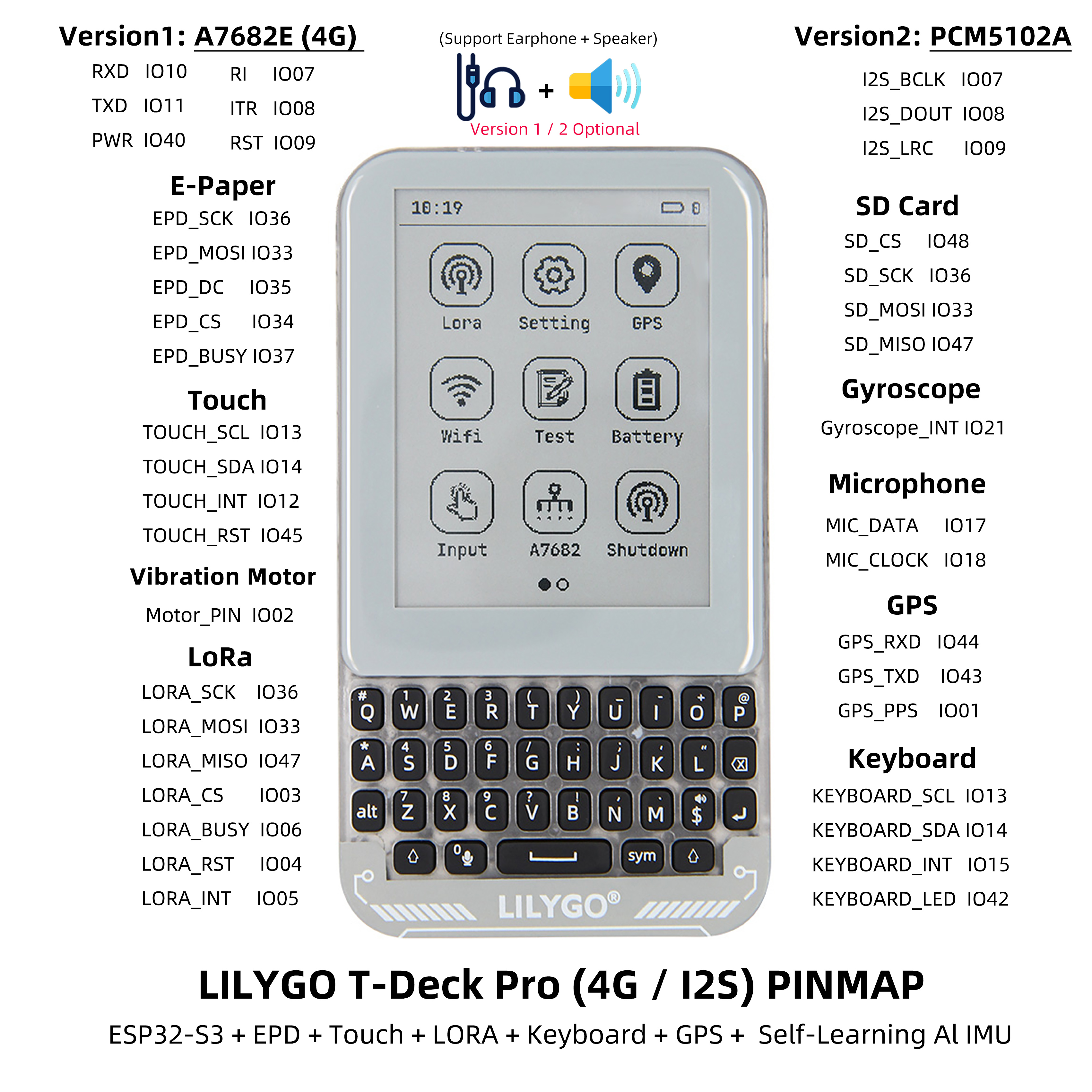
| Signal | GPIO |
|---|---|
| I2C SDA | 13 |
| I2C SCL | 14 |
| Keyboard INT | 15 |
| Keyboard LED | 42 |
| Touch INT | 12 |
| Touch RST | 45 |
| ALS INT | 16 |
| Gyroscope INT | 21 |
| SPI SCK | 36 |
| SPI MOSI | 33 |
| SPI MISO | 47 |
| EPD DC | 35 |
| EPD CS | 34 |
| EPD BUSY | 37 |
| SD CS | 48 |
| LoRa CS | 3 |
| LoRa BUSY | 6 |
| LoRa RST | 4 |
| LoRa INT | 5 |
| GPS RXD | 44 |
| GPS TXD | 43 |
| GPS PPS | 1 |
| A7682E RI | 7 |
| A7682E ITR | 8 |
| A7682E RST | 9 |
| A7682E RXD | 10 |
| A7682E TXD | 11 |
| A7682E PWRKEY | 40 |
| I2S BCLK (PCM, V1) | 7 |
| I2S DOUT (PCM, V1) | 8 |
| I2S LRC (PCM, V1) | 9 |
| MIC DATA | 17 |
| MIC CLOCK | 18 |
| Motor | 2 |
| BOOT | 0 |
| GPS EN | 39 |
| 1V8 EN | 38 |
| 4G EN | 41 |
| LoRa EN | 46 |
Dimension Diagram
Schematic
Datasheet
Software Development
Dependent Libraries
zinggjm/GxEPD2@1.5.5
jgromes/RadioLib@6.4.2
lewisxhe/SensorLib@^0.2.0
mikalhart/TinyGPSPlus@^1.0.3
vshymanskyy/TinyGSM@^0.12.0
lvgl/lvgl@~8.3.9
lewisxhe/XPowersLib@^0.2.4
adafruit/Adafruit TCA8418@^1.0.1
adafruit/Adafruit BusIO@^1.14.4
olikraus/U8g2_for_Adafruit_GFX@^1.8.0
adafruit/Adafruit GFX Library@^1.11.10
esphome/ESP32-audioI2S#v3.0.12
FAQ
Q. Which code/branch should I use? A. Different hardware versions have incompatible code. Check your version (V1.0, V1.1, or MAX V1.0) and use the corresponding git branch listed in the Version History table.
Q. Ghosting appears on the e-paper display? A. After 5 consecutive fast/partial refreshes, a full refresh must be performed to eliminate ghosting accumulation.
Q. Cannot flash the program? A. Hold the BOOT button and try uploading again.
Q. Arduino IDE prompts to upgrade libraries? A. Do not upgrade. Stay with the library versions included in the project.
Version History
| Version | Git Branch | Schematic | Firmware | Status |
|---|---|---|---|---|
| T-Deck-Pro V1.0 | HD-V1-250326 | SCH | V1 | Available |
| T-Deck-Pro V1.1 | HD-V2-250915 | SCH | V2 | Available |
| T-Deck-Pro MAX V1.0 | HD-V3-250911 | SCH | V3 | Not Available |
Related Tests
E-Paper Screen Refresh Methods
| Refresh Type | Visual Performance | Recommendation |
|---|---|---|
| Full Refresh | Multiple flashes | Basic mode |
| Fast Refresh | Flashes once | Max 5 consecutive, then full refresh |
| Partial Refresh | No flashing | Max 5 consecutive, then full refresh |
After 5 consecutive fast/partial refreshes, a full refresh is required to eliminate ghosting.